Display Information
- By
A small client-friendly Fabric mod that shows you what is inside a block just by looking at it. No clicking, no opening, just point your crosshair and read the tooltip.
Display Information
A small client-friendly Fabric mod that shows you what is inside a block just by looking at it. No clicking, no opening, just point your crosshair and read the tooltip.
What it shows
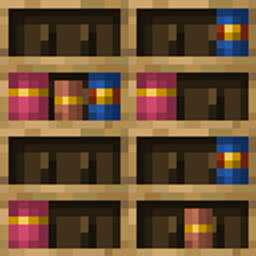
- Chiseled Bookshelf: look at a slot to see the book's full tooltip (name, enchantments, author).
- Double-Sided Bookshelf: works on both the front and the back.
- Blueprint Cupboard (from Wood Work): look at a slot to see which blueprint is inside, including its model preview tooltip.
- Beehive and Bee Nest: shows how many bees are inside and the current honey level, with the same tooltip you see in your inventory.
The tooltip appears next to the crosshair and uses the game's normal item tooltip, so it follows your language, resource pack and advanced-tooltips (F3+H) setting.
Compatibility
- Minecraft 1.21.11
- Fabric Loader and Fabric API
- Works with Double-Sided Bookshelf and Wood Work, but needs neither. Blocks from mods that are not installed are simply ignored.
Multiplayer
Bee counts are not synced to clients by vanilla, so Display Information asks the server for them. For bee information to appear on a server, install the mod on the server too. Everything else is read from data the client already has.
For mod developers
Other mods can add their own blocks without depending on Display Information at compile time. Register the block's id with a slot layout (pixel rectangles on a 16x16 face, and how the back side is handled):
DisplayRegistry.register(blockId, new SlotLayout(BackSide.SEPARATE, rects));BackSide is NONE (front only), SEPARATE (the back has its own slots) or MIRRORED (the back shows the same slots as the front).
The mod reads the stored items from the block entity's saved data (the standard Items list written by ContainerHelper), so your block entity only needs to save and sync its items that way.
Display Information Team