
Dead Air: Pip-Boy Radio Conversion
- By
Extra Special Studio presents a Pip-Boy-style radio unit: off-hand wrist equip, live CRT (STAT mini-GUI), and with Dead Air tuning when installed. Requires GeckoLib & ESC. Dead Air optional, but recommended.
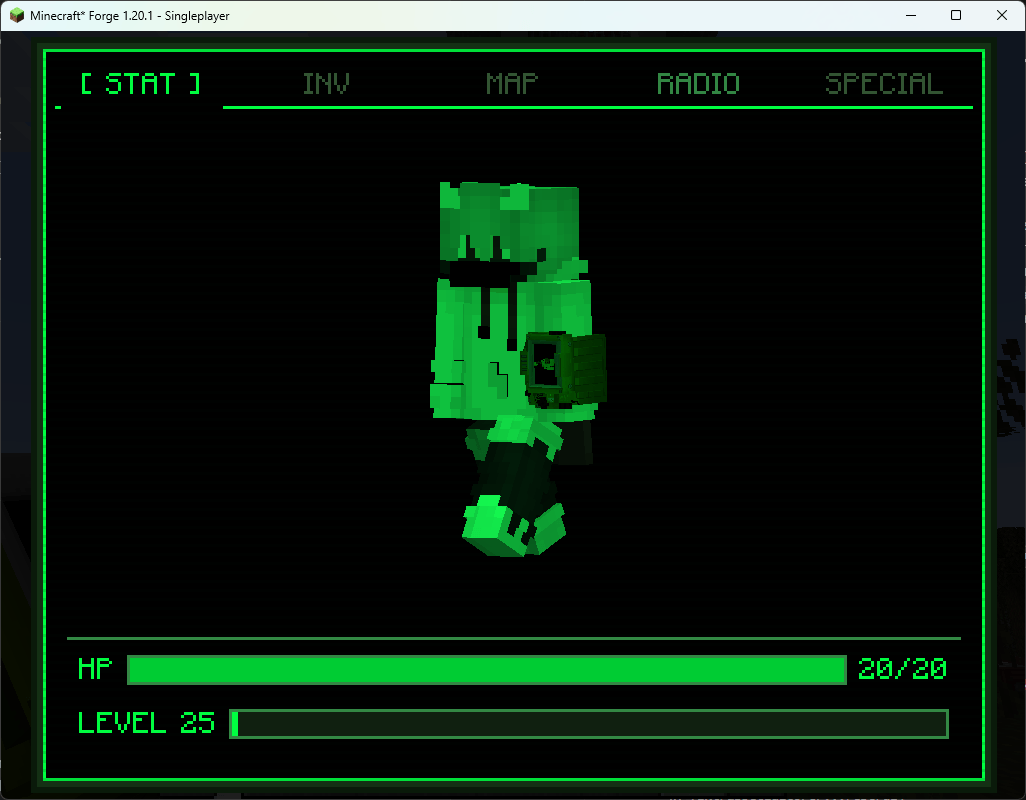
image.png
Screenshot 2026-08-10 013813.png
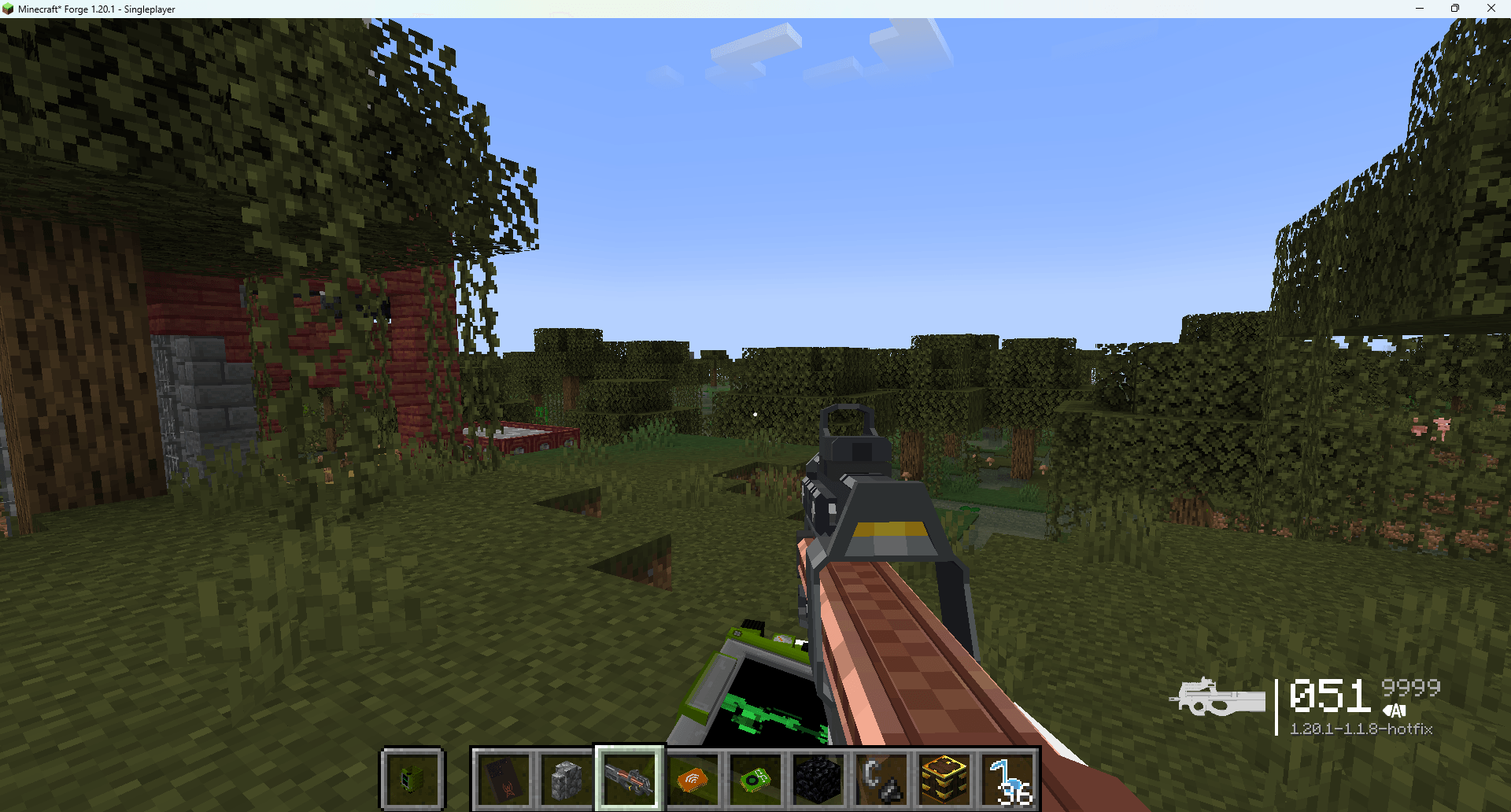
image.png
Description
Dead Air - Pip-Boy Radio Conversion
A post-collapse Pip-Boy-style radio that sits on your wrist — not an official Fallout product.
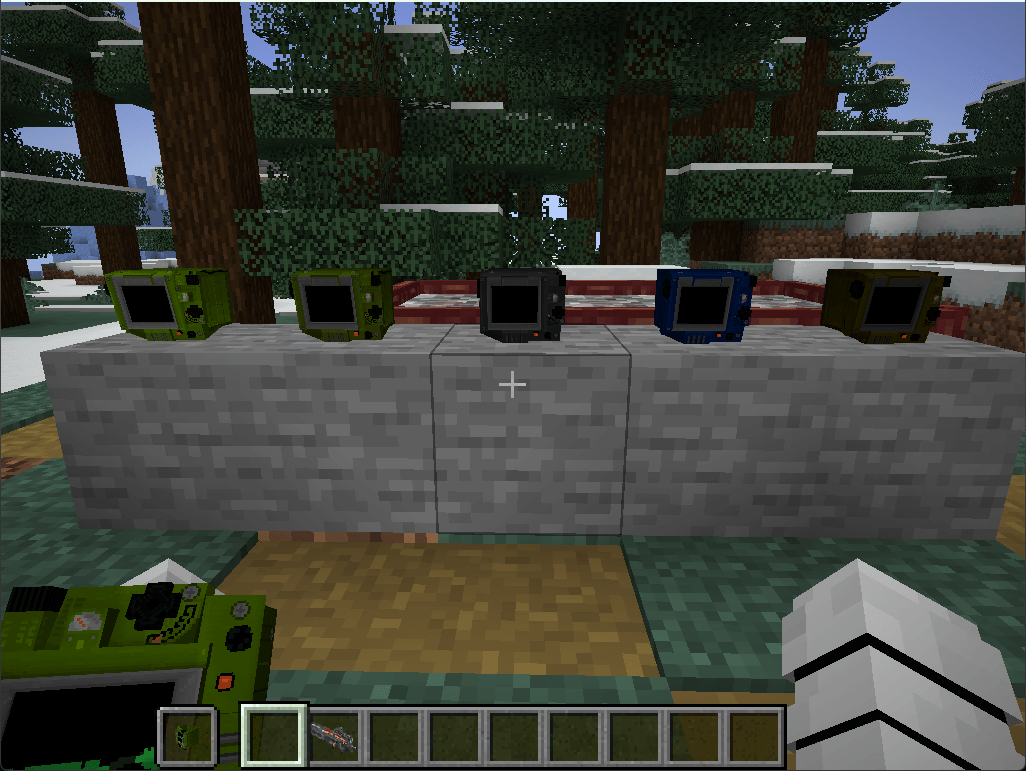
Adds T1 and T2 Pip radios (five colours) alongside stock Dead Air radios — it never replaces them.
Dead Air is optional. Without it you still get the Pip shell, wrist equip, placeable decor, and the on-model CRT (STAT mini character). With Dead Air installed, the RADIO tab becomes full tuning / Link, and the CRT can show live radio HUD while music plays.
What you get:
- Off-hand wrist equip — right-click wears the Pip on the left wrist; main hand stays free for tools (
Falso swaps to off-hand). - Live CRT — Fallout-style phosphor screen on the model: idle STAT silhouette (your character), plus Dead Air radio HUD while listening when Dead Air is present.
- PipBoyScreen — ESC-styled tab shell. Opens on STAT; tabs: STAT | INV | MAP | RADIO | SPECIAL.
- STAT — walking player silhouette (armor + Pip).
- RADIO — Dead Air power / tune / ping (T2 also Link/Unlink). Without Dead Air, this tab prompts you to install it.
- INV / MAP / SPECIAL — reserved for future companion mods (“Coming soon”).
- Five colours — Light Green, Dark Green, Grey, Dark Blue, Dark Brown (recolour any Pip with dye).
- Placeable desk Pip — decorative block version of the unit.
- Own creative / JEI tab — Pip-Boy; T2 listed only when Dead Air is present.
How to get one:
| Path | Detail |
|---|---|
|
Call Airdrop catalog (with RadioTowers + Dead Air)
|
Light Green T1 — 5 points (same cost as T1.Radio)
|
|
Craft
|
Light Green T1: leather + redstone + Static Note
|
|
Tower structure crates
|
Guaranteed Light Green T1 (with RadioTowers)
|
|
Recolour
|
Any Pip + matching dye
|
|
T2 Link
|
Same shaped craft as Dead Air T2.Radio, using that colour’s Pip T1 + Dimensional Relay
|
Craft patterns:
T1 (Light Green):
L R L
R N R
L R L
L = leather, R = redstone, N = Static Note (Dead Air)
T2 (any colour): same layout as Dead Air T2.Radio, with W = that colour’s Pip T1.
Dye map:
| Colour | Dye |
|---|---|
|
Light Green
|
Lime
|
|
Dark Green
|
Green
|
|
Grey
|
Gray
|
|
Dark Blue
|
Blue
|
|
Dark Brown
|
Brown
|
How to use it:
Hold a Pip and press N (default Dead Air tune key) or right-click to open the PipBoyScreen. Raise animation brings the wrist unit toward the camera.
With Dead Air: use the RADIO tab like a stock walkie — dial, stations, Ping Location; on T2, Link/Unlink a Signal-Upgraded tower.
Dependencies:
Required: GeckoLib 4.x, ExtraSpecialCore (ESC)
Optional: Dead Air 2.1.0+ (RADIO tab, Link, live radio HUD, crafting/airdrop paths that use Static Notes / Relays)
Optional with Dead Air: Apocalypse Structures: Radio Towers and Airdrops (RadioTowers) for panel/airdrop acquisition
Stock Dead Air T1/T2 radios keep working as usual. This mod is an alternate radio skin + Pip shell, not a replacement for Dead Air or RadioTowers.
Dead Air: Pip-Boy Radio Conversion Team

Owner


![[ESN] Extra Special Network project image](https://media.forgecdn.net/avatars/thumbnails/2041/99/256/256/639247549925809388.png)