Dead Air
- By
Extra Special Studio presents Dead Air: radio towers become station nodes you tune with built-in T1/T2 radios & cross-dim Link. Collect notes, craft upgrades & panels. Requires Apocalypse Structures, GeckoLib & ESC.

Description
Neoforge version will be fixed soon, sorry everyone.
Major Halloween Update!
Dead Air 3.0.0 — Emergency Broadcasts. Out now.
This update contains a TON of new features
Including a new tier of radio, the new EB system, recruitable Survivors with base, party, and leveling mechanics, as well as unique skills, and personalities!
New decoration items, an advancement tree detailing everything so far, guidebook improvements, a unique damage type...
And even our first boss!
Yes... i said first...
3.0.0 trailer: \[https://youtu.be/a8XrjZXm2S0\](https://youtu.be/a8XrjZXm2S0)
The Listener — what to expect:
- The first Listener encounter is a survival boss encounter — timer, Signal Anchors, and Listening Silence. This is not the kill fight.
- The Signal Breaker (and its craftable components) are in the game, but the intended ways to obtain those materials for the final kill fight are not implemented yet.
- Bosses are coming soon behind each Signal Breaker material: Distortion Core, Broadcaster Coil, Maw Fang, Scrambler Chip, and Echo Crystal.
Dead Air:
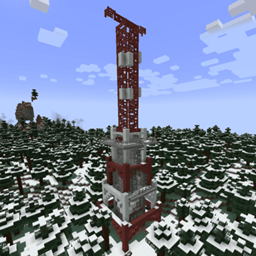
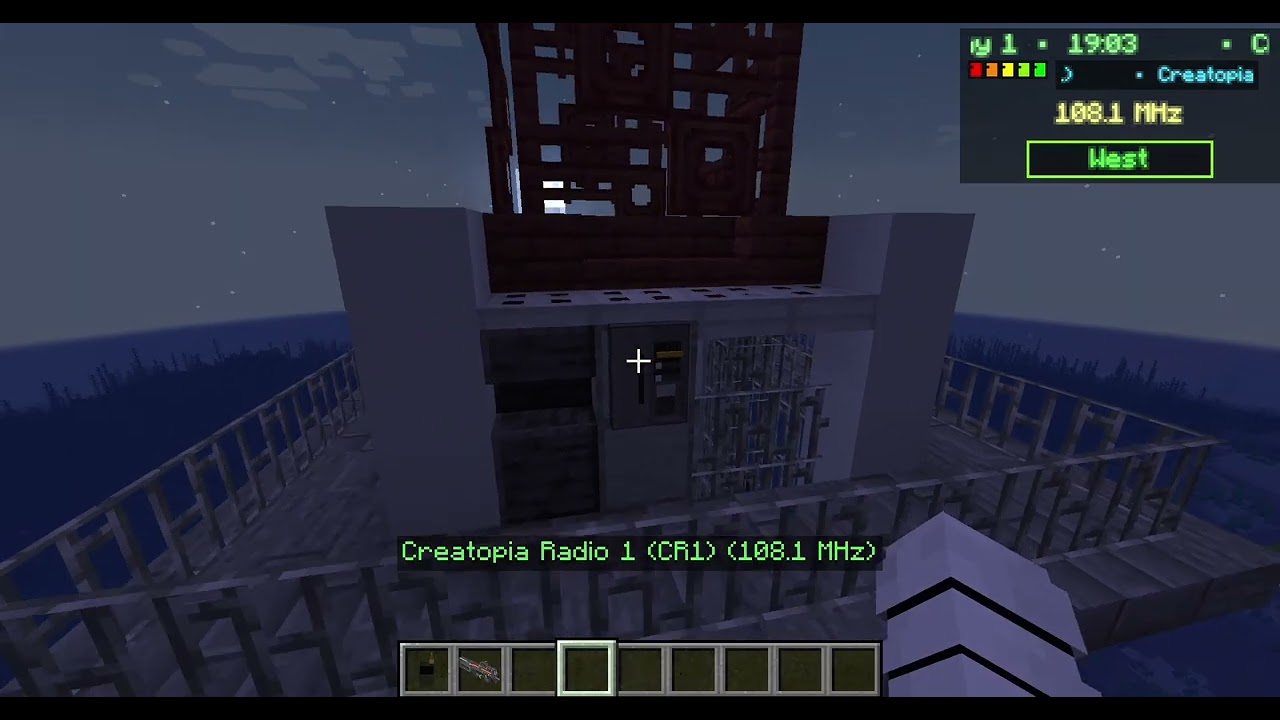
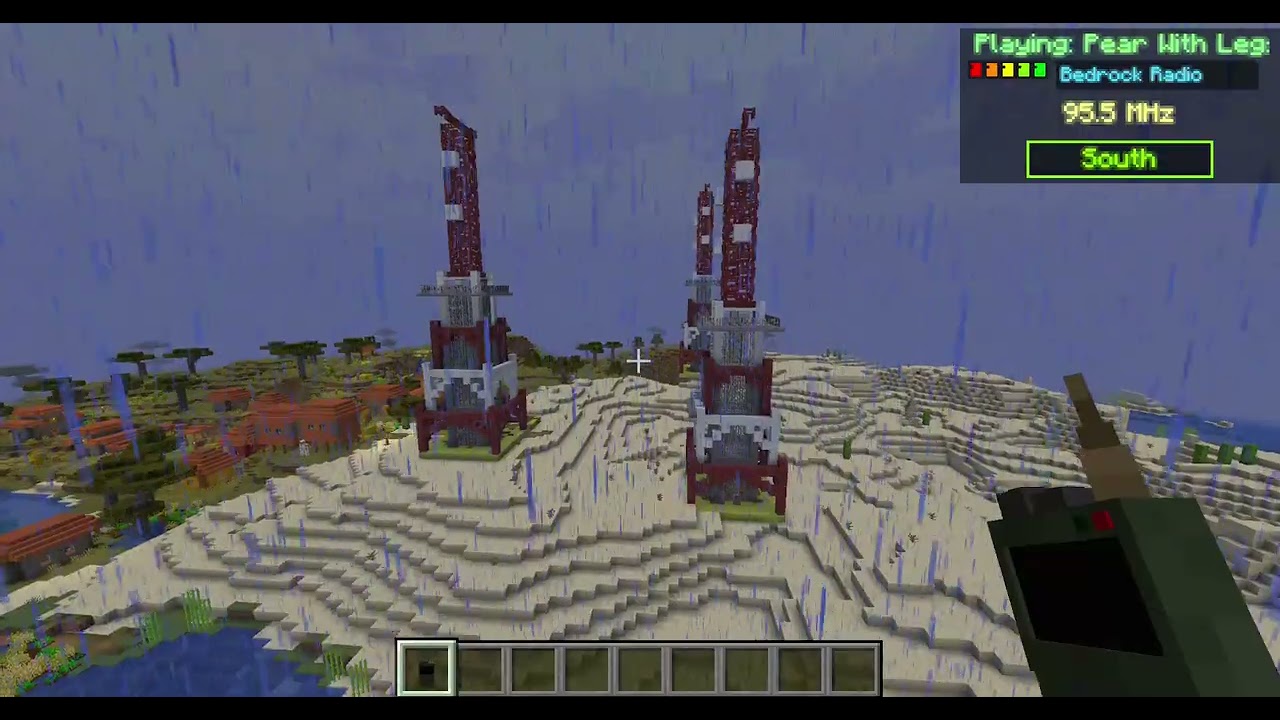
Turns radio towers into broadcast nodes. Each tower can broadcast a different station. Examples include Bedrock Radio, Creatopia Radio, Jukebox FM, Remix Radio, optional internet streams, and dynamic stations from expansion mods / autoDiscoverModMusic.
Radios — T1.Radio, T2.Radio (Walkie Link), and T3.Radio with animated GeckoLib models. No third-party walkie mod required. T3 + Signal Decoder unlock Emergency Broadcasts; Transmit answers The Listener.
Progression & materials:
- Static Notes drop while listening (one active radio: T1 15% / T2 30%); nine Notes on the ground merge into a Resonant Chord
- Craft Dimensional Relay, T1 / T2 / T3, Signal Upgrade, Disc Compendiums → Jukebox Upgrade, Signal Decoder / Signal Breaker components, and a Radio Panel recipe (when RadioTowers is present)
- Install Signal Upgrade on a panel to unlock T2 Link: listen to that tower across dimensions; the link follows if you re-assign the panel’s station
- Emergency Broadcasts (3.0.0): night scheduler, map markers, proximity prompts, and procedural sites (distress camps, refugee convoys, auctions, crash wrecks, broken relays, base under attack, Pirate FM)
- Story spine through relays → It Hears You → Signal Breaker (acoustic weapon) → The Listener boss
- Recruit survivors (professions, party HUD / ESC action wheel, settle at a radio-panel base); camp décor for EB sites (tents, firepits, folding chairs, clothesline, and more)
- In-game Field Guide covers Intro, How To Play, Materials (recipes), Emergency Broadcasts, The Listener, Current Expansions, and Planned Material
You can create custom stations and playlists:
Custom stations: put .ogg files in config/dead_air/custom stations/<Station Name>/ (one subfolder per station; restart).
Extra tracks for built-in stations: set customMusicPath to a folder with assets/dead_air/sounds/music/custom/*.ogg.
Soundtrack packs on servers: expansion packs stay client-only. Players install them; the server does not need the large audio jars. Official ESS packs are announced when a player who has one joins. Third-party packs: add the mod id to [stations] expansionStations in dead_air-common.toml and restart.
How it works:
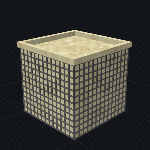
Dead Air uses Radio Panel blocks (Apocalypse Structures / RadioTowers) as broadcast towers. You can craft panels for your own bases.
Emergency Broadcast (88.5 MHz) can come from any powered tower. With T3 decoded, story and side transmissions drive the 3.0.0 content (survivors, sites, The Listener).
Signal is shown as 0–5 bars (distance, line-of-sight, weather). Bars use 75-block steps: 5/5 within 75 blocks, 4/5 at 150, 3/5 at 225, 2/5 at 300, 1/5 at 375, none beyond that.
Discovery: with the radio on, being in range of a tower unlocks its station; unlocked stations stay available.
Tower types: Standard towers work immediately. Fenced and Overrun need one Radio Panel right-click to activate; that state saves.
Audio: music plays from your one active tuned radio (hand, hotbar, or inventory—configurable). Volume follows signal. Weak signal or bad tuning adds static. Cross-dimension travel resumes the same track near where it left off when Linked / in range again. Dropped radios do not play.
How to use it:
Hold a T1, T2, or T3 Dead Air radio and press N (default) or right-click to open the tuning screen.
The screen has a retro dial (88.0–108.0 MHz). Tune with the slider or by picking a station. On T2 (and T3), Link Selected Station / Unlink Station locks onto a Signal-Upgraded tower in range (no need to stand at the panel). Ping Location sends your name and coordinates to chat.
T3.Radio: craft a Signal Decoder, then right-click it with a T2 in the other hand (or use the crafting-table recipe) to keep your tune and link. A T3 keeps everything a T2 can do, and adds Transmit plus decoded Emergency Broadcasts.
Emergency Broadcasts: at night, 88.5 can carry a real site. A T1 or T2 hears it scrambled; a T3 cleans it up. Walk near a live site for a tune prompt; on a T3, tune 88.5 for a compass fix and map pin.
Transmit / The Listener: story calls lead to Broken Relays (right-click for Relay Logs). After enough logged relays, Transmit on the hidden frequency at night near a logged relay for the first encounter — then again with a Signal Breaker for the final fight (Acoustic damage only).
Further options: dead_air-common.toml and the in-game config (ranges, volume, overlay, radioAlwaysOn, etc.).
Radio panels & player bases:
Radio Panels (from Apocalypse Structures / RadioTowers) are the tower broadcast nodes — assign which station a tower puts on the air. You can also craft panels for your own bases.
Sneak and right-click a Radio Panel with both hands empty to set it as your player radio base. That chunk stays force-loaded. Survivors you send home path here, and Base Under Attack waves target it.
Destroying the panel clears the base. Install Signal / Jukebox upgrades on panels as usual for Link and Jukebox FM.
Survivors:
Recruit stranded survivors into your roster (default max 5 owned). Your active party is whoever is FOLLOWING you — also capped at 5. Send extras home to your radio-panel base before recalling more.
- Professions (themed looks): Scavenger, Medic, Radio Operator, Pilot, Military, or Civilian
- Party HUD (corner + offset in config): name, profession tint, HP, downed state, and distance
- Orders via the ESC action wheel: Follow, Defend, Attack, Retreat, Regroup
- Settle at home / your radio base; keep them supplied and they gain XP
- Downed survivors can be revived; if they fall too far behind they path home and greet you when you meet again
Server commands:
/dead_air structures tower <type> [x] [y] [z] — spawns a tower at your position or the given coords. Types: standard, fenced, overrun. Spawned towers are active immediately.
/dead_air structures camp|auction|convoy|crash — places that Emergency Broadcast site kit at your feet.
/dead_air structures relay [small|medium|large] — places a broken relay (optional variant; defaults from story progress).
/dead_air structures list — lists your pending EB sites.
Current expansions:
Optional companion soundtrack packs — work standalone or plug into Dead Air as stations:
-
Dead Air - Wayfarer Radio — adventure / RPG
-
Dead Air - Frontline FM — high-energy battle / combat
-
Dead Air - After Hours FM — Lo-Fi / chillout
-
Dead Air - Block Beats FM — Hip-Hop / R&B
-
Dead Air - Broken Youth Radio — pop punk
-
Dead Air - Iron Rain FM — metal
-
Dead Air - Zero Gravity — pop rock / indie pop
Special Note: If you would like your own music turned into an expansion, drop me a message :)
Dependencies:
- Required: Apocalypse Structures: Radio Towers and Airdrops (RadioTowers), GeckoLib 4.x, ExtraSpecialLIB (ESL), ExtraSpecialCore (ESC)
- Optional: Berezka’s Library + Berezka’s Zombie Waves API (full airdrop / wave flows with RadioTowers)
Dead Air does not replace RadioTowers — it adds broadcasts, stations, signal, music, radios, and progression on top.
Music rights:
ALL CUSTOM MUSIC TRACKS ARE OWNED BY ME AND MY TEAM. You may use these in any modpack, and play these tracks in YouTube videos / Twitch streams and similar. DO NOT distribute the music files individually.
Dead Air Team

Owner