DayZ Hotbar
- By
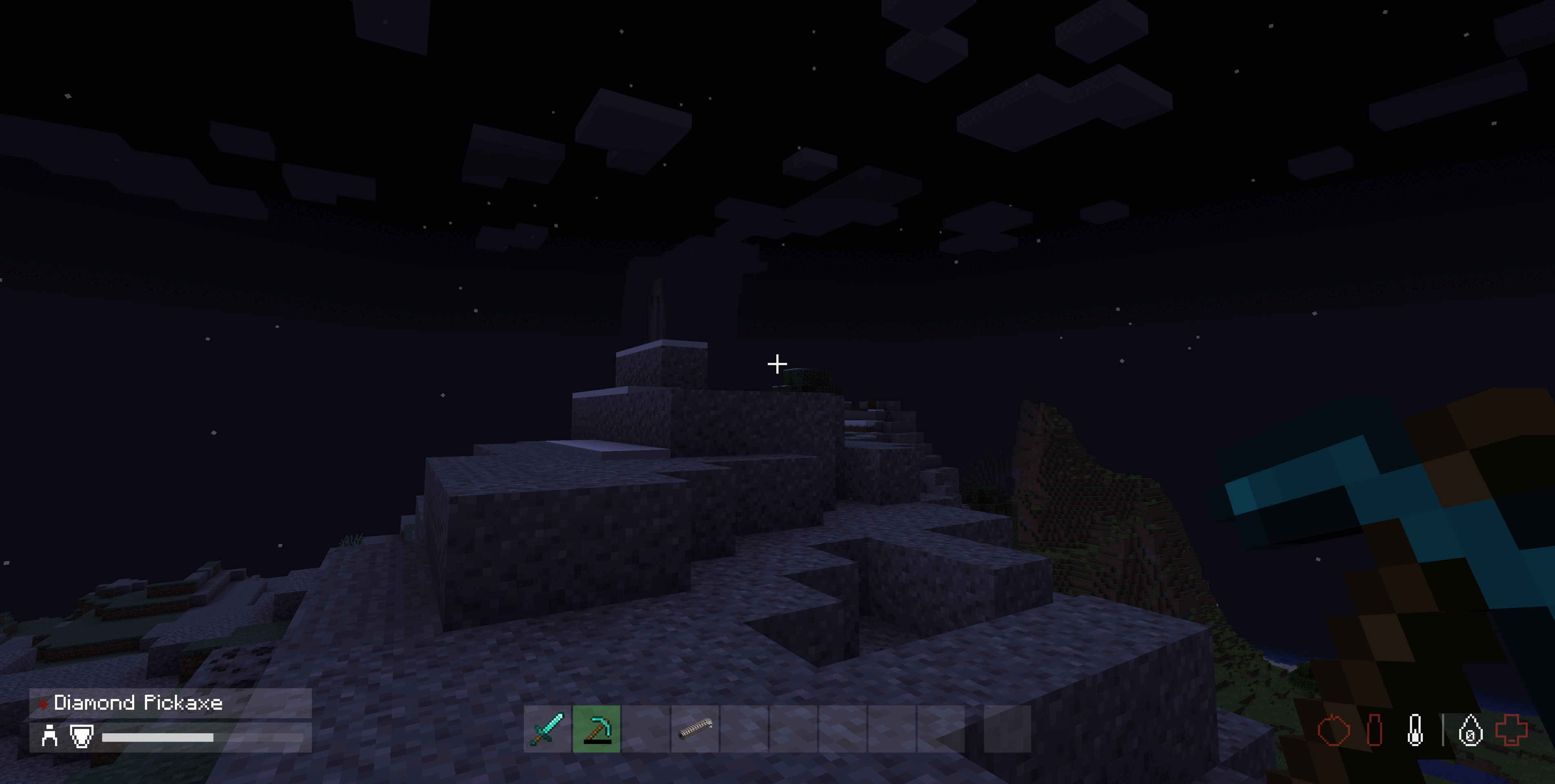
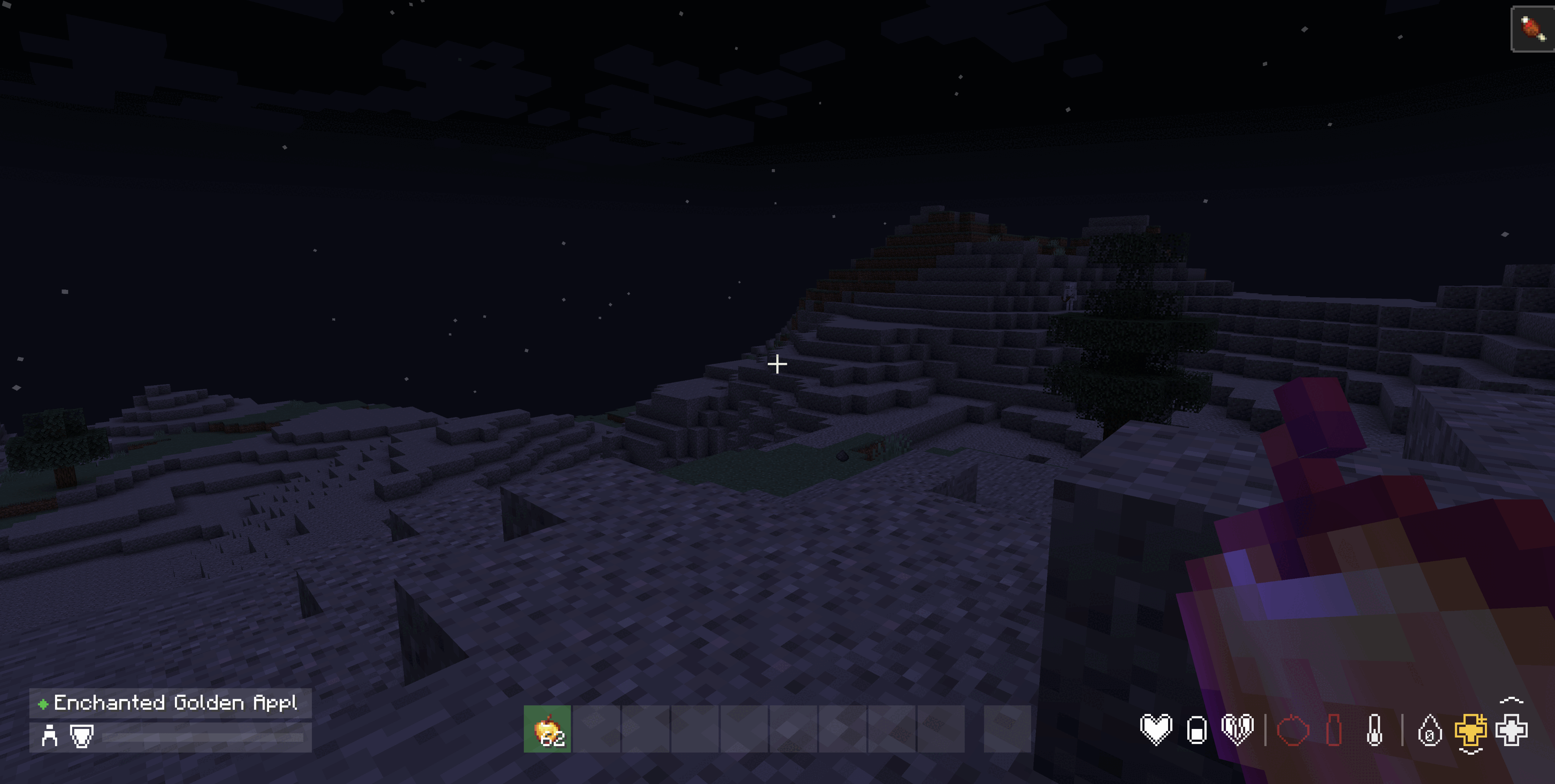
a DayZ-style hotbar and status readout, styled to match the DayZ Inventory mod.
uwu-full.gif
Screenshot From 2026-09-13 00-35-38.png
Screenshot From 2026-09-13 00-36-27.png

uwu-icons.gif
Screenshot From 2026-09-13 00-35-38-small.png
Screenshot From 2026-09-13 01-20-30-small.png
takebesaori | DayZ Hotbar
Create a server, get 25% off your first month

Description
DayZ Hotbar
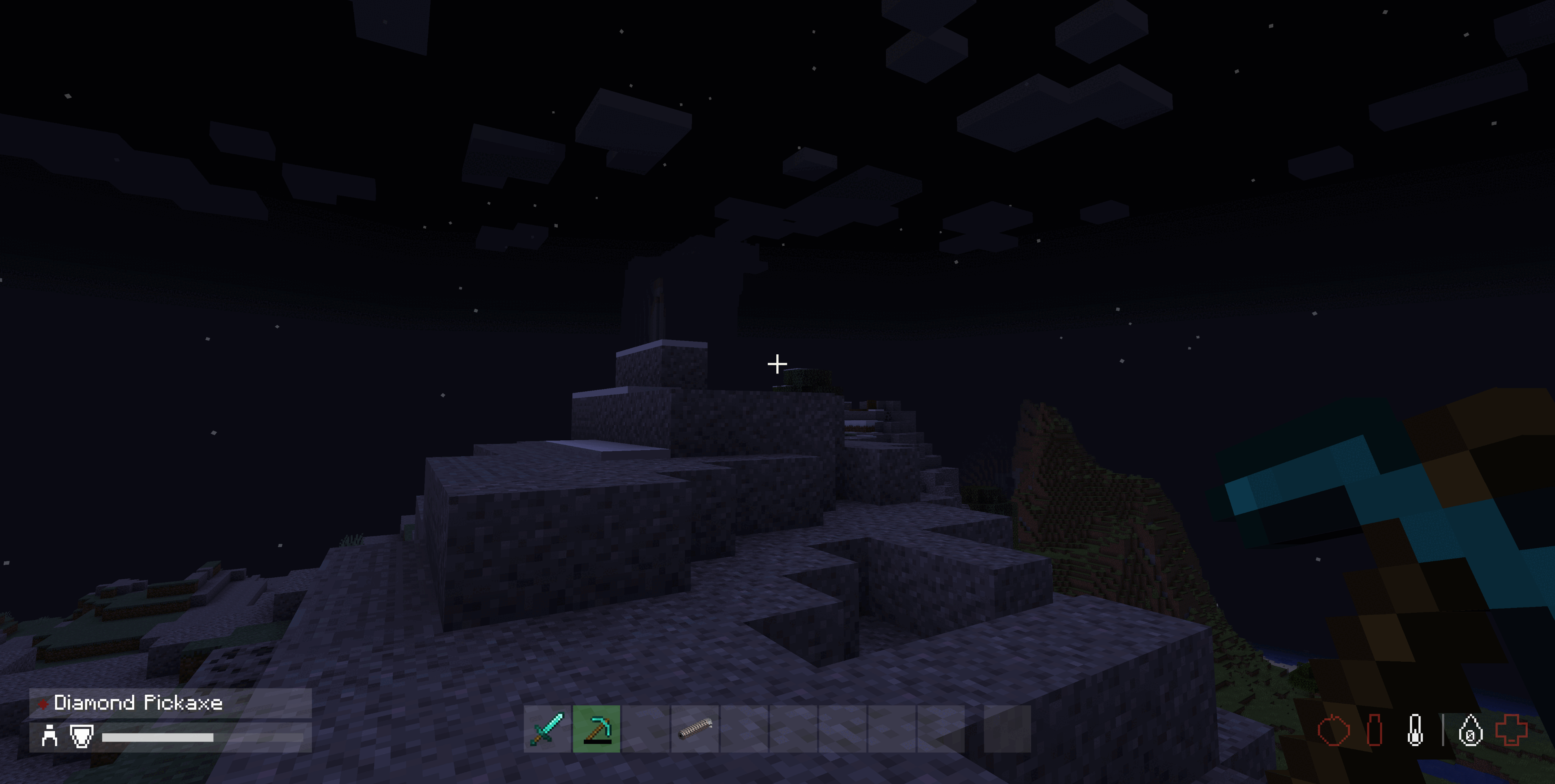
Replaces the Minecraft HUD with a DayZ-style hotbar and a DayZ-style status readout.
Built as a visual sibling of DayZ Inventory — same palette, same flat translucent panels, same near-black washes — so the two mods read as one interface.
Available for Minecraft 1.20.1+. No loader needs an API mod.
Tip — GUI Scale. The HUD is laid out at a fixed pixel size and is tuned for Minecraft's default Auto GUI scale. At a large GUI scale the hotbar, the player panel and the status readout are pushed together and can meet in the middle of the screen; at a very small one the icons become hard to read. If either happens, adjust Options → Video Settings → GUI Scale.
| Minecraft | Loaders | Java | Release |
|---|---|---|---|
| 1.21.1 | Fabric, Forge 52.1.2+, NeoForge 21.1+ | 21 | 1.1.0 |
| 1.20.1 | Fabric, Forge 47.x | 17 | 1.0.1 |
Both versions draw the same HUD. Download the file for your game version and loader - they are not interchangeable.
Features
The Hotbar
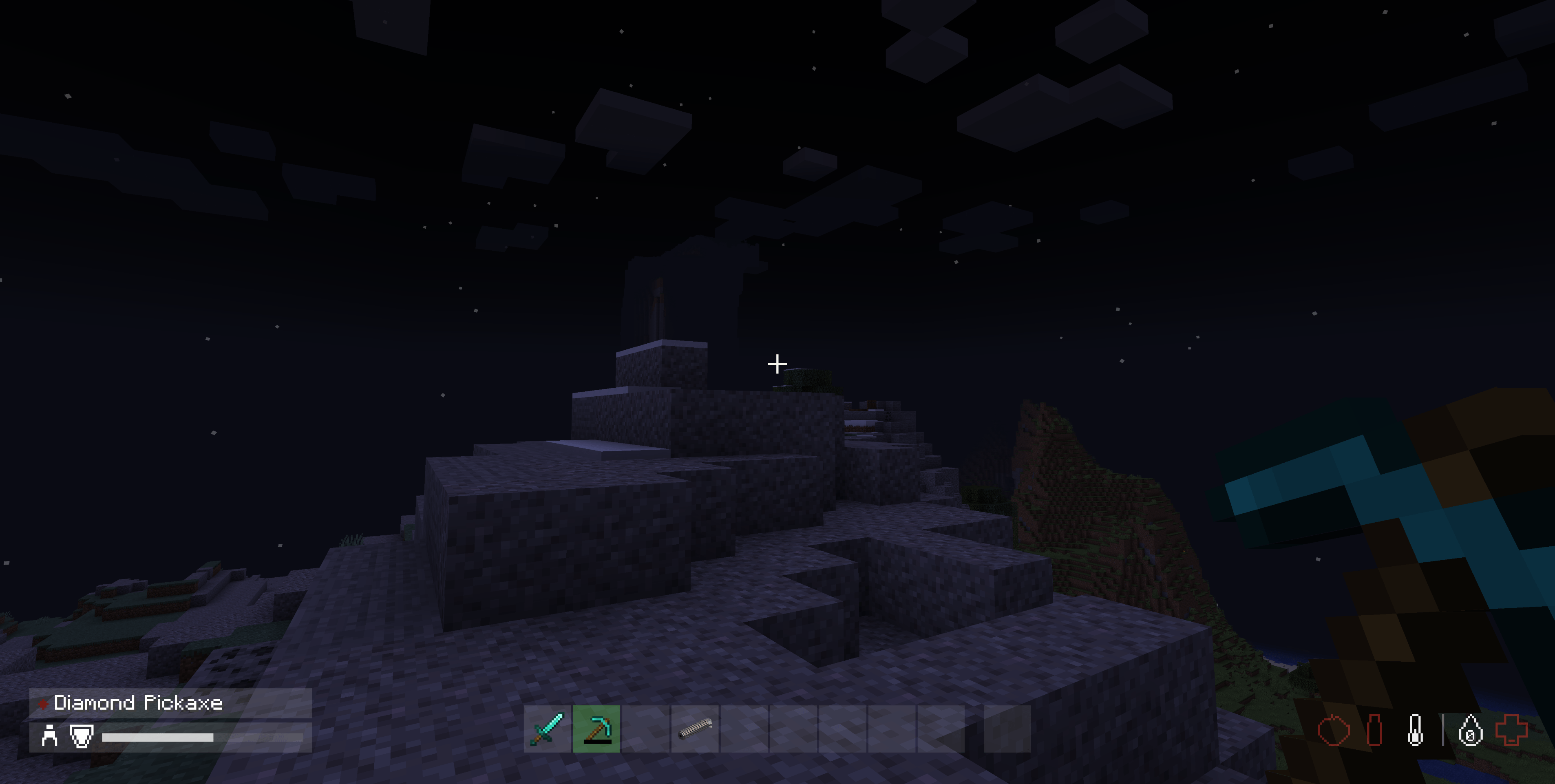
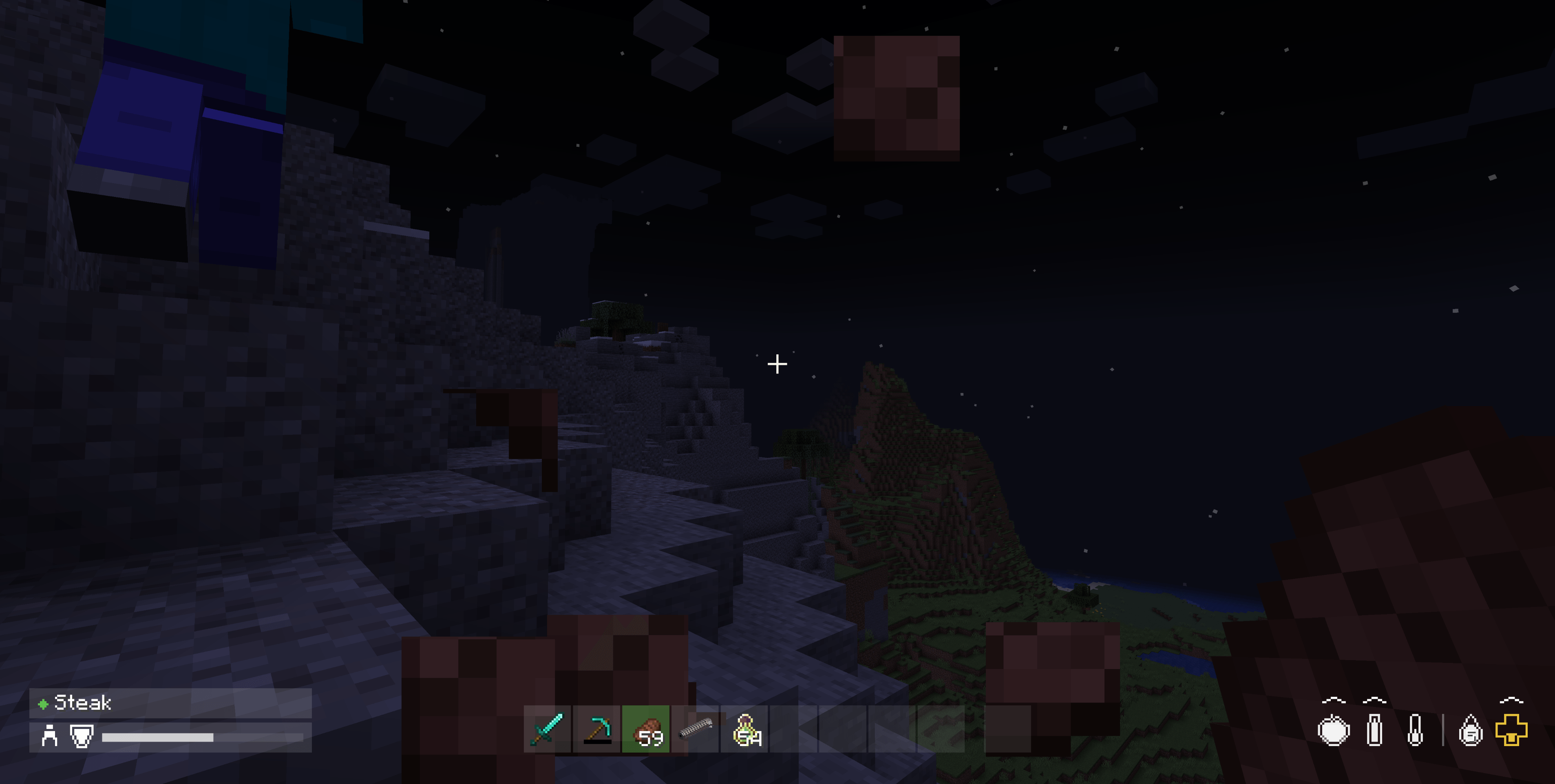
- Nine slots plus the offhand on a single flat row, in the same near-black translucent style as the DayZ Inventory screen.
- No backing plate, no outlines — each grey box is 22x22 with a single pixel of clearance between boxes, and slot state is carried by the colour of the wash alone.
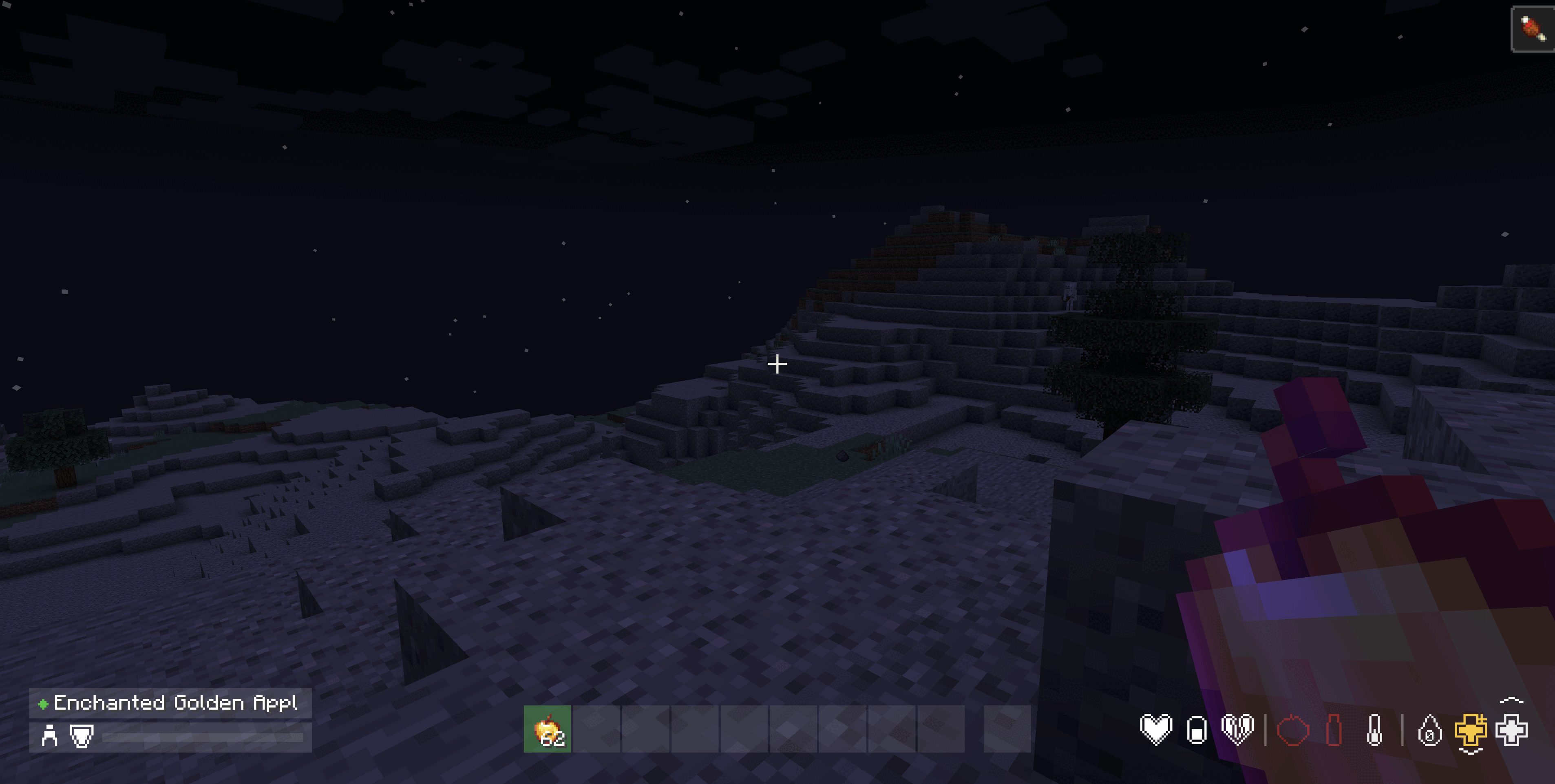
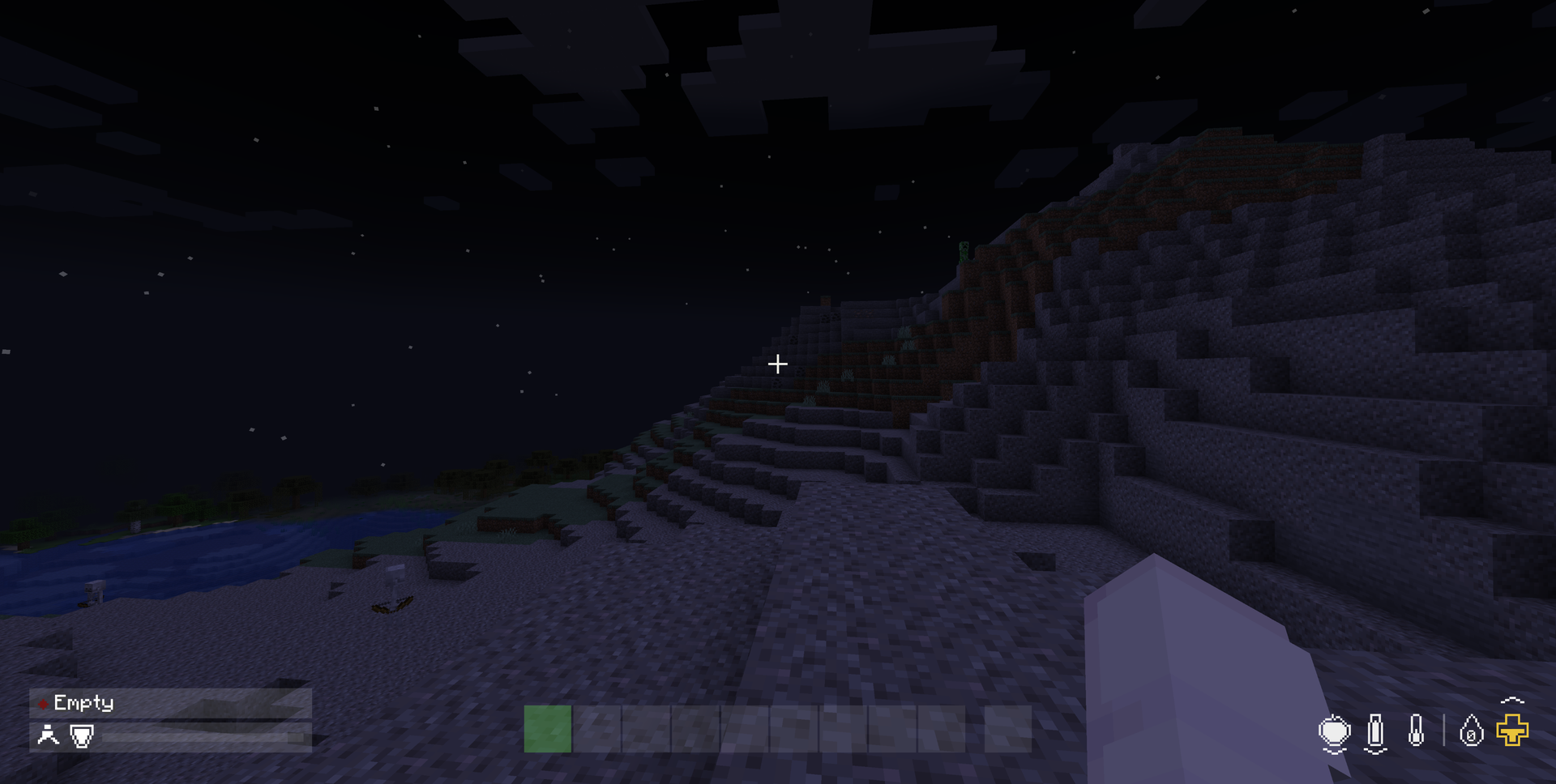
- Selection-driven states — dim wash for empty, lifted wash for holding an item, green for the slot in hand, and red for an item that is on cooldown and cannot be used.
- Swap animation — the newly held slot starts yellow and resolves to green over about a third of a second, so a swap reads as an event rather than an instant flip.
The Status Readout
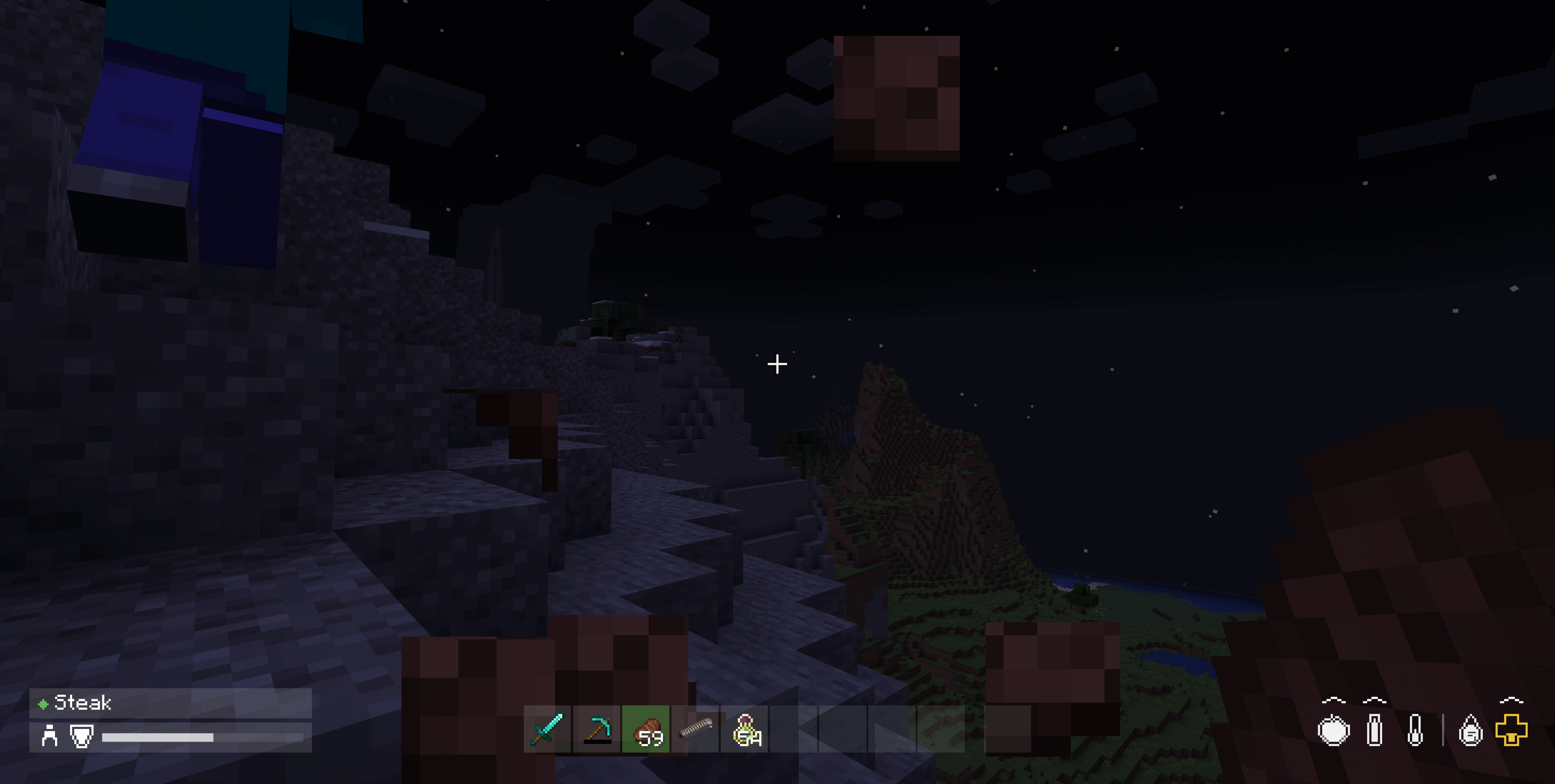
- A horizontal row of icons in the bottom right, on the same margin as the hotbar so the whole HUD reads as one line across the screen.
- Icons are vessels — an outline, a one-cell clear gap, and an interior that fills from the bottom as the value rises. The outline takes the same colour as the fill, so a yellow icon has a yellow outline.
- Three sections, divided by an upright line that only appears where both sides have something in them: Effects, Sustenance, and Vitals.
| Section | Icons |
|---|---|
| Effects | One mark per family of active potion effect |
| Sustenance | Apple for food, with saturation drawn over it as a brighter wash; bottle for water; thermometer for temperature; bubble for air, only while you are underwater |
| Vitals | Drop for experience with the level number inside it; gold cross for absorption; cross for health, or your mount's health while riding |
- Right-aligned — icons that come and go, like the air bubbles while you are on land, do not shift the ones that are always there. The row simply grows and shrinks from the left.
- Absorption is drawn as a second cross, badged with a small plus in its top right, rather than as an icon of its own.
DayZ Colour Bands
Health and food use DayZ's own bands, which differ from each other. Health is quoted against 100 HP; food against a 5,000-point reserve.
| White | Yellow | Red | Flashing | |
|---|---|---|---|---|
| Health | 61–100% | 31–60% | 15–30% | 0–14% |
| Food | 16–100% | 6–15% | 2–5% | 0–1.9% |
Minecraft's bars are 20 points for both, so health turns yellow at 12 or less, red at 6 or less, and flashes under 3 — while food turns yellow at 3 or less, red at 1, and flashes only when empty. Food is deliberately the more forgiving of the two: in DayZ you are warned about hunger far later than about blood loss.

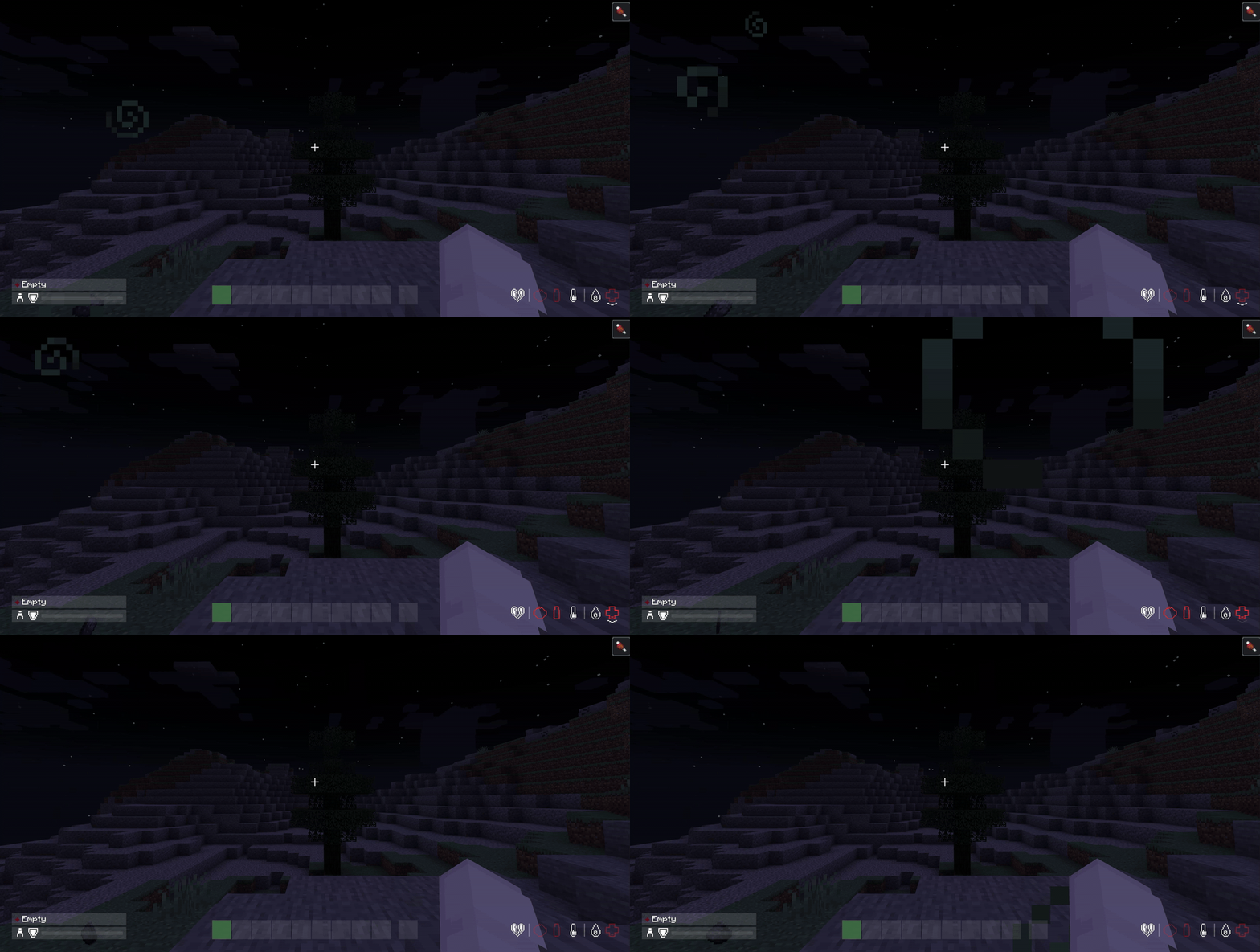
The critical band in motion — food, water and health all flashing red at empty. The beneficial-effect heart on the left and the experience drop stay white through it, because an effect is either on or off and how far through a level you are is not a warning.
Air has no bands of its own and borrows health's, since drowning and bleeding out are the same kind of emergency. Absorption and experience are deliberately not colour-tiered — having less absorption is not a warning, and neither is how far through a level you are.
Trend Markers
- A stacked chevron shows which way each stat is moving — above the icon when it is rising, below it when falling, so the marker is on the side the value is heading.
- One chevron for ordinary drift, two for a significant change, which is what makes a poison tick or a regeneration effect read differently from hunger ticking down on its own.
- Held and faded — the marker stays for a second and a half after the movement stops, then fades out, so a short exchange of damage does not come and go before you see it.
The Player Panel
- Bottom-left corner, on the same wash the hotbar's slots use, with its bottom edge on the hotbar's own line.
- Held item row — a DayZ condition dot (pristine, worn, damaged, badly damaged, ruined) and the item's name.
- Equipment row — a stance figure for walking, sprinting or crouching, a shield mark, and an armour bar.
Effect Marks
Active potion effects are collapsed to one mark per family rather than one per effect, because Minecraft has thirty-odd effects and a row that grew per effect would eat the screen edge. What matters at a glance is which kinds of thing are on you.
| Mark | Family |
|---|---|
| Heart | Beneficial — speed, strength, night vision |
| Pill | Restorative — regeneration, absorption, saturation |
| Broken heart | Harmful — poison, hunger, mining fatigue, everything else bad |
They are drawn white with no fill level and no colour banding, because an effect is either on or off. When one ends its mark fades out over a second rather than vanishing.
Hand-Drawn, Not Textured
Every icon is pixel art defined in the mod's own source on a 15x15 grid rather than loaded from a texture. The mod ships no icon art of its own, so it cannot clash with a resource pack.
No API Mod Required
Nothing else needs installing on any loader — no Fabric API, and no companion mod on Forge or NeoForge either. Each build talks to its own loader's HUD plumbing and to nothing else.
Installation
Pick the file for your Minecraft version and loader. They draw the same HUD, but they are built for different versions and loaders and are not interchangeable.
Minecraft 1.21.1
Fabric
- Install Fabric Loader for Minecraft 1.21.1.
- Drop
dayz-hotbar-fabric-1.21.1-<version>.jarinto yourmodsfolder.
Forge
- Install Forge 52.1.2 or newer for Minecraft 1.21.1.
- Drop
dayz-hotbar-forge-1.21.1-<version>.jarinto yourmodsfolder.
NeoForge
- Install NeoForge 21.1.x for Minecraft 1.21.1.
- Drop
dayz-hotbar-neoforge-1.21.1-<version>.jarinto yourmodsfolder.
Minecraft 1.20.1
Fabric
- Install Fabric Loader for Minecraft 1.20.1.
- Drop
dayz-hotbar-fabric-1.20.1-<version>.jarinto yourmodsfolder.
Forge
- Install Forge 47.x for Minecraft 1.20.1.
- Drop
dayz-hotbar-forge-1.20.1-<version>.jarinto yourmodsfolder.
There is no NeoForge build for 1.20.1. That line uses the older overlay-based HUD API, which this mod is not written against, so 1.20.1 ships for Fabric and Forge only.
The builds are not interchangeable. Forge and NeoForge are separate downloads even though they look similar; they are different loaders with different HUD APIs.
Notes
- The vanilla health, hunger, armour, air and experience elements are suppressed rather than drawn over, so nothing double-draws.
- Vanilla's own visibility rules are inherited: the HUD still hides behind an open screen, in spectator mode, and when you press F1.
- The vanilla attack-strength indicator lived inside the hotbar, so replacing the hotbar removes it. It is not reimplemented — set Options → Video Settings → Attack Indicator to Crosshair if you want it back.
- Water and temperature are drawn but not yet read. Water mirrors food, and temperature sits at half and white. Both are placeholders for a thirst and temperature system, and will become real readings when such a mod is present.
License
Apache License 2.0 — free to use, modify and redistribute, including in modpacks, on servers, and commercially.
Copyright 2026 suoim.
The DayZ Hotbar Team