

Custom Tags
- By
✦ CUSTOM TAGS ✦
Animated colors • Emojis • Gradients • Player tags
Give player names a personal touch with Custom Tags. Create your own tags, highlight friends, and organize players with custom colors, emojis, and animated effects.
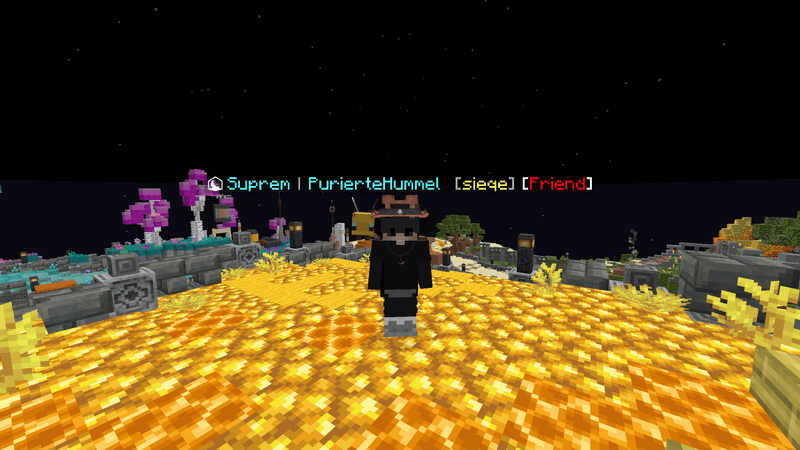
Display tags above or beside player names, with separate designs for nametags, the TAB player list, and chat.
🎨 Create your own style
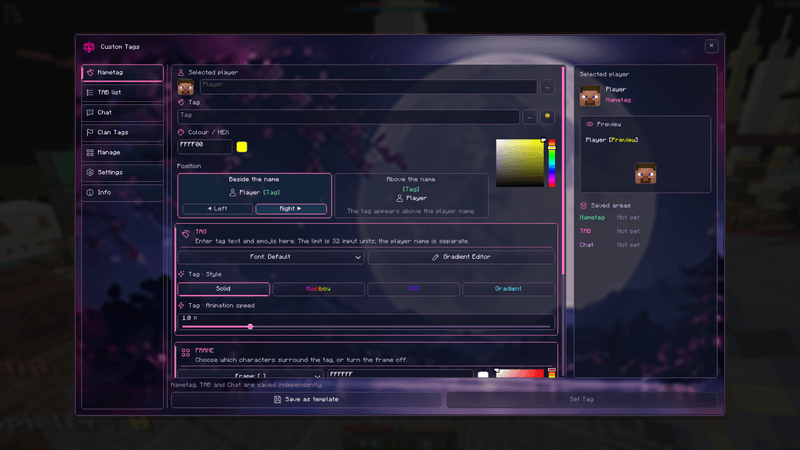
Design your tags through an in-game editor with a live preview. Choose between Solid, Rainbow, RGB, and Gradient modes, then adjust the animation speed to match your preferred look.
Build custom multicolor gradients using the gradient editor and its presets. Combine text with emojis and different font styles to make each tag recognizable.
Customize the brackets surrounding your tags independently from the text, or turn them off entirely. Place nametags above player names or beside them, on the left or right.
💬 Three places, three designs
Configure nametags, the TAB player list, and chat independently. Use a matching style everywhere or create a different tag for each area.
👥 Keep your players organized
Save your favorite designs as templates, organize players into groups, and apply tags to multiple players.
Search, sorting, saved entries, and player heads help you find and manage the players you want to customize.
🚩 GommeHD clan tags
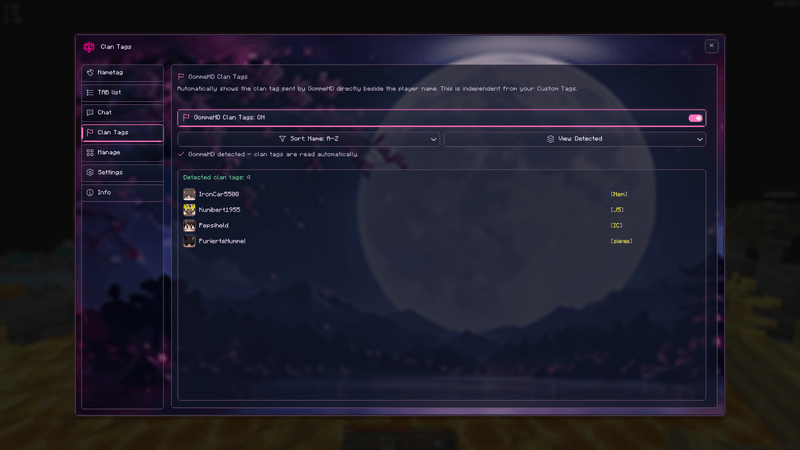
Automatically display clan tags supplied by GommeHD beside player names, alongside your custom tags.
The dedicated Clan Tags menu shows detected players and their clan tags. This feature displays existing server information and does not create or change clan memberships.
✨ Make the menu yours
Choose from different menu backgrounds, including a transparent option. Preview your designs while editing and manage your settings with import, export, backups, and undo.
🖥️ Your client, your view
Custom Tags is entirely client-side. Your customizations are visible only to you and do not change anyone’s actual Minecraft username. No server installation is required.
The Custom Tags Team
