Custom Smelters
Fully custom smelting machines with independent recipes built for modpack developers who want real control over progression.
Description
A note before you start: Custom Smelters doesn't do anything on its own. It's a tool built specifically for modpack developers to use alongside KubeJS, giving you the building blocks to design your own smelting progression exactly how you want it.
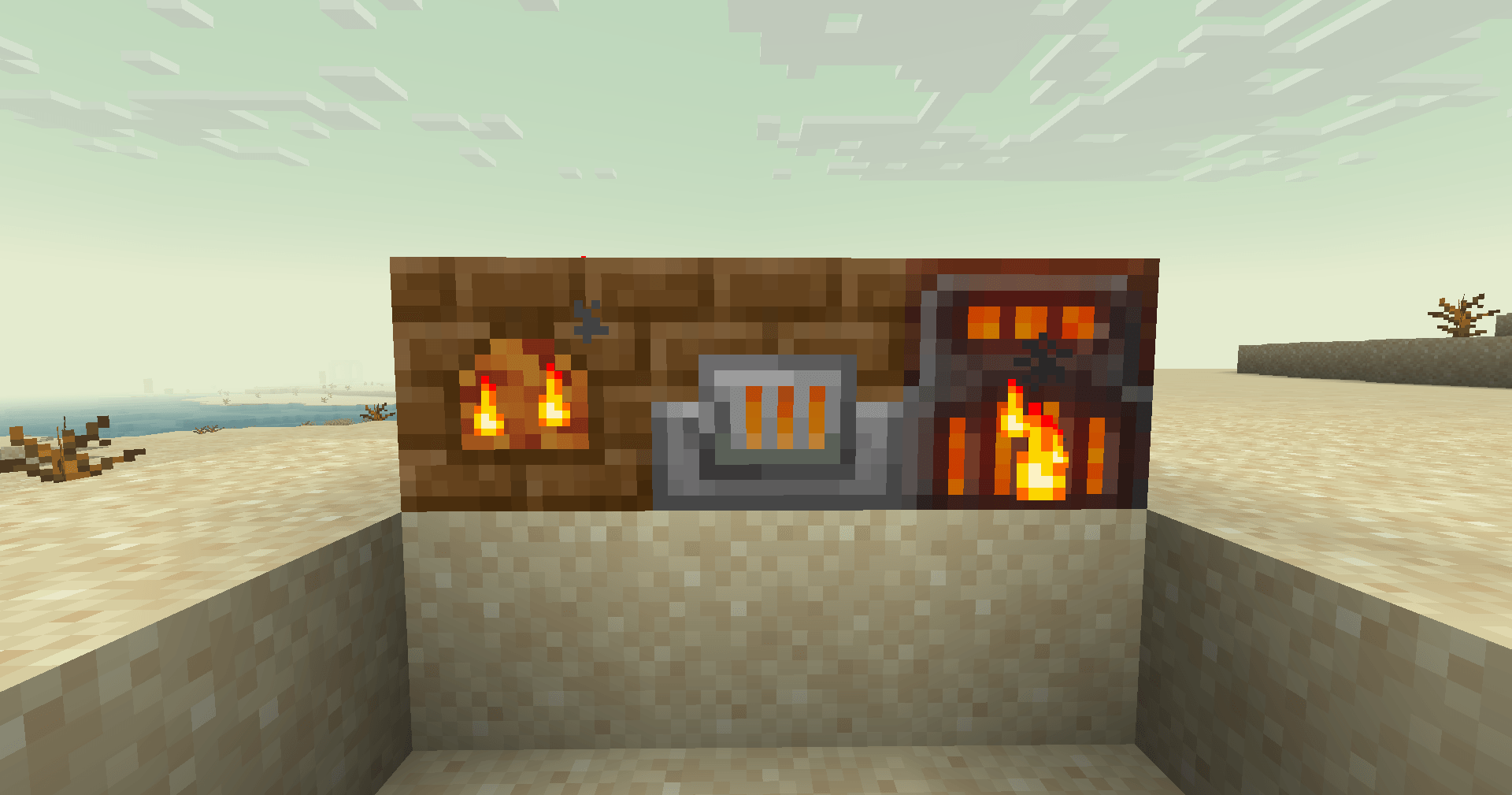
There are three different furnaces added: the Primitive Smelter, the Iron Forge (which has no functional difference from the Primitive Smelter; it was added so modpack developers can gate different tiers of smelting recipes if they want to), and the Alloy Smelter, which has two ingredient slots designed to combine two different ingredients into one result.
The Problem
Vanilla smelting recipes aren't very configurable when it comes to ingredient count, which defaults to one.
The Second Problem
In vanilla Minecraft, all smelting recipes are lumped into one shared category. This means a "custom" smelting recipe you define can be cooked in any furnace block such as the vanilla furnace, a blast furnace, or any advanced furnace another mod adds, regardless of which one you actually intended it for.
In practice, this means you can't gate advanced recipes behind progression. Even if you deliberately make a vanilla furnace recipe complex or expensive to discourage early use, players can simply find a furnace from a village and bypass your intended progression entirely.
The Solution
Custom Smelters solves this by giving you fully independent smelting recipes with complete control over every variable: ingredient count, ticks required to finish, and XP granted on completion. They are all configurable per recipe, not fixed mod-wide.
Just as importantly, these custom recipes live in their own separate category entirely. A recipe you write for Custom Smelters' machines won't show up in vanilla furnaces, blast furnaces, or any other mod's furnace blocks. If you register a recipe for the Iron Forge, only the Iron Forge can process it.
Setting Up Recipes
Furnace Recipes
First, make sure you install KubeJS in your modpack; it makes everything easier. After that, you need to set up recipes for the furnaces added by the mod. There are three furnaces, but you can add just the one you want, or all of them at once; it's up to you and how you want to design your modpack's progression. In my case, I only want to add the Primitive Smelter to my modpack, so I can build an early-game progression around it. Here's the JSON file I set up as primitive_smelter.json, below.
{
"type": "minecraft:crafting_shaped",
"pattern": [
"B B",
"BCB",
"BBB"
],
"key": {
"B": {
"item": "minecraft:bricks"
},
"C": {
"item": "minecraft:campfire"
}
},
"result": {
"id": "customsmelters:primitive_smelter",
"count": 1
}
}
This file goes here in your modpack: kubejs/data/customsmelters/recipe/primitive_smelter.json
Now you can craft your Primitive Smelter in game. Keep in mind that this recipe can be changed however you like. It's entirely up to your imagination, so go wild! You can create other JSON files to add crafting recipes for other smelters. Just change the result id to "customsmelters:iron_forge" for Iron Forge and "customsmelters:alloy_smelter" for Alloy Smelter.
Smelting Recipes
Next, we need to set up a custom smelting recipe for the Primitive Smelter. For my modpack, I want to create a custom recipe for copper smelting. Unlike vanilla smelting, though, I want players to spend 4 raw copper to produce one copper ingot. I also want to bump the XP gained from this process up to 4, and increase the time from 10 seconds to 20. So I set up my JSON file at:
kubejs/data/customsmelters/recipe/copper_smelting_primitive.json
(The file name here is entirely up to you)
{
"type": "customsmelters:smelting",
"tier": 1,
"ingredient": {
"item": "minecraft:raw_copper"
},
"count": 4,
"result": {
"id": "minecraft:copper_ingot",
"count": 1
},
"ticks": 400,
"experience": 4.0
}
And that's it. Keep in mind that count (default: 1), ticks (default: 200), and experience (default: 0) are all optional fields.
Now let's say I want to add a more advanced recipe for copper smelting using the other block (Iron Forge). All I need to do is create another JSON file, such as kubejs/data/customsmelters/recipe/copper_smelting_advanced.json and set it up like this:
{
"type": "customsmelters:smelting",
"tier": 2,
"ingredient": {
"item": "minecraft:raw_copper"
},
"count": 1,
"result": {
"id": "minecraft:copper_ingot",
"count": 2
},
"ticks": 25
}
As you can see, changing the tier number to 2 makes the recipe available in the Iron Forge instead. Keep in mind that tier 1 and tier 2 recipes are completely independent, so there's no such thing as the Iron Forge automatically inheriting the Primitive Smelter's recipes.
Alloying Recipes
The last thing you can do with this mod is use alloying recipes, which combine two materials into one. As an example, here's a steel recipe I made using some other mods, which goes: kubejs/data/customsmelters/recipe/steel.json:
{
"type": "customsmelters:alloying",
"ingredientA": {
"item": "minecraft:iron_ingot"
},
"ingredientB": {
"item": "minecraft:coal"
},
"result": {
"id": "createmetallurgy:steel_ingot",
"count": 1
},
"ticks": 200
}
Block Customization
Renaming smelter names
Now let's say that you want to change the name of the smelters. You just need to create a JSON under: kubejs/assets/customsmelters/lang/en_us.json and write the names such:
{
"block.customsmelters.primitive_smelter": "Your New Name Here",
"block.customsmelters.alloy_smelter": "Your New Name Here",
"block.customsmelters.iron_forge": "Your New Name Here"
}
Changing the texture
To replace a machine's texture, place a new PNG file at the exact same path the mod uses internally. For example, to replace the Primitive Smelter's side texture: kubejs/assets/customsmelters/textures/block/primitive_smelter_side.png
The full list of texture files per machine:
Primitive Smelter: primitive_smelter_top.png, primitive_smelter_top_active.png, primitive_smelter_side.png, primitive_smelter_front.png, primitive_smelter_front_active.png
Iron Forge: iron_forge_top.png, iron_forge_side.png, iron_forge_front.png, iron_forge_front_active.png (+ iron_forge_front_active.png.mcmeta for its animation), iron_forge_bottom.png
Alloy Smelter: alloy_smelter_top.png, alloy_smelter_side.png, alloy_smelter_bottom.png, alloy_smelter_front.png, alloy_smelter_front_active.png (+ alloy_smelter_front_active.png.mcmeta for its animation)
A note on animated textures: If you only replace the animated texture file (iron_forge_front_active.png or alloy_smelter_front_active.png) without touching its matching .mcmeta file, the animation will still work correctly because Minecraft loads each file independently, so your new texture will automatically use the mod's original animation timing.
The one requirement: your replacement image must keep the same stacked-frame dimensions as the original (Iron Forge's animated front is 16×48 which consists of 3 frames and Alloy Smelter's is 16×32 which consists of 2 frames). If you want to change the animation speed, frame count, or behavior itself, you'll need to also override the matching .mcmeta file at the same path with your own frametime/frames/interpolate values.
Credits
Iron Forge textures are based on assets from malcolmriley/unused-textures, licensed under CC BY 4.0. Some of the textures were modified for use in Custom Smelters. Please check his repo to see the incredible work he has done over the years.
📦 Modpacks & Permissions
You are free to use Custom Smelters in any modpack! The only condition is that the mod files must be downloaded via CurseForge or Modrinth.
The Custom Smelters Team