promotional banner

custom pvp hud

FlexHUD — Controls and Keybinds Summary FlexHUD is a fully customizable HUD system that allows players to move, resize, scale, and organize HUD elements directly in-game.

FlexHUD — Controls and Keybinds Summary

FlexHUD is a fully customizable HUD system that allows players to move, resize, scale, and organize HUD elements directly in-game.

Main Controls

Lock Selected HUD

Locks the currently selected HUD to prevent it from being moved accidentally.

  • Default key: '
  • Press the key to lock or unlock the selected HUD.

Open HUD Editor

Opens the HUD editor, where you can customize your HUD elements.

  • Default key: 0
  • Select a HUD element and move it to the desired position.
  • Resize and scale HUD elements according to your preferences.
  • Configure each HUD individually.

Toggle PvP HUD

Quickly shows or hides the PvP HUD.

  • Default key: H
  • Press H to enable or disable the PvP HUD without opening the editor.

Keybinds

Each action displays its assigned key directly in the FlexHUD settings.

The Reset button next to a keybind restores that action to its default key.

Keybinds can also be changed through Minecraft's standard Controls menu.

Recommended Workflow

  1. Press 0 to open the HUD Editor.
  2. Select the HUD element you want to edit.
  3. Move and resize it until it is positioned correctly.
  4. Press ' to lock the selected HUD once you are satisfied with its position.
  5. Press H to quickly toggle the PvP HUD.
  6. Use Reset whenever you want to restore a keybind to its default setting.

FlexHUD is designed to provide complete HUD customization while keeping controls simple, fast, and easy to use.

The custom pvp hud Team

profile avatar
  • 6
    Projects
  • 238
    Downloads

More from zorosaturu3View all

  • x-ray (working) project image

    x-ray (working)

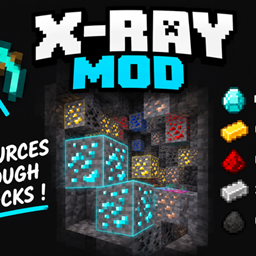
    A lightweight client-side Fabric mod that hides non-ore blocks and keeps ores clearly visible. Toggle Ore Vision with X and find valuable resources faster underground.

    • 105
    • September 9, 2026
  • night vision (working) project image

    night vision (working)

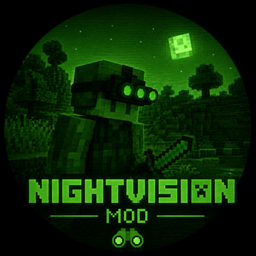
    Night Vision Mod — Summary A lightweight client-side Fabric mod for Minecraft 26.1.2 that provides permanent night vision. Minecraft version: 26.1.2 Fabric Loader: 0.18.4+ Java: 25+ Fabric API: 0.155.2+ Client-side

    • 41
    • September 3, 2026
  • Fps optimiser fixed project image

    Fps optimiser fixed

    FPS Optimizer is a lightweight Fabric mod designed to improve FPS and provide a smoother Minecraft experience without changing gameplay.

    • 37
    • September 3, 2026
  • No fire overlay fixed project image

    No fire overlay fixed

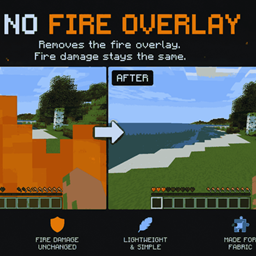
    Removes the fire overlay from the player's screen when standing in fire or lava, providing a clearer view during gameplay while keeping the fire and lava mechanics unchanged.

    • 10
    • September 2, 2026
  • x-ray (working) project image

    x-ray (working)

    A lightweight client-side Fabric mod that hides non-ore blocks and keeps ores clearly visible. Toggle Ore Vision with X and find valuable resources faster underground.

    • 105
    • September 9, 2026
  • night vision (working) project image

    night vision (working)

    Night Vision Mod — Summary A lightweight client-side Fabric mod for Minecraft 26.1.2 that provides permanent night vision. Minecraft version: 26.1.2 Fabric Loader: 0.18.4+ Java: 25+ Fabric API: 0.155.2+ Client-side

    • 41
    • September 3, 2026
  • Fps optimiser fixed project image

    Fps optimiser fixed

    FPS Optimizer is a lightweight Fabric mod designed to improve FPS and provide a smoother Minecraft experience without changing gameplay.

    • 37
    • September 3, 2026
  • No fire overlay fixed project image

    No fire overlay fixed

    Removes the fire overlay from the player's screen when standing in fire or lava, providing a clearer view during gameplay while keeping the fire and lava mechanics unchanged.

    • 10
    • September 2, 2026