Custom Pumpkin Carving
- By
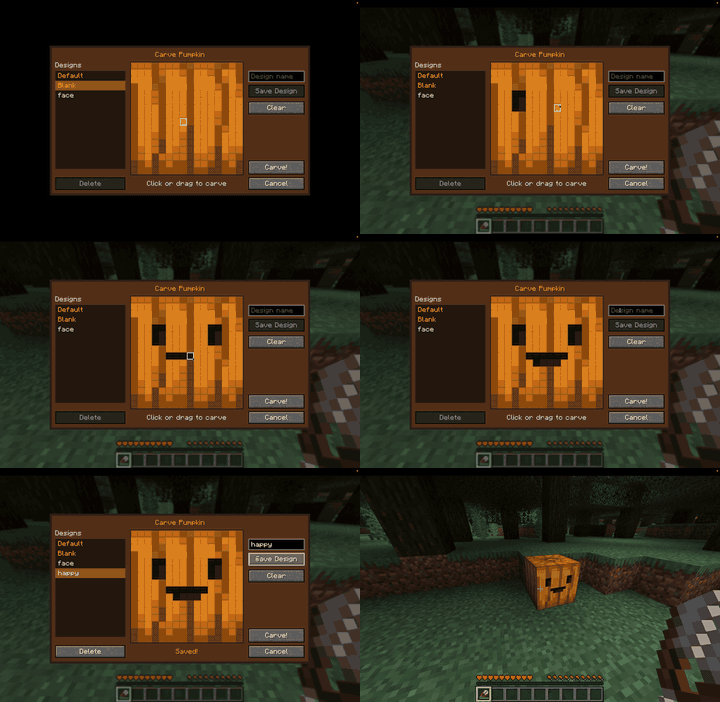
pumpkin-carving-editor.gif
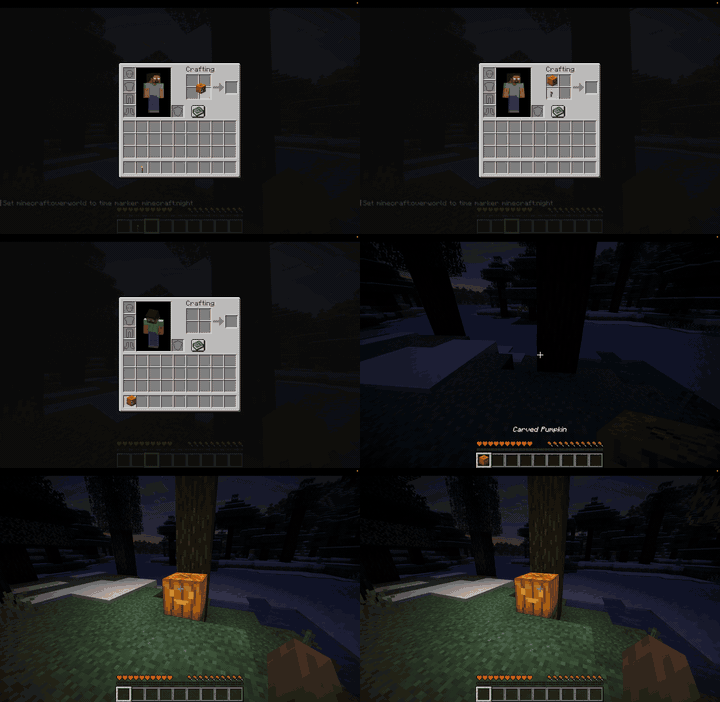
custom-jack-o-lantern.gif
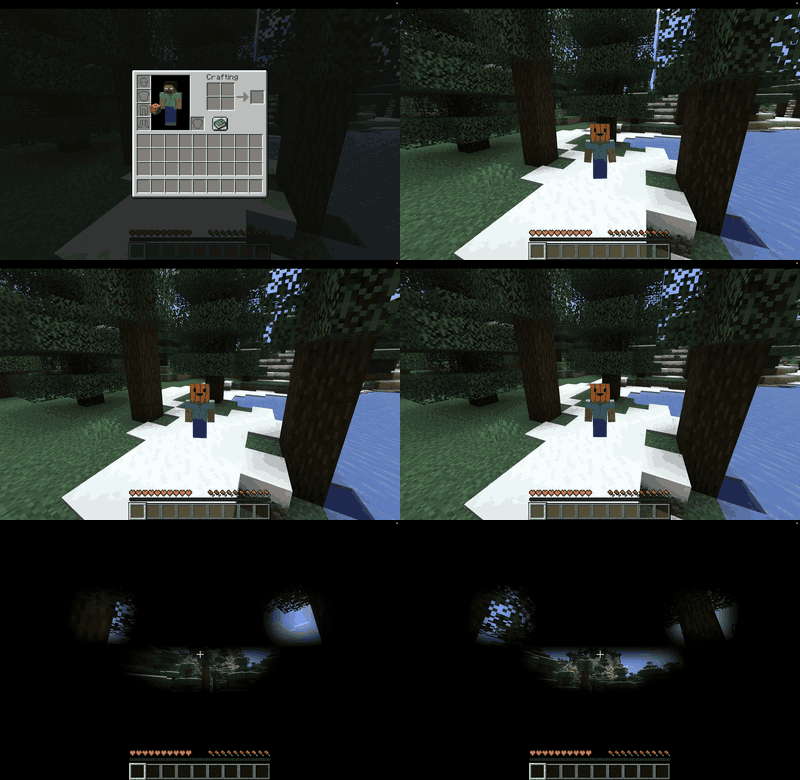
wearing-custom-pumpkin.gif
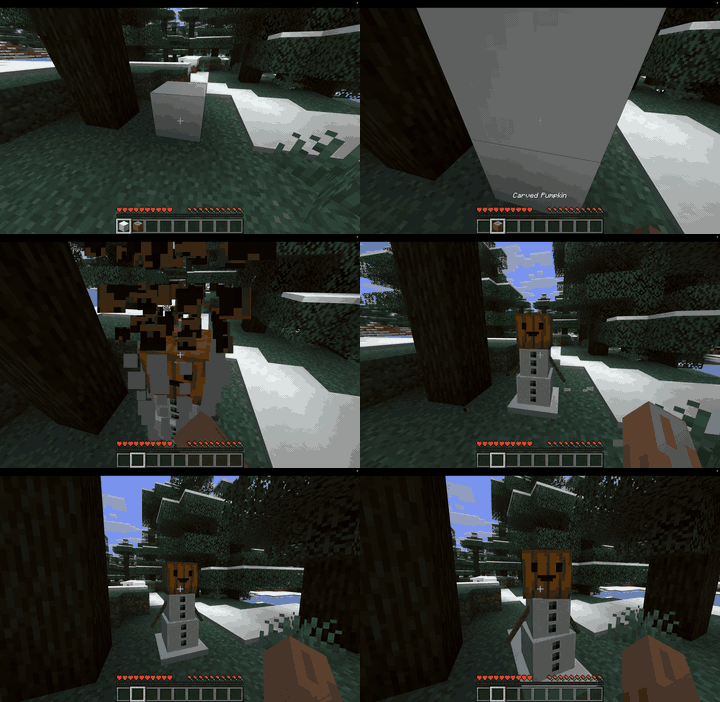
snow-golem-custom-face.gif
Description
Custom Pumpkin Carving
Carve your own custom pumpkins and bring them to life at night by turning them into glowing jack-o'-lanterns!
Tired of every pumpkin having the same face? This mod lets you carve any face you want, pixel by pixel, and save your favorite designs to carve again later.
How to carve
1. Hold shears and right-click a pumpkin or carved pumpkin.
2. The carving editor opens. Click or drag on the 16×16 grid to carve or un-carve pixels.
3. Press Carve! and your face appears on the pumpkin.
The face is carved on the side you clicked, just like vanilla.
Save your designs
- Type a name and press Save Design to keep any face you make.
- Your saved designs show up in the list on the left, ready to carve onto any pumpkin.
- Default (the classic vanilla face) and Blank are always at the top of the list.
- Designs are saved on your computer, so they're there in every world and server.
Jack-o'-lanterns
Craft your custom carved pumpkin with a torch to light it up. It keeps your face and glows just as brightly as a vanilla jack-o'-lantern.
Wear it
Put your custom carved pumpkin on your head! Looking out from inside it, the holes match your own carving instead of the vanilla face.
Build golems
Custom carved pumpkins and jack-o'-lanterns can build snow golems, iron golems and copper golems, just like vanilla pumpkins.
Snow golems keep your pumpkin on their head! Shear one and it drops your custom pumpkin back.
Other details
- Every custom pumpkin shows **who carved it** in its name.
- Your custom face shows in your inventory, your hotbar, and in your hand.
- Breaking a custom pumpkin keeps its face, so you can pick it up and place it somewhere else.
- Jack-o'-lanterns can't be carved; carve the pumpkin first, then light it.
- Everyone on a server sees your carved pumpkins, worn pumpkins and snow golems.
Compatibility
- Minecraft: 26.3
- Loaders: Fabric (requires Fabric API), NeoForge and Forge
- Install on both the server and every player's game.
Custom Pumpkin Carving Team