Custom Difficulty
- By
Create a Custom Difficulty that you define yourself, down to single mob types, moon phases, advancements and more.
General.png
Mobs.png
Moon.png
Advancements.png
F3.png
Description
CD - Custom Difficulty
Peaceful, Easy, Normal, Hard and now Custom. A fifth setting on the world creation screen that you define yourself: how much health, damage and speed every mob gets, refined per mob type, shifted by the moon phase, and reshaped by the advancements you complete.
A real difficulty option, not a command
Pick Custom on the Difficulty slider when creating a world and a gear button appears next to it. That opens the full configuration screen. No commands to memorize, no items, no world settings file to write by hand before you start.
The configuration belongs to that one world. Every world can be set up completely differently, and nothing carries over from the last one you made.
Four layers, multiplied together
effective value = global x mob type x moon phase x advancement factor
Everything is a multiplier where 1.0 means "leave it alone", so you can start from a single global number and get as specific as you want from there.
A global 1.3 health, a zombie at 1.2, a full moon at 2.0 and an advancement factor of 1.1 gives you a zombie with 1.3 x 1.2 x 2.0 x 1.1 = 3.43 times vanilla health on that night.
What you can configure
| Tab | What it holds |
|---|---|
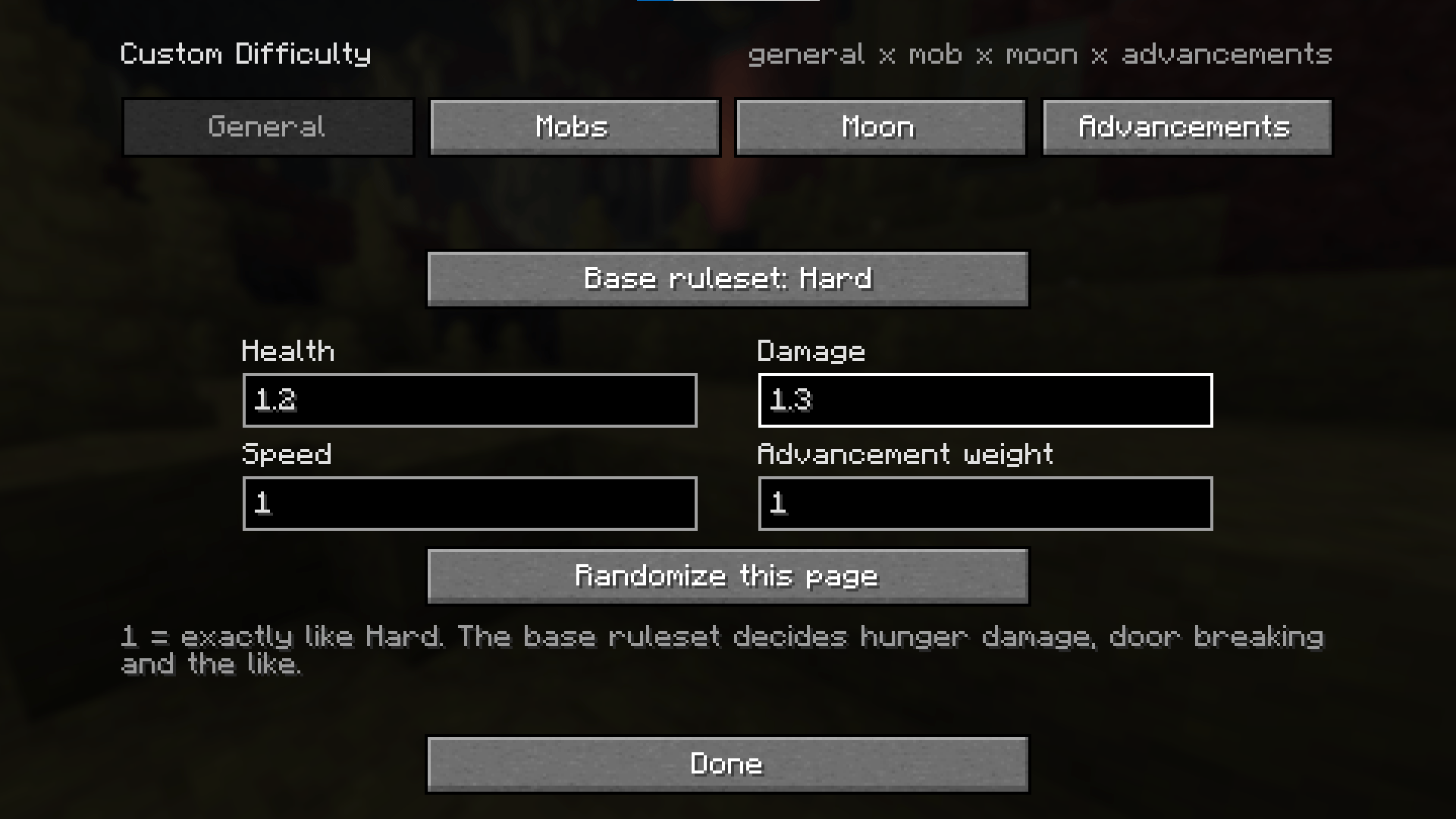
| General | The base ruleset, the three global multipliers, and the global advancement weight |
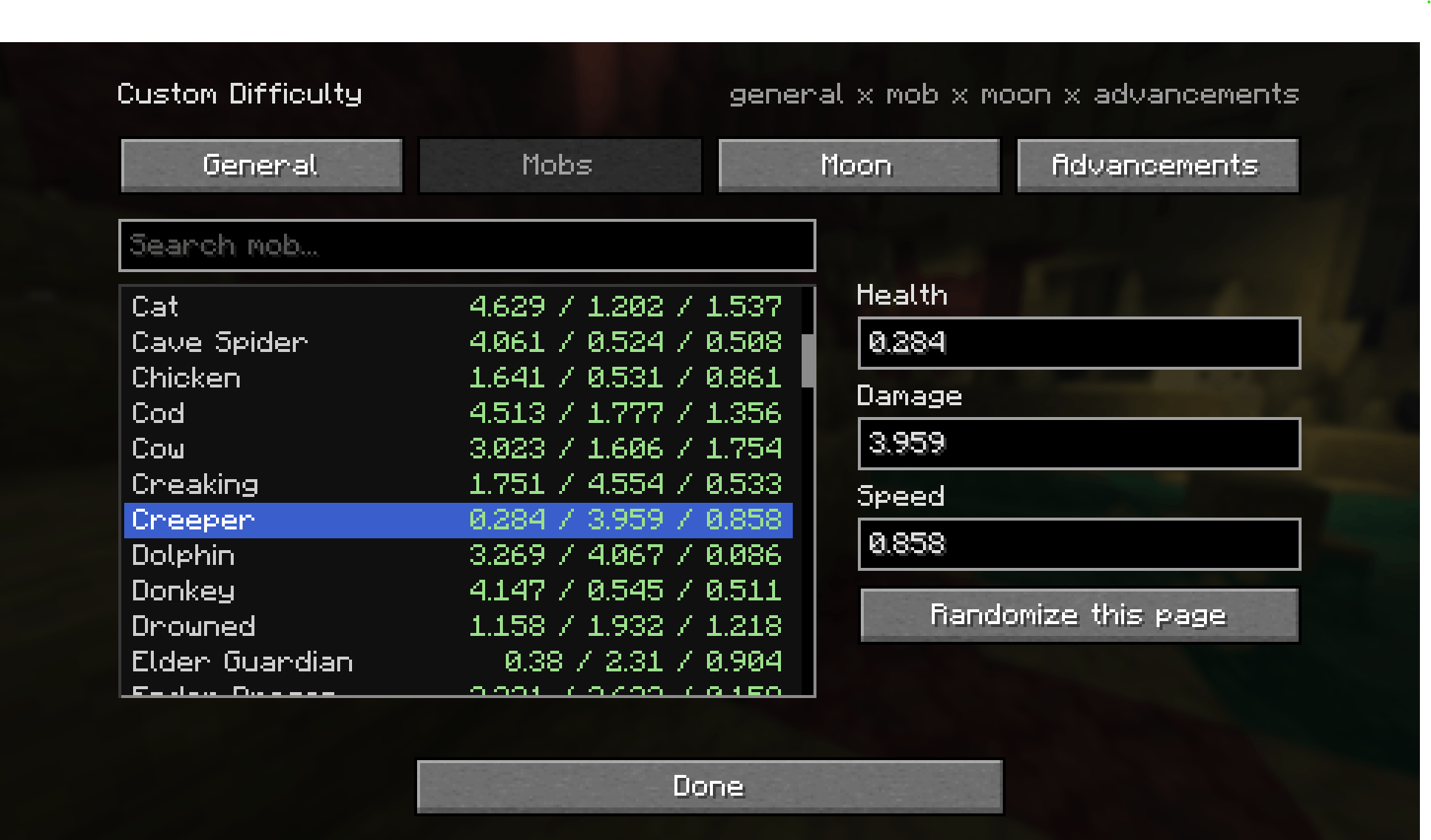
| Mobs | A searchable list of every mob type with its own health, damage and speed |
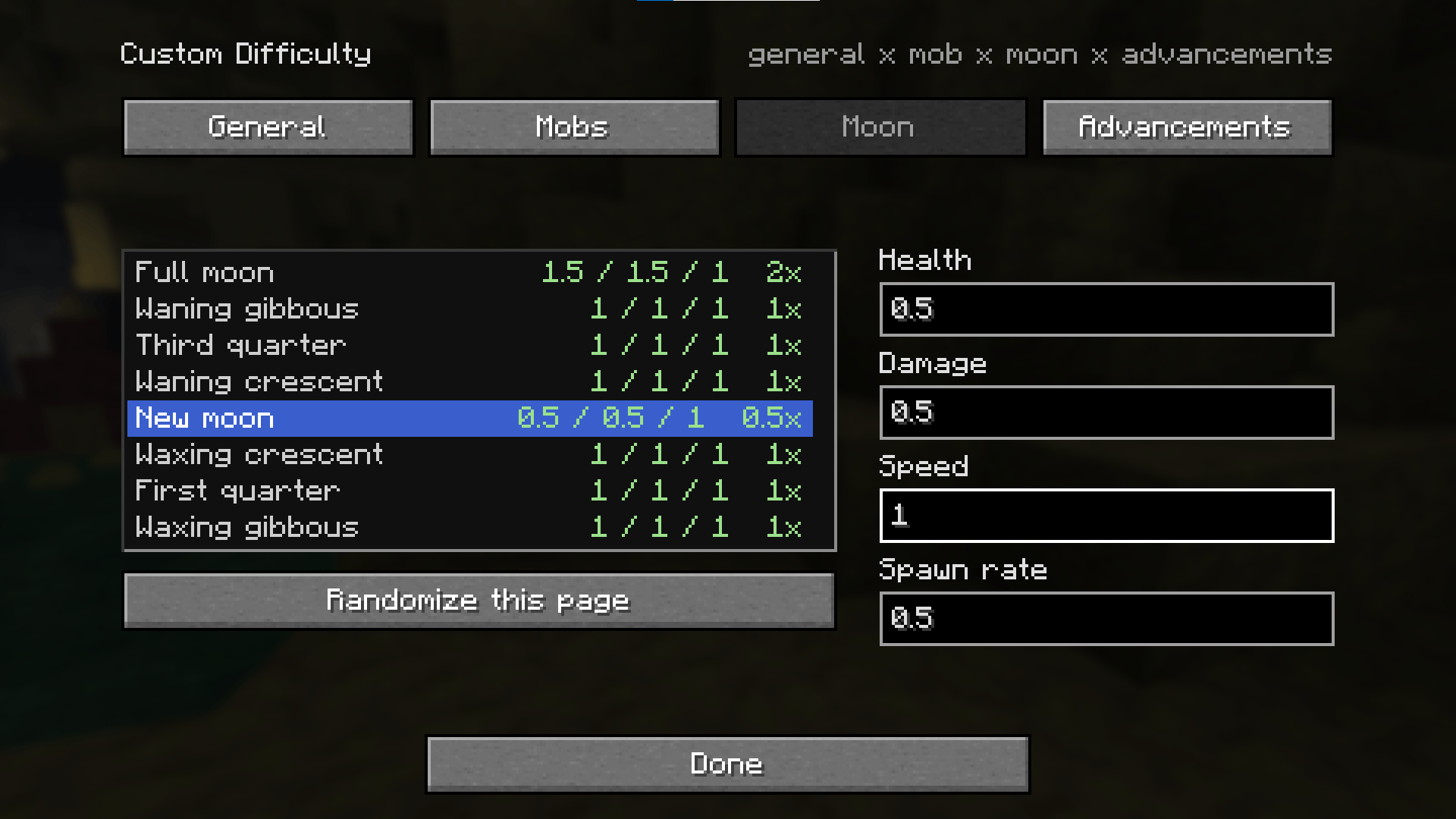
| Moon | All eight moon phases with their own multipliers plus a spawn rate |
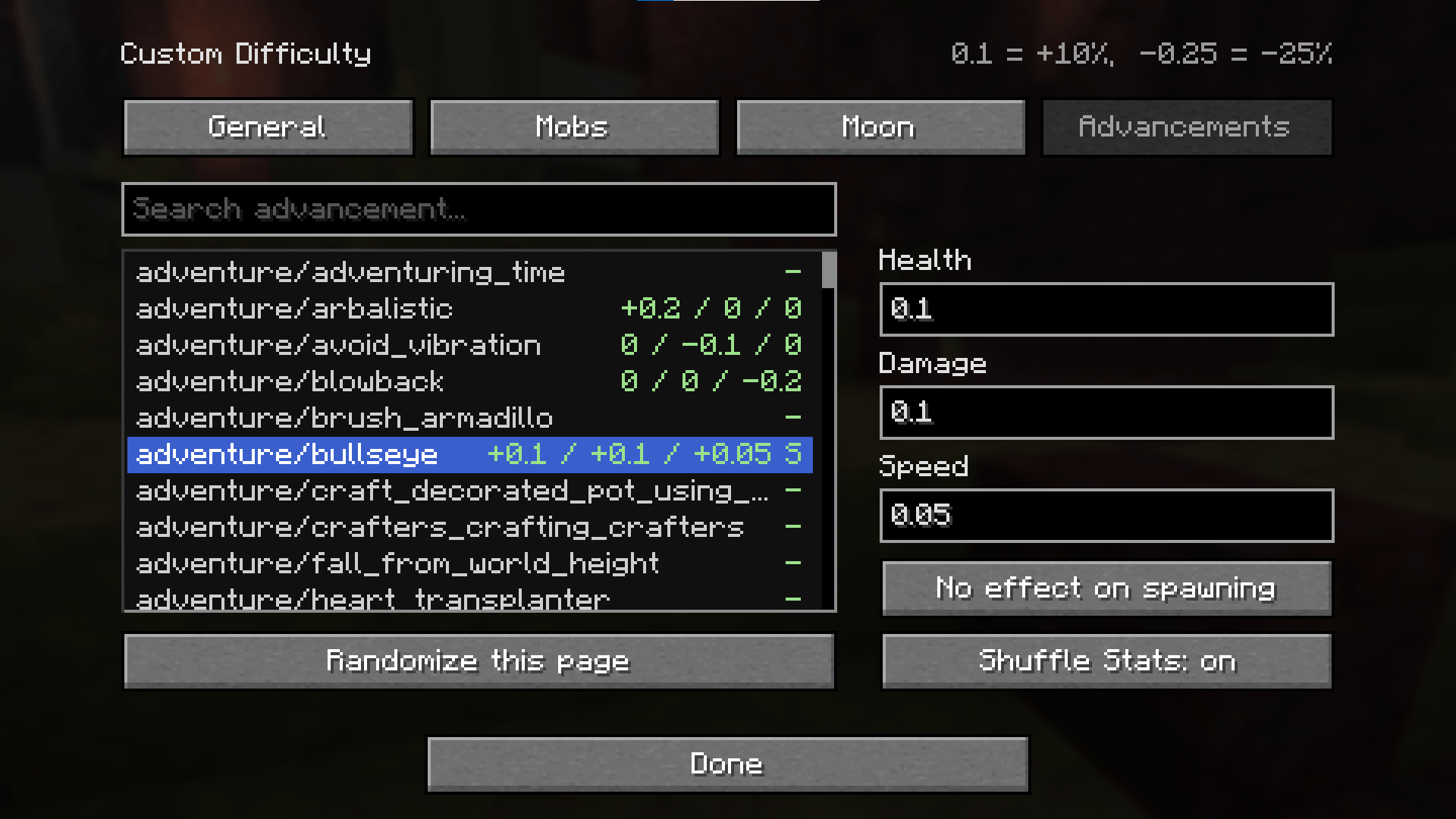
| Advancements | A searchable list of every advancement with its own modifiers and a night spawn lock |
Each list shows the current state as health / damage / speed right next to the entry, so you can scan what you already touched without clicking through everything.
The moon actually matters
Each of the eight phases carries its own health, damage and speed multipliers and its own spawn rate. Below 1.0 a share of spawn attempts is rejected, above 1.0 the pack size grows instead. Vanilla placement rules stay fully intact either way, so nothing ever spawns in daylight or in lit areas that would not have spawned there anyway.
Set the full moon to double health and double spawns and that one night becomes something you plan around.
Progress changes the world
Advancements work with additive modifiers instead of multipliers, so 0.1 means ten percent more and -0.25 means twenty five percent less. Everything you have completed is summed, scaled by one global weight, and turned into the factor that feeds the formula. Drop that weight to 0 and the entire advancement layer switches off without you having to clear a single value.
Any advancement can also flip on a night spawn lock. Once you earn it, monsters stop spawning under open sky at night in the Overworld. Caves, dark rooms, the Nether and the End stay exactly as they were.
An advancement can also carry a stat reshuffle. Complete it and the entire difficulty rerolls itself live, mid game, while you are standing in it. More on that below.
So the world can get harder as you get stronger, or you can build the opposite and earn yourself some peace.
A base ruleset underneath
Multipliers cannot express everything, so a real vanilla difficulty always runs underneath and you choose which one. It decides whether hunger can kill you, whether zombies break doors, how hard poison hits and how often spawners fire.
That also settles what 1.0 means. It means exactly your chosen base ruleset. Set the base to Hard and 1.0 is Hard.
Live values on the F3 screen
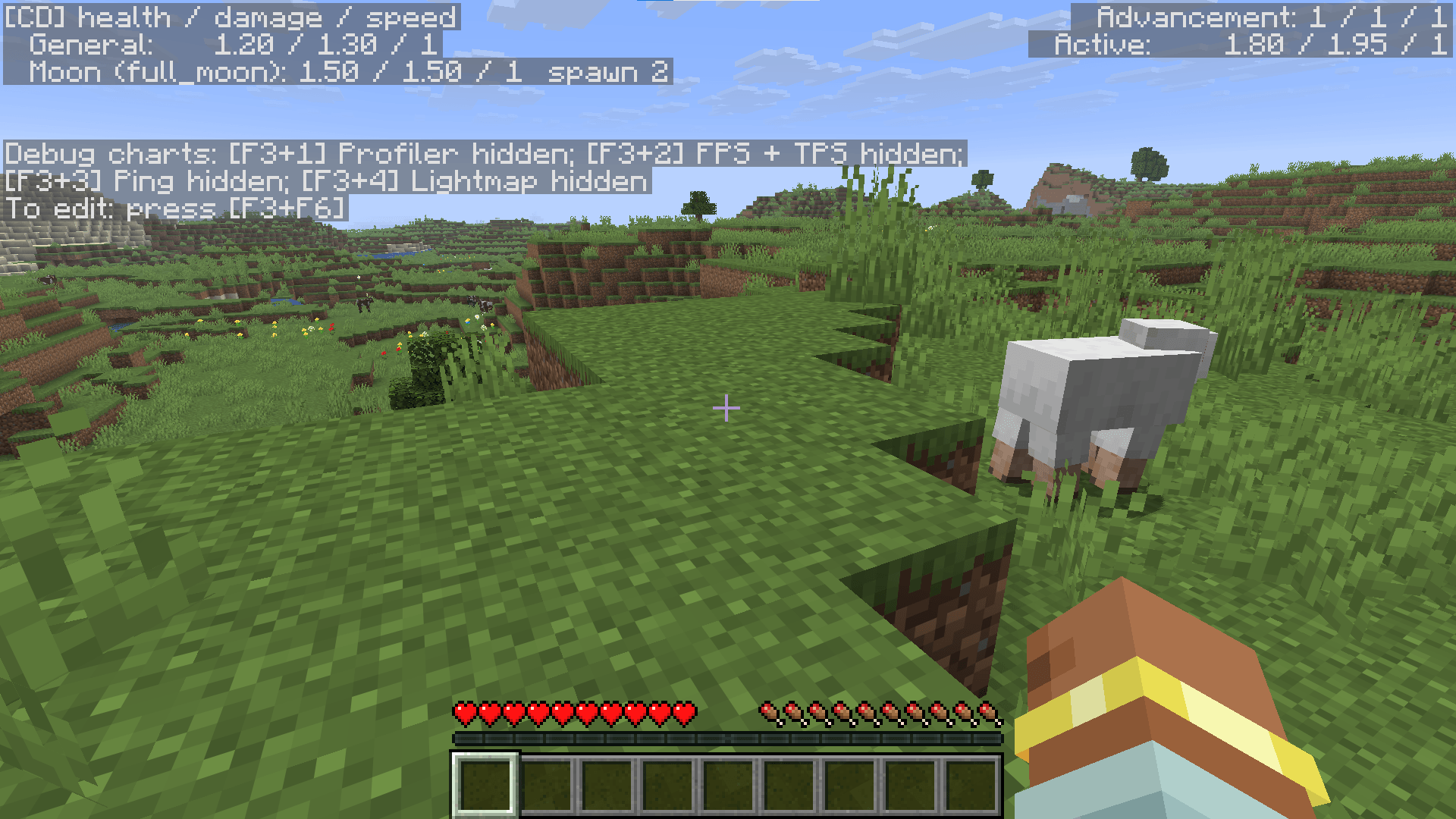
Hold F3 and the values that are actually in effect right now are listed on the left: the global numbers, the moon phase you are currently in, the advancement factor, and the product of all of it. Inactive phases and untouched entries stay out of the way. Toggle it off with F3+F6 like any vanilla entry.
[CD] health / damage / speed
  General:     1.3 / 1.1 / 1
  Moon (full_moon): 2 / 1.5 / 1  spawn 100%
  Advancement: 1.1 / 1.35 / 1
  Active:      2.86 / 2.23 / 1
  No open-sky night spawns
Built to stay balanced
- Safe floors. Mob health never drops below half a point and damage never below half a point, so a hit that lands always does something.
- No negative math. The advancement factor is caught at zero instead of flipping the multiplication upside down.
- Locked once chosen. With Custom active the difficulty slider is greyed out and
/difficultyis ignored, so your setup cannot be wiped with one click.
Roll a difficulty instead of building one
Every page of the configuration screen has its own randomize button. Roll just the global values, just the mob list, just the moon phases, just the advancements, or hit all four and start a run nobody planned, not even you.
| Page | What gets rolled |
|---|---|
| General | The three global multipliers and the advancement weight |
| Mobs | Health, damage and speed for every single mob type |
| Moon | All three values plus the spawn rate for all eight phases |
| Advancements | Every modifier, plus one night spawn lock and one stat reshuffle placed at random |
Multipliers roll between 0.05 and 5.0 and advancement modifiers between -1 and +1. Speed is deliberately capped lower than the rest, because five times the health is a tough fight while five times the speed is a mob that reaches you before you finish turning around.
Reshuffle the whole world mid game
Flag any advancement with shuffle stats and completing it rerolls the entire difficulty on the spot. New global values, new numbers for every mob type, new numbers and spawn rates for all eight moon phases, applied to the world you are already playing in.
Everything you thought you knew about that world stops being true the moment you claim the advancement. Put it on something early and the run keeps reinventing itself, or hang it on The End and let your victory lap turn into something else entirely.
Advancement modifiers themselves survive the reshuffle untouched. They are rewards you earned rather than values on a table, and rerolling them would quietly rewrite what your finished advancements are worth.
Editable after the fact
The configuration is written into the world folder as a readable file you can edit whenever you want. Setting enabled to false in there hands the difficulty slider back to you. The same file works across all three loader versions, so you can carry a setup between them.
Custom Difficulty Team