
Creator Civilizations: AI SMP Players That Beat Minecraft+PvP Trainer
- By
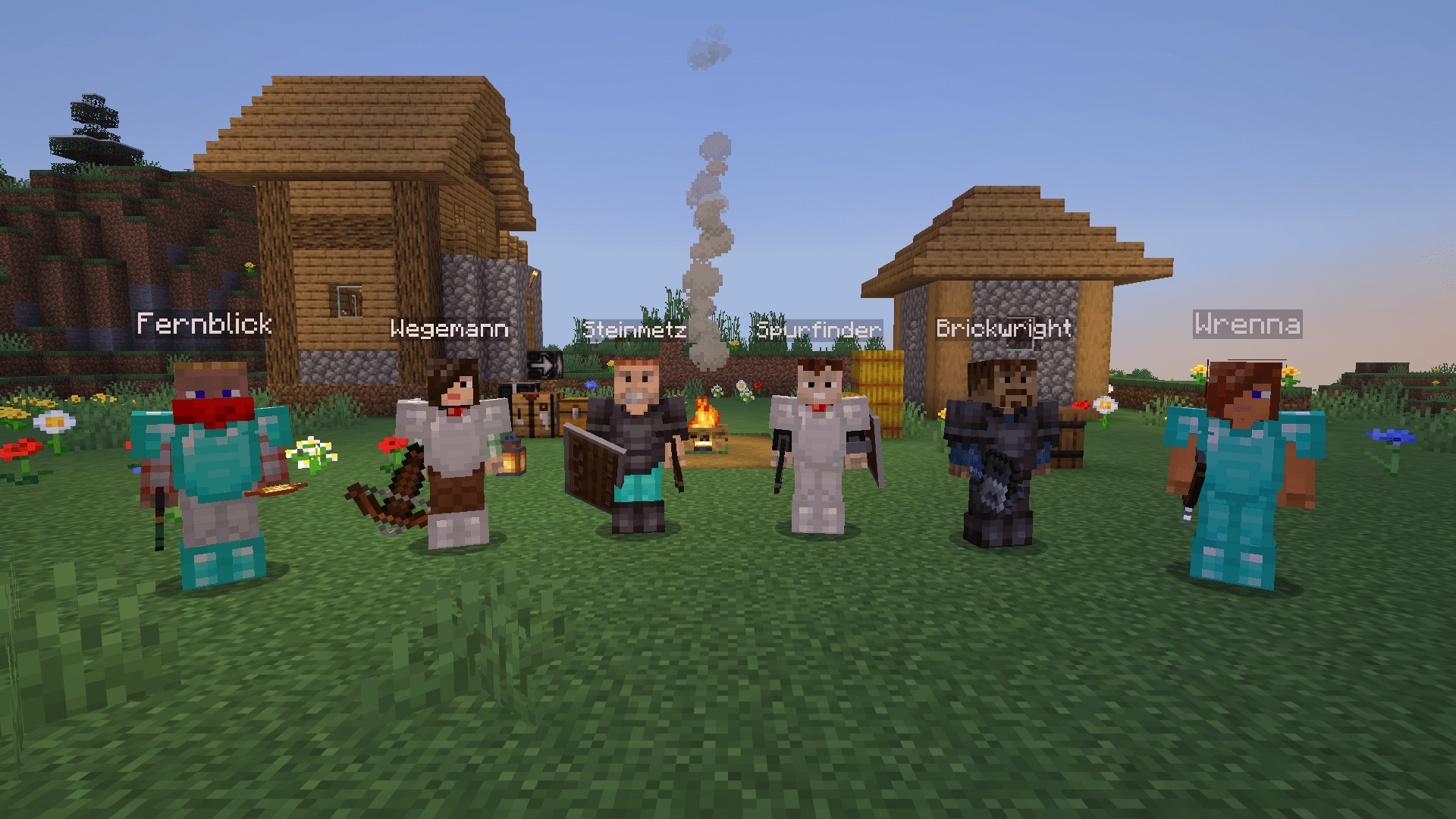
01_featured.png
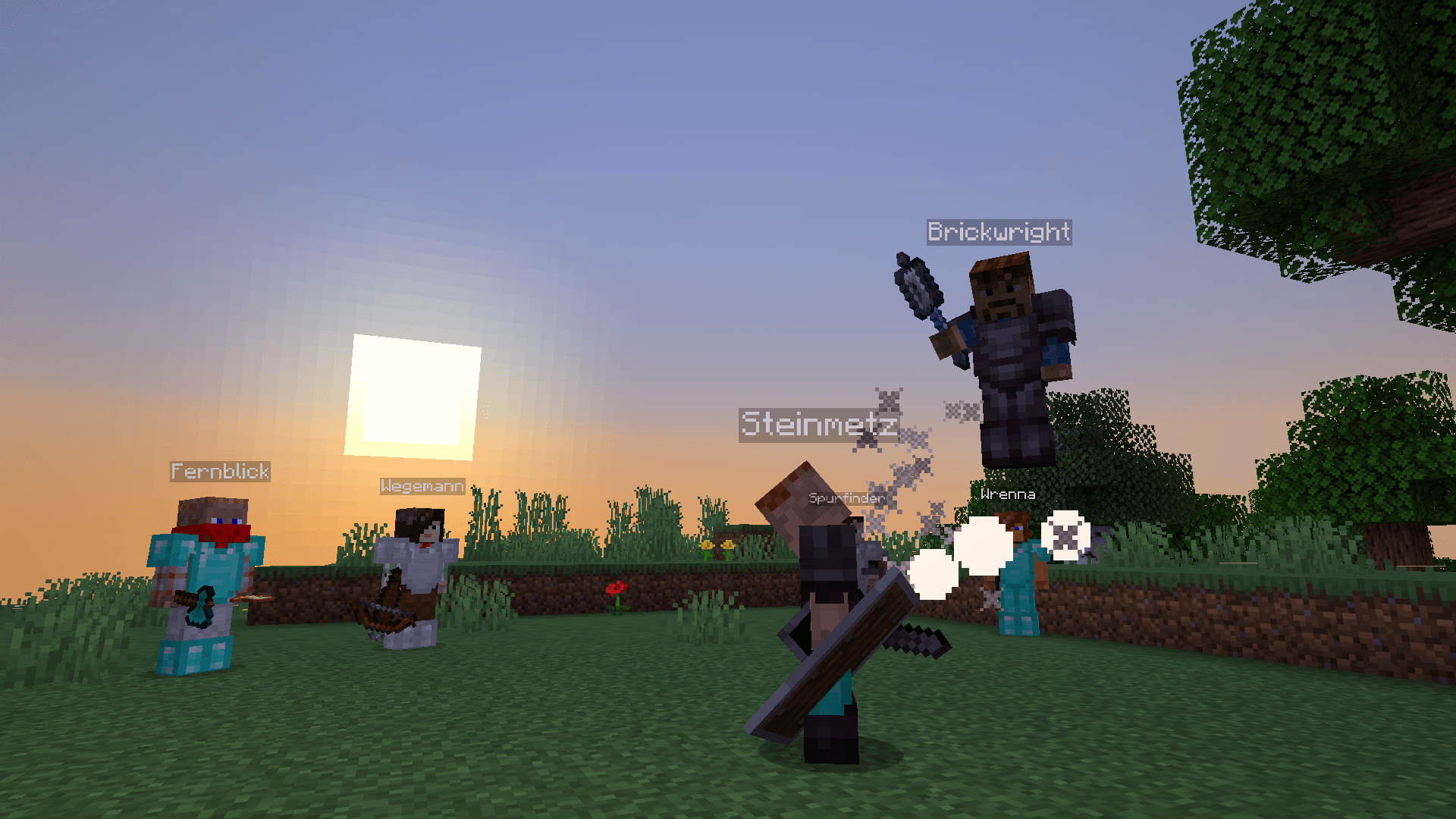
02_pvp.png
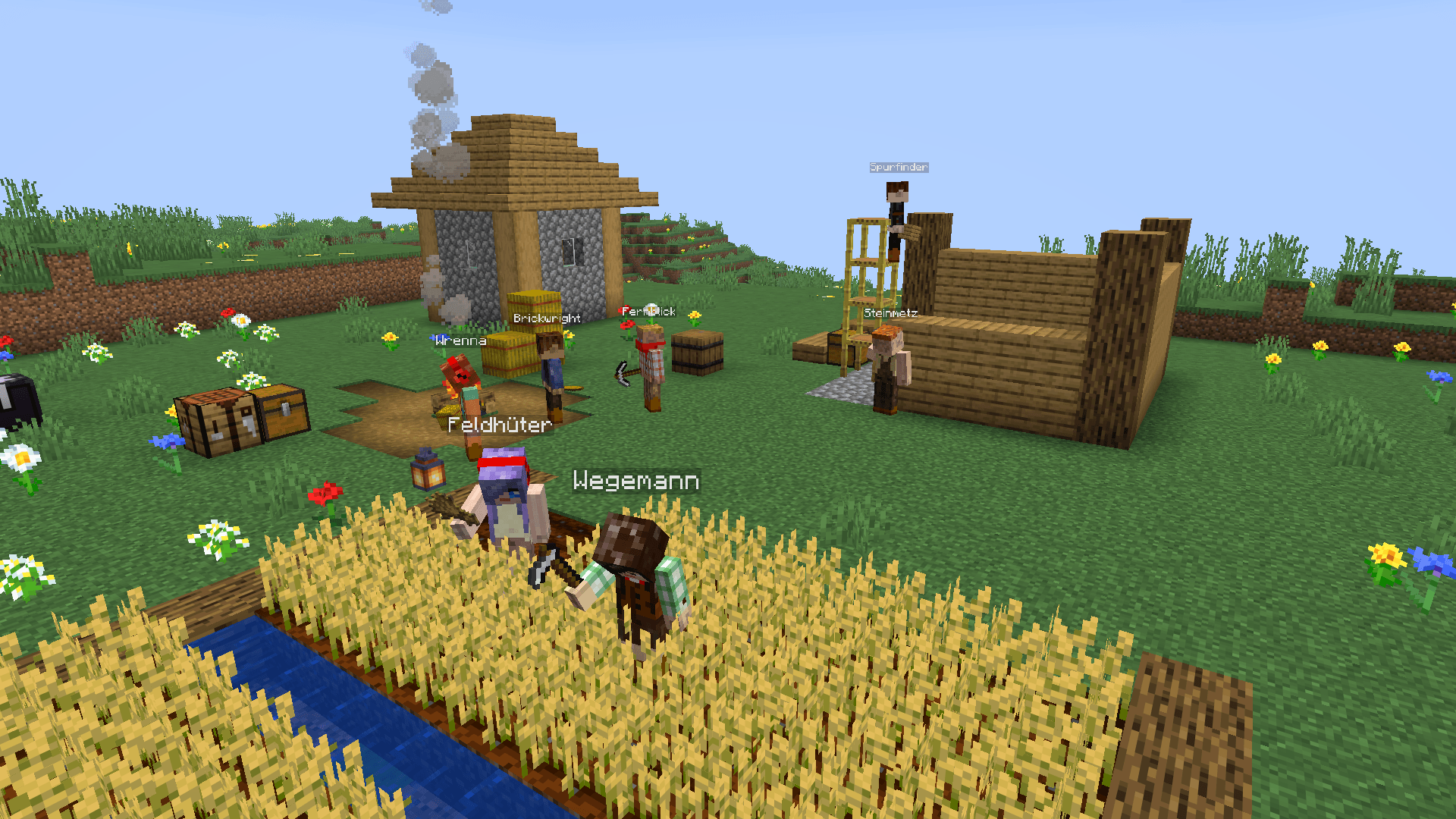
03_settlement.png
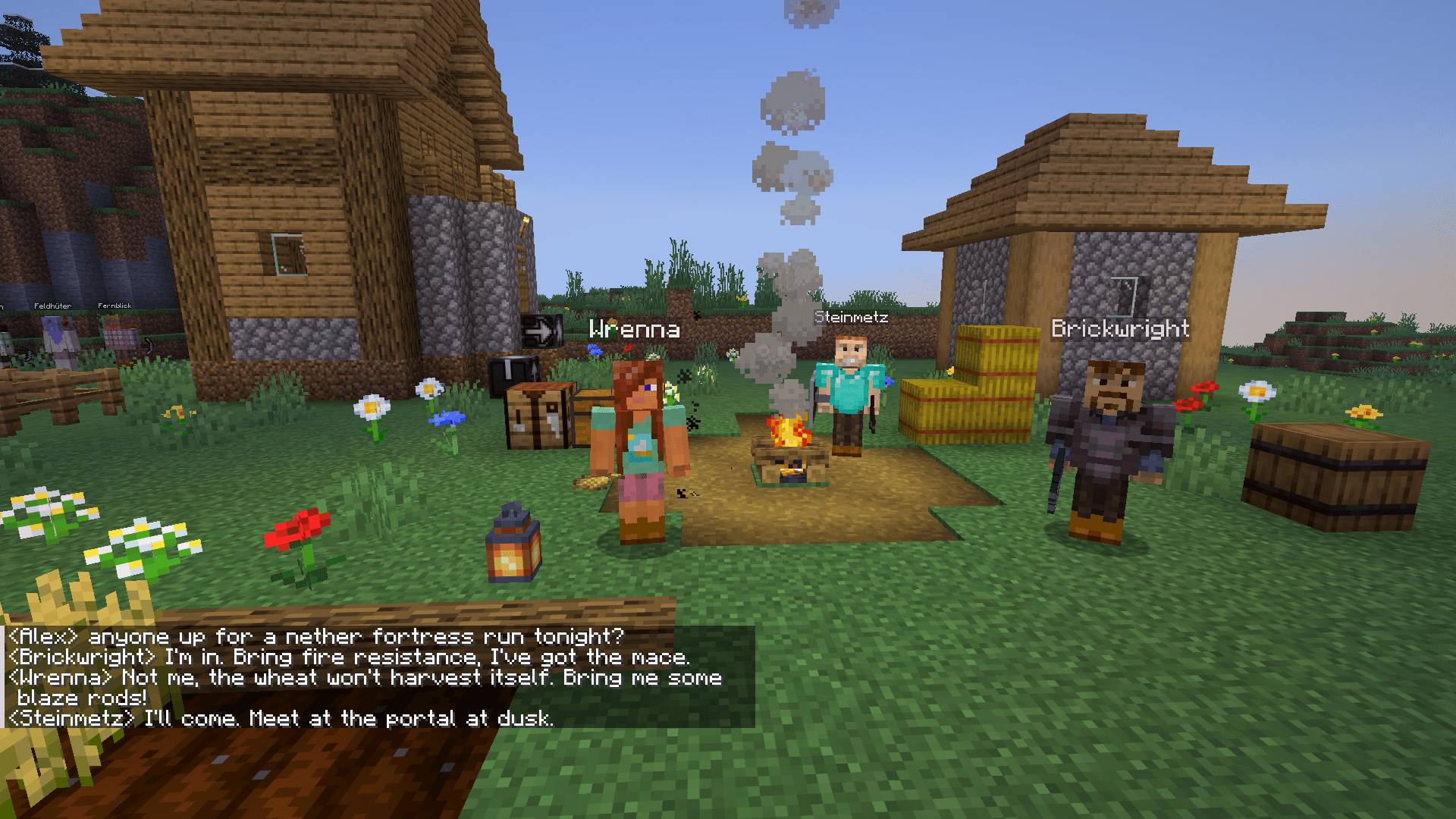
04_chat.png
Description
Creator Civilizations: AI SMP Players That Beat Minecraft & PvP
AI players that beat Minecraft. They start with an empty inventory and play the game through by player rules — wood, iron, diamonds, a Nether portal they build themselves, blaze rods, ender pearls, eyes of ender, the stronghold — all the way to the Ender Dragon and on into the outer End for elytra. No cheats, no teleports, no free items: every block is really mined, every portal really built, every dragon hit really landed.
Your own AI SMP — your server is never empty again. 32 AI players (AI NPCs that look and act like real players) move in, start from nothing, and play Survival by your rules. Build a custom SMP with AI bots, play alongside them or just watch. And when you want a fight, they're your PvP trainers — the toughest sparring partners you've ever had.
They chop their first tree, panic at their first creeper, build a camp, argue about who sleeps in the only bed — and slowly turn it into a town. While you're offline, the world keeps going. When you log back in, the chronicle tells you what you missed.
🐉 They play Minecraft through — dragon chain (L1–L13)
Already done on our live server: a creator defeated the Ender Dragon on its own, and four have gone through the end gateway into the outer End — by their own play, under the same rules as you.
The expedition leaders (★ on the live page) take on the long game: beating it. After the early steps Diamond found → Lava in a bucket → Obsidian come 13 stages. The sidebar in game shows the progress as "n/13", the live page who has reached each stage; /creator situation sums it up in chat.
- To the dragon (L1–L7): L1 Entered the Nether → L2 Found a Nether fortress → L3 Blaze rod → L4 Ender pearls → L5 Followed an Eye of Ender → L6 Entered the End → L7 Ender Dragon defeated
- After the dragon (L8–L13): L8 Dragon egg → L9 Through the end gateway → L10 Found an end city → L11 Elytra → L12 Shulker box → L13 Dragon respawned
They earn everything themselves: they fetch lava and water in buckets, cast obsidian, build and light a Nether portal, look for a fortress, hunt blazes for blaze rods, collect ender pearls, craft eyes of ender and follow them to the stronghold. Their settlement helps: suppliers get what the leader is missing (armour, lava, blaze rod …), and an escort goes into the Nether with him. The other creators stay with their settlements.
After the dragon only the one who killed it fetches the egg; the others head for the end gateway and build up to it when it floats above the ground. In the outer End they bridge across the void with an ender pearl as safety, look for an end city, recognise an end ship by its obsidian keel and dragon head and fetch the elytra from the cabin. After that come the shulker box and respawning the dragon.
Work in progress: the stages after the dragon are the newest; leaders get further with every update.
Also known as: AI SMP, AI bots, player NPCs, fake players, AI companions, Minecraft AI that plays Survival on its own — but fair: no cheats, same rules as you.
💡 Idea & goal
The idea: a Minecraft server where the world doesn't wait for you. The creators play survival the way players do – starting with an empty inventory, chopping wood, making tools, looking for ore, building a home, surviving the nights. Everything else grows out of their play: neighbours become friends or enemies, groups found settlements that grow, there's trading, arguing, alliances and fighting.
The goal: a living SMP even when only a few people play. Many servers die because nothing happens. Here something is always going on, even while you're away: the world keeps running, and the chronicle (every morning in chat, any time with /creator news) tells you what happened. You decide how to join in – build along, trade, join a group, challenge a creator to a duel, or just watch.
The creators' goal: beat the game – all the way to the Ender Dragon and beyond, into the outer End. First the settlements need a working village; meanwhile the expedition leaders work their way up the dragon chain.
The ground rules everything builds on:
- Fair like a player. Creators never teleport and get nothing for free: every block, every tool, every piece of armour is really mined, crafted or smelted.
- Nobody is forced. No forced PvP, no forced joining, no forced voice chat. Saying no has no downside. Creators never attack you unprovoked.
- Honest. They're invented AI characters, and they say so if you ask. Their voices are synthetic and not modelled on anyone.
- You have the final say. Creators make proposals (groups, invitations, wars); they only take orders from their owner or an operator.
🚀 Quick start
- Install the mod on the server and on every player's client — one file for both sides (singleplayer: just in your game).
- Join the server, or open your singleplayer world. Singleplayer: as the world's owner you can type
gowithout cheats. - The creators wait frozen in the start circle at spawn. An operator types
go(orlos/start) alone in chat — then they set off: wood, tools, food, a shelter before the first night. - Talk to a creator by putting their name at the start or end of your chat line ("…, what are you up to?") — named, they always answer. Voices need no extra mod, once an operator or the world's owner agrees (prompt in chat; volume: Options → Music & Sounds → Narrator/Voice & Creators).
/creator menushows what you can do right now;/liveopens the live page with a map,/creator situationsums up the state of the world,/guidelinks the full guide.
🏘️ Village life
Creators make friends (and enemies), team up and found settlements — from a muddy camp to a city (camp → outpost → village → town → city). The world keeps running even when nobody is online.
- A working village needs a bed per member, food for a few days, watered fields and at least three village buildings — farmers spread out to fields of their own, one creator brings the herd into the pen. The live page shows how far they are.
- Builds in the style of the local biome — or your own
.nbt/.schemblueprints - Shared storage, trading, gifts, food aid between settlements — toss a creator something useful and your relationship improves
- Defence nights against monster waves — the leader announces them in the evening, the armed members gather in the centre
- Challenges and clan invites — for you, too
- War only with your consent: declining has no consequences,
/creator war neverturns war declarations to you off for good
🧠 Real game AI — offline, no API key
These aren't scripted villagers or replay bots. Each creator runs its own AI:
- A planner that breaks goals into steps ("I need iron → pickaxe → find ore → smelt")
- Priorities that shift with hunger, night, danger and what their settlement needs
- A world model that predicts falls, cave-ins, flowing water and lava before stepping in
- Learning from experience: their expectations come from many simulated play-throughs and keep adjusting to how well their plans actually work
- Opponent reading in PvP: they spot what you keep doing and pick the counter
Everything runs locally on your server — no cloud, no ChatGPT, no subscription. (Optional extras like neural voices can be added; nothing requires them.)
⚔️ PvP that fights back
Want to practice PvP without waiting for friends? Challenge any creator — duel, arranged kit fights with /kit (Netherite, mace, crystal, sword & shield, totem kits), duels to the death and rematches. They hit as hard as a skilled player — under the exact same rules — and they'll make you better.
You'll meet real PvP technique:
- Mace: wind-charge jumps, stun-slams (axe the shield, then smash), choosing Density or Breach against your armour, elytra dives
- Crystal & anchor PvP, TNT carts, lava and fire, cobweb traps
- Crossbow opening shots (yes, with fireworks), trident throws and riptide, spear charges
- Totems, shields, axe-vs-shield, sprint resets, knockback off ledges
- Pearl chases, chorus-fruit escapes, slow-falling to ground your mace jump
And they adapt. Every creator has a fighting style that fits their personality — rusher, archer, counter-fighter, tinkerer, acrobat. Lose too hard and they switch styles mid-fight. Spam the mace three times? "Again with the mace? I know that one now." — and they'll remember it next time.
Adjustable difficulty: too hard? /creator shield never and they'll even fight you without shields. (They might tease you for it.)
🪓 They play fair. Really.
Every creator plays under the same rules you do:
- Same reach, same line of sight, same block-break times, same attack cooldown
- Hunger, sprinting, shield slowdown, pearl cooldowns — all vanilla
- They die, drop their stuff, respawn at their bed — and try to get their gear back
- They pathfind like players: pillaring up, bridging, swimming, boating, digging staircases
If a creator beats you, it beat you fair and square.
💬 They talk. Out loud.
- Chat with any creator by name — in English or German (replies in Spanish, too)
- They tell you what they're doing and why ("I want bread, so I'm harvesting wheat")
- Ask "how did you do that?" after a fight and they'll explain the technique — and how to counter it
- Live combat banter, trash talk, and comments on your shield settings
- Voices built in — no extra mod. Every creator has their own voice, with emotion — angry, happy, surprised, smug — and you hear it right from where they stand: it follows them around and fades with distance. Pre-rendered voice packs play on any server; the server fetches them once an operator or the singleplayer world's owner agrees (see What gets downloaded below). On Linux and Windows servers it then also fetches Piper TTS, which speaks the lines outside the pack; on macOS servers the same Piper voices speak through sherpa-onnx (fetched with the same consent; neural voices are optional on Apple Silicon). Outside the pack they speak with two speech models trained on the creators themselves (German and English), so everyone keeps their own sound. One slider: Music & Sounds → Narrator/Voice & Creators.
- Talk back with your mic — add Simple Voice Chat and just say their name. Hearing them never needs it.
- No AI model required. A built-in reply bank answers chat instantly, on every server.
📰 Never miss a thing
- A daily chronicle: who founded a town, who died to what, who got to the Nether first
/creator newsand/creator situationfor a quick "what's going on?"- A live web page with every creator's task, gear, settlement and map position, plus the full guide — built into the mod,
/liveand/guideopen them (singleplayer: on automatically; servers: switched on by the admin)
🛠 Stable since 1.0
Every update is checked on our live server: creators, missions, chests and settlements must survive it. Behaviour still improves with every version, so back up your world before updating. Feedback and bug reports: Discord #bugs / #ideas (https://discord.gg/UhDS59wVWJ).
Requirements
- Minecraft 26.3, Fabric Loader, Fabric API, Java 25
- One mod file for both sides: install it on the server and on every player's client (the client part renders the creators, skins and voices) — a client without it can't join. Singleplayer: just install it in your game.
- Voices need no extra mod — after one click of consent the server downloads the voice pack, Piper on Linux/Windows servers, the sherpa-onnx speech engine on macOS servers (no Python anywhere; neural voices are optional)
- Optional: Simple Voice Chat (server + client) to speak to the creators with your microphone
- RAM: 3 GB minimum (JVM
-Xmx2G), 4 GB recommended when players explore; 2 vCPU OK — the mod throttles far-away creators automatically if the server gets slow. Short lag spikes come from loading many new chunks at once (join, teleport, fast flight), not from the creators: useview-distance=8and pre-generate the world (e.g. Chunky)
Server setup (5 steps)
- Create a Fabric server for Minecraft 26.3 — on a rented server choose Fabric in your host's panel; on your own machine use the Fabric server installer.
- Put Fabric API and Creator Civilizations into the server's
mods/folder (host panel file manager, FTP, or the host's CurseForge/Modrinth integration) — optionally Simple Voice Chat. Memory: pick a plan with 3 GB RAM (4 GB if players explore a lot); on your own machine start Java with-Xmx2Gor more. - On start the server log lists what would be downloaded (voice pack, speech engine, voice models: about 1.3 GB, from Modrinth's CDN, GitHub and Hugging Face) and asks for consent; operators and the singleplayer world's owner see the same in chat with [Accept] and [Decline] (console:
/creator assets acceptordecline). After accepting it downloads in the background without a restart, checksums verified, and the server stays playable. Without consent the mod runs normally and the creators write in chat. No Python, nothing else to configure. - Players install the mod on their client too — easiest: search Creator Civilizations in the CurseForge app (Fabric API comes automatically as a dependency).
- Join: the creators wait in a start circle at spawn — an operator types
goin chat and the world begins (in singleplayer the world's owner may typegotoo, no cheats needed).
Settings: config/creatorcivilizations/server.json (difficulty, tactics, voices, load regulator); your own creator names: config/creatorcivilizations/names.json. Live page and guide on a server: "web": {"port": 8000} in server.json (off by default; the port must be reachable for players). Full guide, all commands and every setting: Discord → #installation / #commands (https://discord.gg/UhDS59wVWJ).
Updating: back up the world, stop the server, delete the old creatorcivilizations-<version>.jar from mods/ (two versions there and Fabric won't start) and add the new one. config/creatorcivilizations/ and creatorcivilizations-assets/ stay — settings, voice data and consent carry over. Clients only need the new version when the changelog says Update the client.
🛠️ Troubleshooting
When joining
I get disconnected when joining a server.
"This server needs the mod Creator Civilizations … on your client too": install the mod in your game (link in the message, or the server's .mrpack). "Your Creator Civilizations version (…) doesn't match the server (…)": update the mod to the server's version. Different version numbers are fine as long as nothing changed for clients — the server only turns away clients that really don't fit. A gray chat line "Creator Civilizations isn't installed on this server" means the server doesn't have the mod — you can play there normally, there are just no creators (shown once per server; "serverModHint": false in config/creatorcivilizations/client.json turns it off).
The creators stand frozen in a circle.
That's the start circle. An operator (or someone in start.ownerUuids) types go, los or start in chat — just that word. In singleplayer the world's owner may type go too, no cheats needed. /creator start status shows the state.
I don't hear any voices.
Check the slider Options → Music & Sounds → Narrator/Voice & Creators (Master applies too). The server downloads the voice pack only after an operator or the singleplayer world's owner has agreed (/creator assets status shows the choice, /creator assets accept gives it), then in the background (log: [assets] … %); without consent, or if that fails, the creators write in chat. Voices reach you within voice.range blocks (default 24).
Do I need Simple Voice Chat?
No — hearing the creators needs nothing extra. Simple Voice Chat is only for talking to them with your microphone and for the Creator-Funk radio group (/creator radio). Then open UDP port 24454 on the server.
In game
I can't find anyone at night.
At night most creators dig a hole, cover it and come out at dawn. /creator info <name> gives coordinates, Tab shows who is online, /live opens the live map.
/live says the live page isn't switched on.
On a server the live page is off until the admin turns it on (see For server admins); until then /guide links the guide online. In singleplayer it is always on, only on your own computer.
A creator doesn't understand me. Every creator understands German, English and Spanish and answers in the language you write in. Start or end your line with their name — without it, only creators close by may answer.
/creator list or /creator say says creators are placed but not loaded.
That's normal when no player is nearby or the server is paused — their area isn't loaded. They're still there.
PvP is too hard.
/creator shield <always|often|sometimes|rarely|never> sets how often creators raise their shield against you (only you, saved).
For server admins
My macOS server only speaks some lines.
There is no standalone Piper build for macOS; with your consent the server downloads the sherpa-onnx speech engine instead and speaks lines outside the voice pack with the same Piper voices. If only pack lines are spoken, the engine is missing: the [assets] log lines say why (no consent, download failed or assets.autoDownload off), or voice.sherpaOnMac is false — one info line in the log says which (details: Discord #installation).
How do I turn on the live page?
The mod serves the live page (map, leaders, chain progress, deaths) and the guide itself — no extra program. Set "web": {"port": 8000} in config/creatorcivilizations/server.json and restart (default 0 = off). Players open it in their browser, so that port must be reachable from outside (firewall or host panel; many hosts hand out an extra port). If they reach the server under a different address, set web.publicUrl (e.g. "http://play.example.net:8000") — otherwise the links use the server's local network address. web.bind (default "0.0.0.0" = all addresses) limits where it listens. Read-only: GET and HEAD, only files in the server's client/ folder. If another web server already holds the port, the mod keeps using that one. Off for good: -Dcreatorcivilizations.feature.liveWeb=false.
The chronicle is in German.
Set chronicle.language to "en" in config/creatorcivilizations/server.json (default "de").
My server must not download anything.
Nothing is downloaded without consent: /creator assets decline keeps it that way and can be changed later. assets.autoDownload: false (or -Dcreatorcivilizations.assets.autoDownload=false) blocks downloads whatever was chosen. Your own paths in voice.piper, voice.voicePack, voice.voices always win; without them the creators talk in chat only — there is no offline package to upload by hand right now.
FAQ
Is this a bot mod? Kind of — the creators are AI players (server-side NPCs) that play real Survival next to you. They're not fake clients and don't take player slots.
Does it need ChatGPT or an API key? No. All AI runs offline inside the mod.
Can I use them for PvP practice? Yes — that's one of the best parts: crystal PvP, mace PvP, sword & shield, with kits for fair arranged fights and an adjustable shield setting.
Can I play alone? Yes — in single player or on a server. The world feels alive either way.
Can I give the creators my own names? Yes — the server creates config/creatorcivilizations/names.json on its first start with every creator. Change a name, restart, done: nametag, chat and voice all use it (saves stay intact). Names must be unique. Please only use real people's names with their permission.
My host doesn't allow downloads — do the voices still work? The mod works, but the creators stay silent: their lines appear as chat text instead. There is currently no offline voice package to upload by hand — ask in Discord → #help if your host needs one.
Do I need a separate server version? No — it's the same file. Put it on the server and every client; in singleplayer one install is enough.
Good to know
- All creators are fictional AI characters with invented names — any resemblance to real players is coincidental. This is an independent fan project, not affiliated with Mojang or Microsoft. Want other names? Rename them in
config/creatorcivilizations/names.json. - Lots of server-side switches: tune difficulty, tactics and features live, without restarts.
- External programs: for speech the server starts a separate local process (Piper on Linux/Windows, a sherpa-onnx Java process on macOS) — it only turns text into audio files, has no network access of its own and stops when idle. Sources and exact versions are listed in the install guide.
- What gets downloaded (server only, only with consent and with voices enabled): the voice pack from Modrinth's CDN, Piper / sherpa-onnx and the voice models from their official GitHub / Hugging Face releases (the creators' own trained voice models from Modrinth's CDN) — all checksum-verified. No telemetry — the only other request is a check on Modrinth for newer voice packs. Nothing leaves the server without consent: an operator or the singleplayer world's owner decides with
/creator assets acceptordecline(statusshows the choice); consent also covers later updates of these files.assets.autoDownload: falseblocks downloads whatever was chosen. - Compatibility: Fabric only; tested with Fabric API, Simple Voice Chat and Lithium (our full test suite passes with it). Recommended for servers: Lithium — it keeps vanilla behaviour and noticeably lowers the server load the creators cause. Other mods should work but are untested — tell us on Discord if something breaks.
- Removing the mod: make a backup first — the creators and their settlement data belong to the mod and disappear with it.
- Rented servers: some hosts block downloads or running extra programs — the mod still works: without downloads the creators write in chat, without extra programs they speak only the voice-pack lines (the rest as chat text); the log says why. Free hosts that stop the server when nobody is online (e.g. Aternos) also pause the world — creators only progress while it runs. Minecraft itself pauses an empty server after 60 s: set
pause-when-empty-secondsto-1in the host panel if creators should keep working. Tested on exaroton: everything works, including Piper; its file manager shows thepiperfolder as empty — the files are there. - Joining: a player without the mod (or with an incompatible version) gets a message naming the version needed and the download link instead of a cryptic error.
- Help & bugs: Discord #help / #bugs (template inside).
Creator Civilizations: AI SMP Players That Beat Minecraft+PvP Trainer Team
