

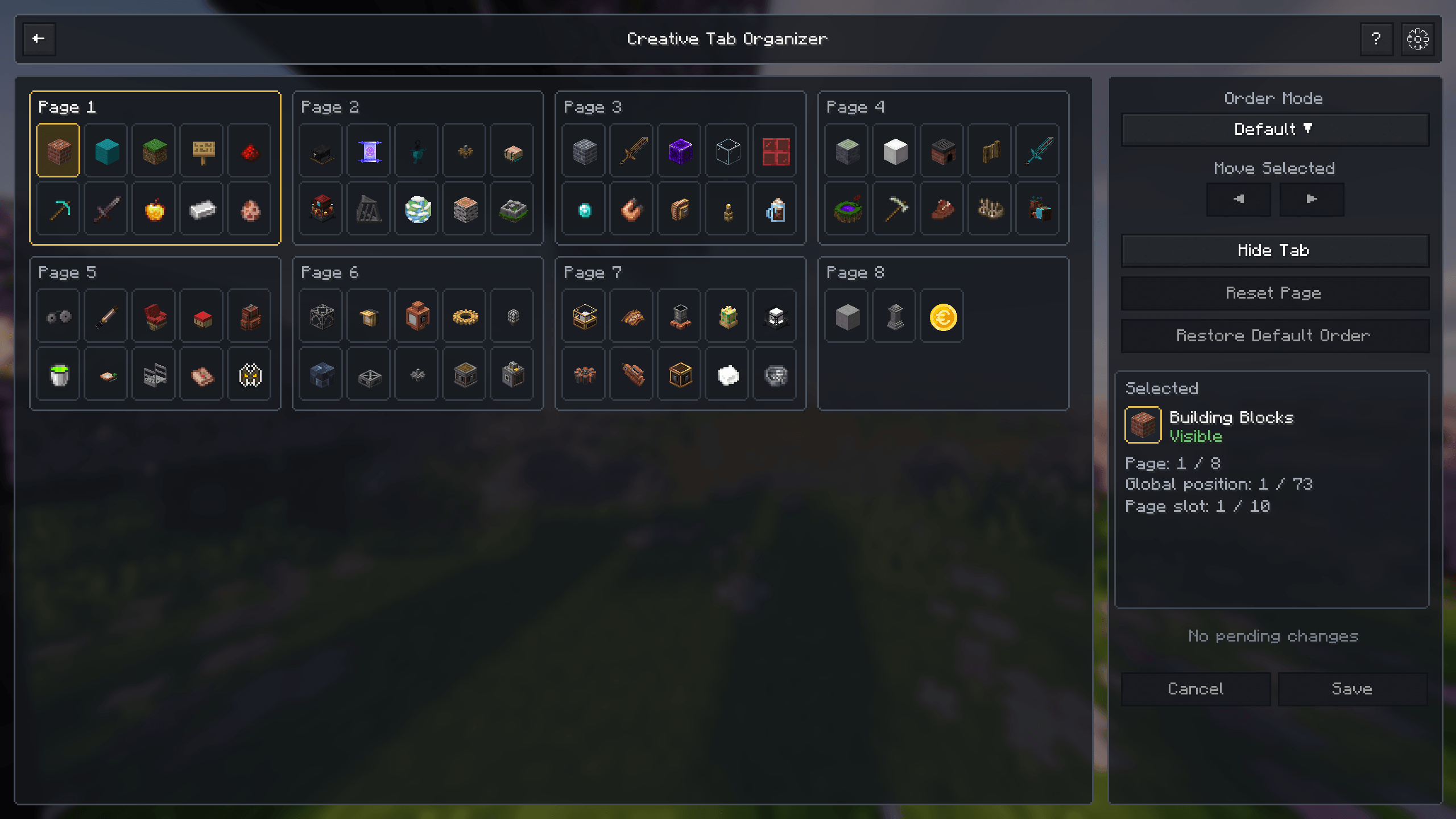
View, organize, hide, and reorder all available creative tabs from a dedicated interface.
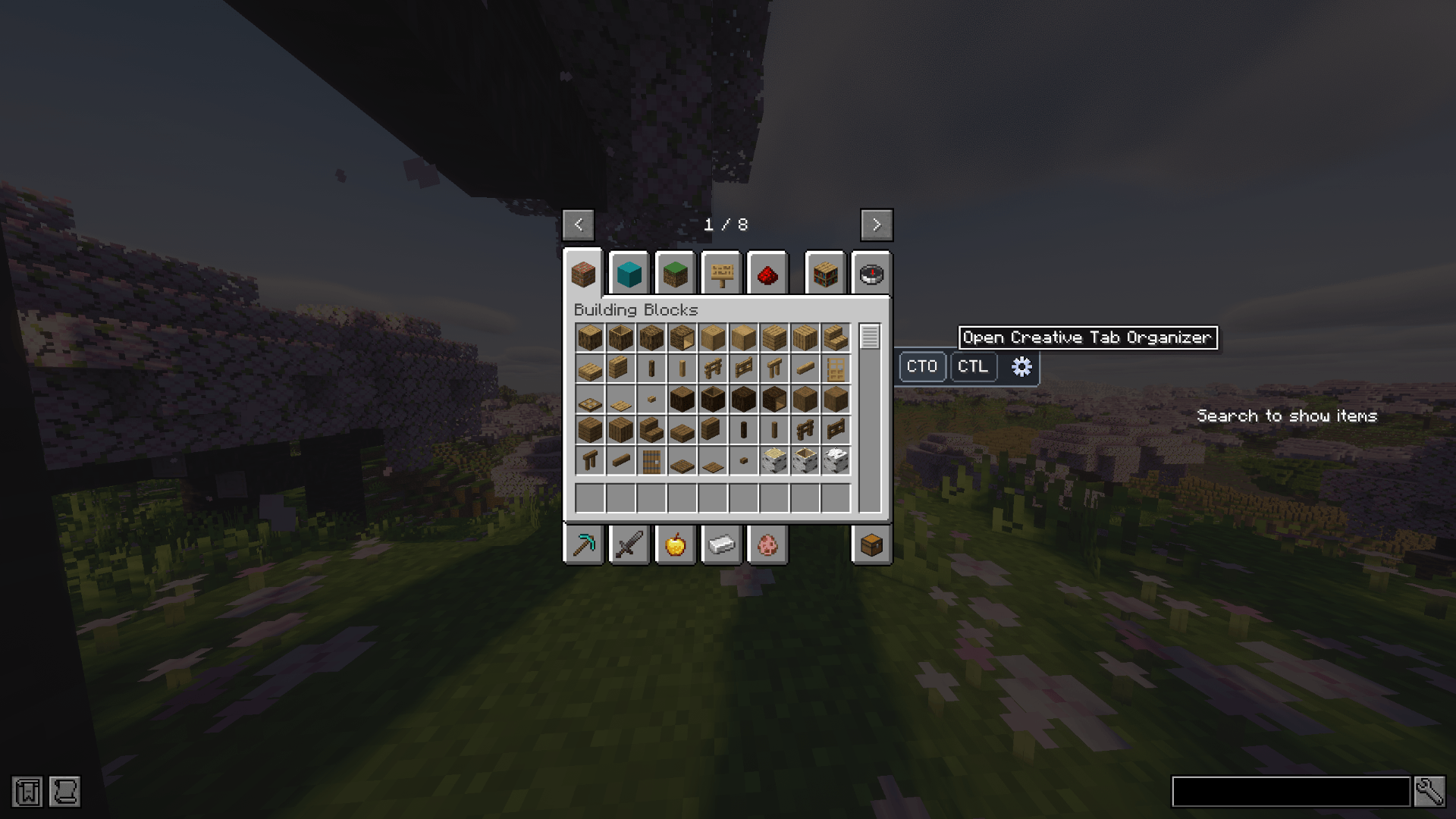
Open Creative Tab Organizer directly from the creative inventory.
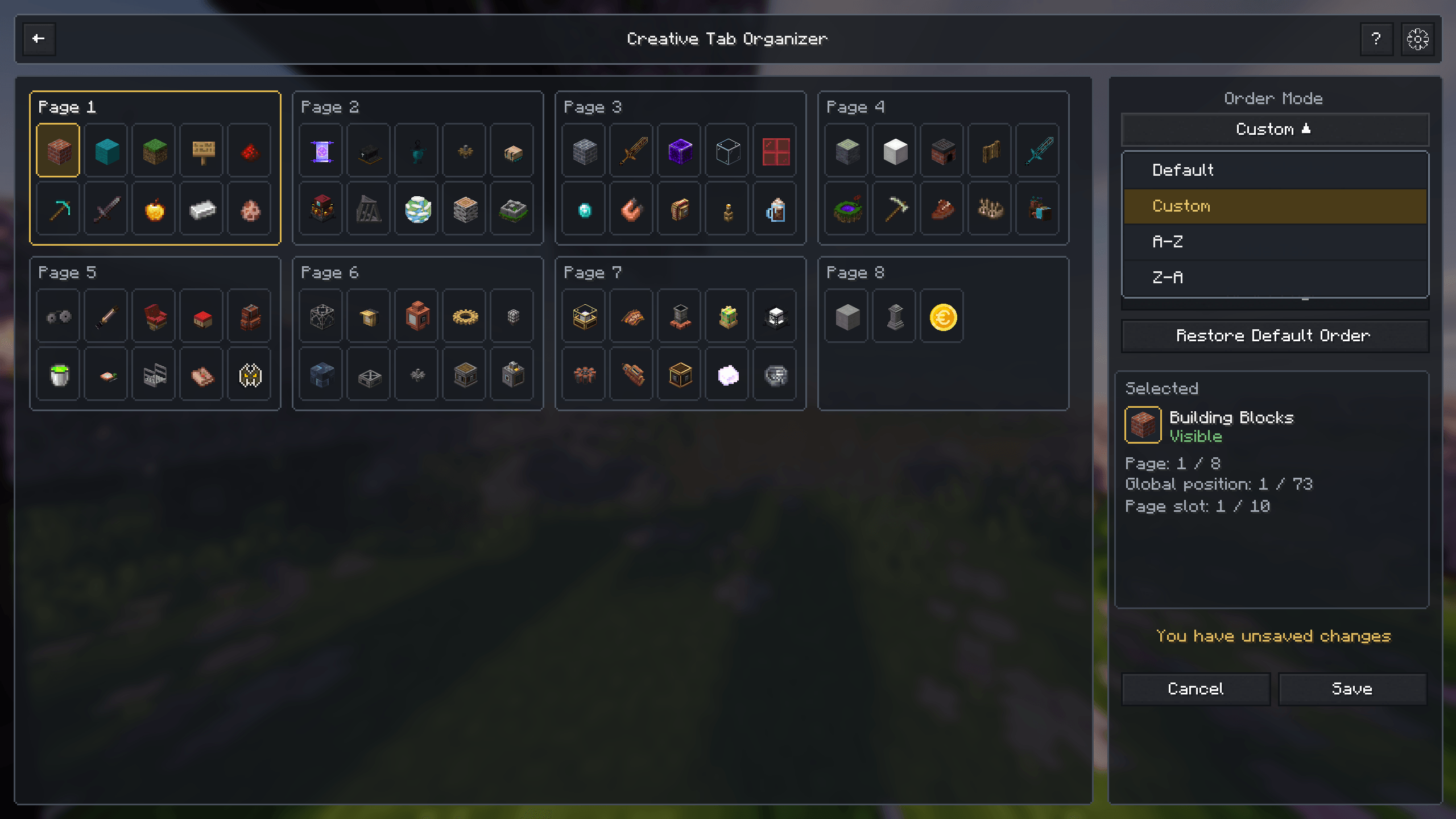
Choose between default, custom, alphabetical, and reversed alphabetical ordering.
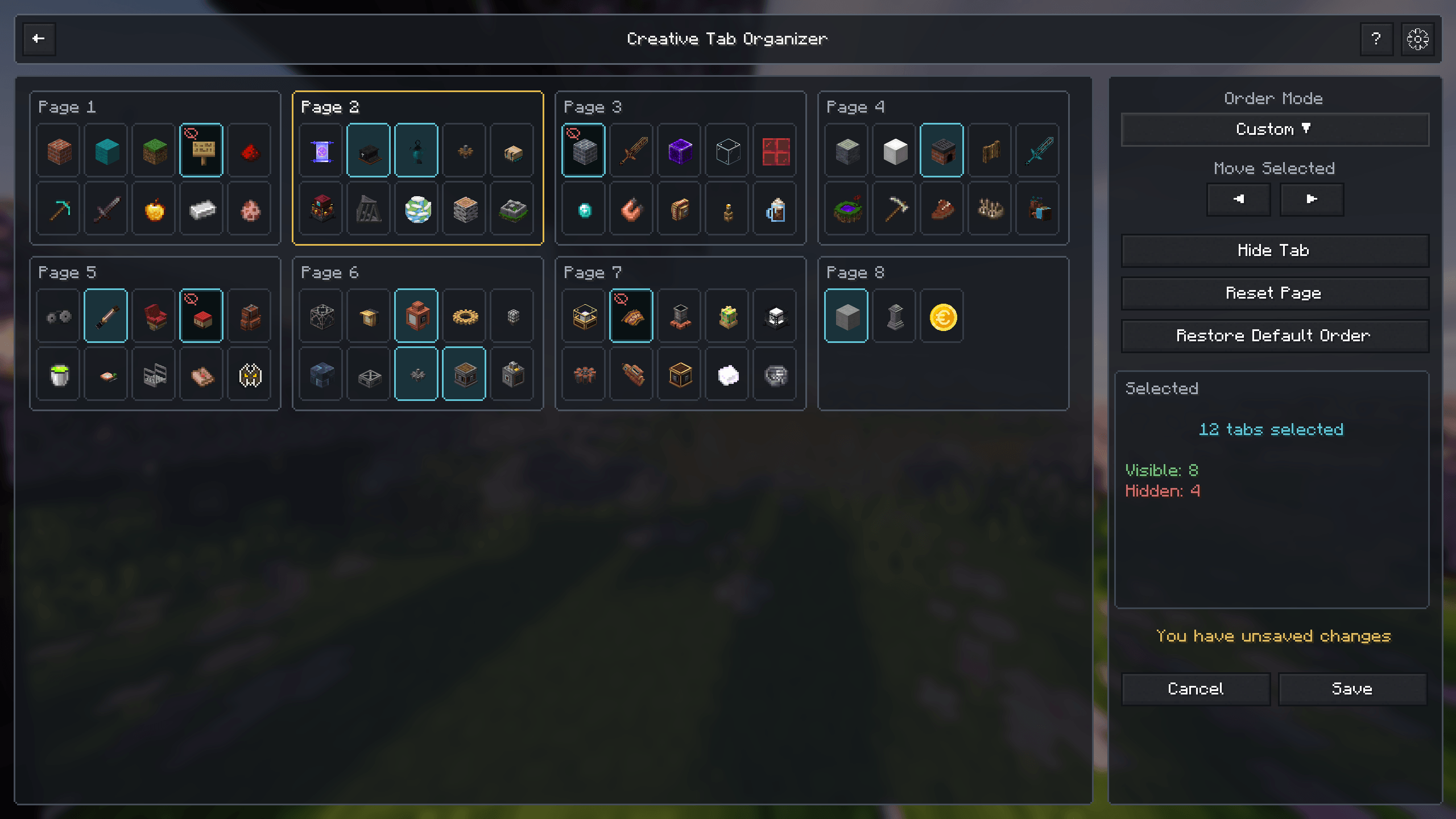
Select multiple tabs and move, hide, or manage them together.
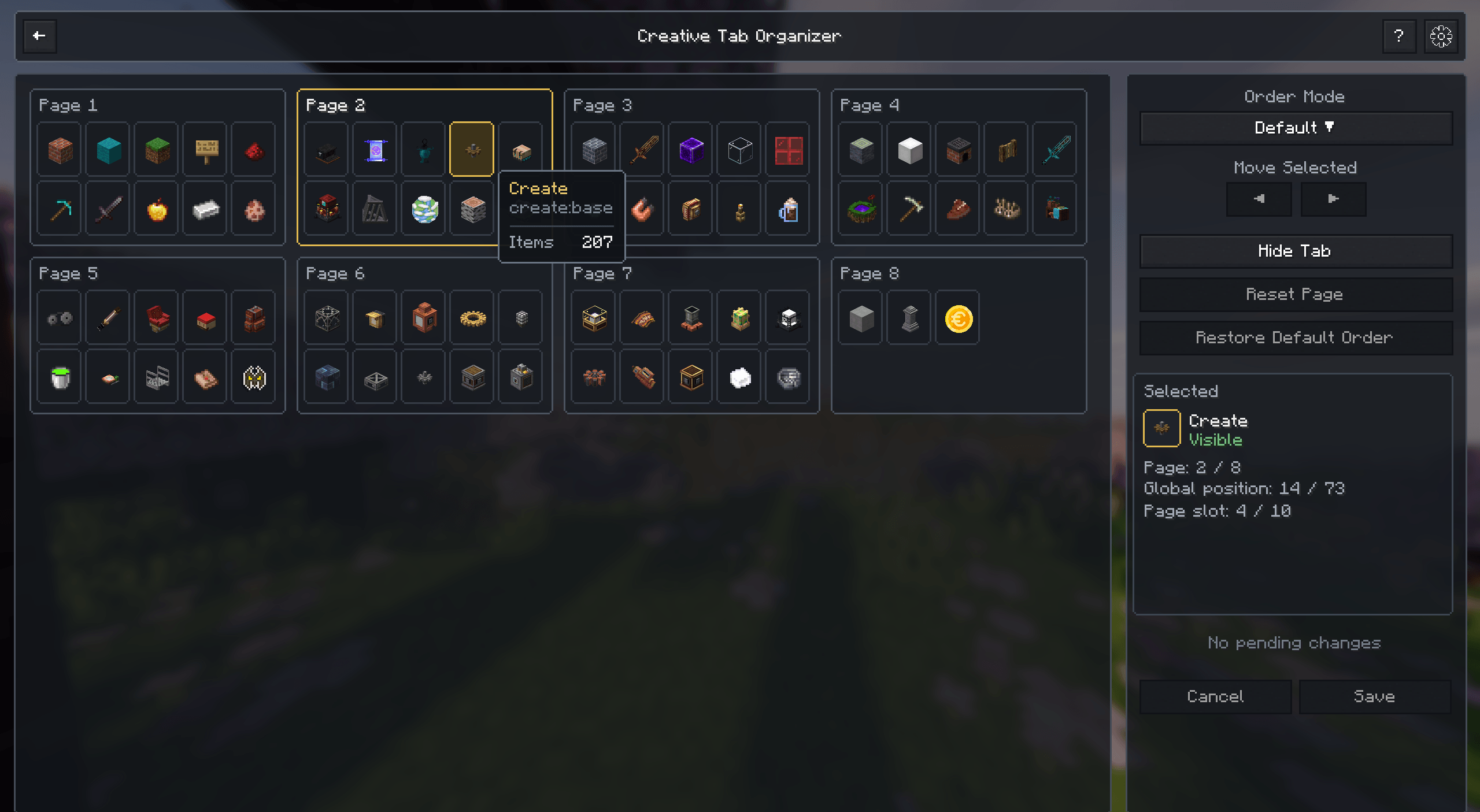
View tab full names, tab identifiers and item counts.
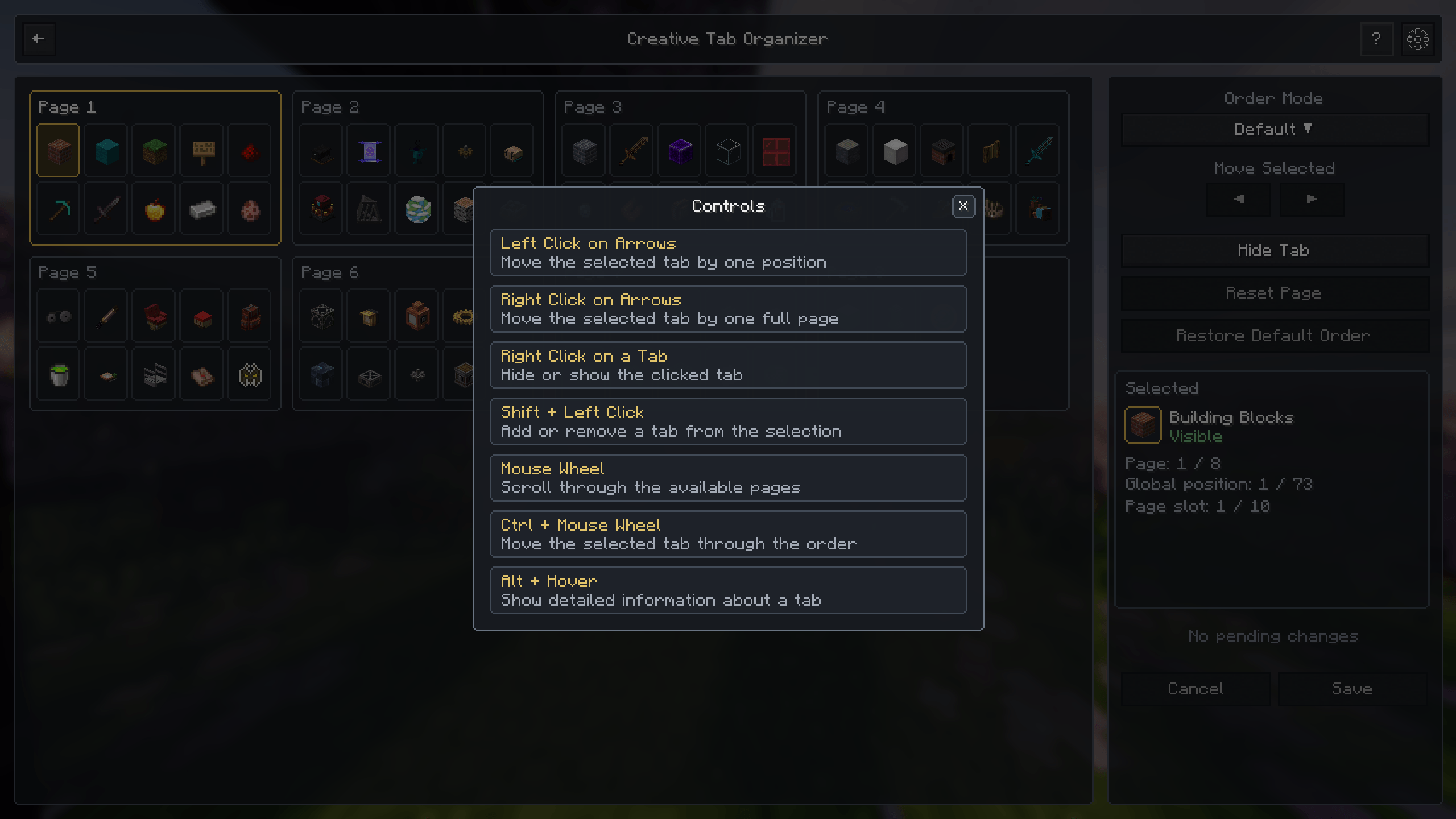
Quickly review the available mouse and keyboard controls.
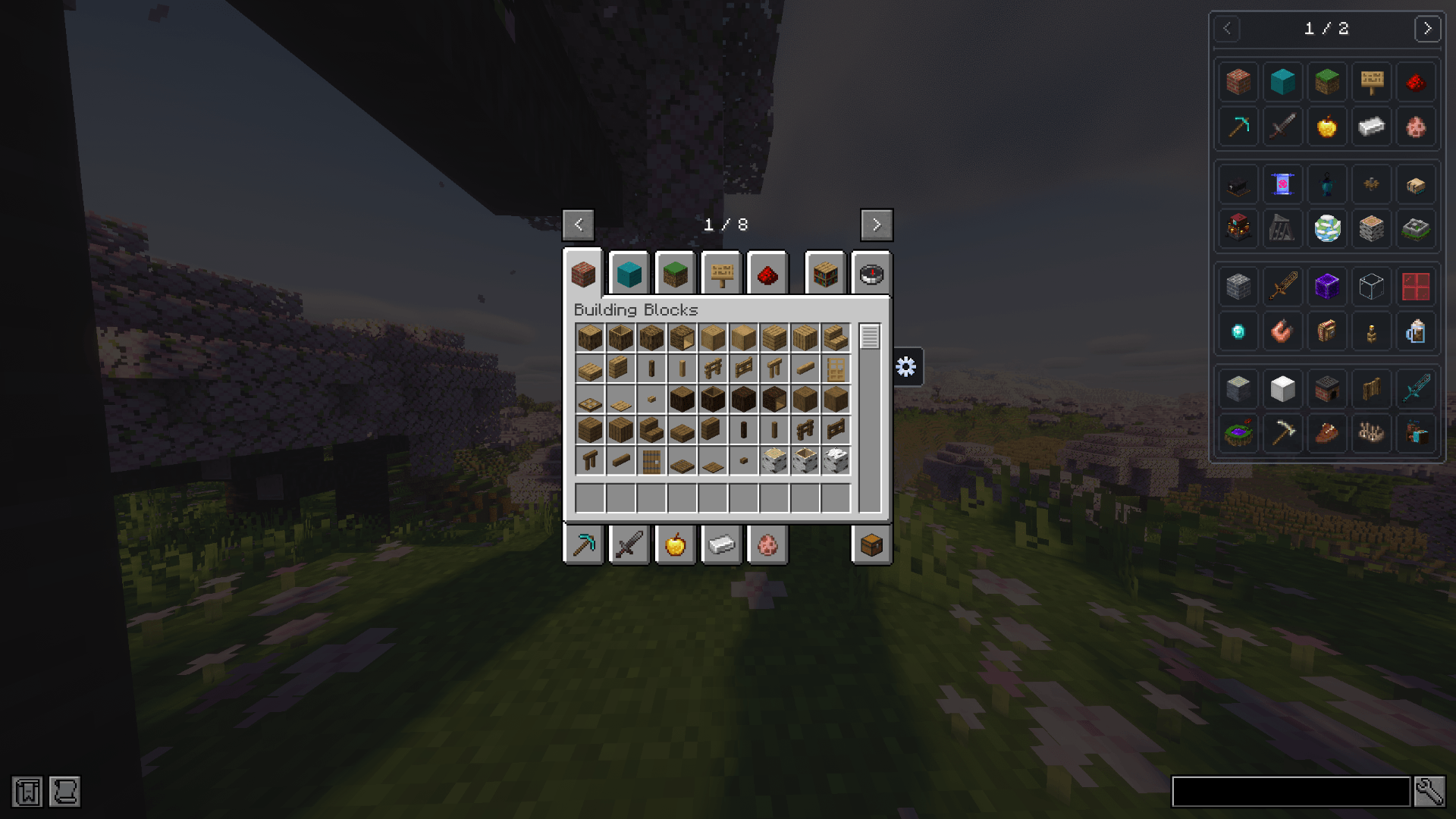
Browse JEI ingredients through organized creative tabs instead of a single flat list.
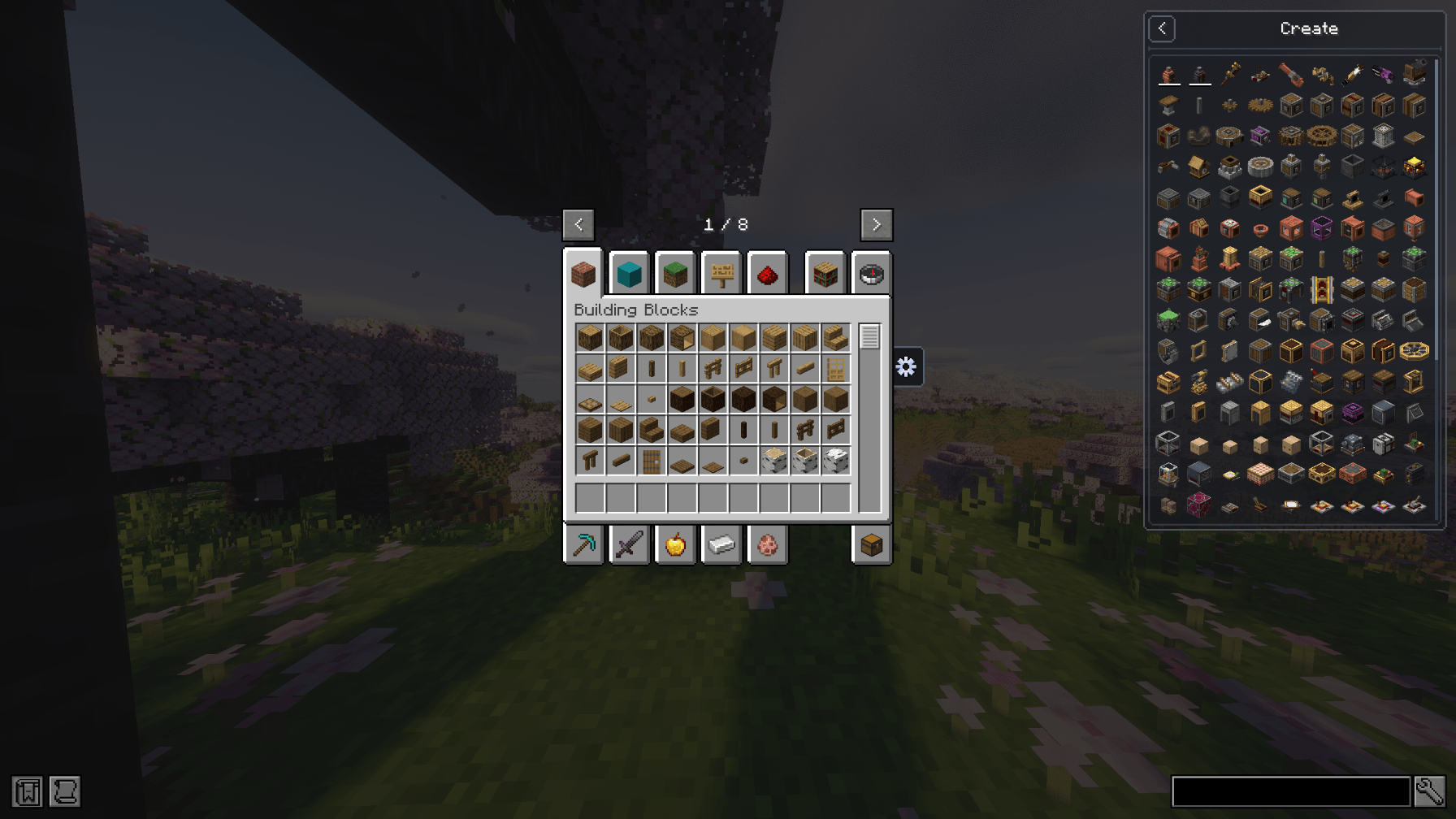
Select a creative tab and browse only its related ingredients inside JEI.
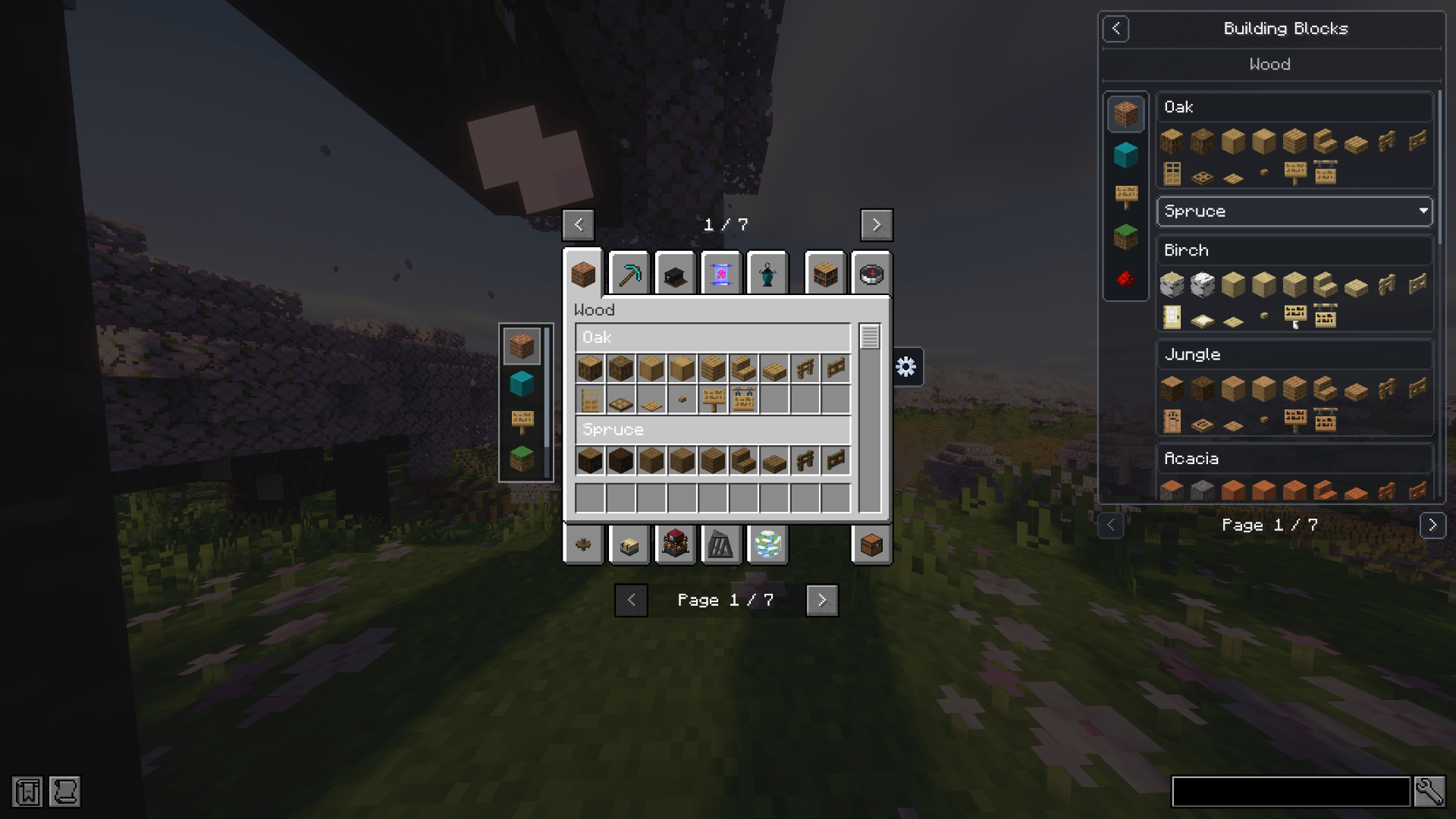
Display CTL pages, sections, headers, subtabs, and organized content directly inside JEI.
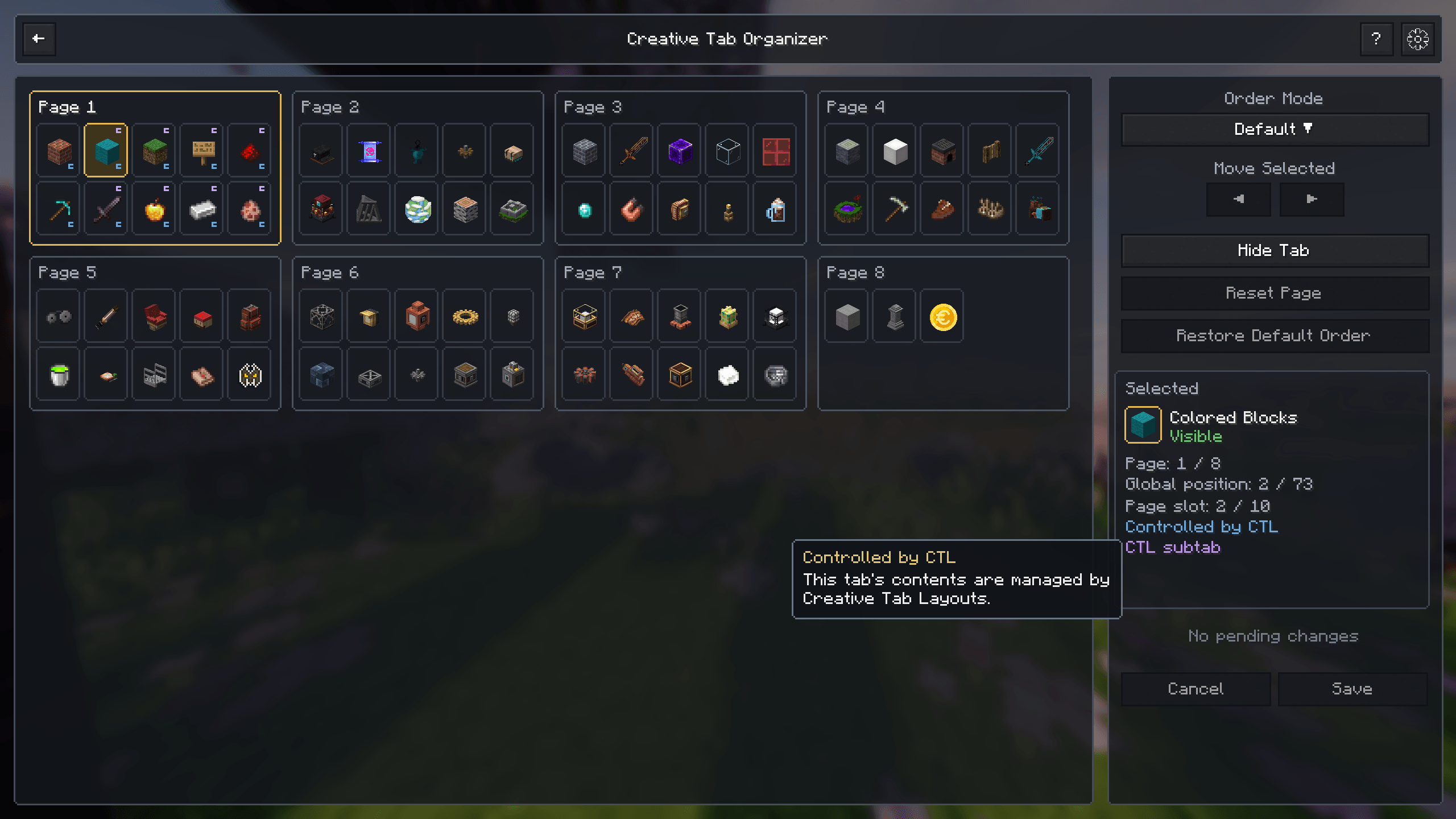
Automatically identify tabs controlled by CTL and display their relationship inside the organizer.
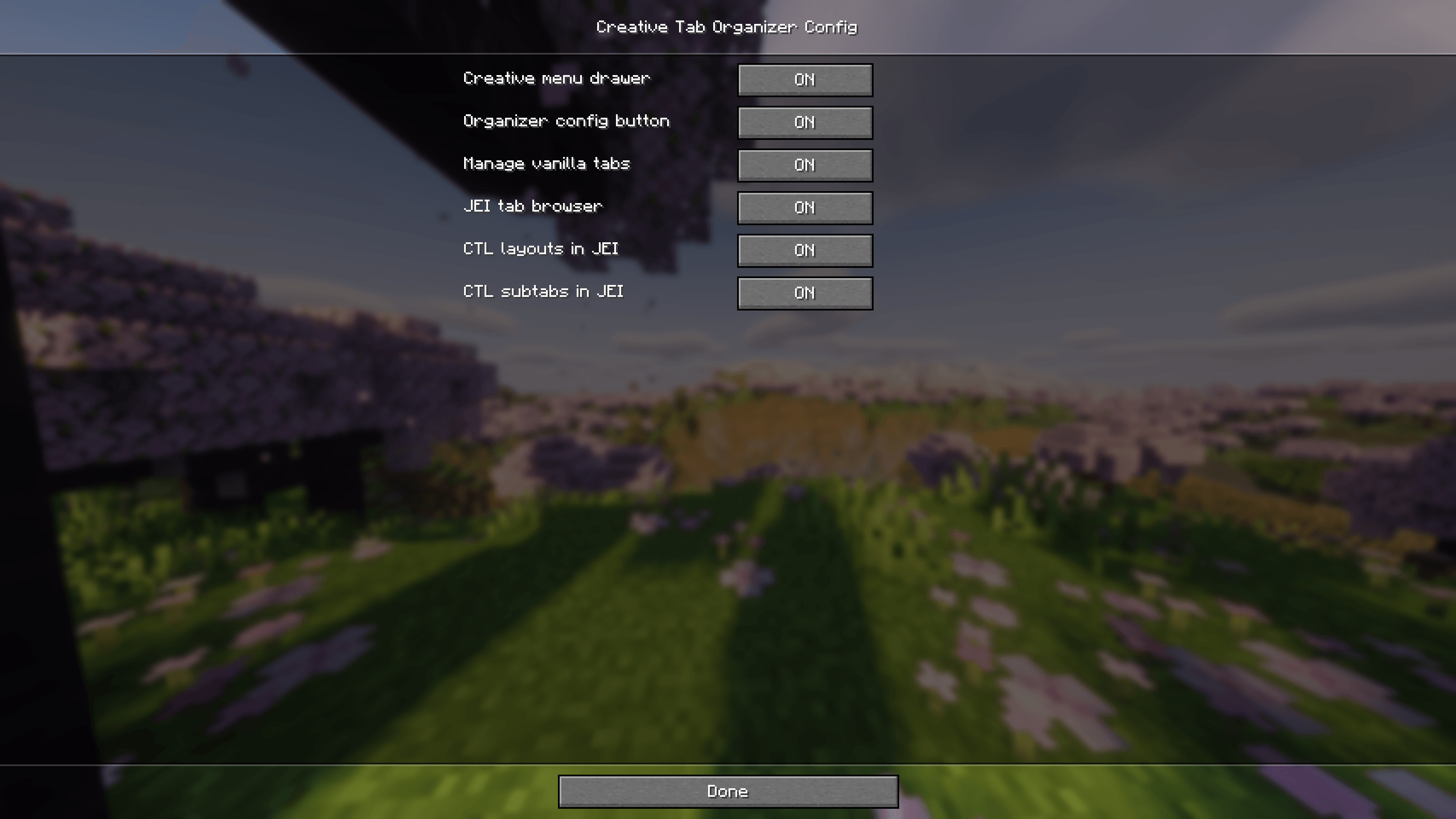
Configure creative tab management, menu integration, JEI browsing, and CTL compatibility.

