CreatIF - Create: IngredientFilter
- By
New filter type to check if required ingredients are available in a basin. For scaling type recipes.
CreatIF - Create: IngredientFilter
You know those modpacks, where the author tries to be very forthcoming to their playerbase by enabling them to multiply yields of lower tiered recipes by just adding another item?
Good intentions, I like it a lot, prevents having to rebuild parts of the factory when unlocking new recipes.
However, Create seems to not have had that in mind when designing basin processing.
The solution: New filter type!  - Ingredient Filter
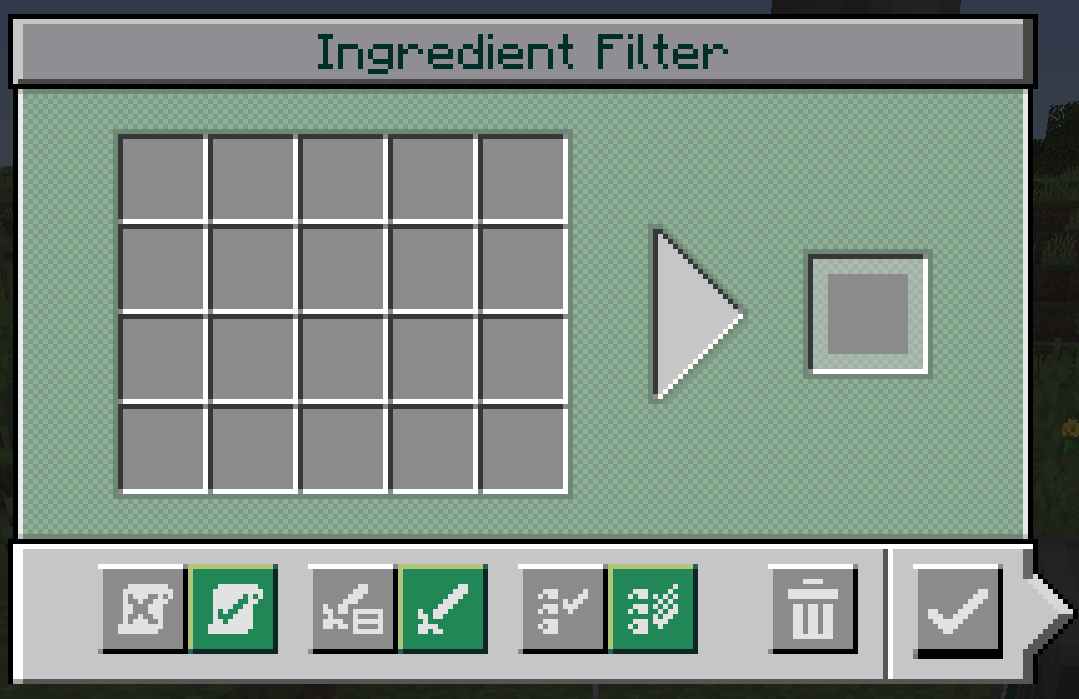
Allows you to specify items that need to be in a basin before it may start on the left.
You can also use buckets/fluids to require that specific liquids are present. From version 1.1.0 onward, you can even use fluids directly without containers, this behavior can be toggled with the 4th button. Containers can be emptied into the slots via right click to get the fluid.
Optionally you can specify the target recipe in the slot on the right.
Supports adding recipes via [+] Button in EMI or JEI!
Example:
A recipe for a modded item has these two variants (check out Compression Modpack):
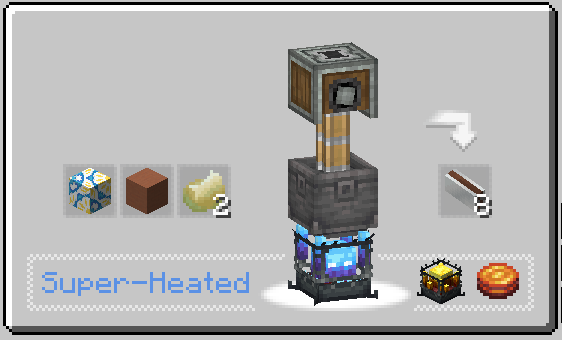
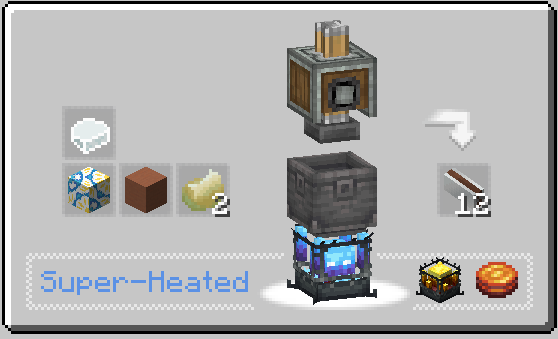
Normally, no issue, but if the additional item runs out, the basin will never go back to the better recipe.
However, with this filter, you can stop the basin if that happens.
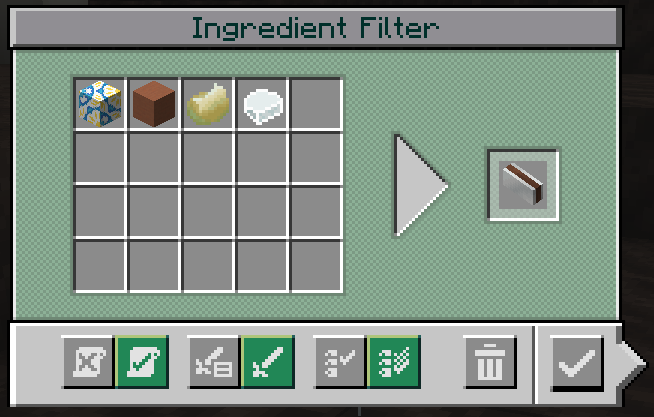
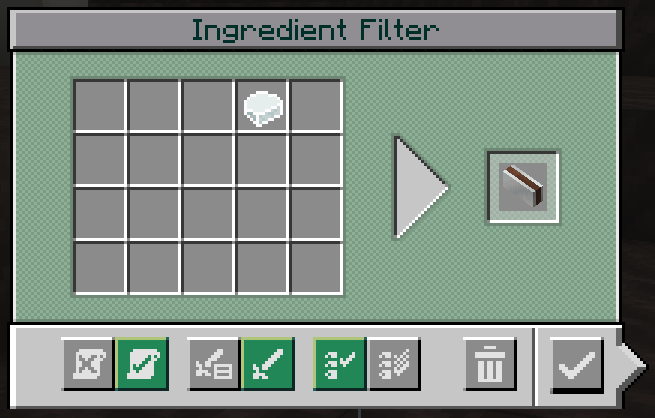
Both of the above prevent processing until the 4th ingredient is available.
Note the 3rd button:
- MatchAny allows processing if any of the ingredients specified in the filter is available.
- MatchAll waits until ALL are available.
You can even nest normal filters, like here for colored concrete powder
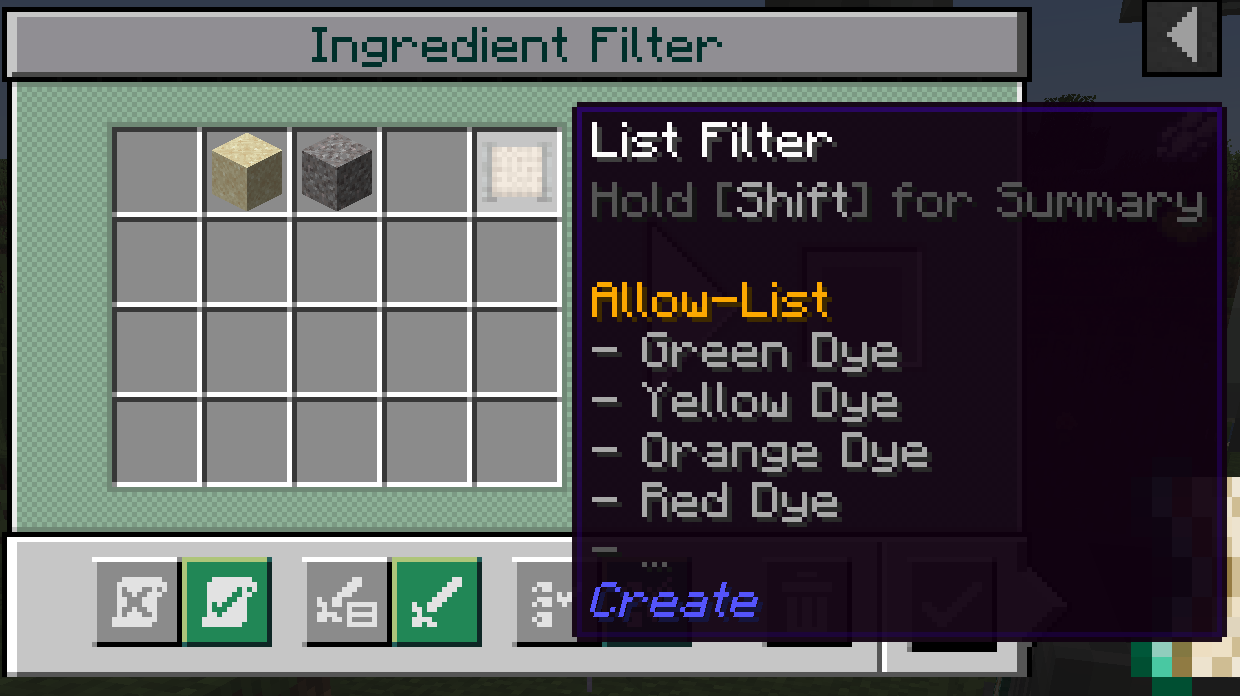
which produces following interactions:
- MatchAny: Expands available inventory (boring)
- MatchAll: Checks any ONE item in the nested filter is available. Like:
OuterFilter[Item1 AND Item2 AND InnerFilter(Item3 OR Item4)]
Attribute filters can be nested to allow entire tags, like every wood log etc.
NOTE: You cannot nest Ingredient filters!
JEI / EMI:
- supports adding recipe ingredients via [+] button in JEI / EMI
- holding shift while adding will add all possible ingredient variants (like all wood types allowed)
CreatIF - Create: IngredientFilter Team