Create: Visible Clipboard
- By
2026-10-31_06.53.49.png
2026-10-31_06.53.17.png
Description
Create: Visible Clipboard


Make your Create clipboards more useful, interactive, and immersive!
Create: Visible Clipboard is a lightweight, client-side add-on for the Create mod that lets you read and interact with clipboards directly in the Minecraft world - without constantly opening their GUI.
Whether you're organizing your factory, managing production tasks, or keeping track of your next big project, your clipboard becomes a practical tool you can interact with naturally.
Features
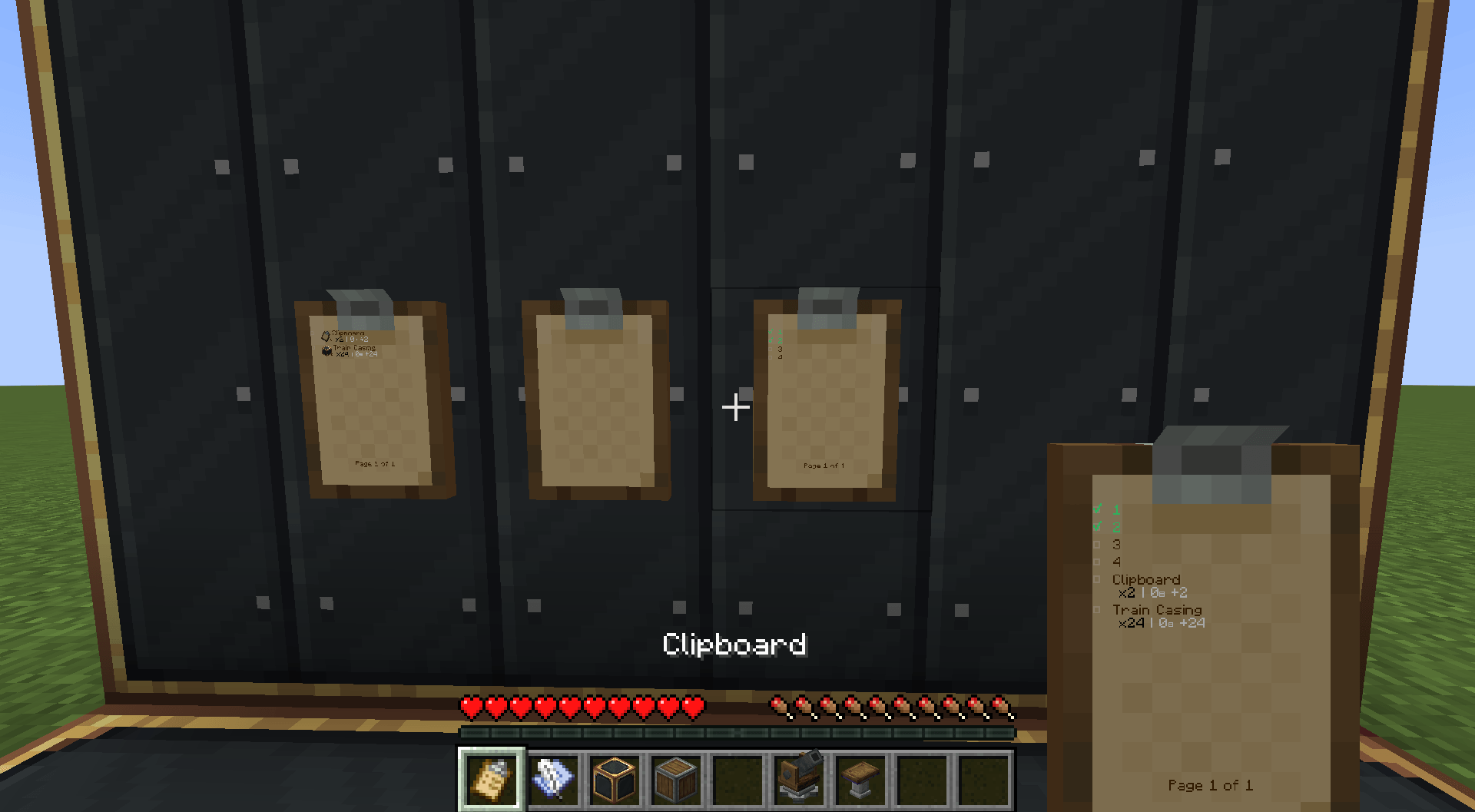
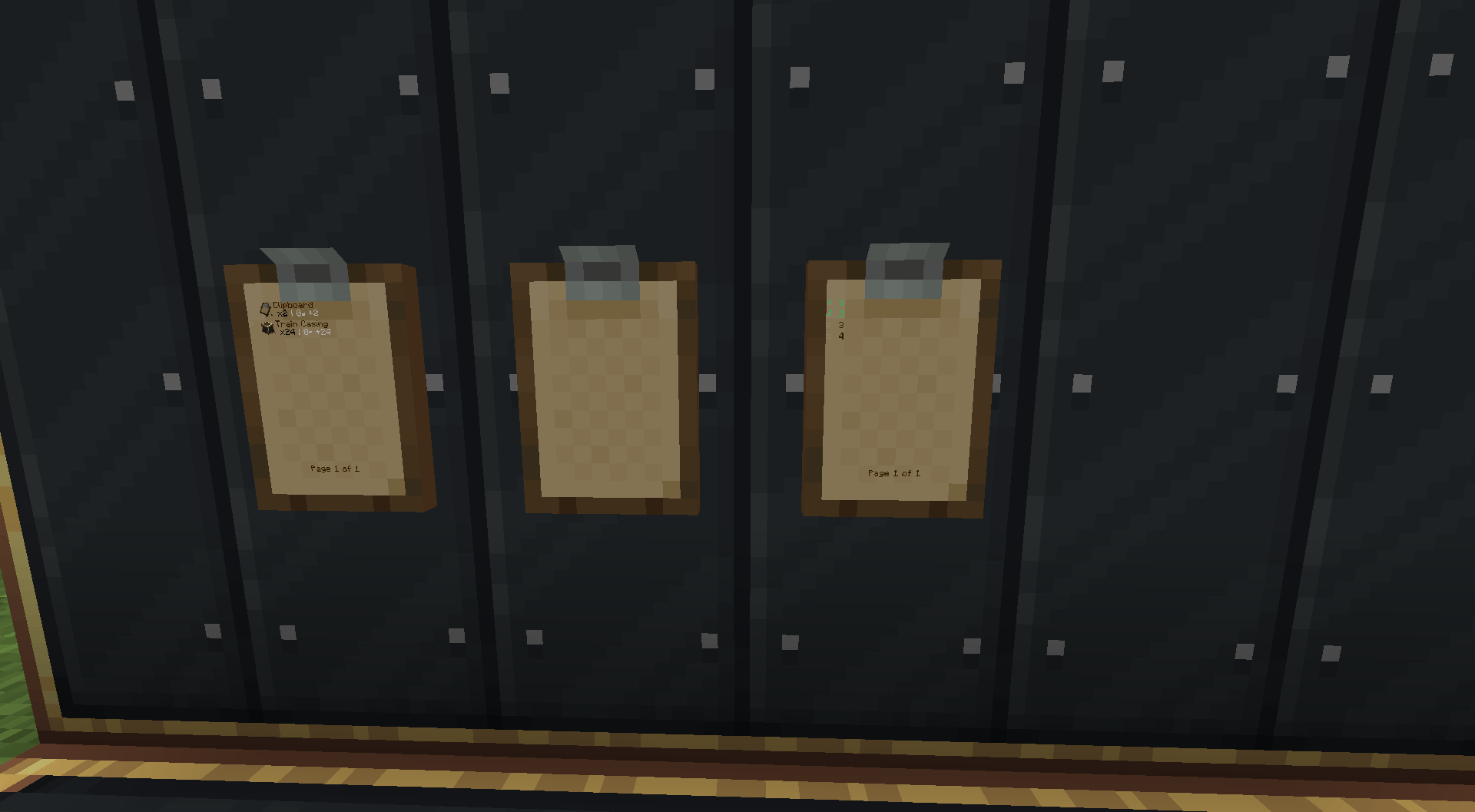
Read Clipboards Directly in the World
No need to open an interface just to check your notes!
- View the actual contents of placed clipboards.
- Read tasks and notes directly from their surfaces.
- Display the selected page on clipboards held in your hands.
- Keep your notes visible while working on your Create projects.
Interactive Checklists
Manage your tasks without opening the clipboard editor.
- Right-click a checkbox to mark a task as completed or incomplete.
- Update checklists directly on placed clipboards.
- Keep track of your progress while building and managing factories.
Page Navigation
Working with multiple pages? Navigate directly from the clipboard!
- Right-click
<or>to switch between existing pages. - The selected page is saved using Create's existing clipboard data.
- Create and edit pages using the original clipboard editor.
Seamless Create Integration
Designed to preserve the familiar Create experience.
- Shift + Right-click - Open the original clipboard editor.
- Left-click - Pick up the clipboard normally.
- Right-click while holding another clipboard - Copy the placed clipboard's contents using Create's original functionality.
- Regular clipboard placement and editing remain available.
- Read-only clipboards retain their original restrictions while allowing checkbox interactions.
Controls
| Action | Function |
|---|---|
| Look at a placed clipboard | Read the selected page |
| Right-click a checkbox | Toggle task completion |
Right-click < / > |
Change pages |
| Shift + Right-click | Open the original editor |
| Left-click | Pick up the clipboard |
| Hold a clipboard | Display its saved page |
| Right-click with another clipboard | Copy clipboard contents |
Compatibility
- Minecraft: 1.21.1
- Mod Loader: NeoForge
- Requires: Create 6.0.10 and its dependencies
- Installation: Client-side only
- Multiplayer: Designed to work on servers running Create without requiring this add-on on the server.
Players without Create: Visible Clipboard can continue using regular Create clipboards through their original interface.
Note: Fabric is not currently supported.
Installation
- Install NeoForge for Minecraft 1.21.1.
- Install Create 6.0.10 and its required dependencies.
- Download Create: Visible Clipboard.
- Place the mod's
.jarfile in your Minecraftmodsfolder. - Launch Minecraft and enjoy interactive clipboards!
No server-side installation is required.
Why Use Create: Visible Clipboard?
Create clipboards are great for organizing projects, but constantly opening an interface can interrupt your workflow.
Create: Visible Clipboard makes them feel like actual objects in the world.
Place a clipboard beside your machinery, write down your production checklist, and mark tasks as completed while you work.
Less GUI interaction. More immersion. Better organization.
Links
License
This project is open-source and licensed under CC0-1.0.
Create: Visible Clipboard is an unofficial add-on for Create and is not affiliated with the Create development team.
Create: Visible Clipboard Team