Create: Shop Terminal
A Create-style shop terminal for browsing stock, building an order, and purchasing items through an in-world terminal.
Create: Shop Terminal
Create your game server with 

Description
Create: Shop Terminal
Create: Shop Terminal turns Create's logistics system into a complete player-facing storefront while keeping the machinery, stock handling, packaging, and delivery firmly inside Create.
Players can browse live network stock, build an order, pay through Create: Numismatics, and have their purchases packaged and delivered through the existing Create logistics network.
It also includes a network-based pricing system, more than 5,100 built-in item prices, automatic pricing for existing Create and Numismatics shops, and a Mechanical Frogport for Create-style package delivery.
Shop Terminal
The Shop Terminal acts as the Stock Keeper for a nearby Create Stock Ticker.
Place the Terminal in any of the 26 blocks surrounding a Stock Ticker and it becomes the player-facing interface for that shop. A separate seated Blaze Burner is not required.
From the Terminal, players can:
- Browse live stock from the connected Create logistics network
- View item prices directly in the stock screen
- Add multiple items to an order
- See a running order total
- Enter a Create package address
- Pay using Create: Numismatics
- Have the completed order passed back into Create for packaging and delivery
The Terminal does not replace Create's logistics system. It uses it.
Built-In Pricing — 5,100+ Items
Shop Terminal includes a built-in master catalog containing prices for more than 5,100 Minecraft and Create-related items.
No separate Master Prices mod is required.
When an item is sold through a Shop Terminal, its price is determined in this order:
- A custom Price Ledger override for that logistics network
- The built-in master price catalog
- UNPRICED if no price exists
This gives a new shop a large usable price catalog immediately while still allowing every server to customize its own economy.
Price Ledger
The Price Ledger provides operator-controlled pricing for an individual Create logistics network.
Right-click a Stock Link with the Price Ledger to bind it to that network.
The Ledger:
- Displays items that have appeared on the network
- Shows their current prices
- Allows individual prices to be overridden
- Remembers products even when they are temporarily sold out
- Stores pricing by logistics network
- Can be carried, stored, or placed elsewhere after it has been linked
This makes it possible to maintain a central shop catalog without keeping every product physically in stock just to edit its price.
Create Table Cloth Integration
Shop Terminal integrates directly with Create's existing shop tools rather than recreating them.
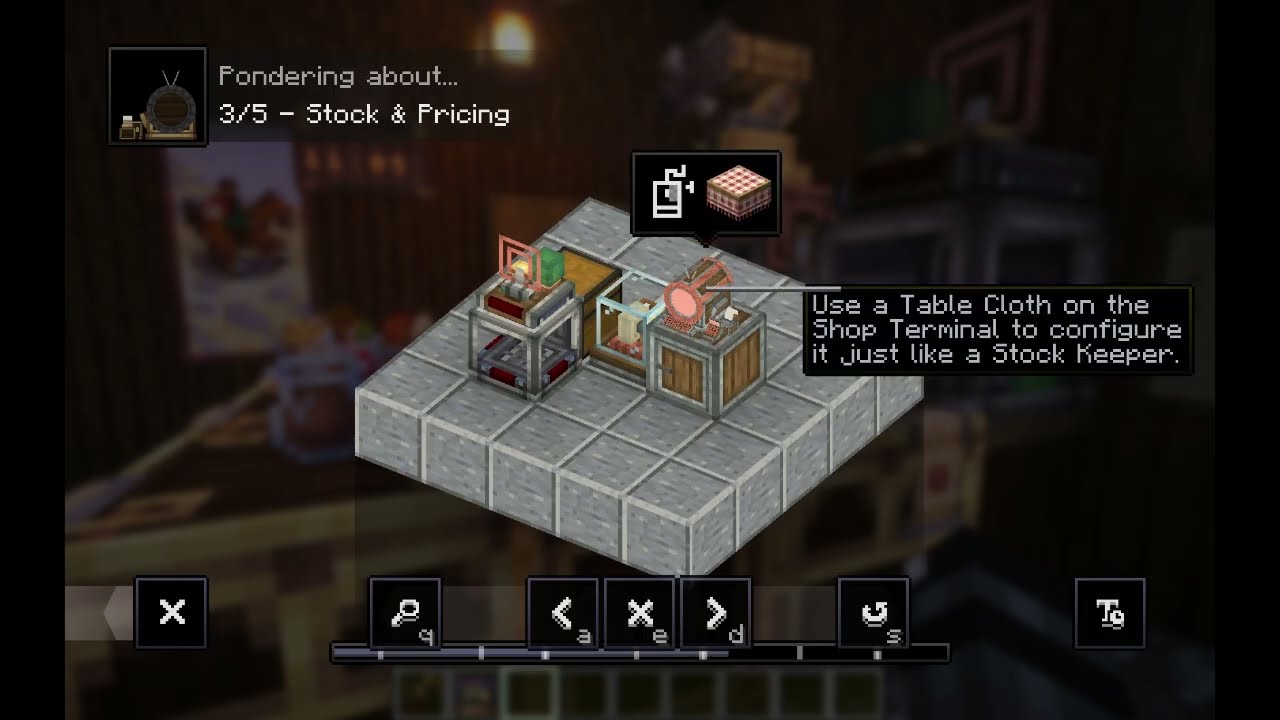
A valid Shop Terminal satisfies the Stock Keeper requirement for its Stock Ticker, allowing Create Table Cloth shops to operate without a separate Stock Keeper.
You can also use Create's normal keeper tools directly on the Terminal:
- Table Cloths use Create's normal item-selection flow
- Redstone Requesters use Create's normal programming flow
- Shopping Lists use Create's normal checkout behavior
Create remains responsible for those systems; Shop Terminal simply allows the Terminal to stand in for the Stock Keeper.
Automatic Shop Pricing
The built-in 5,100+ item catalog is also used outside the Terminal.
Shop Terminal can automatically price:
- Create Table Cloth shops
- Create: Numismatics Vendors
When items are configured, the mod calculates their price using the built-in catalog.
Existing manually configured shop prices are preserved, and items without a catalog price are left unchanged.
This means the same pricing catalog can support Terminal storefronts, traditional Create shops, and Numismatics Vendors at the same time.
Server-Side Price File
The server-side MasterPrice.json file stores the default pricing catalog.
Server administrators can edit this file directly to:
- Change existing item prices
- Add prices for additional modded items
- Expand the catalog as new mods or items are added
This allows each server to customize and extend the built-in economy without modifying the Shop Terminal mod itself.
Mechanical Frogport
Create: Shop Terminal also includes the Mechanical Frogport.
It behaves like Create's Package Frogport for Chain Conveyor package routing, but replaces the Frogport tongue with a working Mechanical Arm presentation.
- Uses Create's existing Frogport package-routing behavior
- Links to Chain Conveyors like a normal Package Frogport
- Uses Create's Mechanical Arm models and animations
- Visually picks up and places packages with the arm
- Requires no rotational power
- Uses no Stress Units
The logistics remain Create-native; the Mechanical Frogport is essentially a different mechanical presentation of the existing Frogport behavior.
Remote Stores
Because stock and pricing belong to the Create logistics network rather than the individual Terminal, a single central stockroom can serve multiple storefronts.
A remote shop can use:
- A Stock Ticker linked to the central network
- A Shop Terminal
- A Numismatics Depositor
The remote Terminal sees the central store's stock and uses the same network pricing.
Orders can then travel through whatever physical Create delivery system you build — Packagers, Postboxes, Frogports, Chain Conveyors, rail delivery, or other Create logistics.
How long delivery takes is determined by the physical network you built.
Terminal Styles
Shop Terminal comes in eight Create-inspired styles:
- Andesite
- Copper
- Brass
- Railway
- Industrial Iron
- Weathered Industrial Iron
- Shadow Steel
- Refined Radiance
Each uses matching casing and hardware materials so the Terminal can fit naturally into shops, factories, stations, and different Create build styles.
The service cabinet below the Terminal is part of the Terminal itself and does not occupy another block.
Use a Create Wrench on the Terminal to show or hide the service base.
Required Mods
- Create 6.0.10
- Compact Nixie 0.6.3+
- Create: Numismatics — Create 6.0 Integration
Minecraft Version
Minecraft: 1.21.1
Mod Loader: NeoForge
NeoForge: 21.1.233+
Design Philosophy
Shop Terminal is intended to work with Create, not around it.
Create still handles stock, logistics, packaging, addresses, routing, Table Cloth behavior, Shopping Lists, Requesters, and physical delivery.
Shop Terminal adds the storefront and pricing layer while letting the existing Create machinery continue doing the actual work.
Feedback and Bugs
If you encounter a problem, please include:
- Minecraft version
- Shop Terminal version
- Create version
- Create: Numismatics version
- A short description of what happened
- Steps to reproduce the issue, if possible
Compatibility reports and feature suggestions are welcome.
Create: Shop Terminal Team