Create: Schematic Folders
Tired of scrolling through one endless list of schematics?
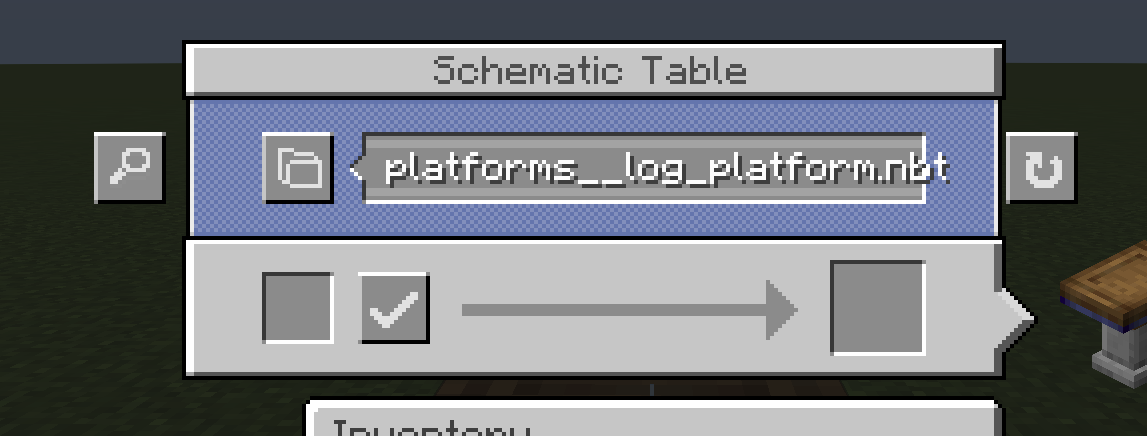
Schematic Folders adds folders and search to Create's Schematic Table and Schematic and Quill, without moving a single file.
Folders without moving files
A folder is simply part of the file name, separated by a double underscore __:
File in schematics/ |
Shown as |
steam__boiler_small.nbt |
boiler small in folder steam |
steam__boilers__boiler_4x4.nbt |
boiler 4x4 in folder steam / boilers |
steam_engine.nbt |
steam engine, no folder |
Everything stays in the one schematics folder, so removing the mod is safe: Create then shows the full file names again.
You can also rename existing files yourself to sort them into folders.
Browse and search at the Schematic Table
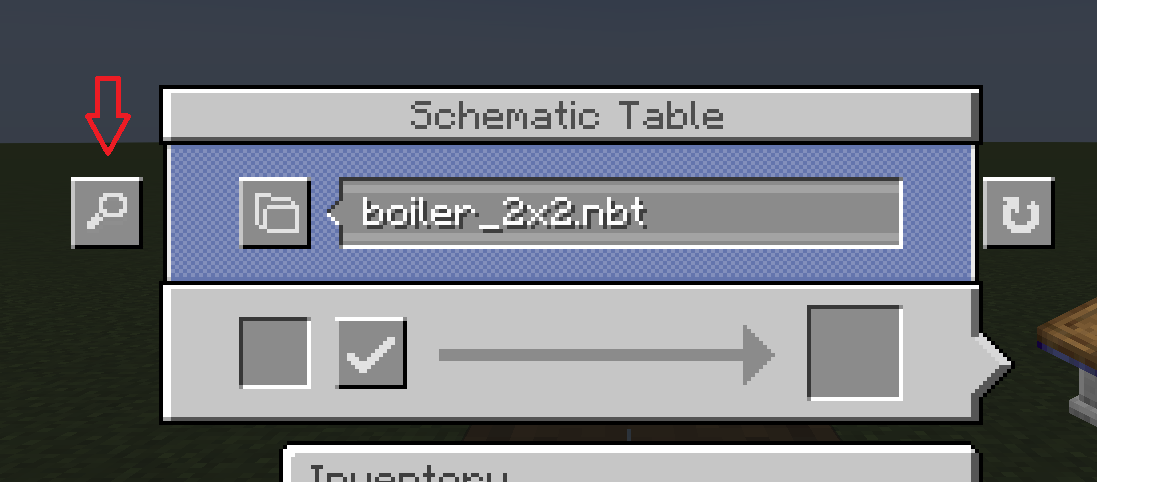
- Click the magnifier next to the Schematic Table to open the browser.
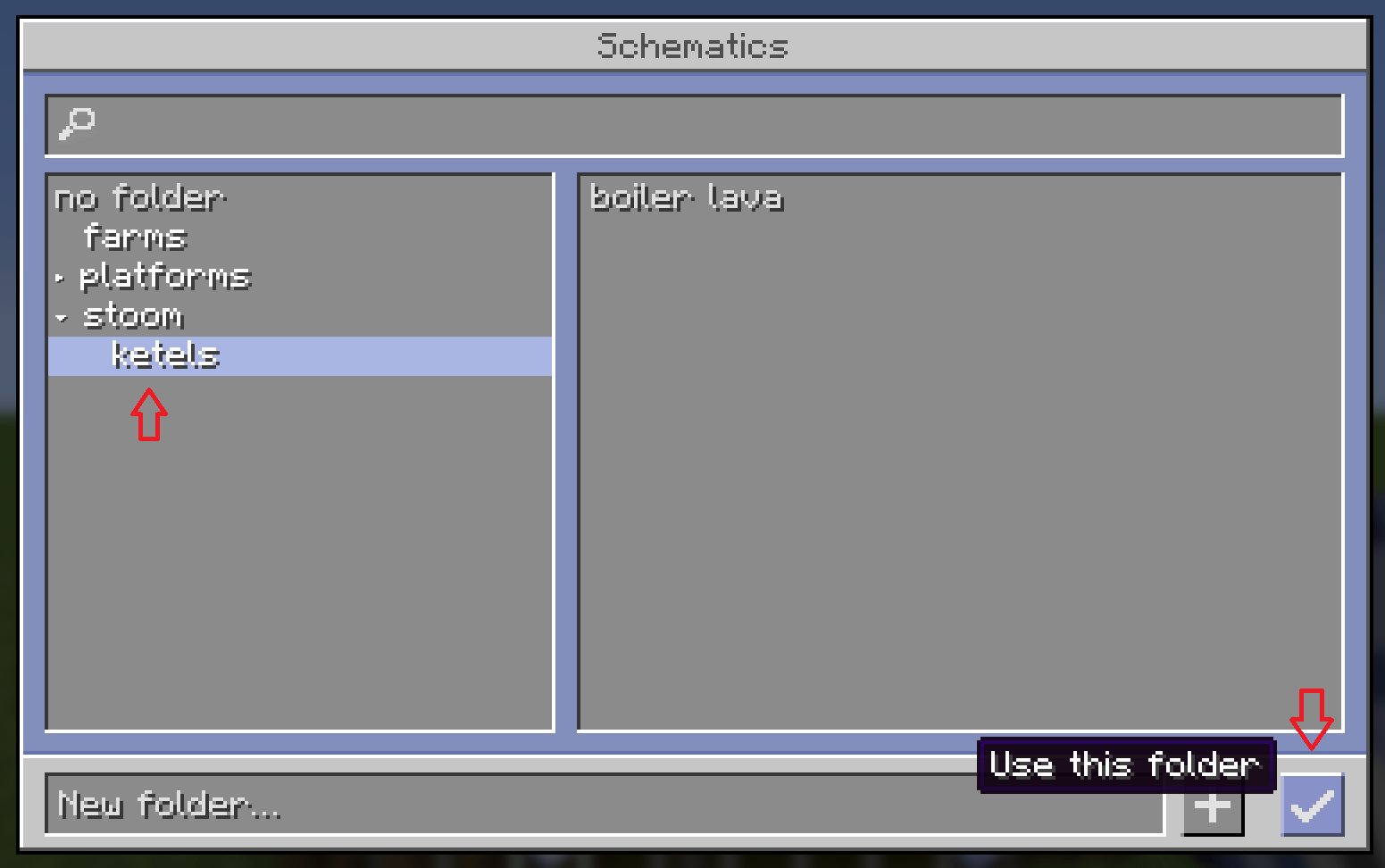
- A folder tree on the left, the schematics of the selected folder on the right.
- The search box searches every folder at once.
- Double-click a schematic (or press Enter) to select it, then upload as usual.
Save into a folder with the Schematic and Quill
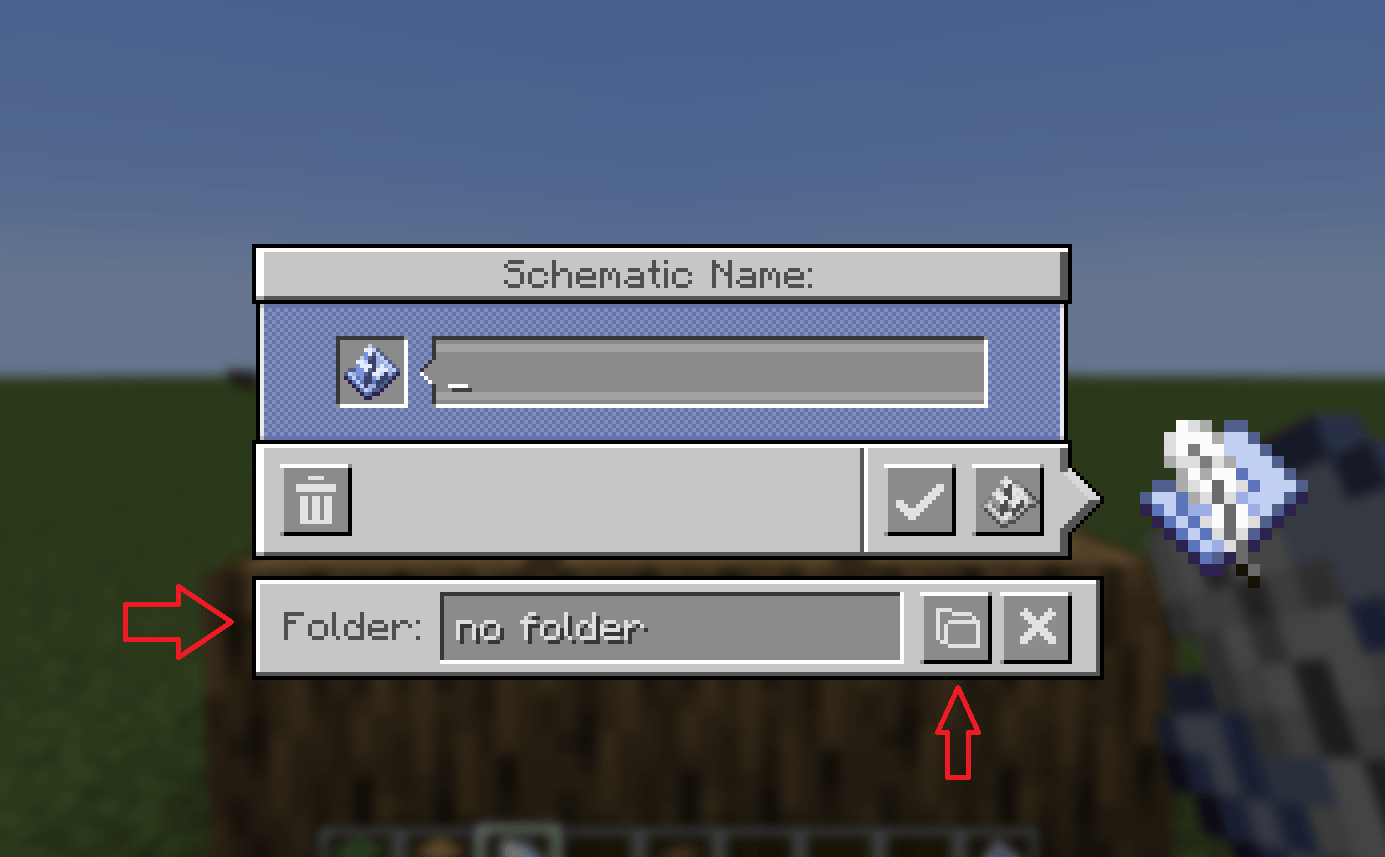
- Under the save prompt there is a Folder bar: pick a folder or add a new one.
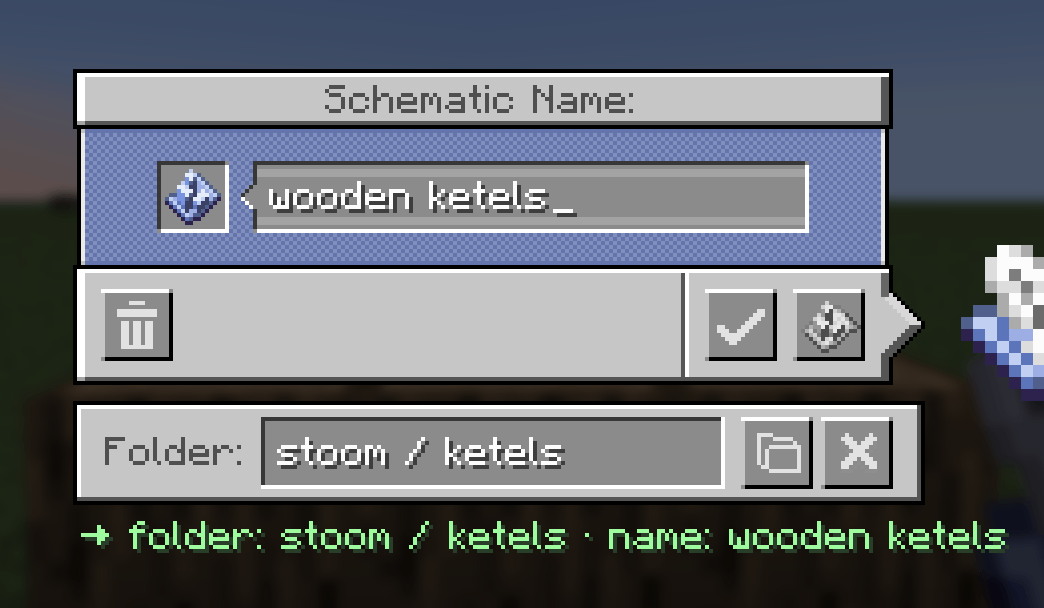
- Or type a path in the name, like
farms/kelp.
- A hint shows exactly where the schematic will be saved.
- The folder is remembered for your next save.
Good to know
- Client side only: not needed on the server, works on any server with Create.
- Requires Create 6 on NeoForge 1.21.1.
- Styled like Create's own schematic screens.
- Languages: English and Dutch.