Create: Routes
- By
Write once, follow anywhere. Name a run of stops as a route, and every schedule follows it with a single entry — edit the route once and every train updates.
Route
Description
Write once, follow anywhere.
Create: Routes gives the stops a home of their own. Name a run of stops as a route. Edit the route and every train following it picks the change up.
Following a route
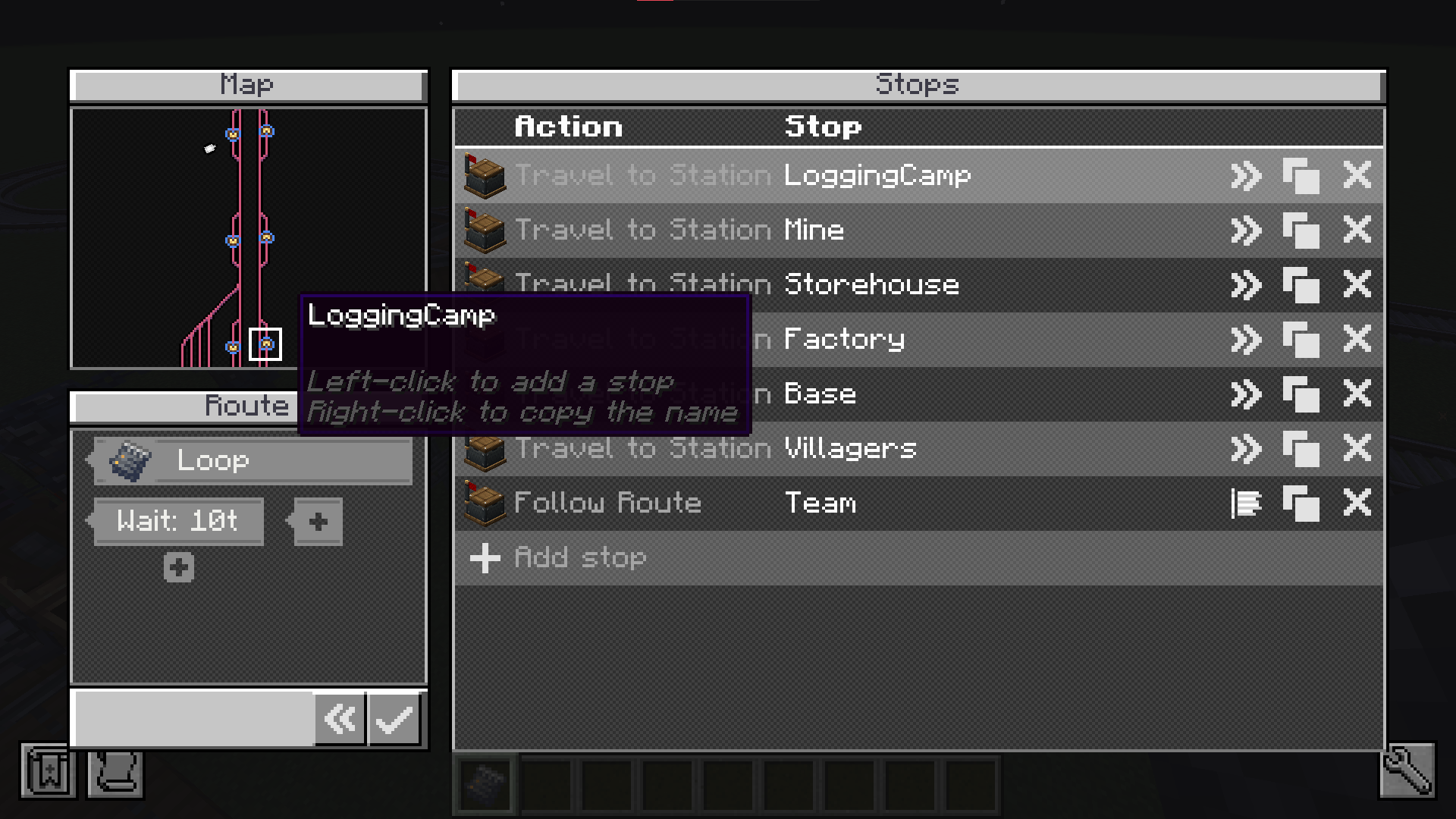
Add a Follow Route entry to any schedule and that one entry stands for the whole run.
- Rev — run the route's stops back to front.
- Skip — drop the last stop.
An out-and-back line is two entries pointing at one route.
Shared defaults
Wait conditions belong to the route. A stop that sets none of its own borrows them, so the wait is set once at the top instead of on all twelve stops.
Nesting
A route can follow another route. Define a trunk once and every branch running over it shares that one definition — fix the trunk and you fix all of them.
The editor
Open it from the Follow Route entry's Configure route button. Pick stops straight off the railway map, drag to reorder, and set the defaults every unset stop borrows.
Create: Routes Team