Description
Important: Displaying HP for Sable Sublevels is not supported by this mod alone. This feature will be unlocked by installing another addon mod of mine that’s coming later. Stay tuned for its release!
This mod adds the Radar Remote Controller (RRC) block. The RRC block has the following features:
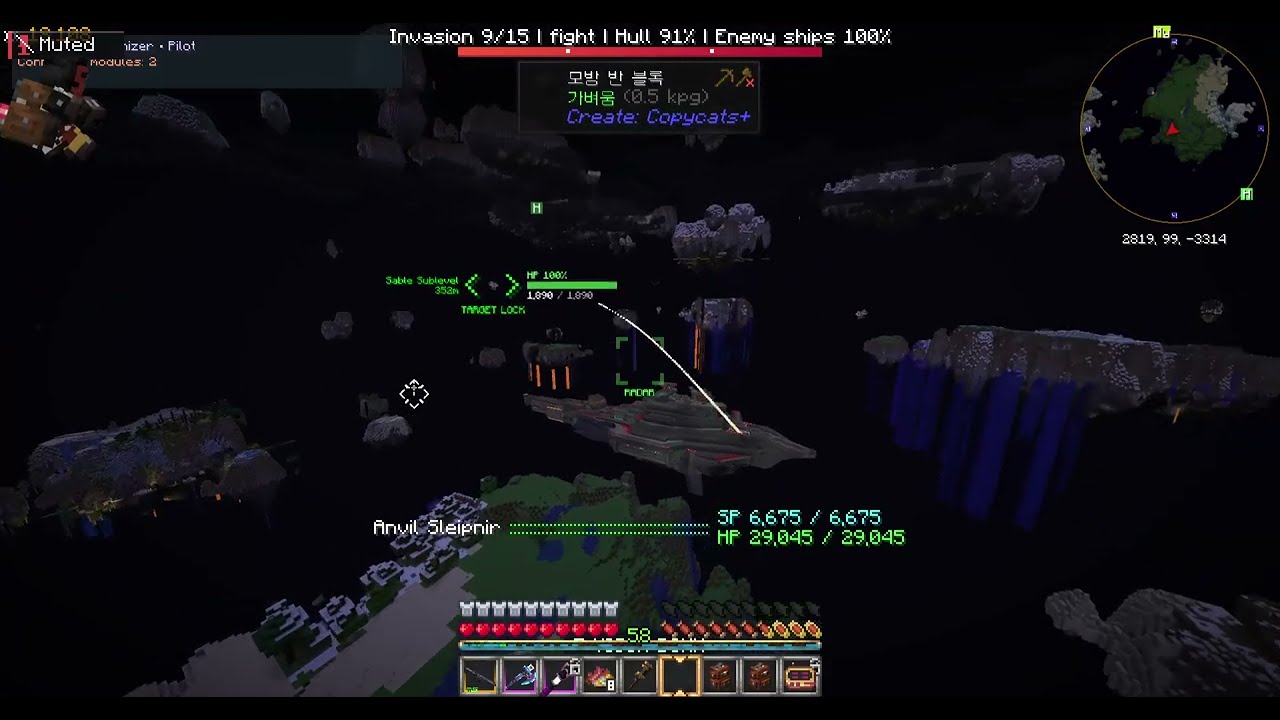
- Shows selectable targets as markers in both first-person and third-person view. Point your crosshair at a target and press R to select it. The selected target info is sent to the Create: Radars Network Controller.
- Lets you change the Y offset of the Contraption Camera, the third-person view for Sable Sublevels. This lets you move the Sable Sublevel you're riding above or below the center of the screen in third-person view.
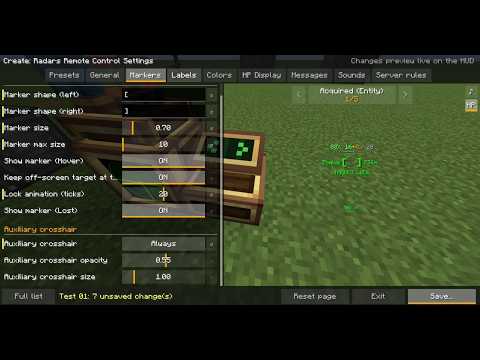
- Lets you freely customize the selected-target marker and which info is displayed (name, health, distance, etc.). You can also give each Sable Sublevel its own unique HUD design, and share your HUD design with others using the Preset feature.
Radar Remote Controller (RRC) Tutorial
- Before placing the RRC, make sure to right-click the Create: Radars Network Controller with it. Selectable targets are affected by the Network Controller's filter.
- After placing the RRC, right-click it and choose either Area or Seat Link mode. Area mode gives target selection access to all players within a radius of the RRC, while Seat Link mode gives it only to the player sitting in the linked seat.
- (Seat Link mode only) Hold the seat you want to link, right-click the RRC block, then place the seat. Or, hold a Wrench, right-click the RRC block, then right-click an already placed seat to link it.
- If needed, change the Contraption Camera Height. If it's set to 0, the Sable Sublevel you're riding will block the center of the screen, making it hard to see and aim at targets.
- If needed, set a HUD Preset. This affects the marker and displayed info that players under the RRC see when they select a target. If you enable Each Player's Own Settings, each player's own personal HUD settings will be used. If you set a HUD Preset via Choose Preset…, the HUD settings assigned to the RRC will be forced regardless of personal settings.
- Clicking the My HUD Settings… button opens a screen where you can change your HUD design, create new Presets, or edit existing ones.
Sable Sublevel Radar Tilt Fix Patch
When a Create: Radars radar is placed on a Sable Sublevel, its detection range always stays level, even when the Sable Sublevel tilts. This feature makes the radar's detection range follow the Sable Sublevel's tilt. When the Sable Sublevel tilts, the radar's detection range tilts with it, which keeps the detection range from becoming oddly misaligned and makes it more intuitive to adjust.
Requirements
| Mod | Version |
|---|---|
| Minecraft | 1.21.1 |
| NeoForge | 21.1.0 or newer |
| Create | 6.0.0 or newer |
| Create: Radars | 5.0 or newer |
| Sable | 2.0.0 or newer |
Install on both the client and the server.
AI disclosure: Parts of this mod's code were written with the help of generative AI (Claude). Design, testing and the description are my own.
Create: Radars Remote Control Team