Create: Parallel Tracks
Lay perfectly-spaced parallel Create tracks in a single motion — dual lines, yards and multi-track mains, with a live preview
2026-07-07_17.51.35.png
Description
Create: Parallel Tracks
A lightweight addon for Create 6.x that lets you lay multiple parallel tracks in a single placement — no more building each line one at a time.
Place track exactly like you normally do in Create: right-click a start rail, right-click where you want it to go. This addon lays evenly-spaced parallel copies alongside it automatically — straights, curves and slopes all follow the main line.
Features
- One-gesture parallel placement — build dual tracks, sidings and multi-track mainlines as fast as a single line.
- Live preview — a Create-style outline shows exactly where your parallel tracks will land before you commit. Blue when it's placeable, dotted red when it isn't.
- Per-track validation — each parallel is checked on its own, so an outer copy on a tight turn shows red while the rest stay valid.
- Configurable — set the spacing between tracks, the total number of tracks, and which side they go on.
- Uses Create's own track engine — real curved connections, correct item cost, works in survival and on servers.
- Off by default — nothing changes until you turn it on, so it never gets in the way of normal building.
How to use
- Hold any Create track in your main hand.
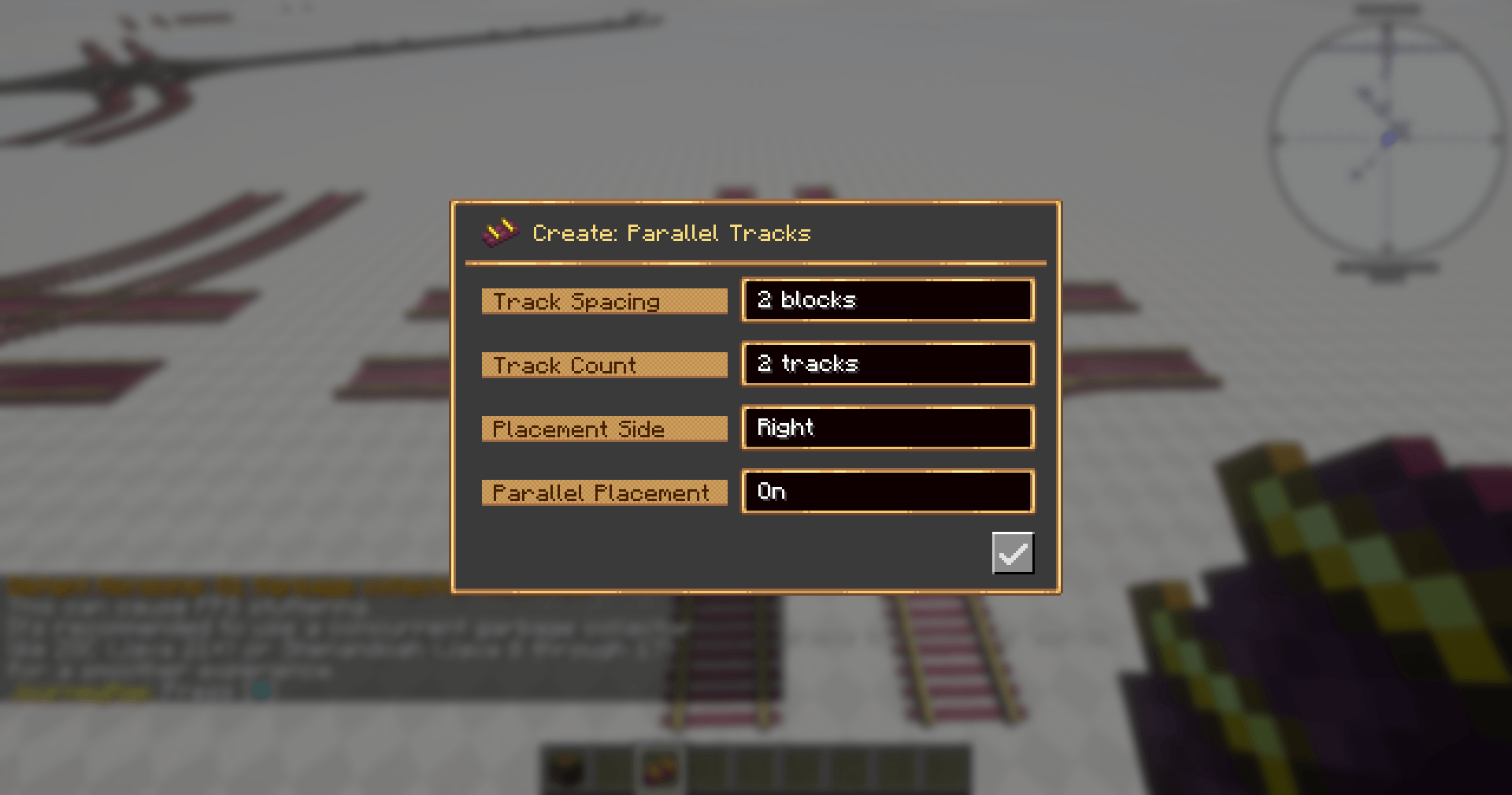
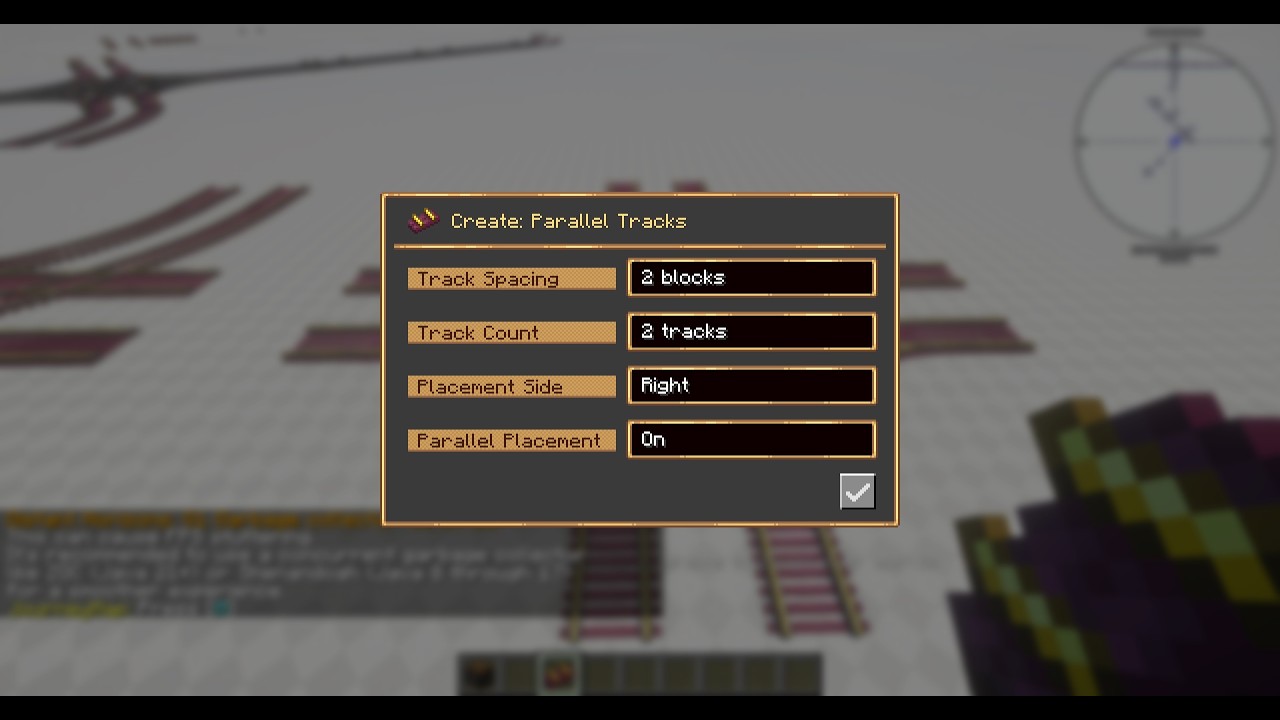
- Press P (rebindable) to open the settings screen.
- Turn Parallel Placement on, and set your spacing, track count and side.
- Place track as usual — the parallel copies appear alongside.
Settings
| Option | Description |
|---|---|
| Track Spacing | Blocks between adjacent tracks |
| Track Count | Total tracks placed side by side (including the main line) |
| Placement Side | Which side the parallels go on — left or right |
| Parallel Placement | Master on/off toggle |
The maximum selectable track count defaults to 4 and can be raised in the config file for larger builds.
Requirements
- Minecraft 1.21.1
- NeoForge
- Create 6.0.10 or newer (6.x)
Not affiliated with the Create team. Create is required for this addon to work.
Create: Parallel Tracks Team