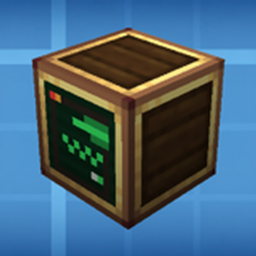
Compress a real, working Create machine into a single block.
Microcreate puts an actual buildable room behind one block face, and connects that room to your factory with Create's own kinetic network. Nothing is simulated or faked: the shafts in the room are real Create shafts, and their stress, rotation and overload are settled by Create itself.
Place a Compressed Machine, right-click it with a Create wrench, and step inside. Build whatever you want in the room — shafts, gearboxes, machines, an assembly line. Each of the block's six faces has one kinetic port in the centre of the wall, which appears on the outside of the block as a normal shaft connection on that face.
Two sizes:
| Machine | Interior room |
|---|---|
| Compressed Machine (Medium) | 5 × 5 × 5 |
| Compressed Machine (Large) | 15 × 15 × 15 |
The room's contents stay with the block: break it and the dropped machine still holds everything inside, place it back and your build is there. Blueprints and structure blocks carry the interior too.
Controls
| Action | How |
|---|---|
| Enter the room | Right-click the block with a Create wrench |
| Leave the room | Right-click any wall with a wrench, or sneak + right-click it with an empty hand |
| Leave the room | /microcreate exit |
| List machines | /microcreate list (operator) |
| Rebuild a room | /microcreate rebuild (operator) |
Each face is colour-coded, both on the block and on the walls inside, so you can tell which way is up from inside the room: up = blue, down = orange, north = white, south = red, west = yellow, east = green.
Client and server both need the mod. This is a beta release (0.1.0-beta); feedback and bug reports are welcome, please include the version and the log.
Developer
XID
Create: Microcreate Team