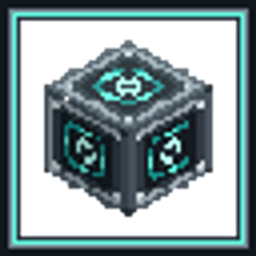
Create: Entangled Factory
A pocket factory: one room, many doors, reachable from anywhere.
Create: Entangled Factory is an addon for Create. It does not add another machine that makes items. It adds a room you can enter from any number of places: you place a factory entrance in the world, a workshop is carved out for it in its own dimension, and every other entrance bound to the same factory opens that same workshop. Set the line up once, then walk into it from your base, from a mine, or from another dimension.
Quick start
- Make an Entangled Core: ender pearl → a deployer adds a slime ball → a deployer adds an ender pearl → press.
- Make an Entangled Casing: use a core on a stripped log, or craft the two together.
- Make a Small Entangled Factory: run a casing through a sequenced assembly three times, each pass adding a sturdy sheet, a core and a press.
- Place it, enter it holding a core, and put your Create machines inside.
- Hold another factory item, sneak + right-click the placed entrance to copy the factory onto it, then place it where you want the second way in.
1. What a factory is
An entrance is a single block. Placing one allocates a room for it in Factory Space, a dimension of solid structural casing. The room is a hollow cube carved out of that casing, one room per factory, and it stays loaded while the factory exists, so whatever runs inside keeps running while you are away.
| Size | Interior | Interior cells |
|---|---|---|
| Small | 7 × 7 × 7 | 343 |
| Large | 13 × 13 × 13 | 2,197 |
| Giant | 25 × 25 × 25 | 15,625 |
The casing around a room is indestructible and puts itself back. The inner wall, the ports set into it and the shell are structure: they are not items and are not broken by hand.
A factory is not a recipe machine. It gives you space and three kinds of connection — items, fluids and rotation — and your own Create machines do the work inside.
2. Crafting the parts
All of it is made with Create's own machines: sequenced assembly, deployers and a press.
Entangled Core — the material everything else is built from:
- Put an ender pearl on a sequenced assembly line.
- A deployer adds a slime ball, then a second ender pearl, then press once.
- One core per pearl.
Entangled Casing:
- Use an entangled core on any stripped log or stripped wood (item application), or craft a core and a stripped log/wood together shapelessly.
Small Entangled Factory:
- Sequenced assembly starting from one entangled casing, three passes of: a deployer adds a sturdy sheet → a deployer adds an entangled core → press.
- Each pass adds one sturdy sheet and one core.
Large Entangled Factory:
- Sequenced assembly starting from one small factory, three passes of: a deployer adds a small factory → a deployer adds an entangled core → press.
Giant Entangled Factory:
- Sequenced assembly starting from one large factory, three passes of: a deployer adds a large factory → a deployer adds an entangled core → press → a deployer adds a small factory.
Entangled Encased Shaft / Cogwheel / Large Cogwheel:
- These are not items. Right-click a Create shaft, cogwheel or large cogwheel with entangled casing to encase it in place, exactly like Create's own encasing.
- Breaking one gives the plain shaft or cogwheel back.
Factory Blueprint:
- Craft Create's empty schematic, an entangled core and gunpowder together shapelessly; a sequenced assembly of the same three also works.
Creative Factory Blueprint:
- Creative only. It records any factory and pays no material cost when printing.
3. One room, many doors
- Placing an unbound entrance starts a new factory and gives it a room of that entrance's size.
- To add another door to an existing factory: hold the factory item, sneak + right-click an existing entrance. That copies the factory onto the whole held stack, and the items begin to glint.
- Place those items anywhere — another spot, another dimension — and every one of them opens the same room.
- An entrance carries its factory's size. A door bound to a Small factory cannot be placed as a Large one, and doors of different sizes never share a room.
- To clear a binding: hold the bound item and sneak + right-click a block that is not a factory entrance.
- Breaking an entrance returns the entrance item with its binding intact, so it can be moved and placed back into the same factory.
- When the last entrance of a factory is destroyed, the factory is taken down: the room is emptied and what the room and the doors still held is handed back at the block you broke. Containers in the room are emptied into that hand-back, and items sitting in the interface caches are returned as items. Fluids in the caches are cleared rather than bottled.
4. Going in and out
- Enter: right-click an entrance with an Entangled Core (a permanent key, never spent) or an Ender Pearl (spent, unless you are in creative). You land on a safe floor cell inside the room.
- While you are inside you have permanent Night Vision. It is removed when you leave, and a potion you brought yourself is never taken away.
- Leave: right-click any cell of the inner wall with the same key — a core or a pearl, the pearl being spent — and you come back out where you went in.
- Every player keeps their own way back.
- Dismount first: a mount cannot be taken through a factory.
- If the entrance you came by no longer exists, the exit falls back to another entrance of the same factory, then to the place you entered from, then to the world spawn, so nobody is trapped inside.
- If there is nowhere safe to stand on the other side, the trip is refused instead of dropping you into a wall.
5. The six faces
Every entrance has six faces, and the six settings belong to the factory, not to one block. Every entrance shows the same settings, each rotated to its own orientation, and the room's inner wall shows them as well. The entrance faces you when you place it, and that facing decides which world side is which face.
A face is in one of four modes:
| Mode | What it does |
|---|---|
| Closed | Plain casing; no interface. |
| Items | An item interface: a shared cache with a port on both sides. |
| Fluids | A fluid interface: a pipe connection with tanks on both sides. |
| Rotation | A shaft socket. |
A newly placed factory starts with Items on the four horizontal faces, Closed on top and Rotation on the bottom.
Using a face:
- Quick tap with an item in hand labels an Items or Fluids face with that item's icon. An empty hand clears the label. A label is a signpost only — it does not filter what the face carries.
- Hold use on the face opens Create's own value board, where the four modes are chosen.
- Changing a face does not require an empty hand. Two items keep their own gestures: the factory blueprint and the wrench.
- Only one face of a factory can be Rotation. Choosing Rotation on another face turns the previous one back to Closed.
6. Items through a face
- Each face is one cache shared by its inside and its outside. It holds up to eight kinds of item.
- Each entrance contributes 64 items per slot to that face, so one entrance alone gives 8 × 64 items per face, and a factory with several entrances pools them in the same eight slots.
- Any hopper, funnel, chute, pipe or machine touching an item face — on any entrance, or the matching port inside the room — inserts into and extracts from the same cache, through the ordinary item capability.
- The cache hands what it holds to the container it touches every tick: the room side first, then the outside of each entrance. What does not fit stays in the cache, and a pipe that offers more than fits gets the remainder back. Nothing is dropped and nothing is created.
- Items never cross from one face to another; each face has its own cache.
- Breaking one entrance returns that entrance's share of the caches as items at the block.
7. Fluids through a face
- Each face holds up to eight fluids; each entrance contributes 1,000 mB per tank, so one entrance alone gives 8,000 mB per face, and more entrances add to the same eight tanks.
- One tank holds one fluid. A second fluid goes to another tank; a face never mixes two fluids in one tank.
- A fluid face is part of the pipe network: a pump on one side is seen through the wall, so pipes and tanks on the other side fill and drain.
- When fluid crosses the face without a pump on the far side, that side receives pressure in proportion to what actually moved, so it still flows.
- A fluid that does not fit stays where it is and the face reports the remainder instead of spilling it.
8. Rotation through a face
- The Rotation face is one shaft socket on each entrance, plus the matching port in the room's wall. All of them are one mechanical connection.
- Attach a motor, shaft, gearbox or cogwheel to the Rotation face of any entrance, and the same rotation appears at the Rotation face of every other entrance and at the wall port inside the room.
- Load is shared as well: everything driven through this connection adds up on one stress budget. Too much load stops it, and two drivers turning at different speeds also stop it, because one connection cannot turn at two speeds at once.
- Direction follows the side and axis the shaft is attached to, exactly as with any Create shaft.
- Only one face of a factory can be Rotation.
9. Moving a port inside the room
- Each face has exactly one port in its wall, centred by default.
- Aim Create's wrench at another cell of the same wall and that face's port moves there; the cell it left becomes plain wall again. Edge and corner cells are structural seals and refuse the move.
- The port keeps its mode, its cache, its contents and its label; nothing in the cache moves.
- Pipes and funnels connected to the old cell lose their connection and must be reconnected at the new one.
- A face always has exactly one port.
10. Turning the whole factory
- Wrench the top of an entrance: the whole factory turns 90° clockwise — the room's layout, its wall ports and the orientation of every entrance's faces.
- Wrench the bottom: 90° counter-clockwise.
- A turn is refused while the room is not empty, because turning it would leave its contents behind. Empty it first; an empty-blueprint restore is the quick way.
- Shift + wrench still dismantles the entrance, and the sides of an entrance keep Create's normal wrench behaviour.
11. Blueprints
A blueprint records a factory: its size, its six face settings (mode, port position, label) and every block inside the room with its position and its safe settings — a sign's text, a machine's configuration — but never the stock inside containers and never the factory's identity.
Gestures:
- Record / overwrite: right-click a factory entrance. Right-click another entrance with the recorded blueprint to replace the record with that factory.
- Print: sneak + right-click an entrance of the same size with a recorded blueprint. Every recorded block is placed in one pass and the recorded face settings are applied. The blueprint is spent, and the materials come from your inventory and from any container bound to the blueprint. A creative blueprint is never spent and its print costs nothing.
- Refused: a different size; any target cell that already holds a block; not enough materials (nothing is taken); a recorded block with no item form, which Create cannot price (nothing is taken and nothing is built).
- Restore: sneak + right-click an entrance with an empty blueprint. The room's interior is cleared back to empty; walls, ports and shell stay. Cleared blocks drop by default, and a server can turn that off. The blueprint is not spent.
- Clear: sneak + right-click air, or a block that is not part of a factory and is not the container already bound. The record and any binding go together. Sneaking on a factory's own wall, port or casing does nothing, so aiming beside an entrance cannot wipe the record by mistake.
- Material container: right-click a container with the blueprint to make it an extra source of materials for prints. Right-click another container and the binding moves there. Sneak + right-click the bound container to unbind it and keep the record. The binding names a place, not a live inventory, so an unloaded, broken or replaced container simply contributes nothing.
- Checklist: blueprint in the main hand, a book (or an empty Create clipboard) in the off hand, right-click air. The book or clipboard is written with the material checklist.
12. Blueprints as files
- Use a blueprint on Create's Schematic Table.
- If the blueprint holds a record, a file named
cef-<size>-factory.cefblueprintis written into your schematics folder. - If the blueprint is empty, a file picker opens. Choose a
.cefblueprintfile — or drop one onto the window — and the design arrives in the table's output slot, ready to take. - A file carries the design only: no factory identity, no bound container, no owner. One design per file, at most 1 MiB.
13. Details that matter
- One factory has one size. Small, Large and Giant entrances never share a room.
- Entrances of one factory may stand in different dimensions.
- A factory's room stays loaded while the factory exists, so its machines keep running while you are away.
- The casing outside rooms is indestructible and refills itself; walls and ports are structure, not items.
- A face label is cosmetic. The mode is what decides what the face does.
- Machines inside a room work exactly as they do anywhere. The factory moves items, fluids and rotation across the wall; it does not run recipes by itself.
机械动力:纠缠工厂
一座口袋工厂:一个房间,任意多扇门。
机械动力:纠缠工厂是 Create 的附属模组。它不增加另一台产出物品的机器,而是增加一个可以从任意多处进入的房间:你在世界里放下一个工厂入口,模组会在它自己的维度里为它开出一间工坊;所有绑定到同一座工厂的入口,打开的都是同一间工坊。产线只建一次,之后可以从基地、从矿洞、从另一个维度走进去。
快速开始
- 做一枚纠缠核心:末影珍珠 → 机械手放黏液球 → 机械手放末影珍珠 → 压床压一次。
- 做一份纠缠机壳:把纠缠核心用在去皮原木上,或者把两者无序合成。
- 做一座纠缠工厂(小型):让一份纠缠机壳走三遍序列组装,每一遍依次放坚固板、纠缠核心、压一次。
- 把它放下,手持纠缠核心右键进入,然后在里面摆你的 Create 机器。
- 再拿一个工厂物品,潜行右键已放置的入口,把这座工厂复制到手上,然后把新入口放到你想开第二扇门的地方。
1. 工厂是什么
入口只有一个方块。放下它,模组会在工厂空间里为它分配一间房间——那是一个由实心结构机壳构成的维度。房间是从整片机壳里挖出来的空心立方体,一座工厂一间,并且在工厂存在期间保持加载,所以你离开时里面的机器仍在运转。
| 尺寸 | 内部 | 内部格数 |
|---|---|---|
| 小型 | 7 × 7 × 7 | 343 |
| 大型 | 13 × 13 × 13 | 2,197 |
| 巨型 | 25 × 25 × 25 | 15,625 |
房间外面的机壳不可破坏,并且会自行补回。内墙、嵌在内墙里的接口以及外壳都属于结构:它们不是物品,也不能用手破坏。
工厂本身不执行配方。它提供空间和三种穿墙连接——物品、流体、动力——真正的加工由你放在房间里的 Create 机器完成。
2. 合成零件
全部用 Create 自己的机器完成:序列组装、机械手和压床。
纠缠核心——其余一切的基础材料:
- 把一颗末影珍珠放上序列组装线。
- 机械手放黏液球,机械手再放一颗末影珍珠,然后压床压一次。
- 一颗末影珍珠产一枚核心。
纠缠机壳:
- 把纠缠核心用在任意去皮原木或去皮木头上(物品应用),或者把核心与去皮原木/木头无序合成。
纠缠工厂(小型):
- 以一份纠缠机壳为原料的序列组装,走三遍:机械手放坚固板 → 机械手放纠缠核心 → 压床压一次。
- 每一遍消耗一张坚固板与一枚纠缠核心。
大型纠缠工厂:
- 以一座小型工厂为原料的序列组装,走三遍:机械手放一座小型工厂 → 机械手放纠缠核心 → 压床压一次。
巨型纠缠工厂:
- 以一座大型工厂为原料的序列组装,走三遍:机械手放一座大型工厂 → 机械手放纠缠核心 → 压床压一次 → 机械手放一座小型工厂。
纠缠机壳传动杆 / 齿轮 / 大齿轮:
- 它们不是物品。手持纠缠机壳右键 Create 的传动杆、齿轮或大齿轮,就能就地包壳,与 Create 自带的包壳完全一样。
- 破坏包壳件会退回普通的传动杆或齿轮。
工厂蓝图:
- 把 Create 的空白蓝图、一枚纠缠核心和一份火药无序合成;同样三样走序列组装也可以。
创造工厂蓝图:
- 仅限创造模式。它可以记录任意工厂,打印时不计算材料。
3. 一个房间,很多扇门
- 放下一个未绑定的入口,会开始一座新工厂,并为它开出一间与该入口尺寸相符的房间。
- 给已有工厂再加一扇门:手持工厂物品,潜行右键一个已有的入口。这会把这整座工厂复制到手上整组物品上,物品开始发光。
- 把这些物品放到任何地方——另一个地点、另一个维度——它们打开的都是同一间房间。
- 入口带着工厂的尺寸。绑定到小型工厂的门不能当作大型门放下,不同尺寸的门也永远不会共用一间房间。
- 清除绑定:手持已绑定的物品,潜行右键一个不是工厂入口的方块。
- 破坏一个入口会连同绑定一起退回入口物品,所以可以把它搬走再放回同一座工厂。
- 当一座工厂的最后一个入口被破坏,这座工厂会被释放:房间被清空,房间和这些门仍持有的东西会在你破坏方块的位置交还。房间里的容器会被倒进这次交还,接口缓存里的物品会以物品形式退回;缓存里的流体会被清除,而不会装桶退还。
4. 进去与出来
- 进入:手持纠缠核心(永久钥匙,不会被消耗)或末影珍珠(会被消耗,创造模式除外)右键一个入口。你会落在房间内一块安全的地面上。
- 在房间里时你拥有永久的夜视。离开时它会被移除;你自己带进来的夜视药水不会被拿走。
- 离开:用同一把钥匙——核心或珍珠,珍珠会被消耗——右键内墙的任意一格,你就会回到进来的那个入口处。
- 每位玩家各自记住自己的来路。
- 先下坐骑:坐骑不能穿过工厂。
- 如果你进来的那个入口已经不存在,出口会依次退到同一座工厂的另一个入口、你进入时所站的位置,最后是世界出生点,所以不会有人被困在里面。
- 如果对面没有安全落脚点,这次传送会被拒绝,而不是把你塞进墙里。
5. 六个面
每个入口都有六个面,而这六项设置属于工厂,不属于某一个方块。所有入口显示同一套设置,各自按自己的朝向旋转;房间的内墙也显示同一套设置。入口放下时正面朝向你,这个朝向决定世界的哪一侧对应哪个面。
一个面处于四种模式之一:
| 模式 | 作用 |
|---|---|
| 已关闭 | 普通机壳,没有接口。 |
| 物品 | 物品接口:两侧共享同一份缓存,各有一个接口。 |
| 流体 | 流体接口:两侧各有管道连接与储罐。 |
| 动力 | 一个传动杆插口。 |
新放下的工厂默认:四个水平面为物品,顶面已关闭,底面动力。
使用一个面:
- 轻点(手持物品):在物品面或流体面上用该物品的图标做标记;空手轻点清除标记。标记只是提示,不过滤任何东西。
- 按住使用键:打开 Create 自带的数值面板,在四种模式中选择。
- 改变一个面不需要空手;只有两样物品保留自己的手势:工厂蓝图与扳手。
- 一座工厂只能有一个动力面。把另一个面设为动力,原来的动力面会退回已关闭。
6. 物品穿过一个面
- 每个面是一份内外共享的缓存,最多容纳八种物品。
- 每个入口为这个面贡献每格 64 件;所以单入口每个面就是 8 × 64 件,多入口工厂在同一组八格里合并计算。
- 任何贴着物品面的漏斗、溜槽、管道或机器——任意入口上的,或房间内对应接口上的——都通过普通物品能力往同一份缓存里放、从同一份缓存里取。
- 缓存每个 tick 把它持有的东西交给贴着它的容器:先房间一侧,再逐个入口外侧。装不下的留在缓存里;管道送来的多于能装下的部分会退回给它。既不会凭空产生,也不会被丢掉。
- 物品不会从一个面穿到另一个面;每个面各有自己的缓存。
- 破坏其中一个入口,该入口在缓存中的那一份会以物品形式掉落在方块处。
7. 流体穿过一个面
- 每个面最多容纳八种流体;每个入口为每个储罐贡献 1,000 mB,所以单入口每个面是 8,000 mB,多入口则往同样这八个罐里累加。
- 一个罐只装一种流体。第二种流体会进入另一个空罐;同一个罐里永远不会混装两种流体。
- 流体面是管道网络的一部分:一侧的泵可以透过墙被另一侧看见,所以对面的管道与储罐可以灌注和抽取。
- 当流体在没有对面泵的情况下穿过这个面,对面会按实际通过的流量获得相应的压力,因此照样能流动。
- 装不下的流体留在原处,接口会如实报告剩余量,而不会溢出。
8. 动力穿过一个面
- 动力面在每个入口上是一个传动杆插口,在房间内墙上是对应的接口;它们共同构成一条机械连接。
- 在任意入口的动力面上接马达、传动杆、齿轮箱或齿轮,同样的转动会出现在其他每个入口的动力面,以及房间内那面墙上的接口。
- 负载同样是共享的:经由这条连接驱动的一切都算在同一份应力预算上。负载过大会让它停转;两个转向或转速不同的动力源也会让它停转,因为一条连接不可能同时以两种速度转动。
- 方向遵循所接传动杆的一侧与轴向,与任何 Create 传动杆一致。
- 一座工厂只能有一个动力面。
9. 在房间里移动接口
- 每个面在内墙上恰好有一个接口,默认位于中心。
- 用 Create 的扳手右键同一面墙上的另一格,这个面的接口就移到那里,原来那格恢复成普通内墙。棱与角上的格子是结构密封,扳手会被拒绝。
- 接口会保留它的模式、缓存、内容与标记;缓存里的东西不会移动。
- 接在旧格子上的管道与漏斗会失去连接,需要在新位置重新接上。
- 一个面永远恰好有一个接口。
10. 转动整座工厂
- 用扳手右键入口的顶面:整座工厂顺时针转 90°——房间布局、墙面接口、以及每个入口六个面的朝向一起转。
- 用扳手右键底面:逆时针转 90°。
- 房间非空时转动会被拒绝,因为转动会把里面的东西留在原地。先清空房间;用空白蓝图还原是最快的办法。
- 潜行 + 扳手仍然是拆除入口,入口的四个侧面保持 Create 原本的扳手行为。
11. 蓝图
一张蓝图记录一座工厂:尺寸、六个面的设置(模式、接口位置、标记)、以及房间内每一个方块的位置与它的安全设置——告示牌的文字、机器的配置——但不记录容器里的存量,也不记录工厂的身份。
手势:
- 记录 / 覆盖:右键一个工厂入口。手持已记录的蓝图右键另一个入口,记录会被那座工厂替换。
- 打印:手持已记录的蓝图,潜行右键一个同尺寸的入口。所有记录的方块一次性放置,并应用记录的六面设置。蓝图会被消耗,材料从你的背包以及绑定到蓝图的容器中扣除。创造蓝图不会被消耗,打印也不计材料。
- 会被拒绝:尺寸不同;目标格子上已经有方块;材料不足(什么都不取);记录的方块没有物品形态,Create 无法定价(什么都不取,也什么都不建)。
- 还原:手持空白蓝图潜行右键一个入口。房间内部被清空回初始状态;内墙、接口与外壳保留。清掉的方块默认会掉落,服务器可以关掉这个掉落。蓝图不会被消耗。
- 清空:潜行右键空气,或右键一个不属于工厂、也不是已绑定容器的方块。记录与绑定一起清除。潜行右键工厂自己的内墙、接口或机壳不会做任何事,所以在入口旁边误点不会清掉记录。
- 材料容器:手持蓝图右键一个容器,把它变成打印时的额外材料来源。右键另一个容器,绑定会移到那里。潜行右键已绑定的容器,解除绑定并保留记录。绑定记录的是一个地点而非实时容器,所以未加载、被破坏或被替换的容器只是不提供材料。
- 清单:主手拿蓝图、副手拿书(或一张空白的 Create 剪贴板),右键空气。书或剪贴板会被写入材料清单。
12. 蓝图作为文件
- 手持蓝图对着 Create 的蓝图桌使用。
- 如果蓝图已有记录,会在你的蓝图文件夹里写出一个名为
cef-<尺寸>-factory.cefblueprint的文件。 - 如果蓝图是空白的,会打开文件选择界面。选择一个
.cefblueprint文件——或把文件拖进窗口——设计就会出现在蓝图桌的输出槽里,可以直接取走。 - 文件只携带设计:没有工厂身份、没有绑定容器、没有归属者。一个文件一份设计,最大 1 MiB。
13. 值得知道的细节
- 一座工厂只有一个尺寸。小型、大型、巨型的入口永远不会共用一间房间。
- 同一座工厂的入口可以分布在不同维度。
- 工厂存在期间,它的房间保持加载,所以里面的机器在你离开时继续运转。
- 房间外的机壳不可破坏并会自行补回;内墙与接口是结构,不是物品。
- 面上的标记只是装饰;真正决定这个面做什么的是模式。
- 房间里的机器和别处完全一样地工作。工厂只负责把物品、流体与动力送过墙,它自己不执行配方。
Create:Entangled-Factory Team