Create: Ender SU | Wireless Rotational Power
- By
Send rotational power wirelessly in Create. Link one transmitter to multiple receivers with 1:1 RPM and a shared stress pool. Customize your beams and learn the setup with built-in Ponder.

Create: Ender SU Run a shaft through thin air. Minecraft 1.21.1 • NeoForge • Requires Create 6.x
Put a transmitter on your power plant and a receiver where the machines are. Ender SU Links carry Create rotation across your workshop, up a floor, or out to several production lines from one spinning shaft.
It’s a shaft, just wireless
1:1 RPM • Every receiver spins at the transmitter’s speed. 0 SU overhead • The links join Create’s native kinetic network like shafts. One shared stress pool • Every machine on the link draws from the same source.
Say your power source supplies 256 SU. Link three receivers and the network still has 256 SU total to share. If the machines together draw too much, the whole network overstresses. You can plan the factory the same way you would with regular shafts. ## Give each link its own color
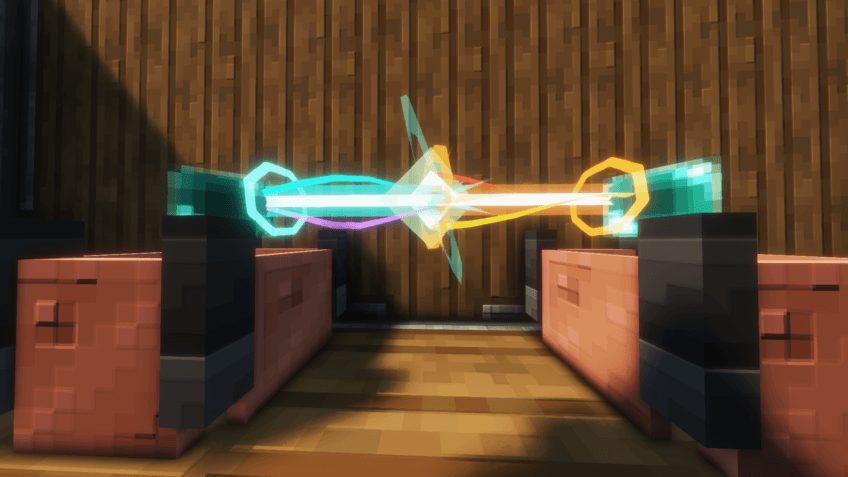
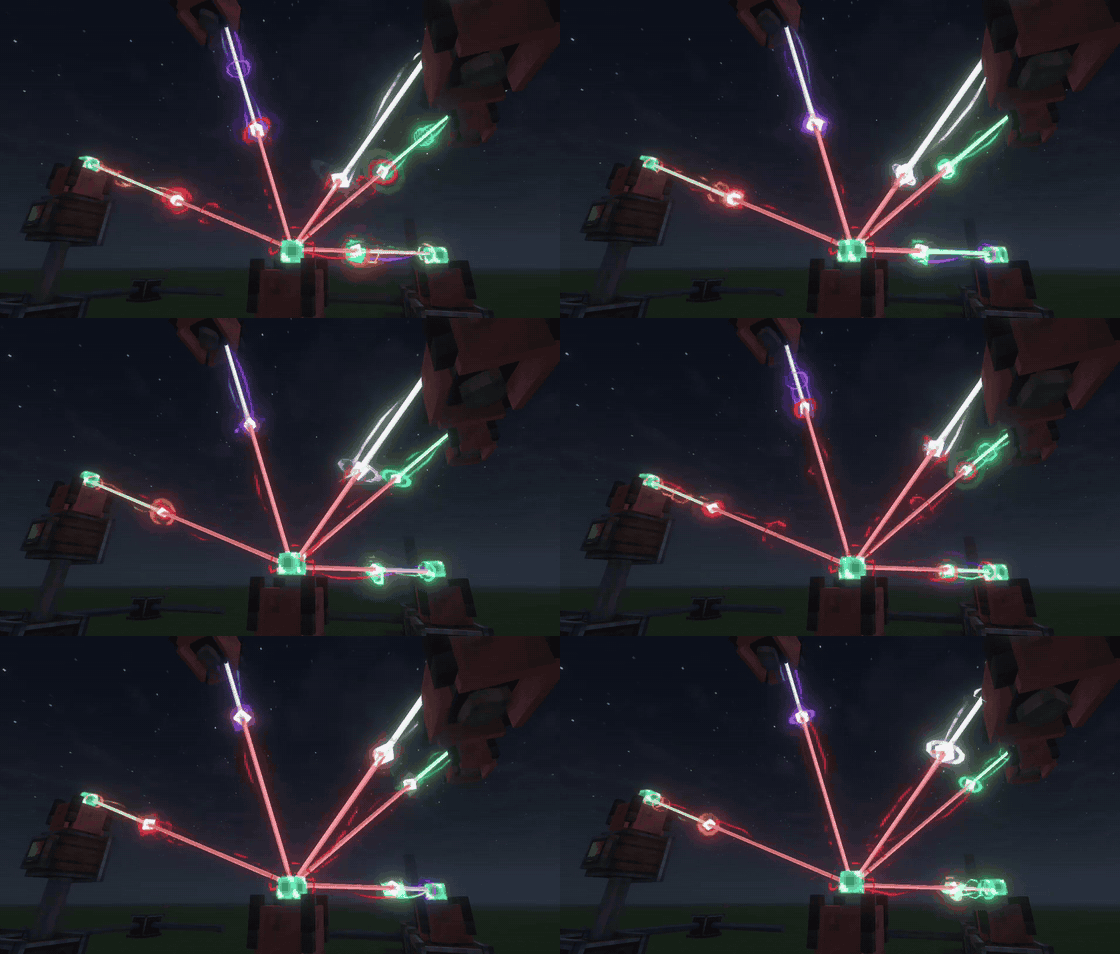
Left-click a link with a Create Wrench to cycle its beam color. Give the two ends different colors and they meet in the middle with an animated clash. The floating pearls, double helices, pulsing rings, and spinning reticles make an active connection easy to spot.
Beam styles Classic Ender • Blood Red • Cyan & Green • Purple & Blue Red & Orange • Pink & Red • Dark Cyan & Grey • Quartz & Black • Prismatic

The pearls and beams are emissive and work with Iris shader setups. The beams fade as you move away, so a big factory stays readable from a distance. ***

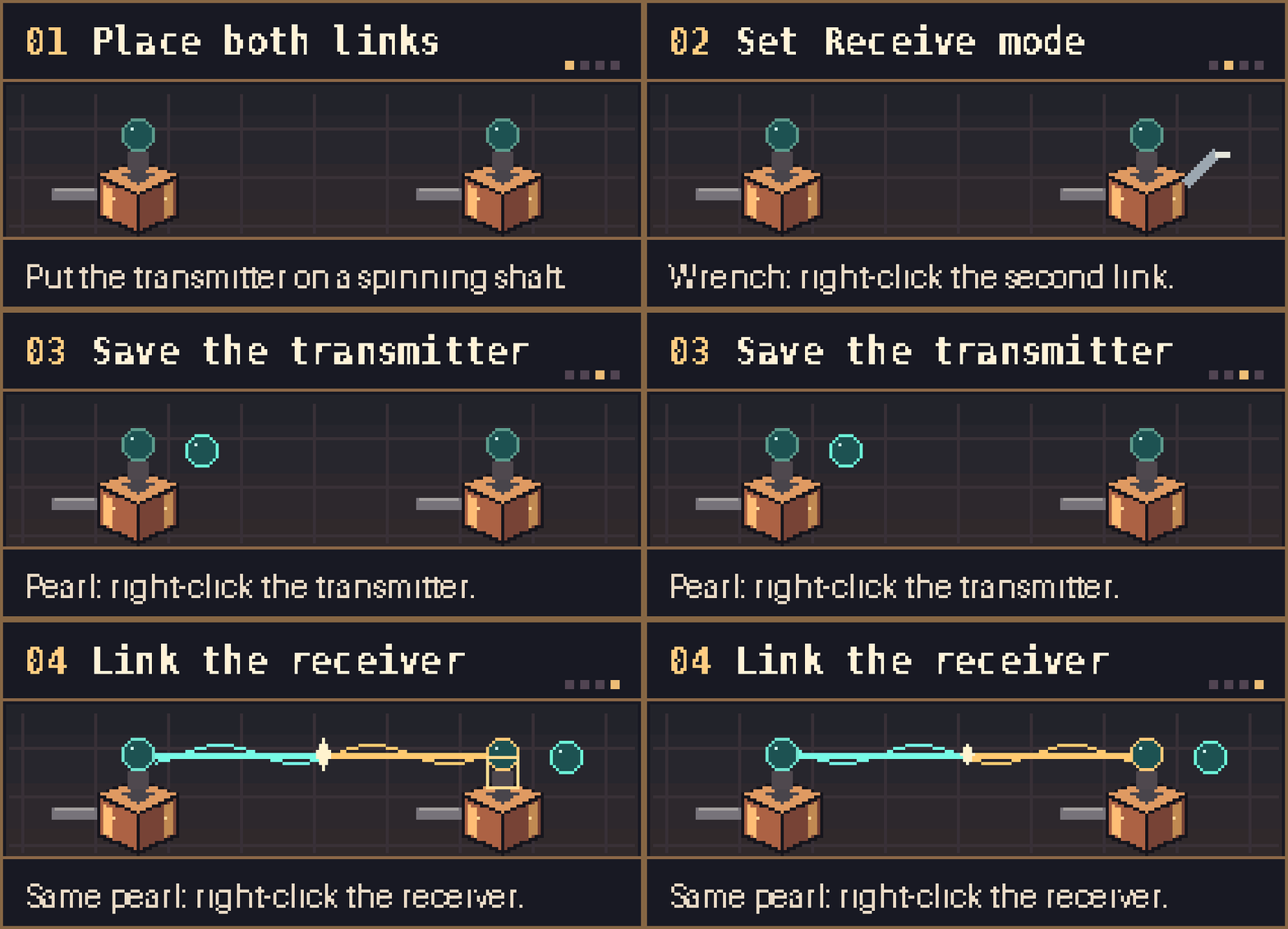
1. Place both links. Put the first on a spinning shaft. It starts in Transmit mode. 2. Set up the receiver. Right-click the second link with a Create Wrench to switch it to Receive. 3. Save the transmitter. Right-click it with a regular Ender Pearl to save its position. 4. Finish the connection. Right-click the receiver with the same pearl. Repeat the pairing for any other receivers you want to power.
Check the connection. Right-click either link with an empty hand for its status, or wear Engineer’s Goggles to see the usual Create kinetic stats.

Hover over the Ender SU Link in your inventory or JEI and hold W. The built-in Create Ponder scene shows how to place the links, connect them to power, pair them, and make their beams clash.
Build it into your factory * Survival crafting. Make the Ender SU Link through Create’s Sequenced Assembly. * One source, multiple receivers. Run separate production lines from the same power plant and size it for their combined load. * Hybrid chunk loading. Helps active transmitters keep running when you move away from the power plant. * Modpacks welcome. You’re free to include Create: Ender SU in your pack.

Create: Ender SU | Wireless Rotational Power Team