


Create: Don't Lose The Control
- By
Create: Don't Lose The Control
An addon for Create and Create: Aeronautics: never lose track of your base (or your airship) again.
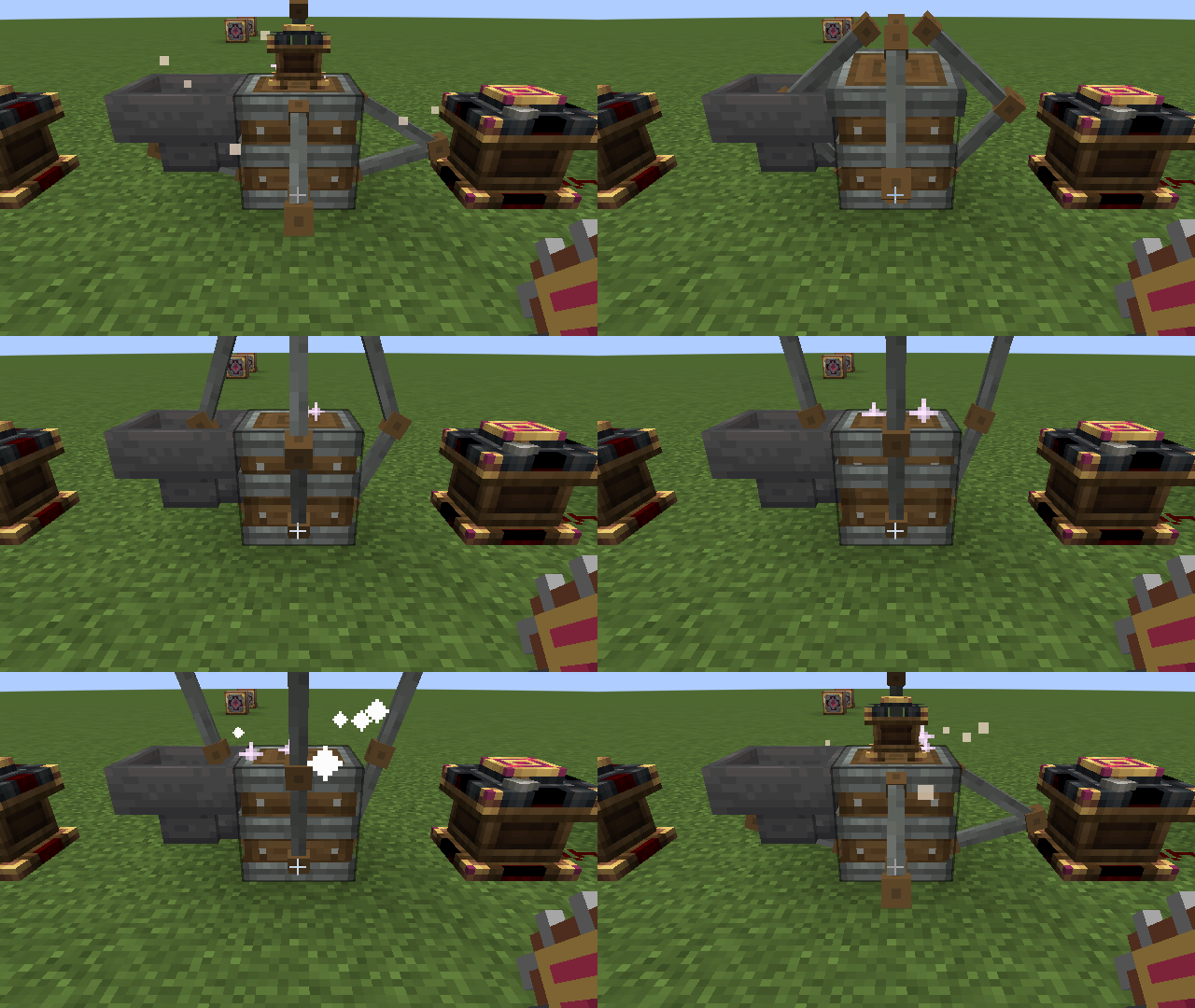
Build a small "precision" production line: craft chips, assemble an animated machine (the Precision Upgrader) and use it to turn ordinary blocks into versions that know the distance to a reference point.
Content
| Block / Item | How to get it | What it does |
|---|---|---|
| Precision Chip | Crafting: Andesite Casing on top of a Precision Mechanism | Base part for everything |
| Precision Box | Crafting: Chip surrounded by 4 Andesite Casings | Becomes the Upgrader |
| Precision Handlers | Mechanical Crafter (4×3): 4 buttons / 4 shafts / 4 chips | Right-click a Precision Box to turn it into a Precision Upgrader |
| Precision Upgrader | Precision Box + Handlers | Animated machine (works with funnels, chutes and hoppers) |
| Precision Magnetite | Upgrader: Chip + Lodestone | A compass bound to it shows the direction and the distance |
| Precision Navigation Table | Upgrader: Chip + Navigation Table | Redstone output by distance (4 modes + GUI) and a Display Link source |
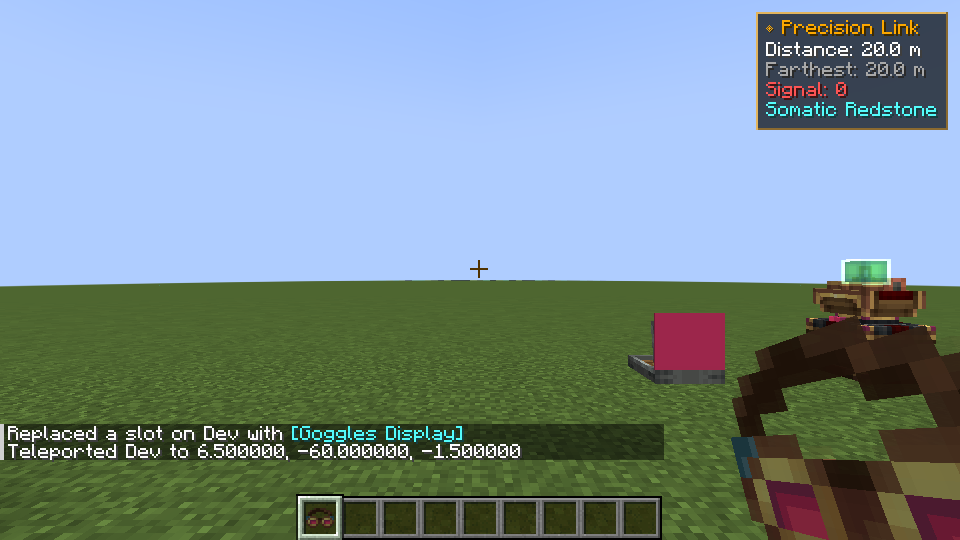
| Precision Link | Upgrader: Chip + Redstone Link | Display Link target that sends the data to your goggles |
| Goggles Display | Upgrader: Chip + Engineer's Goggles | Wearable goggles with a real-time HUD (they still work as Engineer's Goggles) |
Precision Navigation Table: redstone by distance
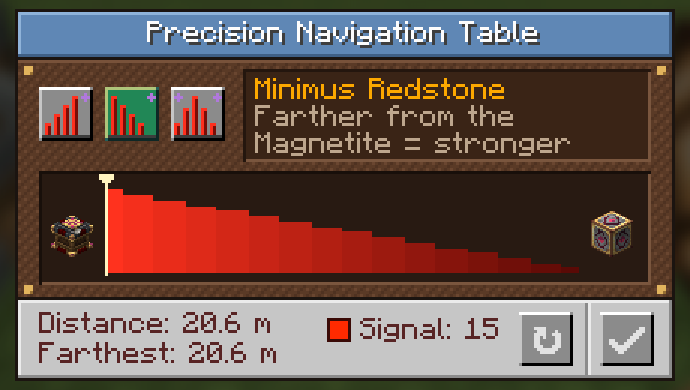
It works exactly like the Navigation Table from Create: Aeronautics, but with a compass bound to a Precision Magnetite it outputs redstone based on the distance:
- Somatic Redstone: the closer to the Magnetite, the stronger the signal
- Minimus Redstone: the farther away, the stronger
- Dot to Dot: strongest halfway
- Dot else Dot: weakest halfway, strongest at both ends
The reference is the farthest distance the table has ever been from the Magnetite (it only grows), so "halfway" really exists. Sneak + right-click with an empty hand opens a Create-style GUI.
Precision Link + Goggles Display
Navigation Table ➜ Display Link ➜ Precision Link ➜ goggles on your head. Choose what to show and where (9 HUD positions, 3 sizes) in the Display Link screen. The HUD updates every 2 ticks without lag: the server only sends a tiny packet to players wearing paired goggles, and only when something changes.
Requirements
- NeoForge 21.1.247+ (Minecraft 1.21.1)
- Create 6.0.10+
- Create: Aeronautics (includes Create Simulated)
- Sable
🇧🇷 Português
Addon para Create e Create: Aeronautics: nunca mais perca o controle de onde está a sua base (ou o seu dirigível).
- Melhorador de Precisão: máquina animada que transforma Magnetita, Mesa de Navegação, Redstone Link e Óculos de Engenheiro.
- Magnetita de Precisão: a bússola presa nela mostra direção e distância.
- Mesa de Navegação de Precisão: redstone pela distância, com 4 modos (Somatic, Minimus, Dot to Dot, Dot else Dot) e GUI no estilo do Create. Também é fonte do Display Link.
- Precision Link + Goggles Display: HUD em tempo real nos seus óculos, atualizado a cada 2 ticks sem travar.
Create: Don't Lose The Control Team
