Description
โ๏ธ Create Diagram โ Blueprint Editor
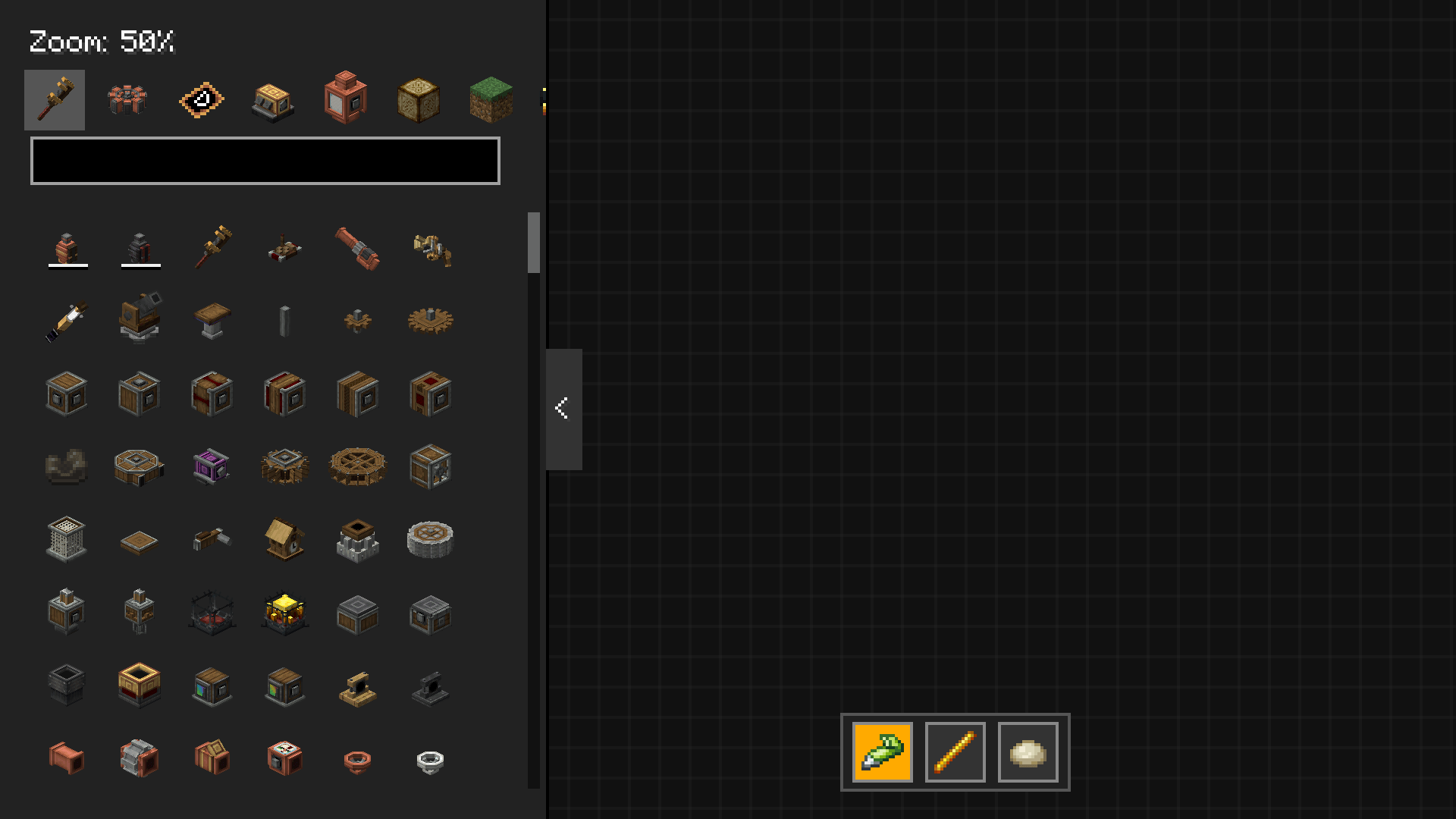
Create Diagram is a Minecraft (NeoForge) mod designed to revolutionize the way you plan your factories. Forget paper sketches or randomly placed blocks: this mod provides you with a full in-game flowchart editor, perfectly integrated with the mechanics, recipes, and graphics of the Create mod and all its add-ons (e.g., Create: New Age).
โจ Key Features
๐จ Infinite & Interactive Workspace
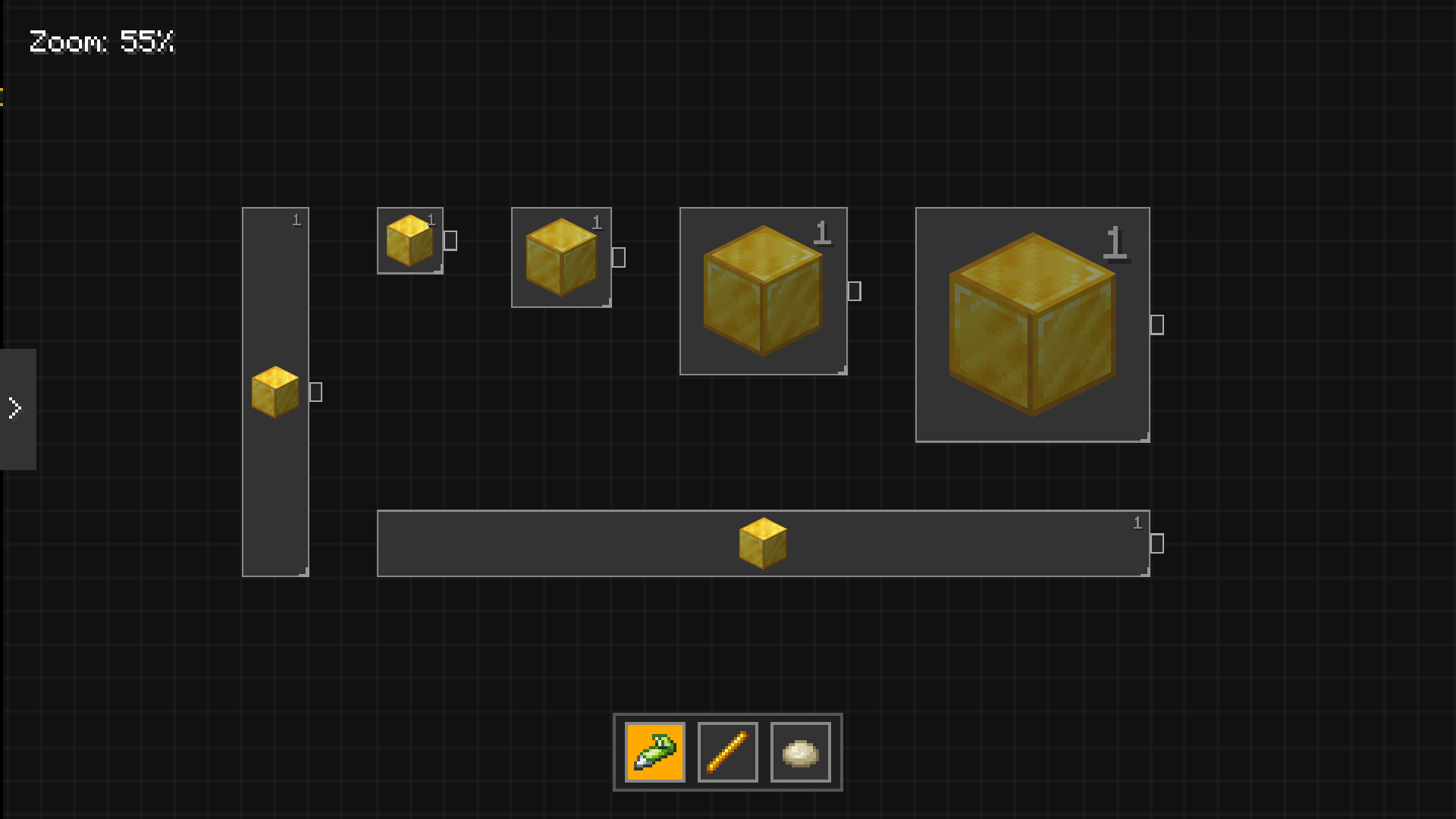
- An explorable canvas with smooth Dynamic Zoom and Panning.
- 20ร20 snap-to-grid system to keep your blueprints perfectly organized.
๐ค Smart Machinery & Logic
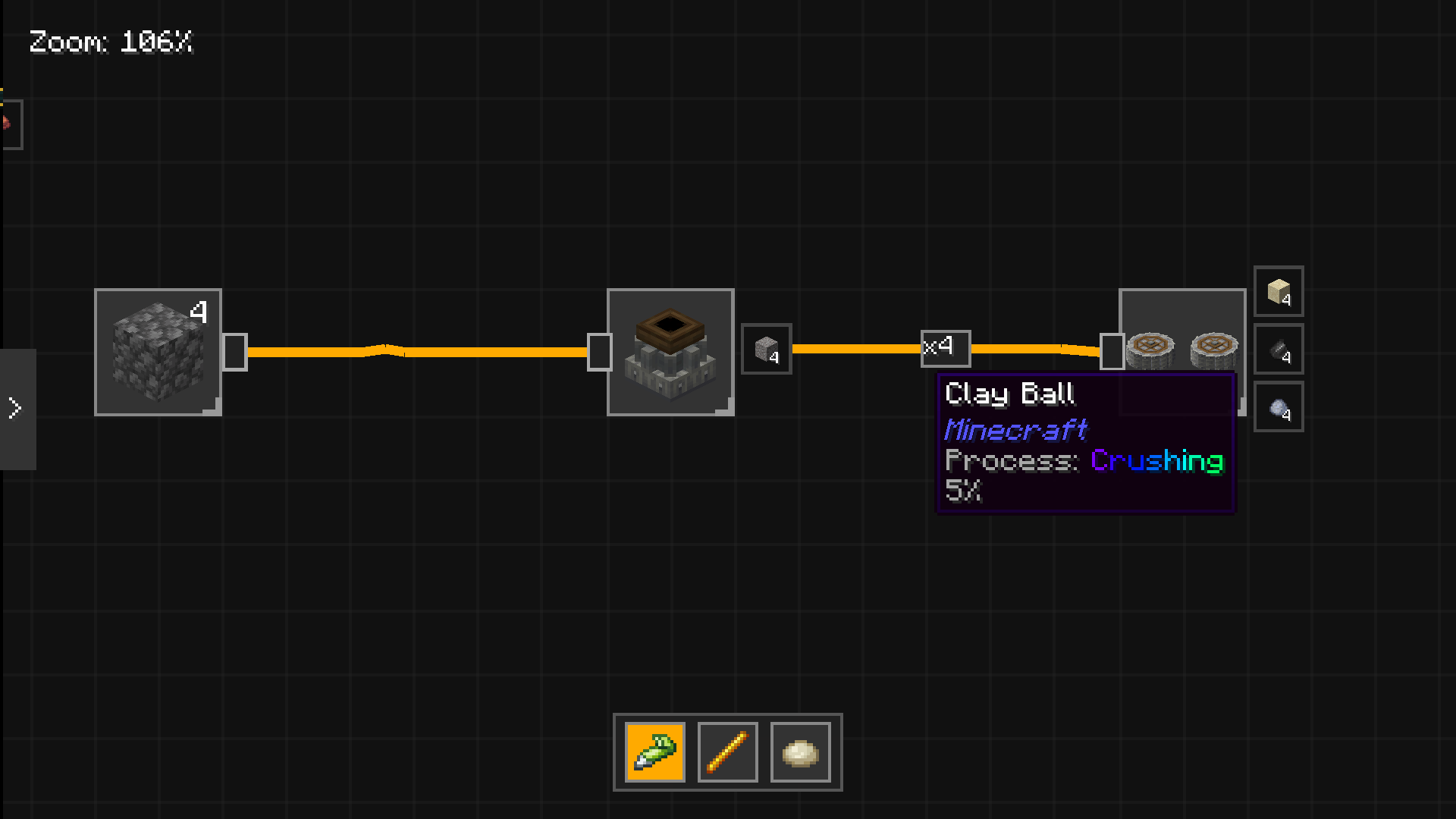
- Total EMI Integration: Renders original textures, formats fluids in millibuckets (mB), and displays accurate drop percentage tooltips.
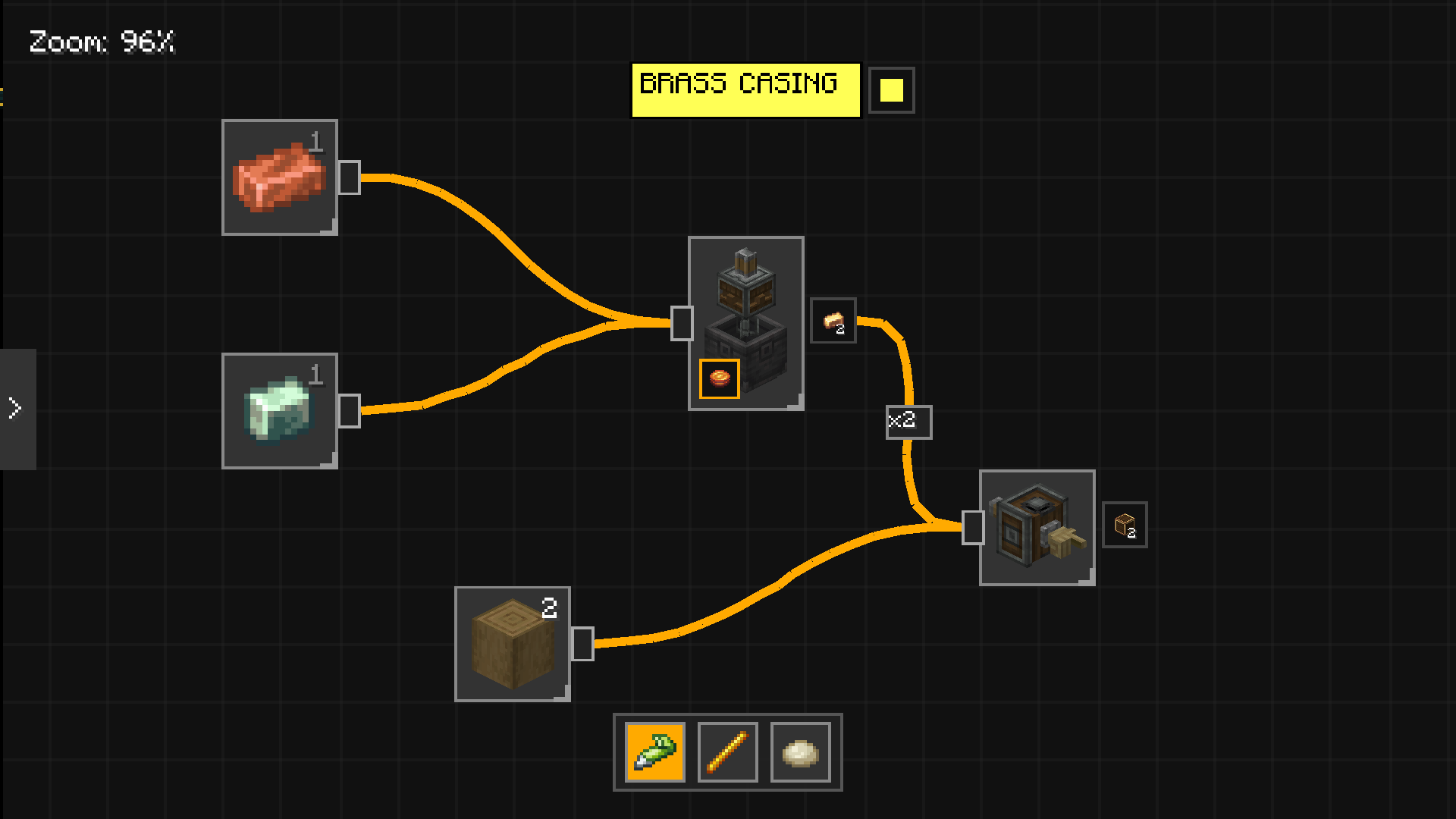
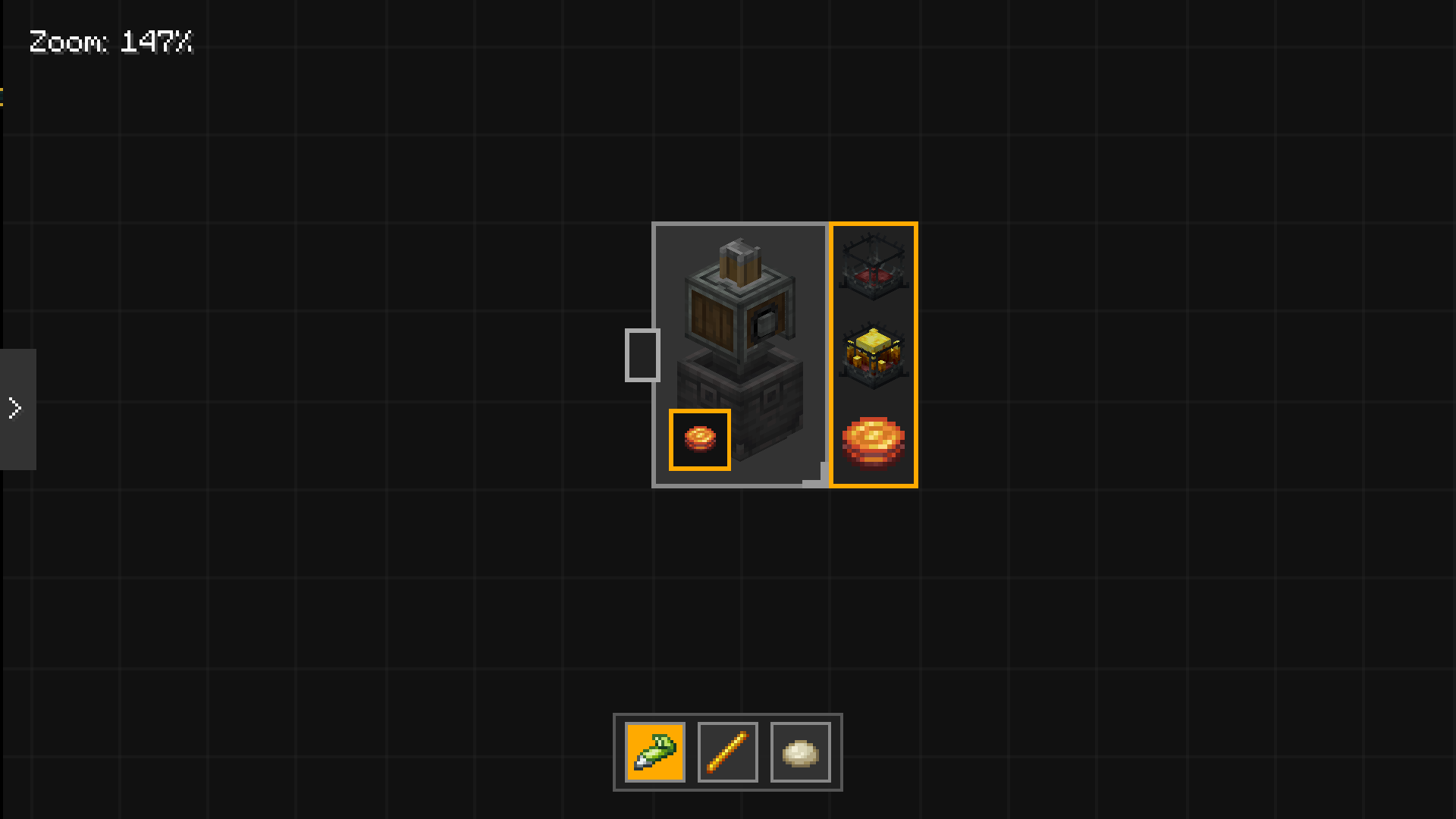
- Dynamic Recipe Engine: Connect inputs to a machine (like a Mixer or Press) and the mod will automatically calculate and enable the correct output ports!
- Special Renderings: Accurate visual support (e.g., paired Crushing Wheels, Basins placed under presses).
๐ Advanced Connectivity System (รN Routing)
- Connect machines using elegant Bรฉzier curves.
- Quantity Sliders: Distribute your logistic flows! If a mixer produces 2 Brass Ingots, you can drag the slider to send ร1 to one belt and ร1 to another.
- Automatic Garbage Collector: If you change a machine's recipe, all "orphan" edges carrying items that are no longer produced are automatically and instantly removed.
๐ Integrated Annotation Tools
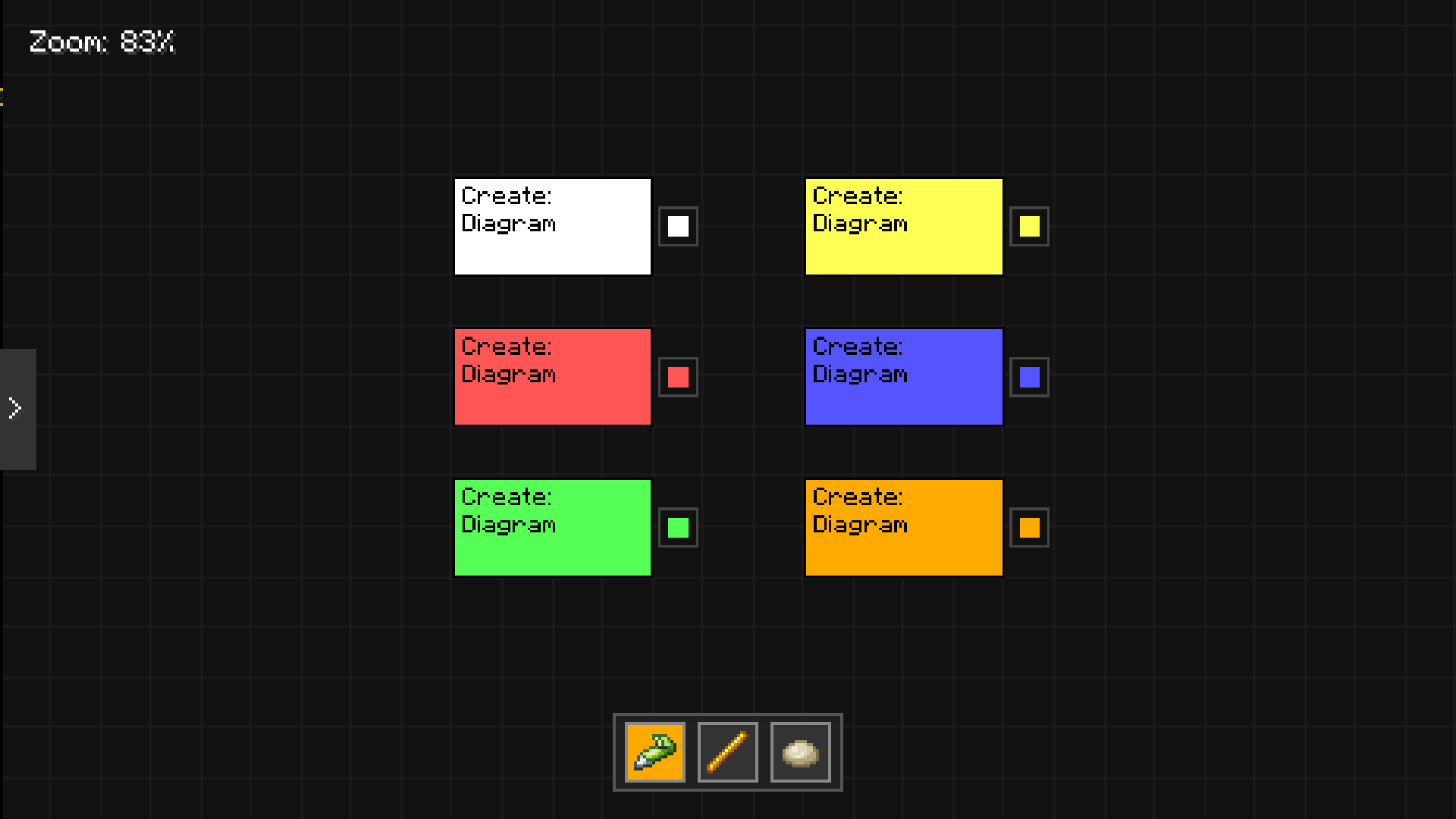
- UML Sticky Notes (
Shift + Right Click): Jot down notes directly in-game with a native text editor (supports cursor blinking, text wrapping, and backspacing). - Double Click: Instantly clone machines or notes.
- Popup Color Menu: Change the color of your sticky notes on the fly.
๐๏ธ Freehand Drawing
- Dedicated Toolbar (Pen, Straight Line, Eraser).
- Hold-to-open: Click and hold a tool to open a quick color palette (White, Yellow, Red, Blue, Green, Orange).
๐พ Persistent Storage (Data-Driven)
- Utilizes modern Minecraft DataComponents and NeoForge's Custom Packet Payloads.
- Close the UI and reopen it whenever you want: your entire project (nodes, weighted edges, and freehand drawings) safely travels between Client and Server, saving directly onto the physical Blueprint item in your hand.
๐ Mod-Agnostic (Universal Support)
- The item library (Palette) is not hardcoded! The mod automatically reads the Minecraft Registry and filters by tags, instantly supporting any Create expansion added to your modpack.
๐ฎ Controls & Shortcuts
| Action | Control |
|---|---|
| Pan Camera | Hold Right Click in an empty space and drag |
| Zoom in/out | Mouse Wheel |
| Scroll Menu Categories | Mouse Wheel |
| Add an Object | Drag from the left Palette onto the Canvas |
| Move an Object | Hold Left Click on the object and drag |
| Connect Nodes | Hold Left Click from a node's output port to another node's input port |
| Balance Resources | Left Click on the "รN" badge in the middle of an edge to open the Slider |
| Disconnect Nodes | Right Click on a machine's input port |
| Duplicate Node/Note | Quick Double Click on the object |
| Create Sticky Note | Shift + Right Click in an empty space |
| Edit Text Note | Single Click on the note and type |
| Delete an Object | Right Click on the object |