Create Control Panels
- By
Addon for Create Mod that adds Control Engineering style control panels that have buttons, levers, gauges and much more added to them.
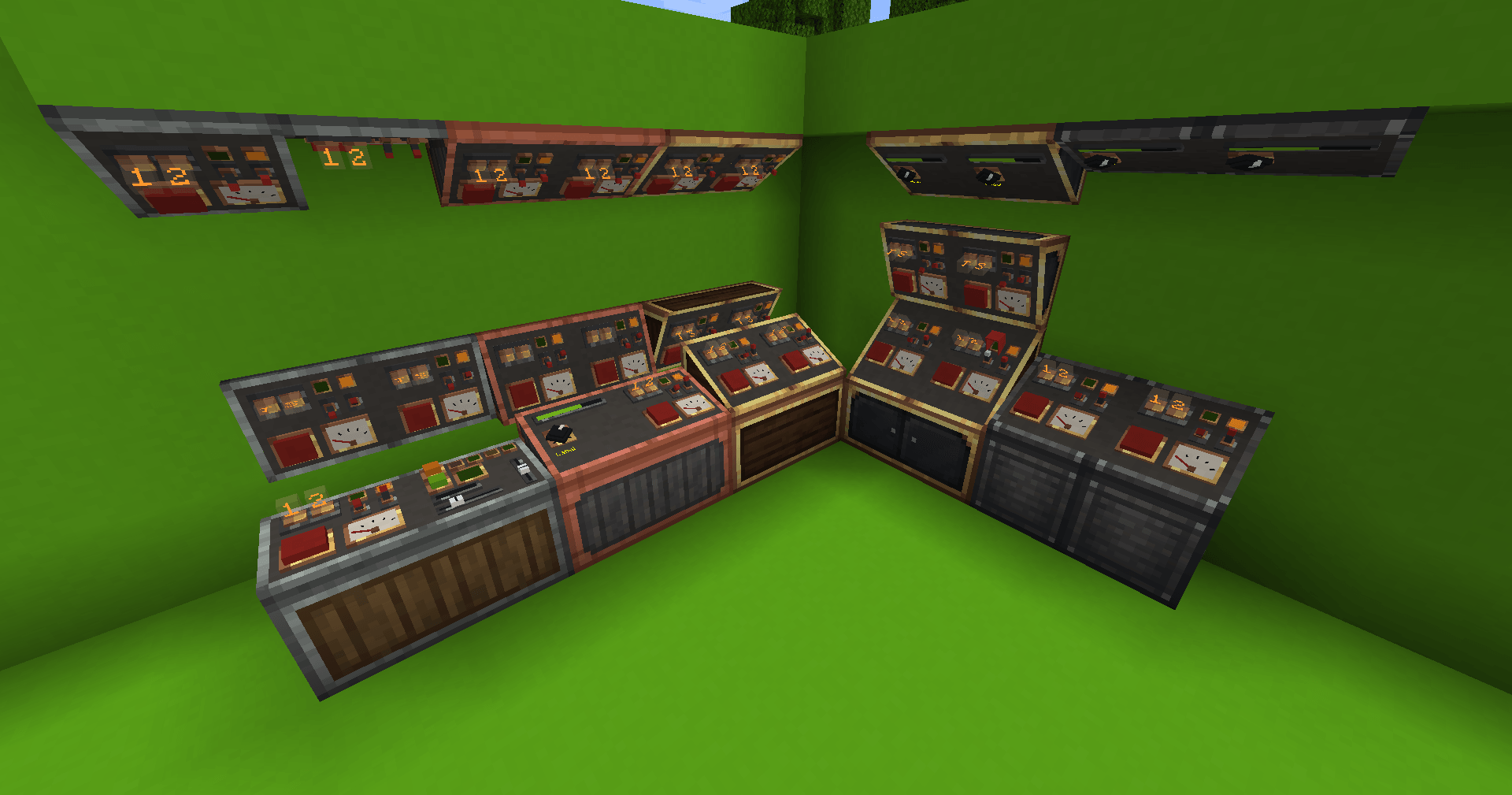
2026-10-29_19.41.22.png
components-1.png
steps-1.png
Description
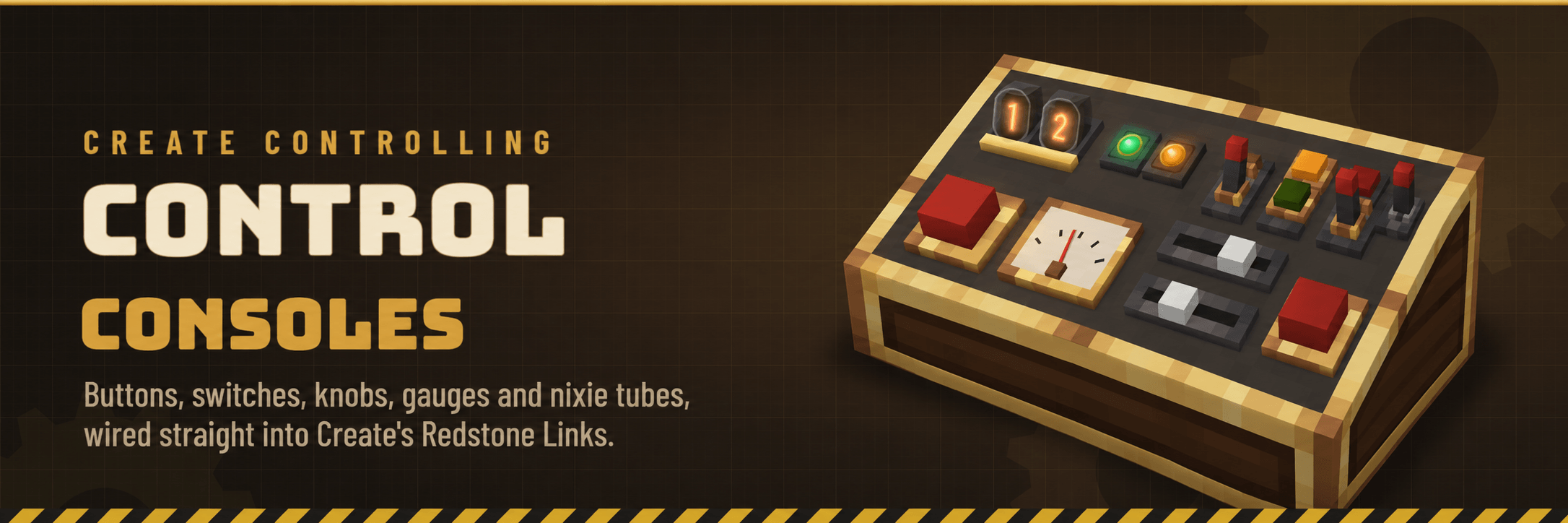
Your contraptions deserve a control room. Create Controlling adds a sloped Control Console you can cover in chunky 3D buttons, switches, knobs, sliders, lamps, gauges and glowing nixie tubes. Every part talks over Create's own Redstone Link frequencies, so a console can start a train yard, throttle a mill, open a gate across the base, or tell you how full the tanks are, all without running a single line of redstone dust.
Requires Create 6.0.8 or newer · Minecraft 1.20.1 (Forge) and 1.21.1 (NeoForge)

- One block, any angle. A console is a single wedge you place on a floor, wall or ceiling. Tilt it anywhere from flat to 45°, with quick presets at 0°, 15°, 30° and 45°.
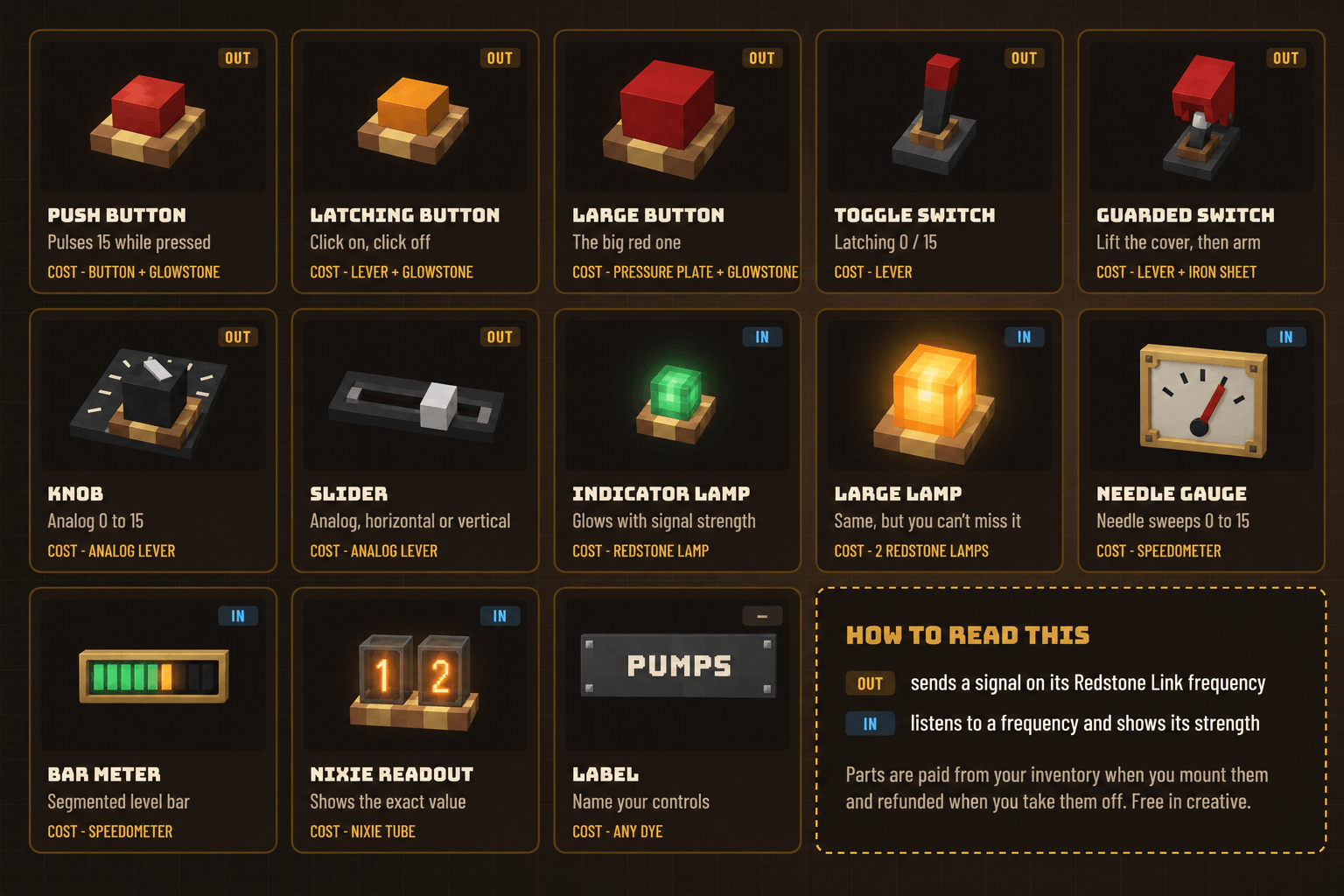
- 14 hands-on components. Buttons, latching buttons, a big red button, toggle and guarded switches, knobs, sliders, lamps, needle gauges, bar meters, nixie readouts and labels. You click the real 3D part in the world, no menu in between.
- Wired with Redstone Links. Give each part two frequency items, exactly like a Redstone Link. Outputs send a signal and inputs display one, with full 0–15 analog strength.
- Built in a designer. Sneak-use with an empty hand to open the Console Designer, then drag parts onto a 16×16 face on a half-pixel grid.
- Parts cost parts. Each component is paid for with items from your inventory and refunded when you remove it. There are no tiers to grind; a bigger control desk just needs more parts.
- Fits right into a Create base. Re-dress a console in any Create casing, line consoles up into one long desk, read them through Engineer's Goggles, and learn the basics in a Ponder scene.

Sliders come in horizontal and vertical versions, which makes 14 types in all. Out parts send a signal on their frequency; in parts listen to one and show how strong it is. A knob or slider at 9 sends strength 9, and a nixie readout listening on that frequency shows 09.
A few details worth knowing:
- Guarded switches take three clicks: open the cover, arm the switch, then close it again. They only send a signal while armed.
- Knobs and sliders jump to wherever you click. Sneak and scroll over one to nudge it up or down by 1.
- Labels can add caption to your controls and panels.

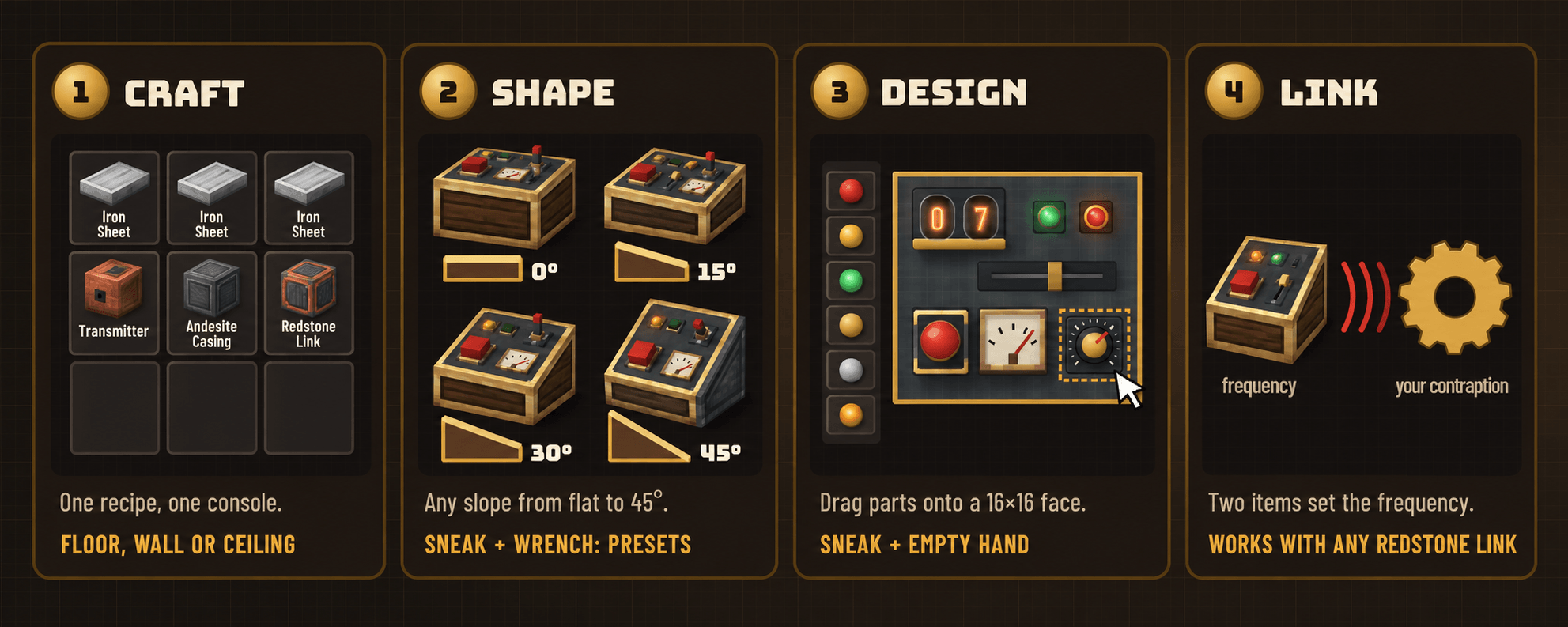
- Craft a Control Console from three iron sheets above a transmitter, an andesite casing and a Redstone Link. Place it like a lever, on a floor, wall or ceiling.
- Set the angle. Sneak-use a wrench on a floor or ceiling console to step through 0°, 15°, 30° and 45°, or use the angle slider in the designer for anything in between.
- Open the designer by sneak-using the console with an empty hand. Pick a component on the left (hover it to see what it costs), drag it into place, and click it to set its frequency and options.
- Link it up. Put a Redstone Link with the same two frequency items next to whatever you want to control or watch. Then just use the console: press, flip, turn, slide.

Casings. Right-click a console with an andesite casing, brass casing, copper casing, train casing or industrial iron block to re-dress its body. Consoles of the same shape, angle and casing placed side by side join into one continuous desk.
Blueprints. Breaking a console keeps its design, so you can pick it up and move it. To build the same layout again, craft a Console Blueprint (two paper, lapis lazuli and a brass sheet). Use it on a console to copy the design, then on another console to paste it. Pasting only charges you for parts the new console doesn't already have, and refunds the rest.
Goggles. Look at a console while wearing Engineer's Goggles to see its linked components, their frequencies and their current values.

| Minecraft 1.20.1 | Minecraft 1.21.1 | |
|---|---|---|
| Mod loader | Forge 47.4+ | NeoForge 21.1+ |
| Create | 6.0.8 or newer | 6.0.8 or newer |
| Install on | client and server | client and server |
- Consoles use Create's own Redstone Link network, so they work with every Redstone Link, Linked Controller setup and contraption you already have.
- Fabric: not supported yet. Might in the future but for now it will only be the versions listed above.

How far does a console reach? As far as a Redstone Link does. Consoles join Create's link network, so the range and rules are Create's own.
Can I use it in creative? Yes. Components are free in creative mode, and parts placed there refund nothing when removed.
Can I use it in my modpack? You're welcome to include Create Controlling in any modpack.

- Built on and for Create by the Creators of Create.
- The sloped-console idea is inspired by Control Engineering by malte0811, the Immersive Engineering addon. Create Controlling is its own mod, built from scratch for Create.
- Banner art is AI generated illustration, not in-game screenshots. See the Gallery tab for how the mod really looks.
Found a bug or have an idea? Please comment or you can share the bug with me on my Discord.
Licensed under the MIT License.
Create Control Panels Team