Coasters: Tracks and Balloons
- By
🎢 Adds Boost, Brake, Station & Sensor track and many more functional tracks + 270 decorative track variants + 16 balloon colors for Create: Coasters Simulated 🎈
01-balloons-all.png
02-balloons.png
03-balloons.png
01-tracks-lineup-topdown.png
02-tracks-lineup-angled.png
Description

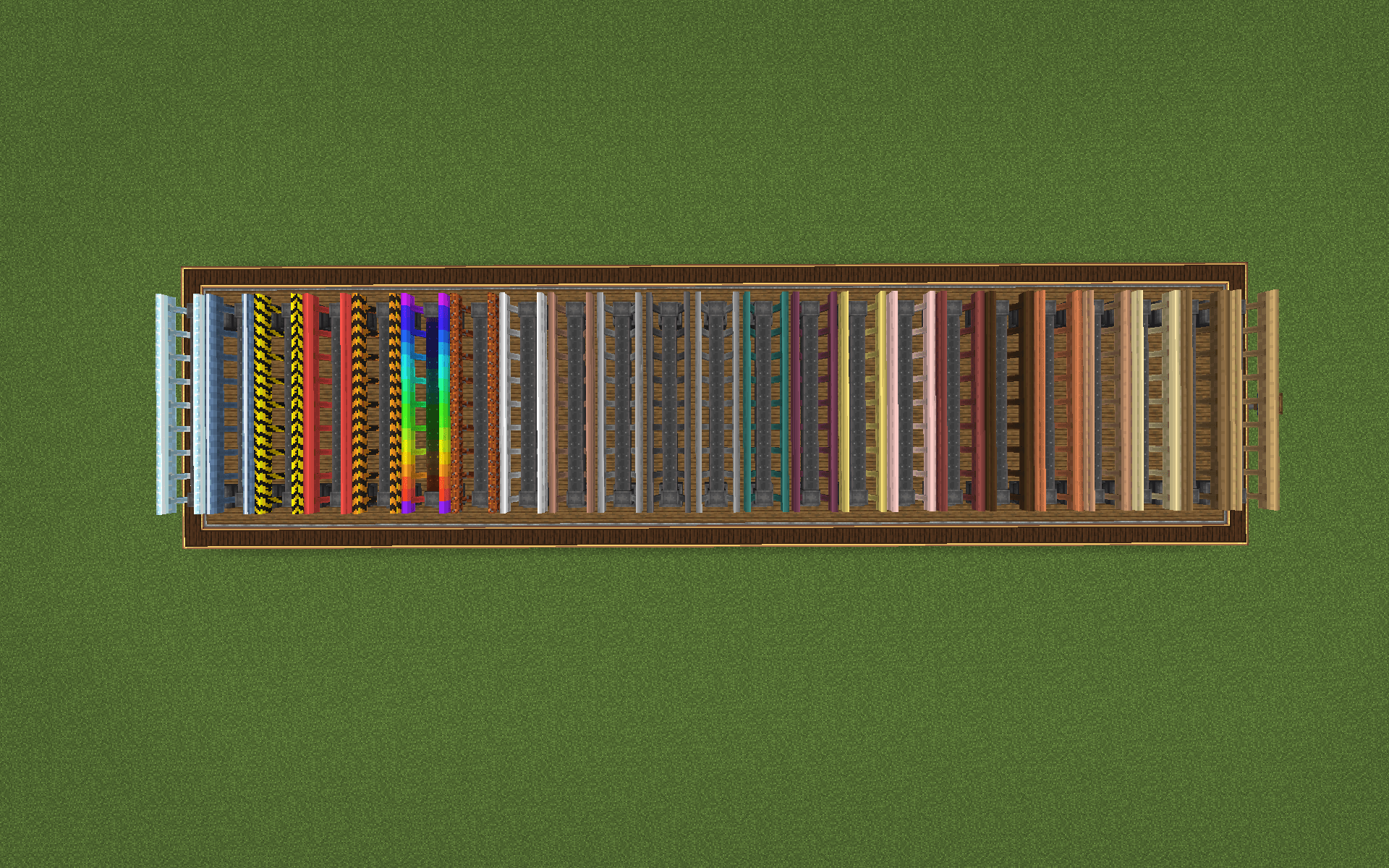
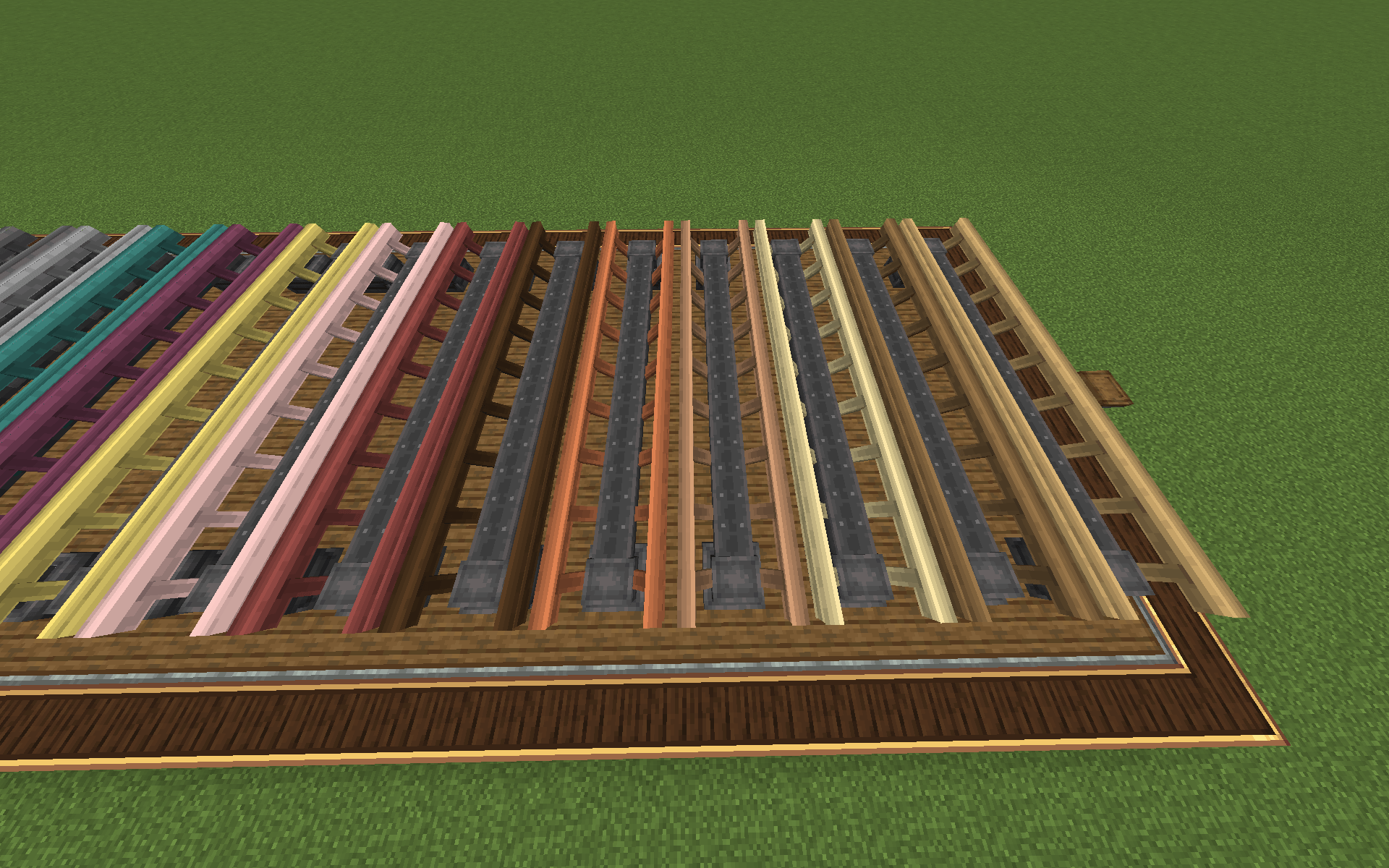
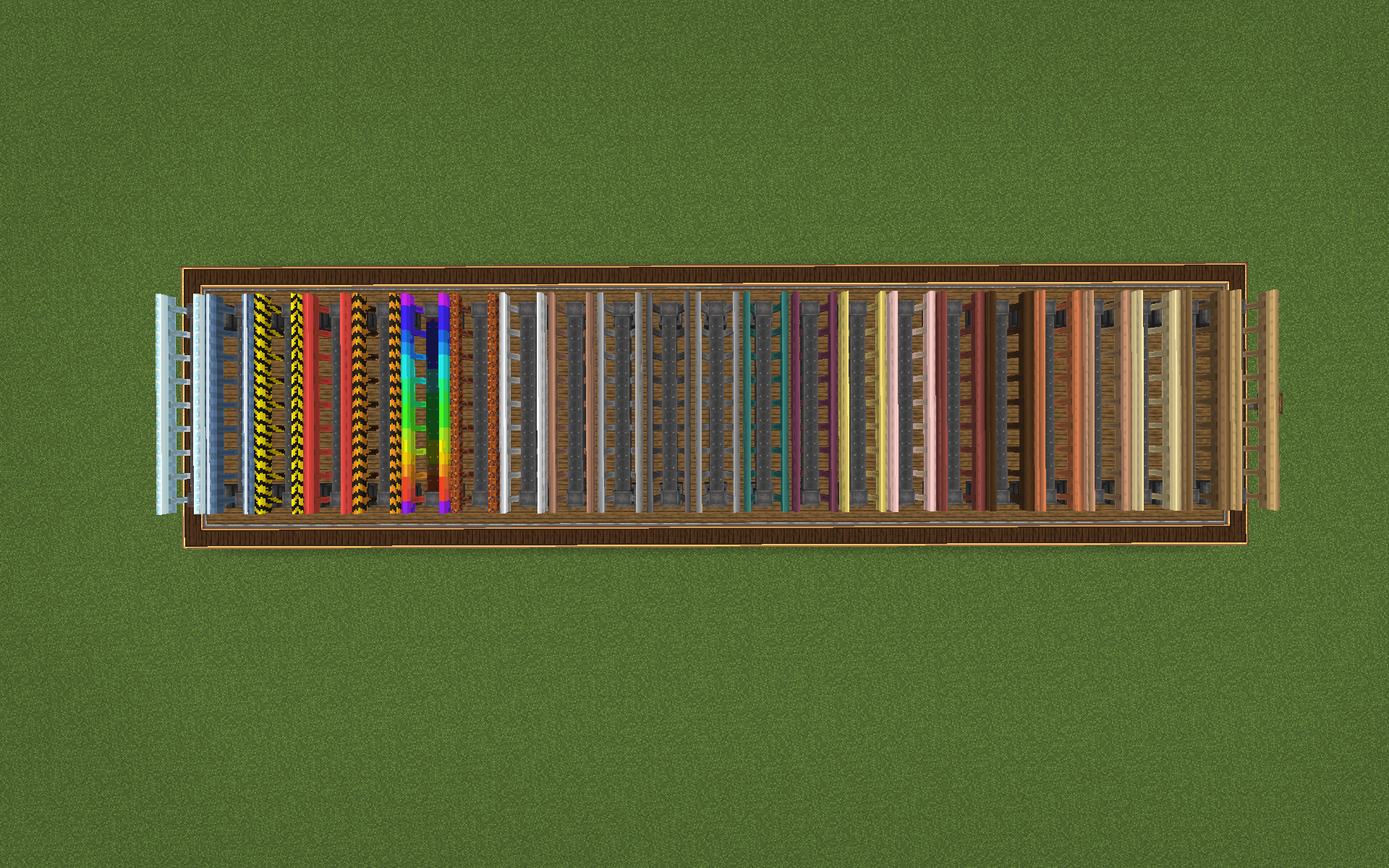
Create: Coasters Simulated ships with one balloon and one track. This addon adds 16 balloons and 287 tracks, and ten of those tracks do something to your coaster.


You can boost your coaster, launch it, brake it, reverse it, hold it in a station, splash it through water, lean it into corners, fire redstone when it passes a sensor, or sit down at the Coaster Controls and drive it yourself.
⚠️ This is an addon and needs the base mod. It will not load without Create: Coasters Simulated installed.
Never used the base mod?
Quick version: you place anchorpoints, then string track between them. The game draws a curve between the anchorpoints, and that curve is what your coaster rides on. The anchorpoints are the handles you grab to shape it.
Everything in this addon is either a new material for that curve, a new behaviour for it, or a balloon to decorate with.
If you get lost, press W on any item in your inventory to open a Ponder scene that shows you how to use it step by step.

- 287 coaster tracks — 277 material variants, 10 functional
- 16 balloons — 15 dye colours plus a Rainbow Balloon
- Sensor Block — turns a passing coaster into a redstone signal
- Coaster Controls — sit down and drive, with a live speedometer
- 9 Ponder scenes — press W and the block builds itself in front of you
- 45 config options — every speed, rate and threshold in the mod
- Survival ready — everything is craftable and drops when broken

These are the main reason the addon exists. Each one is a normal coaster track that does something to your ride when it crosses.
You set them from the anchorpoint at either end: right-click and hold, then scroll, the same way you'd set a Creative Motor. Set one end and the other updates automatically, so it doesn't matter which one you're standing next to. A dial you've never touched reads Default and uses the config value.
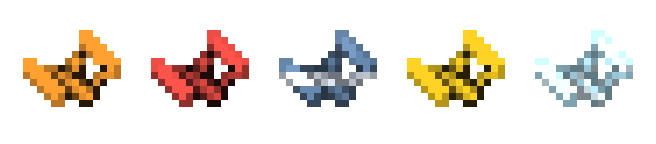

Accelerates a cart up to a target speed you set. This is how a ride gets moving without a chain lift.
While it's accelerating it throws sparks and flames backwards as exhaust. The effect is strongest when launching from a standstill and fades as the cart gets up to speed. It only ever pushes a cart in the direction it's already going, so it can't reverse one.

Same as the Boost Track, but it only pushes while it has redstone.
A normal boost runs all the time, which makes it something you build around rather than something you control. Gate it on a signal and a circuit can drive the ride instead: launch on a button, dispatch on a timer, or keep a section shut until a door opens.
It has its own speed and acceleration settings in the config, separate from the plain boost, so you can make a redstone launch brutal without making every boost on your map brutal.

A hydraulic launch. From a dead stop it throws a cart up to speed with fire and smoke behind it, far harder than a boost, and unlike a boost it will start a ride that's stopped completely.
It also has a Launch On dial. Leave it on Always and it fires the moment a cart touches it. Set it to On Redstone and it holds the train until your circuit says go, which is what you want as soon as there's a station in front of it.

Slows a cart down to a target speed. Set the dial to zero and it stops the cart completely.
The braking force is calculated from how much track is left instead of being applied at a fixed rate, so a cart that comes in way too fast is still down to the target by the end of the run instead of overshooting. The wheels turn red while it's working.
Faster carts get bigger effects: above roughly 14 b/s it throws lava particles, above 30 it adds sparks, above 43 it starts smoking, and the braking hiss gets louder the faster you hit it.

Brings the ride in, holds it, and dispatches it again.
It slows the cart so it stops exactly at the last anchorpoint no matter how fast it came in, and it freezes the whole train together instead of just the lead cart. After the wait it gently launches the ride back out.
- Right-click and hold the anchorpoint to set the wait time in seconds
- Power it with redstone to hold the ride in the station indefinitely
- Wear Engineer's Goggles to see a live countdown. There's also a platform light that moves along the station while it waits

Water rails. Hit them at speed and spray comes off both side rails, water sheets down underneath the track, and it lands with a splash. The rails are animated, so light moves across the water and bubbles surface and pop.
Water slows a ride down, which used to be a problem: a splash section long enough to look good was long enough to strand your coaster in the middle of it. So it has a Water Boost dial. Set a speed and the section drives the ride at it instead of only taking from it, and a flume runs on its own. Leave it at zero and it's pure drag like before.

Flips a cart's direction as it crosses. Once per pass, so it doesn't sit there juddering back and forth.
This turns any dead end into a shuttle. The Reverse Boost dial sets how hard it throws the ride back out, which matters more than it sounds — a boomerang that can't climb its own return hill just leaves the cart stuck in the valley.

Leans the cart into corners. The tighter the corner and the faster you take it, the further it goes over, up to 35 degrees by default.
The lean isn't an animation. The track measures how tight the curve is and how fast you're going, works out the sideways force you'd feel, and rolls the cart to the angle that cancels it. Come out of the corner and it settles upright on its own. The cart stays locked to the rail the whole time, so it can't come off.

Detects every coaster that crosses it and sparks when one does.
On its own that's just a visual. Link it to a Sensor Block and you get redstone out of it — see below.

Removes the drag that normally bleeds speed from a coaster. A cart leaves at the same speed it entered.
Useful for long flat runs between hills, where a ride would otherwise slow down and stall before reaching the station.

Rides like any other track, but leaves a trail of coloured sparkles and plays a chime alongside them. The colour and the pitch are driven by the same value, so they stay in sync for the whole run.
The notes are locked to a major pentatonic scale. Without that, a fast curve would pick semitones at random and the whole thing would sound like a siren instead of a melody.
The chime is the original one from 1.0. A later build had a tick gate that silenced every other note and made the tune stutter, and that's been removed, so it sounds the way it did on release again.
Crafted from Coaster Track + 6 Dyes. There's a matching Rainbow Balloon with the same colour sweep.

A curve is a connection between two anchorpoints, not an actual block in the world, so there's physically nothing there for a redstone signal to come out of. The Sensor Block is that missing block.
Right-click a Sensor Track (the track itself or either anchorpoint) to link the block to it. It can only be placed once it's linked, so you can't end up with a dead sensor and no idea why nothing fires.
After that, put it wherever you want. It doesn't need to be anywhere near the track. When a coaster crosses the linked track, the block powers, sparks, and makes an electrical snap. Hook it up to doors, dispensers, Redstone Links, note blocks, whatever you like.

A block you sit at, similar to Create's Train Controls.
W and S move the lever, and the lever actually moves with your input. Your speed shows on a custom bar in the XP slot, styled after Create's own. Stand up whenever you want and the ride carries on without you.

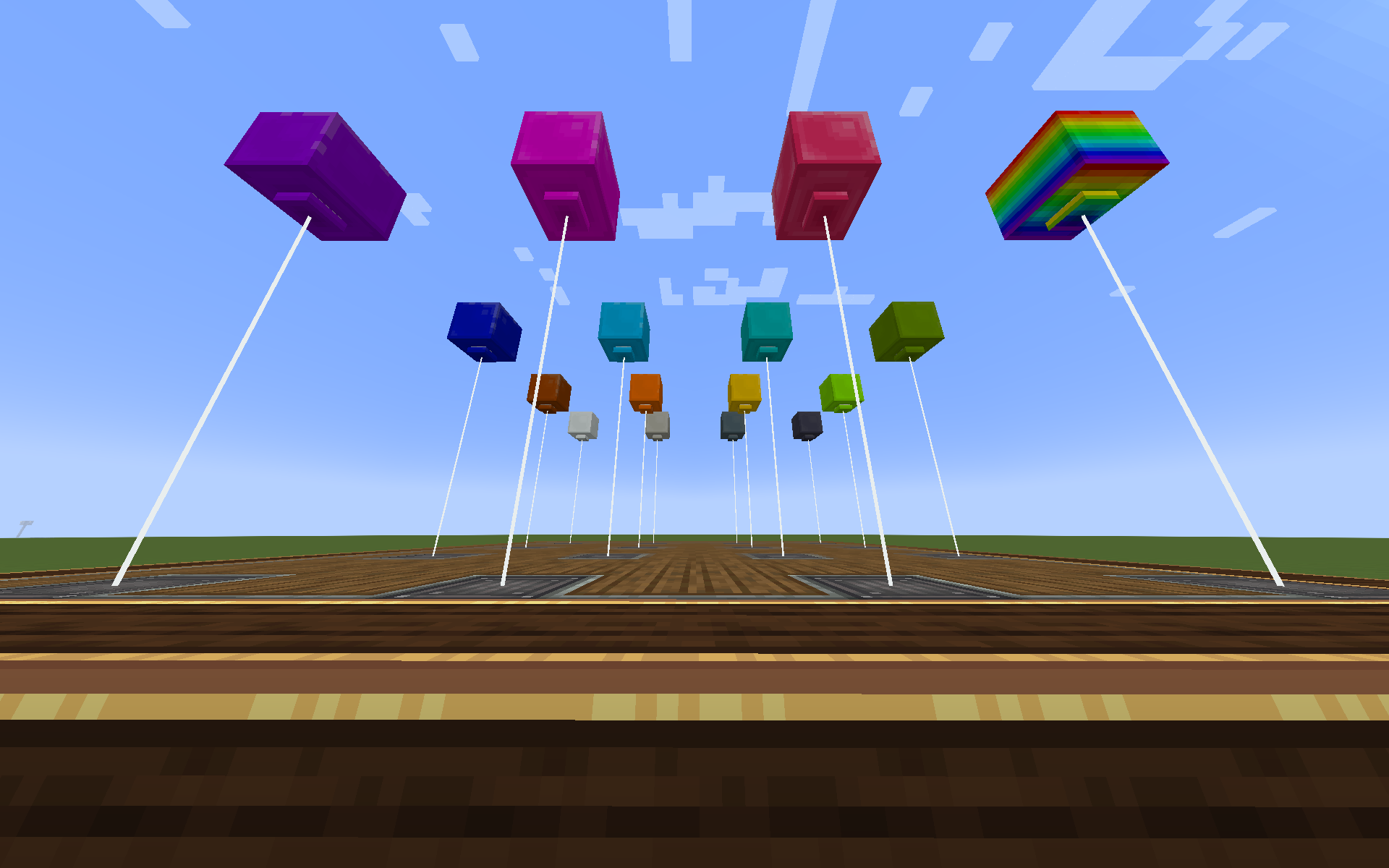
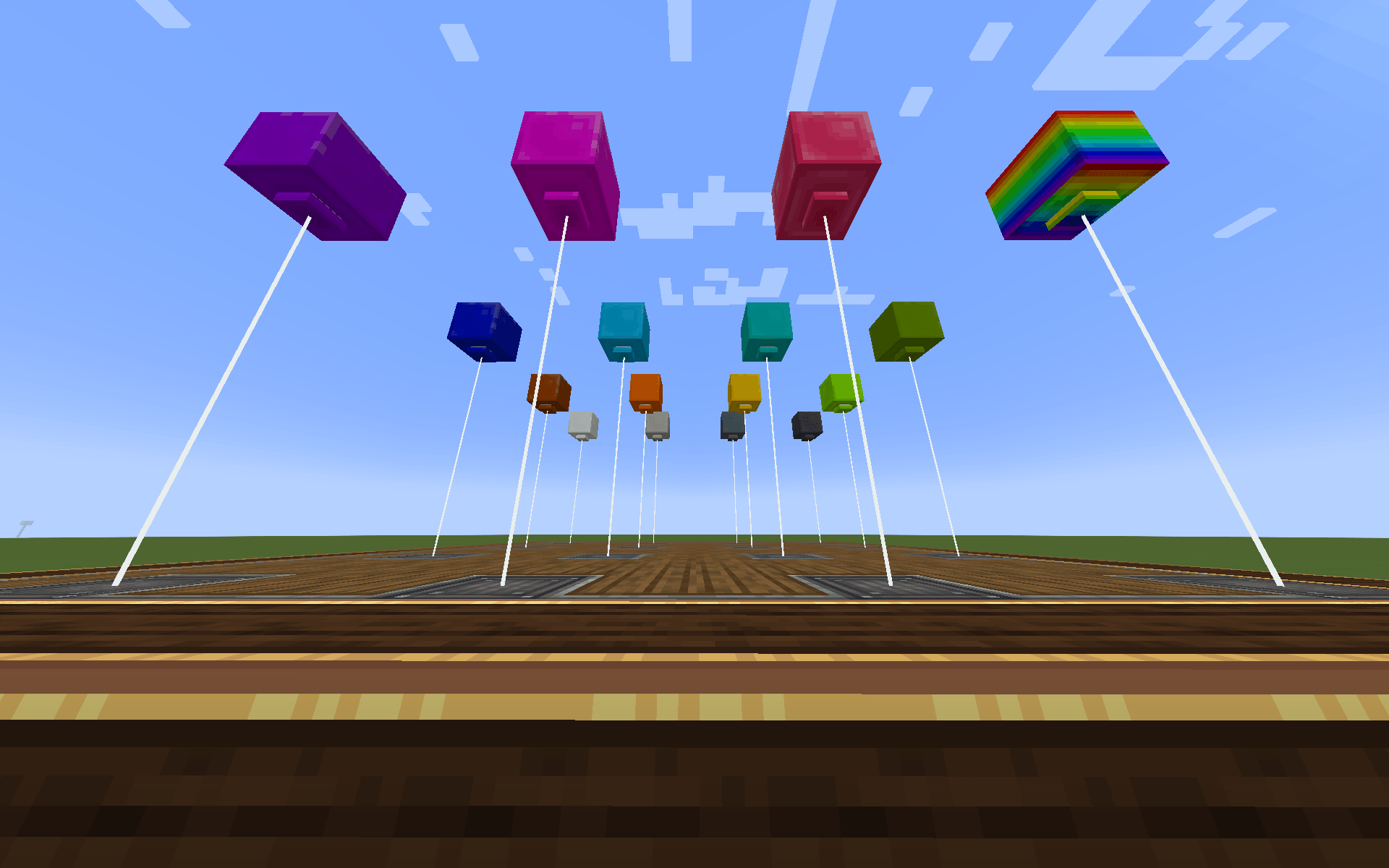
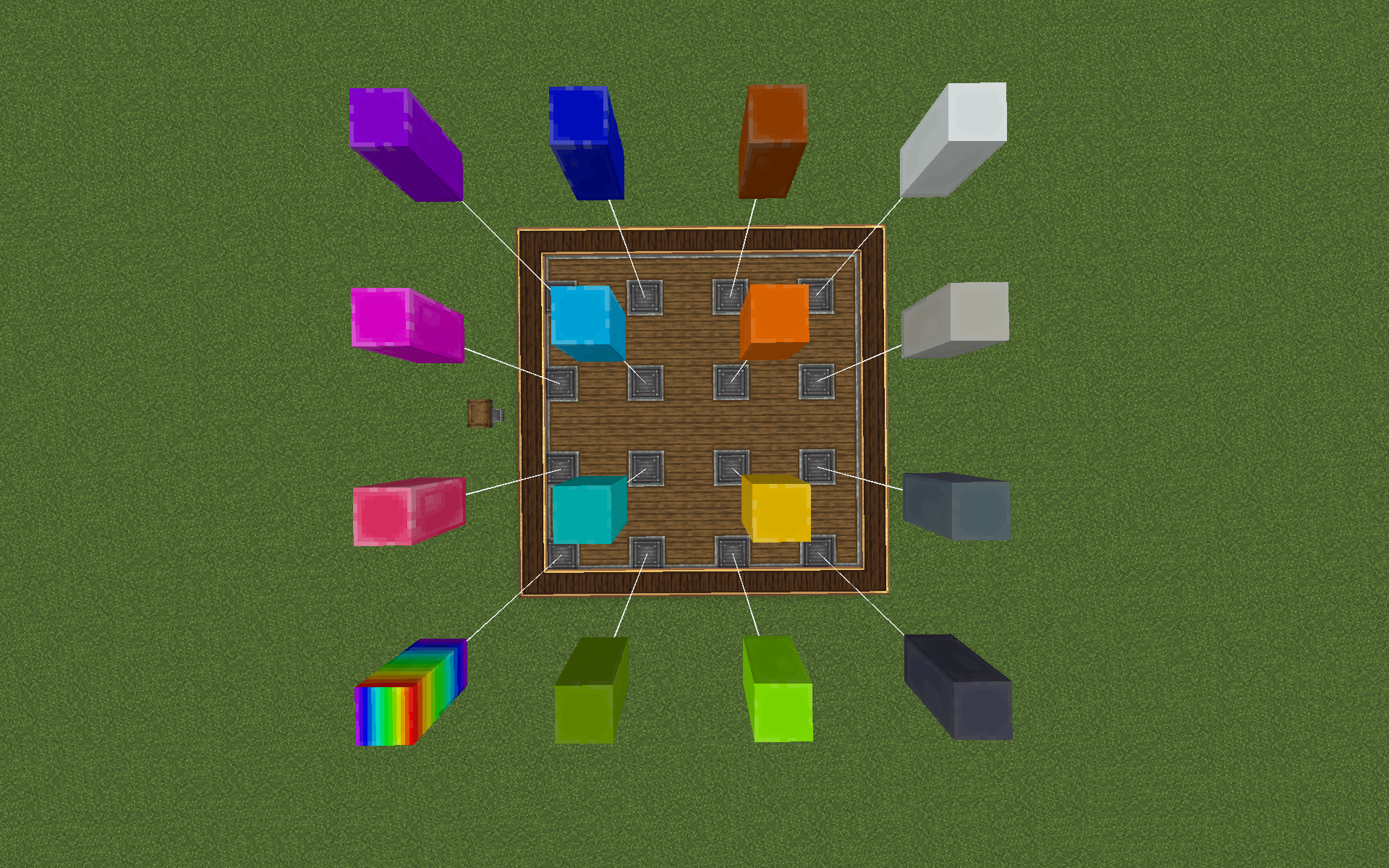
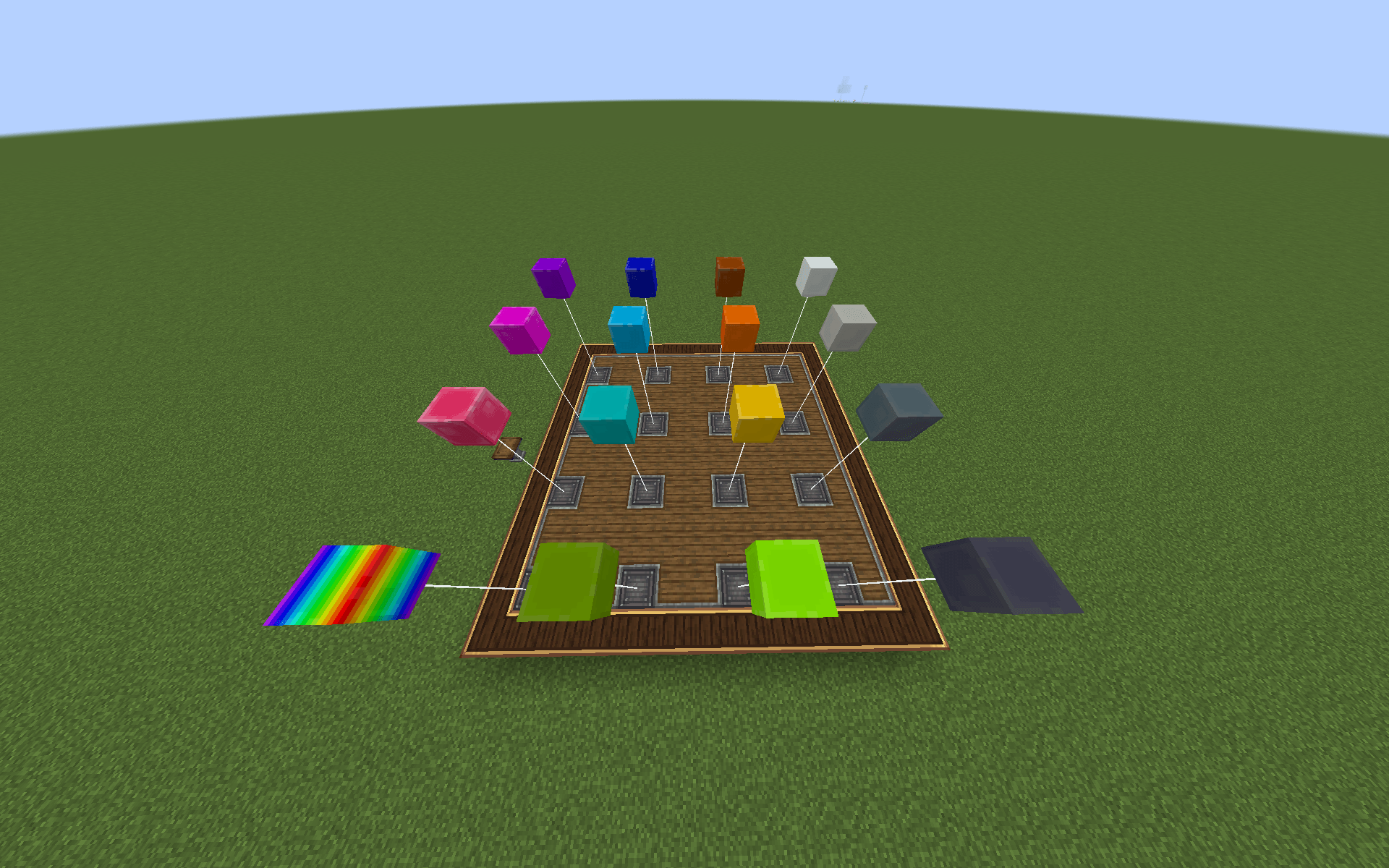
The base mod has one balloon, and it's red. This addon adds 15 more dye colours plus a Rainbow Balloon, for a total of 17 balloons between the base mod and the addon.

The added colours are White, Light Gray, Gray, Black, Brown, Orange, Yellow, Lime, Green, Cyan, Light Blue, Blue, Purple, Magenta, and Pink.
They all work exactly like the red one: they tether, they float, they pop, and sneak + wrench picks them back up.

The same track you already build with, in 277 finishes. The material covers the full length of the curve, sleepers and slide bar both.
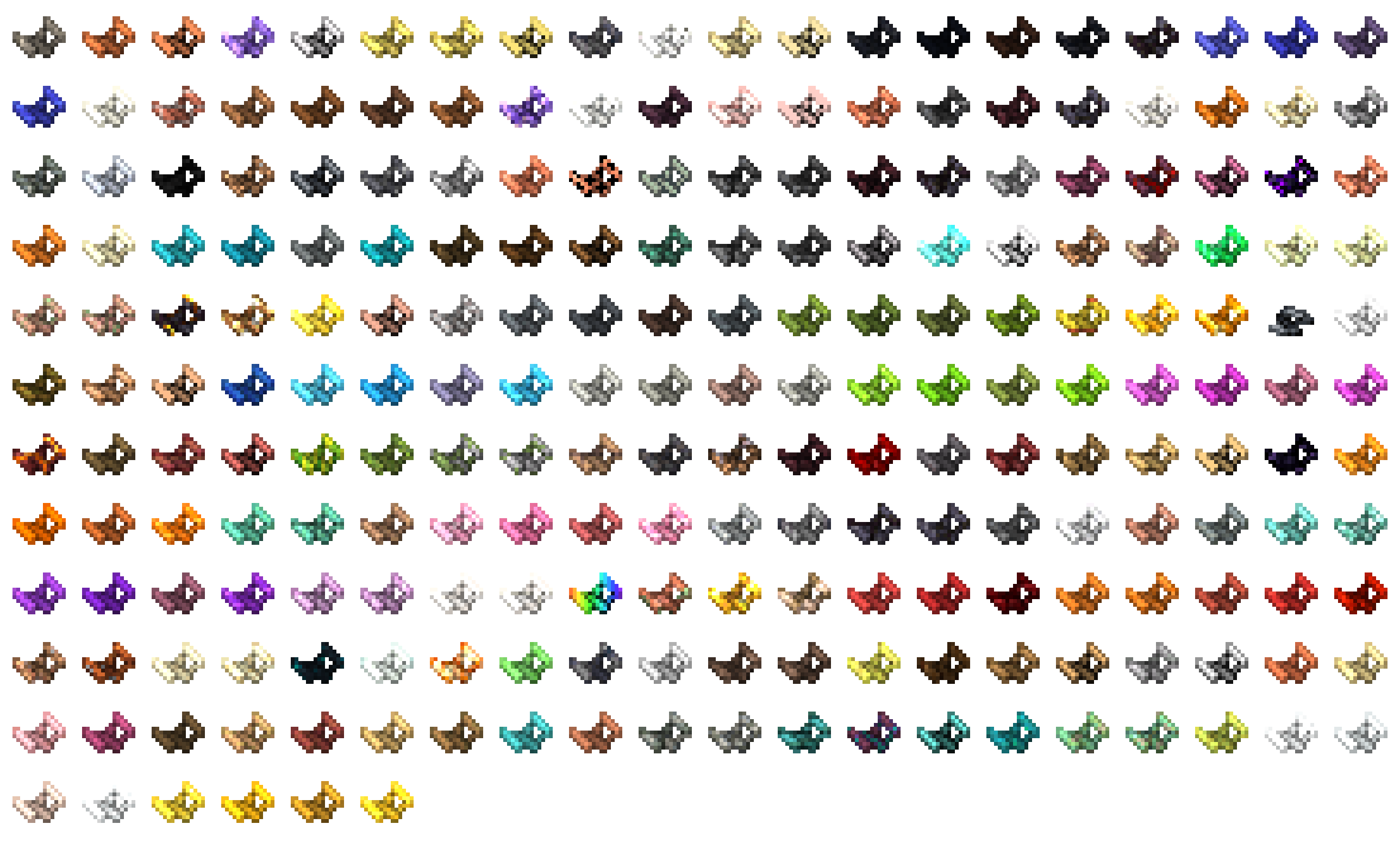
- Wood — Oak, Spruce, Birch, Jungle, Acacia, Dark Oak, Mangrove, Cherry, Bamboo, Crimson and Warped, each with planks, logs and stripped logs
- Stone — Stone, Deepslate, Andesite, Granite, Diorite, Blackstone, Tuff, Calcite and their cut, polished and chiselled forms
- Wool (16) — every dye colour
- Concrete (32) — every dye colour, in concrete and concrete powder
- Copper — every oxidation stage, cut and chiselled, plus the grate
- Ores — the full set, overworld and deepslate
- Everything else — terracotta, glazed terracotta, prismarine, quartz, froglights, sculk, netherite, Rose Quartz, Brass
- Special — Rainbow and Copycat
The textures are built from the actual vanilla block textures with the track's shading laid over the top, so a wool track actually looks woven and a concrete track looks like concrete instead of a recoloured metal rail.
Any track converts into any other, so picking the wrong one isn't a trip back to the mine.
Setting speeds
Speeds, wait times and directions are set on the anchorpoint, with a Create-style value dial: right-click and hold, then drag, the same way you'd set a Creative Motor. The range is 0–200 blocks/second.
Set it on one end and the other end updates automatically, so the two anchorpoints of a curve always agree.
Depending on what's attached, an anchorpoint can carry up to three dials: the speed, the Send direction, and on a Launch Track, Launch On. Dials only show up on anchorpoints that actually have a functional track on them.

Takes about five minutes.
- Lay a loop. Anchorpoints and plain Coaster Track from the base mod, ending back where you started.
- Put a Station Track on the last curve before the start. Right-click and hold its anchorpoint, then drag to 5 seconds.
- Boost Track on the next curve out. Set it to about 20 b/s, enough to get over the first hill.
- Brake Track on the approach back in, set to 8 b/s, so the ride comes in at a sane speed instead of shooting through the station.
- Place a cart and sit in it. The station dispatches, the boost launches you, the brake catches you, and the station takes you back in.
From there, add a Slippery Track on any long flat stretch where the ride is losing too much speed, and a Sensor Track wherever you want a door to open or a note block to fire.

Everything is craftable and everything drops when you break it. The recipes are deliberately cheap, since the point is building the ride, not grinding for parts.
- Boost Track — Coaster Track + Andesite Alloy + Redstone
- Powered Boost Track — Coaster Track + Andesite Alloy + Redstone Torch
- Launch Track — Coaster Track + Blaze Powder + Piston
- Brake Track — Coaster Track + Iron Ingot + Redstone
- Station Track — Coaster Track + Redstone Torch
- Splash Track — Coaster Track + Water Bucket + Prismarine Shard
- Reverse Track — Coaster Track + Ender Pearl + Andesite Alloy
- Bobsled Track — Coaster Track + Blue Ice + Rail
- Sensor Track — Coaster Track + Observer
- Slippery Track — Coaster Track + Blue Ice + Packed Ice
- Rainbow Track — Coaster Track + 6 Dyes
- Any material track — Coaster Track + that block (planks, wool, concrete, stone…)
- Any balloon — Wool + String + Iron Nugget
Material tracks convert freely. The recipe accepts any track from this addon, so an Oak Track plus Blue Wool gives you a Blue Wool Track. You never have to go back to a plain track first.

- Minecraft 1.21.1
- NeoForge 21.1.248
- Create 6.0.x
- Create: Coasters Simulated 0.1.2 – 0.1.x
- Sable 2.0.3
Coasters Simulated already pulls in Sable, so in practice you just install Create, Coasters Simulated, and this.
The base mod is still pre-1.0 and its author has said there will be breaking changes before then, so the dependency is pinned below 0.2.0. If you're on a newer base mod version, you'll get a dependency screen telling you which version you need instead of a crash.
Good to know
Material variants are cosmetic. A cherry track and a deepslate track ride identically.
Speeds are set per curve. A long run built from several curves is configured curve by curve.
Everything is in the config. All 45 values — speeds, acceleration, drag, thresholds, particle spread, sound cooldowns. If a track feels wrong on your server, it's a config line rather than a bug report. One worth knowing: bobsled.invertBank flips which way the bobsled leans, in case it leans out of your corners instead of into them.
Multiplayer works, and so do schematics. A pasted coaster relinks its anchorpoints on load, so it arrives working instead of with broken connections.
MANY MORE FEATURES, BLOCKS AND ITEMS ARE PLANNED

Built on Create: Coasters Simulated by SilverGold. The coaster physics, the track system, the cart and the original artwork are all theirs — this addon exists because that mod is good and I wanted more of it. The textures follow the base mod's style so everything matches in-world.
Also built on Create.
Made by NotZyvex. Bug reports and suggestions welcome, come say so on Discord.
Coasters: Tracks and Balloons Team