[机械动力:触媒框架] Create: Catalyst Frame
- By
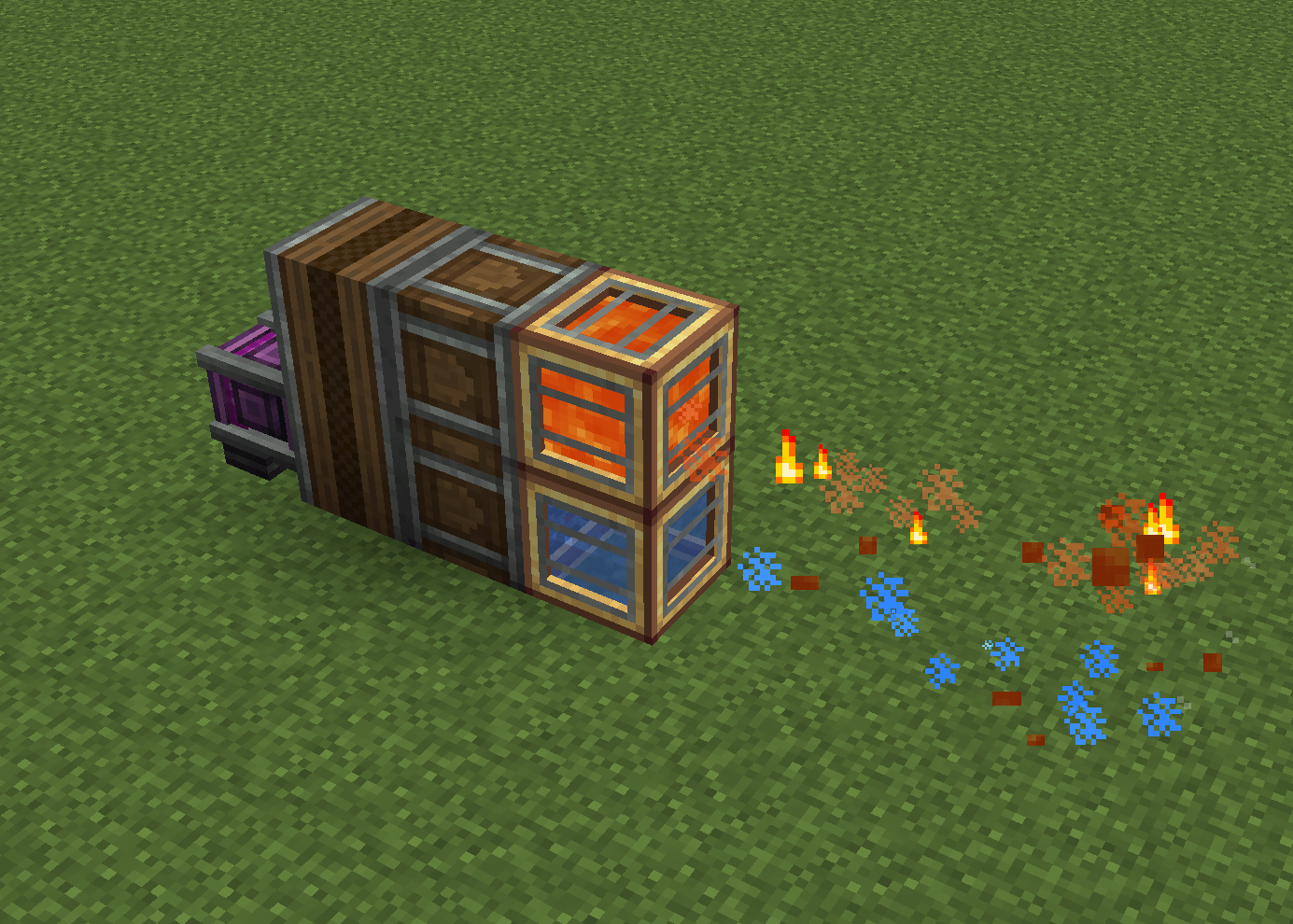
Added a variety of Catalyst Frames that can be filled with Fan-Catalyst blocks and acquire the function of the catalyst.
Description
Create: Catalyst Frame
Provides a variety of "Catalyst Frames" for the Create fan catalysts. A Catalyst Frame is a block that can be filled with any catalyst, and then takes over that catalyst's function in fan processing.
Contents
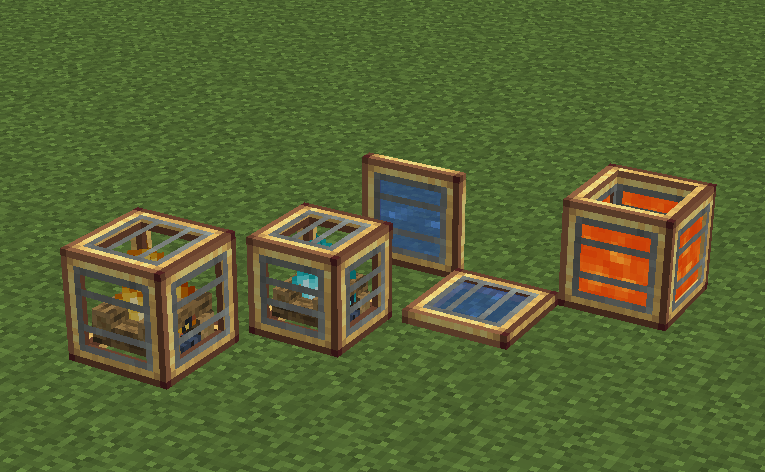
The mod provides several shapes of catalyst frames:
| Block | Description |
|---|---|
| Catalyst Frame | 16px per side, standard block collision box |
| Small Catalyst Frame | 14px per side, collision box shrunk by one ring; can be used in place of an empty blaze burner |
| Catalyst Frame Panel | Similar to framed panels, suited to being placed flat against a surface |
| Catalyst Frame Duct | A hollow duct with blocking walls on four sides |
Features
- Changing contents: right-click an empty catalyst frame while holding a fan-catalyst block or a bucket of catalyst fluid to fill it; right-click with an empty bucket to take the contents back out.
- Catalyst compatibility: adapts by reverse-capturing the catalyst decision logic plus special checks, so it is compatible with the vast majority of fan-catalyst blocks and fluids.
- Multi-attribute catalysts: when one piece of contents matches several catalyst types, they do not conflict — all of them take effect (up to 4).
- Content rendering: a catalyst frame holding contents renders the current contents inside the frame.
- Assisted building: Catalyst Frame Panels and Catalyst Frame Ducts support assisted extending placement. In creative mode, extending with an empty frame copies the contents of the target frame.
- Blueprint support: the material checklist of the Schematicannon lists the required frame together with its contents (fluids, powder snow and the like are counted as buckets) instead of a frame that already holds contents.
- Jade compatibility: with Jade installed, the contents of the frame are shown in the HUD.
Requirements
- Minecraft 1.21.1
- NeoForge 21.1.x
- Create 6.0.10 (required)
- Jade (optional, client only)
License
This project is licensed under the MIT license.
机械动力:触媒框架 (Create: Catalyst Frame)
为 机械动力(Create) 的鼓风机触媒提供了多样的“触媒框架”。 触媒框架,是一种可以向内填充任意触媒的方块,并承担其鼓风机加工触媒的功能。
内容
本模组制作了多种形状的触媒框架:
| 方块 | 说明 |
|---|---|
| 触媒框架 | 边长16px,标准方块碰撞箱 |
| 小型触媒框架 | 边长14px,碰撞箱缩小一圈,可用作替代空燃烧室 |
| 触媒框架板 | 类似伪装板,适合贴面放置 |
| 触媒框架管 | 四面有阻挡的中空管道 |
主要特性
- 更换内容物:手持鼓风机触媒方块或流体桶,对空触媒框架右键即可填入其中;用空桶右键可取回内容物。
- 触媒兼容:采用触媒判断逻辑反向抓取适配+特殊判定,理论上兼容绝大部分鼓风机触媒方块/流体。
- 多性触媒:同一内容物命中多个触媒类型时将不会冲突,全部生效(上限为4)。
- 内容物渲染:存有内容物的触媒框架,将在框架内部渲染当前内容物。
- 辅助搭建:触媒框架板和触媒框架管,可进行辅助延伸搭建。创造模式下,用空框架进行延伸搭建,会复制目标框架的内容物。
- 蓝图支持:蓝图大炮的材料清单,会列出所需框架与对应内容物(流体与细雪等按桶计),而非已存有内容物的框架。
- Jade 兼容:安装 Jade 时在抬头显示中显示框架内容物。
环境要求
- Minecraft 1.21.1
- NeoForge 21.1.x
- 机械动力 Create 6.0.10 (必选前置)
- Jade(可选,仅客户端)
许可
本项目采用 MIT 许可协议。
[机械动力:触媒框架] Create: Catalyst Frame Team