Create Big Cannons:Simple Scope
- By
A lightweight scope addon for Create Big Cannons. One connector item binds to any cannon block, two switchable view modes, full support for physicalized vehicles from Create: Aeronautics.
2026-09-13_09.34.22.png
2f36b8da0f6d53a16d5a267a1c7daa98.png
2026-09-13_09.34.00.png
Description
A lightweight scope addon for Create Big Cannons. One connector item binds to any cannon block, two switchable view modes, full support for physicalized vehicles from Create: Aeronautics. Compatibility table: MC 1.21.1; CBC 5.11.x series, cbc_at, Sable 1.2.2~2.0.x, any version of Aeronautics (zero direct dependency) are all optional soft dependencies, missing or mismatched versions will just downgrade without crashing.
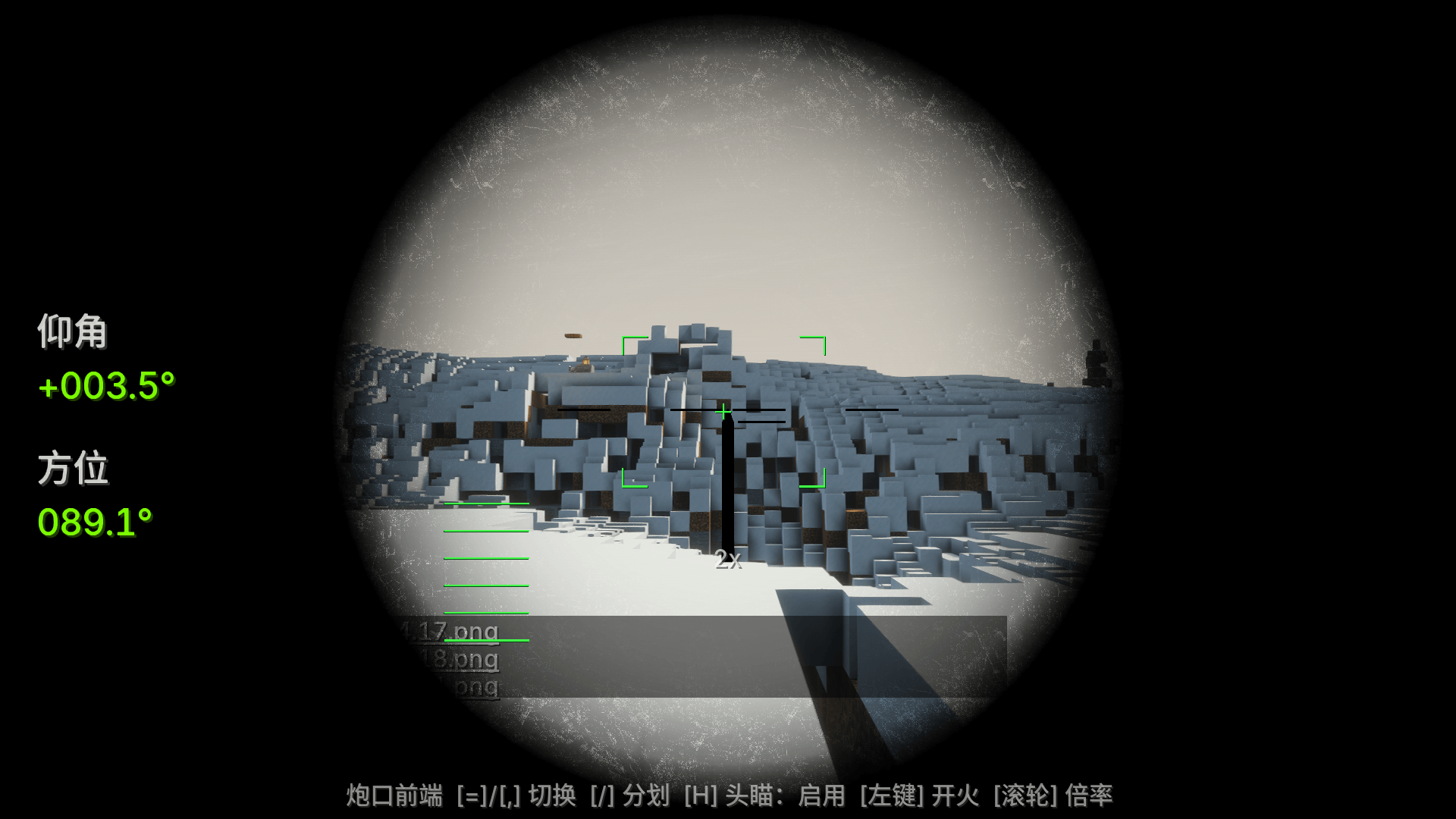
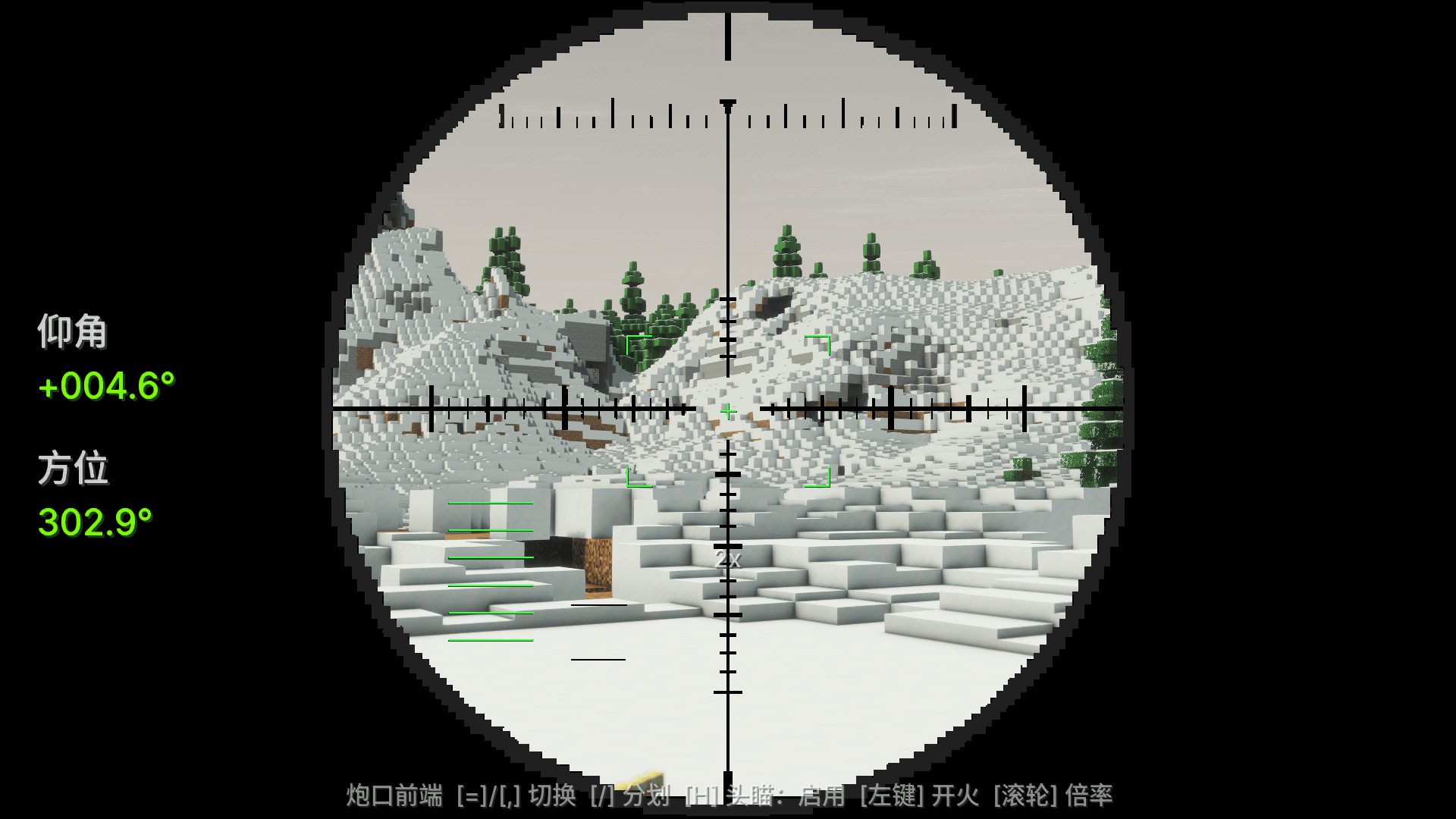
Simple Scope lets you operate assembled cannons through a clear and responsive aiming interface. Use mouse-driven remote head aiming to move the cannon toward your camera direction, while the green actual-muzzle reticle shows the cannon’s real firing direction.
The mod supports Create Big Cannons original mounts, fixed mounts, cannon carts, and CBC Compact Mount assemblies. It also includes compatibility handling for Sable physicalized contraptions.
Guide:
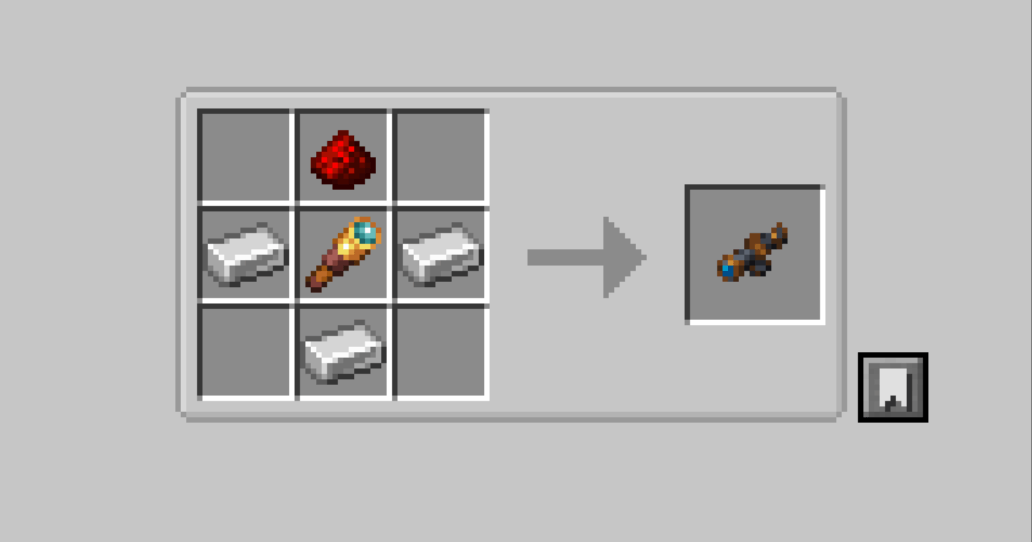
- Binding: Right-click any CBC/cbc_at cannon block with the handheld part (breach recommended, most accurate for measuring length); Shift right-click to unbind
- Aiming:
- '=' View from above the barrel
- ','View from the muzzle
- Mouse wheel to adjust magnification 2x / 4x / 8x
- '/' Switch scope material Press the same key again to exit (both keys can be changed in Settings → Controls → CBC Scope)
- Physical-Chemical Vehicles (Aeronautics): First, use the physical assembler to assemble the chassis, and then bind it with the assembly turret—if you bind first then assemble, the coordinates will become invalid, just right-click to bind again. The scoped view will move, turn, and tilt along with the chassis, with readings in real-world angles.
- To scope, you just need to make sure the scope is in your backpack.
Create Big Cannons 的轻量级瞄准镜附属模组。一个连接部件绑定任意火炮方块,双视角自由切换,完整支持机械动力航空学的物理化载具。 兼容表:MC 1.21.1;CBC 5.11.x 全系、cbc_at、Sable 1.2.2~2.0.x、航空学任意版(零直接依赖)均为可选软依赖,缺失/版本不符时降级不崩溃
Simple Scope 允许你通过开镜视角操作已经组装完成的火炮。开启鼠标头瞄后,炮台会跟随镜头方向移动;绿色“实际炮口准星”会显示炮管真实的射击方向,帮助你判断炮口是否已经追上镜头中心。
模组支持 CBC 原版炮台底座、固定炮台、炮车以及 CBC Compact Mount 紧凑炮台底座,并针对 Sable 物理化结构提供坐标兼容处理。
指南:
- 绑定:手持部件右键任意 CBC/cbc_at 火炮方块(推荐炮闩,测长最准);Shift+右键解绑
- 开镜:
- “=” 炮管上方视角
- “,” 炮口前端视角
- 滚轮 调倍率 2x / 4x / 8x
- “/” 切换开镜素材 再按同一键退出(两个键可在 设置→控制→CBC瞄准镜 里改)
- 物理化载具(航空学):先用物理组装器组装底盘,并用组装炮台再绑定——先绑后组装坐标会失效,重新右键绑一次即可。开镜视角会跟随底盘平移、转向、倾斜,读数为真实世界角度
- 开镜只需要保证瞄准镜在背包里