promotional bannermobile promotional banner

Create:Advanced Frequency Network

Create: AFN is a Create addon organizing dual-slot frequencies into hierarchical channels (e.g., factory.production.line_01). It adds authentication, tickets, access control, and ID verification—ideal for factories, stations, bases, and adventure maps

Create: Advanced Frequency Network (AFN)

Give Create's wireless redstone network clear addresses, dependable access control, and fully playable ticketing devices.

AFN is an add-on for Create 6.0.0+. It turns hard-to-remember two-slot frequencies into hierarchical paths such as factory.production.line_01, then builds authentication, tickets, access control, and identity verification on top. It is suited to factories, stations, warehouses, multiplayer bases, and adventure maps.

What You Get

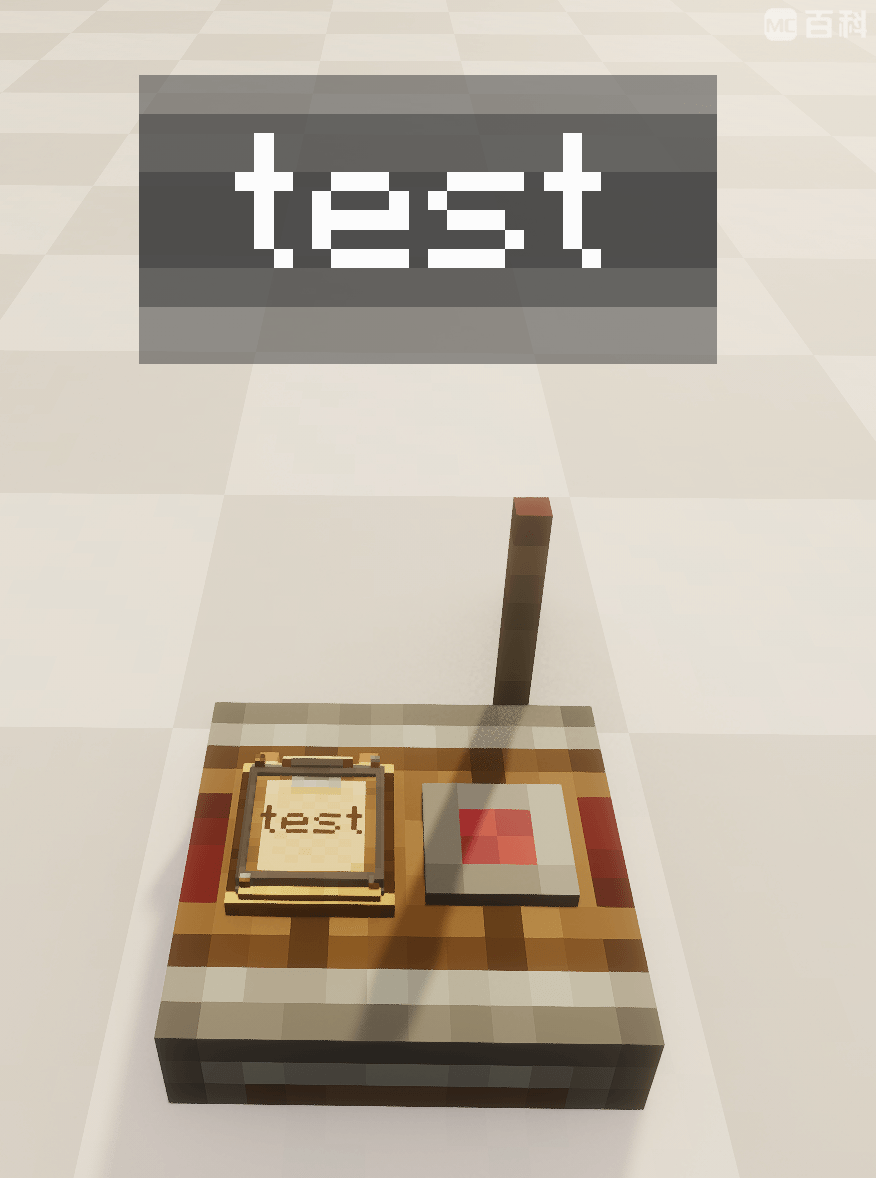
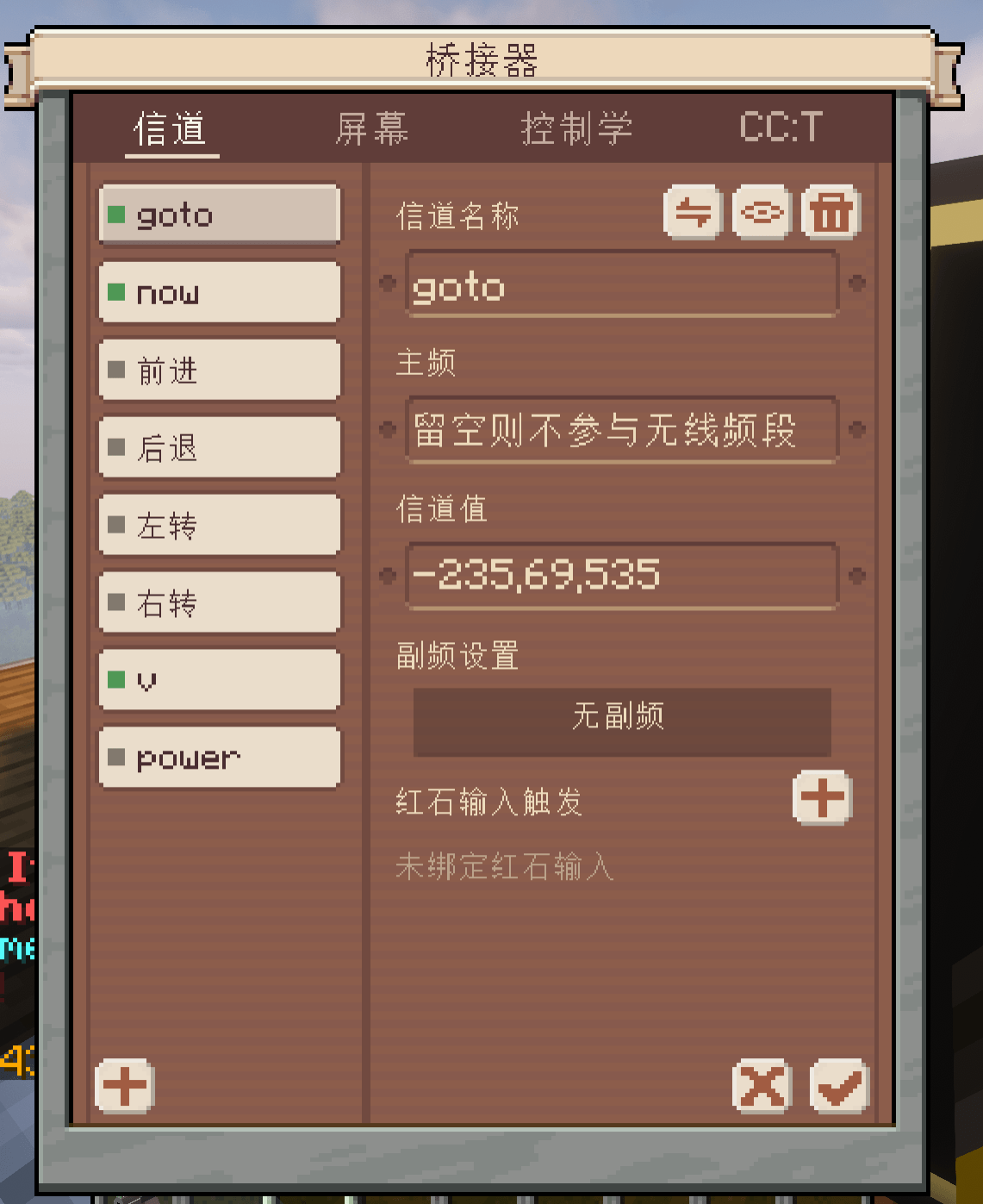
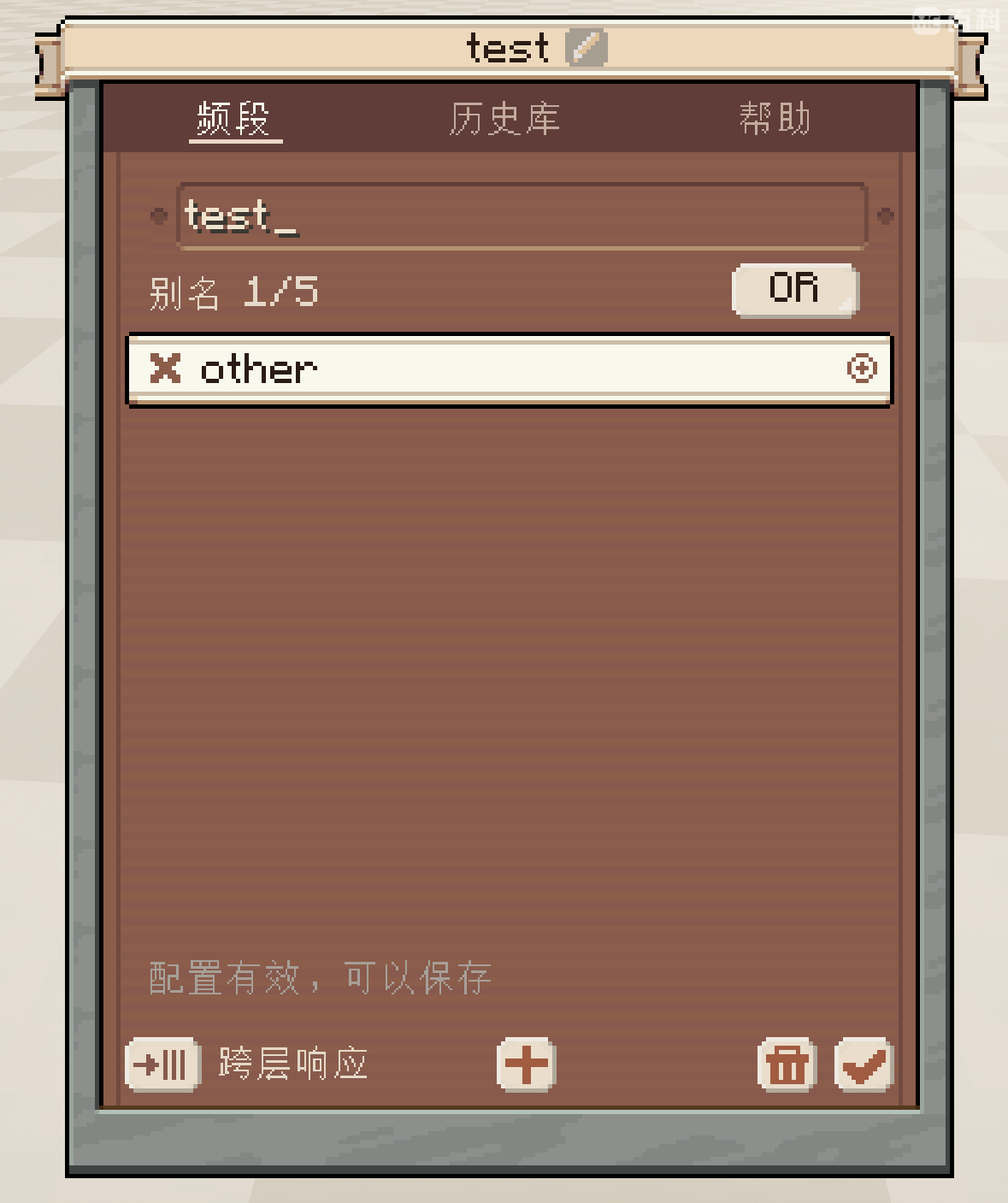
  • Frequency Boards: Store one primary frequency and up to five aliases, allowing one board to manage several lines.
  • Flexible address matching: Supports single-layer and cross-layer wildcards, character classes, exclusions, receiver-side cross-layer response, and OR / AND modes.
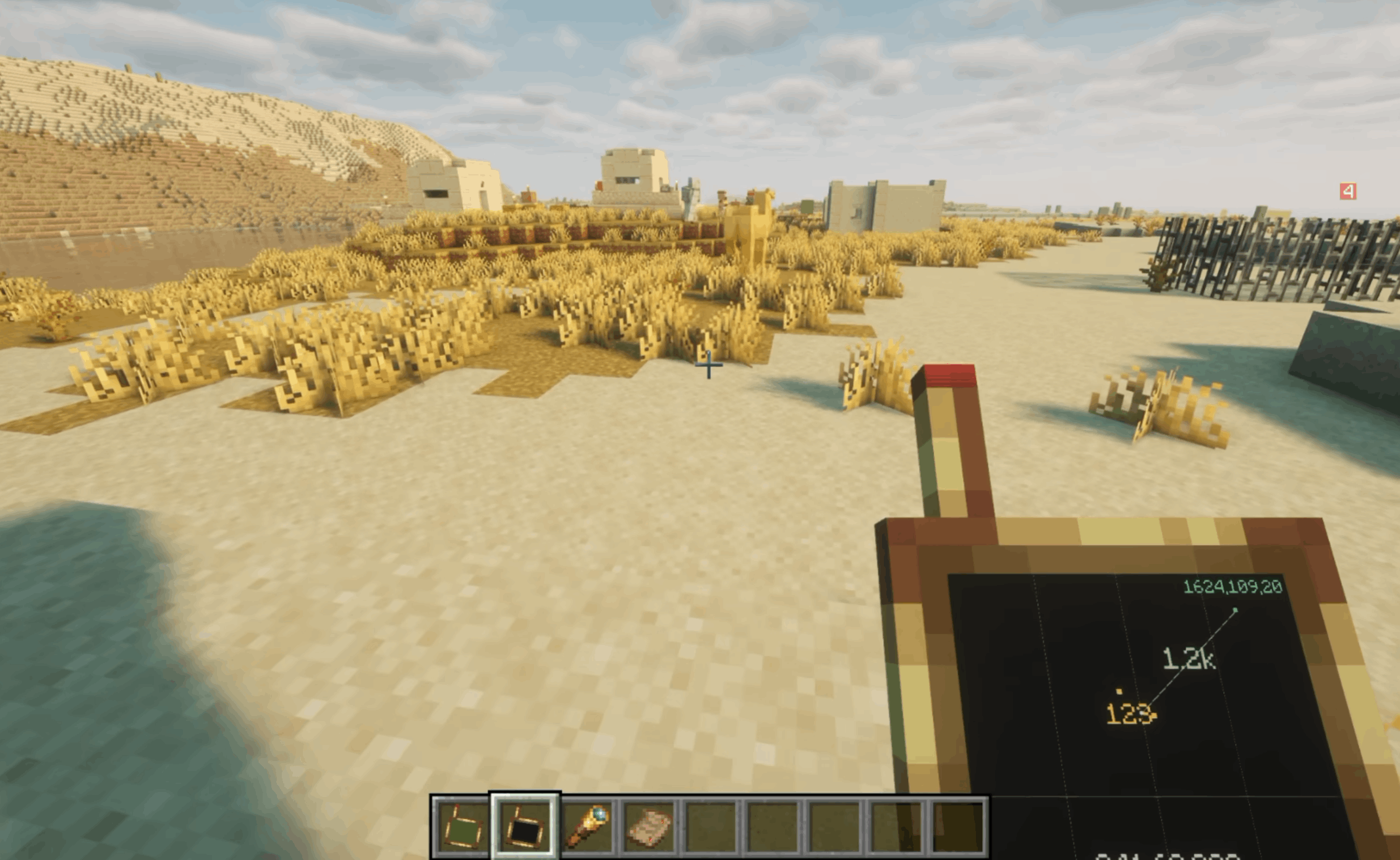
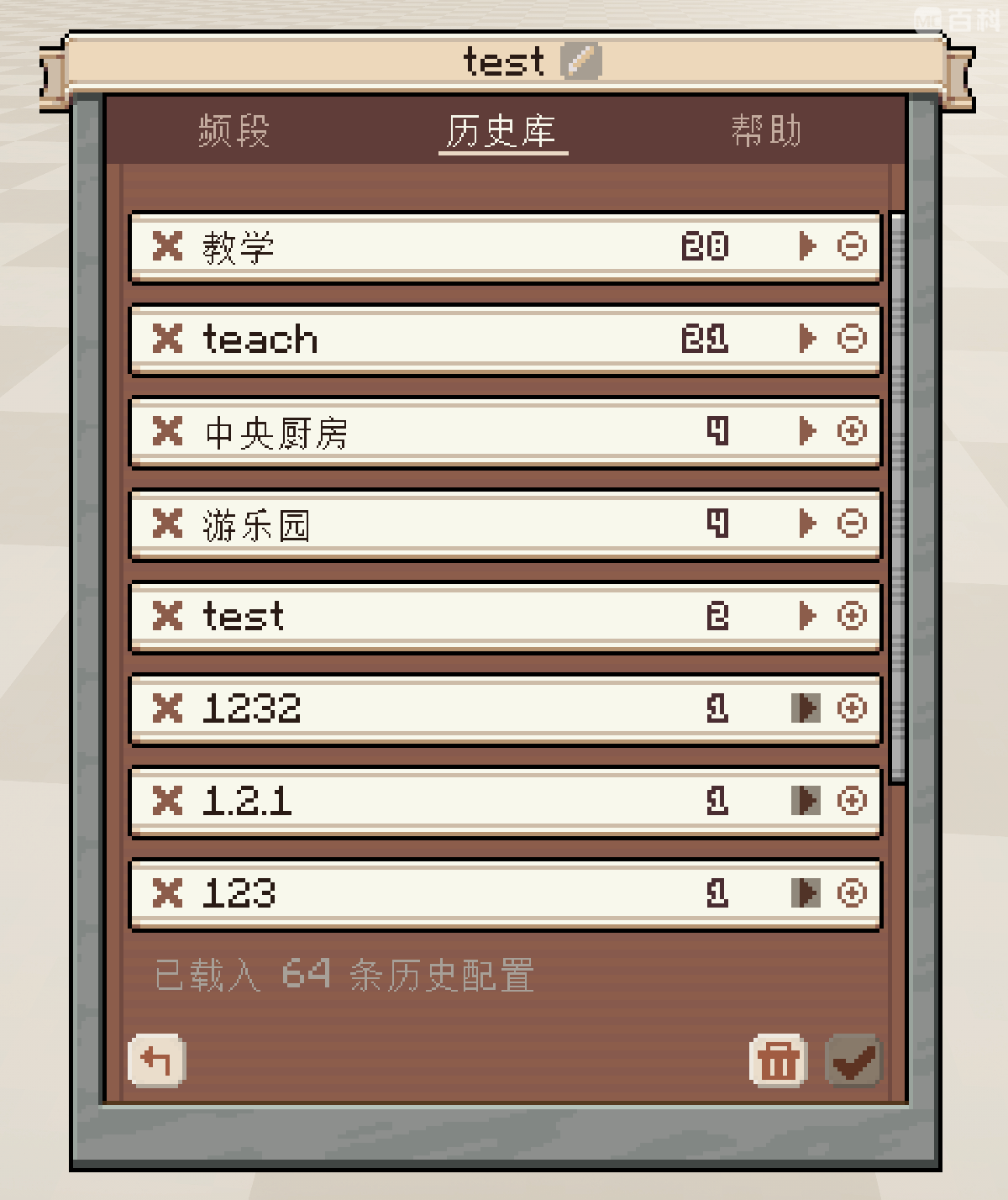
  • Player history: Automatically stores frequently used literal paths while excluding pattern expressions, organizes them by hierarchy, and provides suggestions, copying, and subtree deletion.
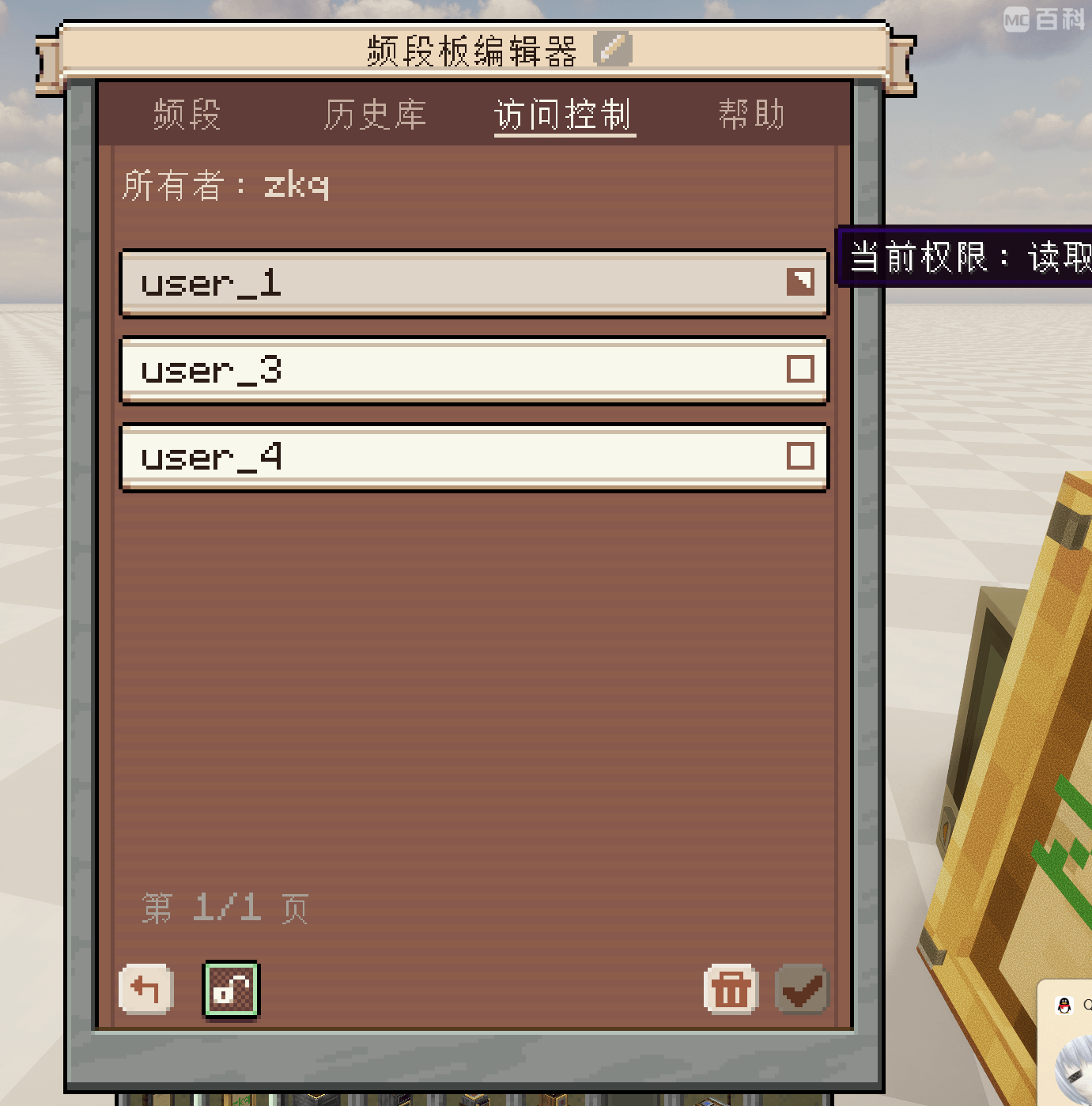
  • Authenticated Frequency Boards: Bind an Owner, manage READ / WRITE access, and optionally enable the installation lock.
  • Invoice Machine and Tickets: Issue stacks of tickets containing a title and issuer, or convert issued tickets back into blank tickets.
  • Ticket Validator: Checks both the ticket address and issuer permissions, stores accepted tickets, and outputs a redstone pulse.
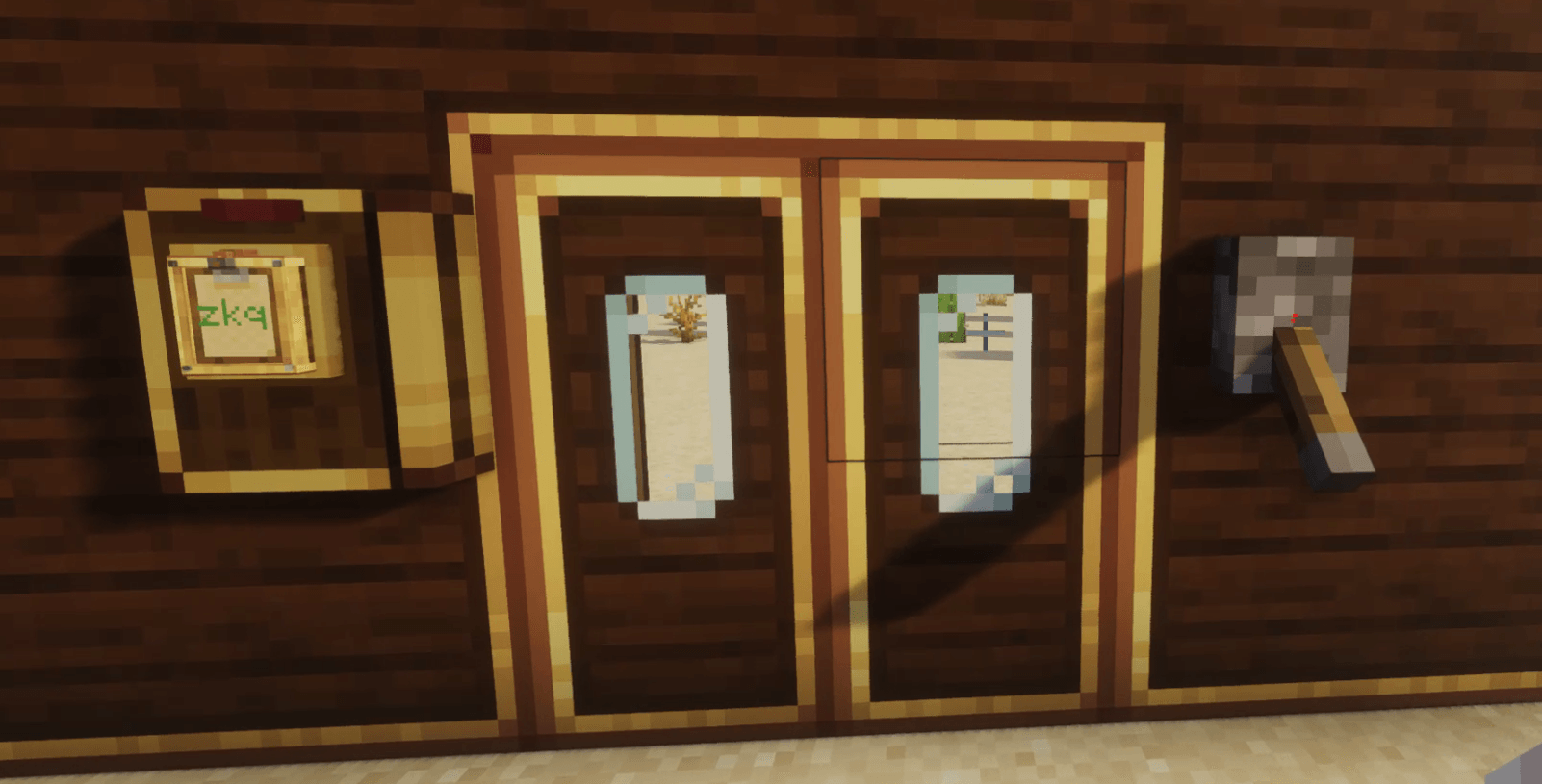
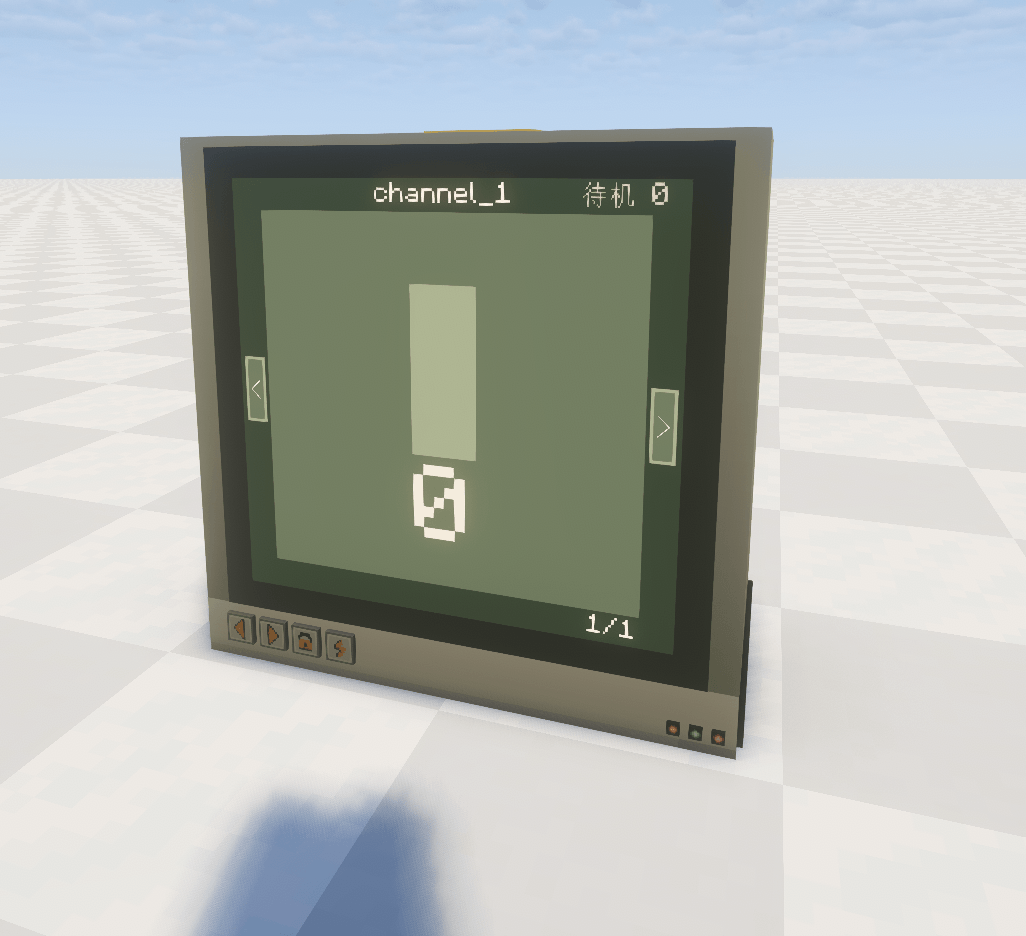
  • Authentication Card Reader and Identity Pillar: Build protected card doors, buttons, consoles, and staff-only passages.
  • Create-style Ponder scenes: Hold W to learn frequency routing, authentication, ticketing, and device combinations step by step.
  • Optional CC:Tweaked integration: Installing CC adds the AFN Advanced Computer and the afn Lua signal API. Ordinary computers can send ordinary signals, while authenticated commands are restricted to the AFN Advanced Computer.

Good Use Cases

  • Zoned control, backup lines, and multi-stage automation in large factories
  • Ticketing and gate systems for airports, stations, and warehouses
  • Owner, maintainer, and visitor roles on multiplayer servers
  • Access control and identity checks in adventure or puzzle maps
  • Buildings with many wireless redstone lines that still need readable configuration

Frequency Selectors

Pattern rules belong to senders, while receivers store concrete addresses:

Syntax Meaning Example
? Matches one character in the current layer door_?
* Matches any amount of text in the current layer without crossing a dot factory.*
** Occupies one expression layer and matches zero or more address layers factory.**.alarm
[...] Matches one character from a set or ascending range in the current layer section_[A-C]
.! Attaches to the previous positive layer and excludes one or more current-layer shorthands; later positive layers may follow factory.*.!private!test.**
positive!exclude Legacy same-layer syntax retained for compatibility factory.*!private!test
.!full.path Legacy full-path exclusion using the original root or attached after ** factory.**.!factory.private.**

The recommended form places .! after any layer containing a pattern. Every following ! contains only a shorthand for that layer and constrains only the immediately preceding positive layer. More positive layers may follow after the exclusions. Multiple exclusions use reject-on-any-match semantics:

A380.*.!PRIVATE!TEST.CABIN.*.!VIP!CREW

This matches A380.PUBLIC.CABIN.ECONOMY, but rejects an address whose second layer is PRIVATE or TEST, or whose fourth layer is VIP or CREW. Local exclusions may also use *, ?, and [...]. An exclusion item cannot contain a dot. **.!value and using ** as a local exclusion item are invalid. Exclusions have no separate count limit, but the complete expression is limited to 128 characters.

.! does not add a layer and does not require the full path to be repeated. Starting from 1.2.[1-9].[2-4], separate exclusions can be attached to adjacent layers:

1.2.[1-9].!2!3![4-8].[2-4].!2!3

The first exclusion group applies only to the third layer, and the second applies only to the fourth. With OR-style subtraction, the third layer retains 1 and 9, while the fourth retains 4, so both 1.2.1.4 and 1.2.9.4 pass. To allow only 1.2.9.4, add !1 to the first group:

1.2.[1-9].!1!2!3![4-8].[2-4].!2!3

Legacy full-path exclusions remain supported and may be chained:

A380.**.!A380.CABIN.VIP.**.!A380.CARGO.SECTION_[A-C]

This excludes the entire A380.CABIN.VIP subtree and also A380.CARGO.SECTION_A, SECTION_B, and SECTION_C. A full-path exclusion matches the same depth by default; add ** explicitly to exclude a whole subtree. The newer local form can skip excluded branches as soon as their layer is reached. The more receivers exist below an excluded branch, the greater the benefit. Small networks and exact expressions have essentially unchanged performance.

A character class matches exactly one character and is case-sensitive. [A-C] matches uppercase A through C, [a-c] matches lowercase a through c, [0-9] matches one digit, and [A-Za-z0-9] combines several ranges. Therefore, door.0[1-9] matches door.01 through door.09. Character classes cannot cross a dot, do not support internal negation such as [^A-C], and reject reversed ranges such as [C-A].

Compatibility

AFN works with Create Redstone Links, and ordinary Create frequencies continue to behave normally. Add-on devices that use the standard Create wireless link API can also participate directly in AFN address and permission matching.

AFN also supports physicalized wireless links from Simulated Project / Aeronautics. AFN's base features are unaffected when Aeronautics is not installed.

Installation

Required:

  • Minecraft 1.21.1
  • NeoForge 21.1.218 or a newer 21.1.x release
  • Create 6.0.x (6.0.0+)

CC:Tweaked is optional and is required only for the AFN Advanced Computer and Lua integration. Install the same AFN version on both the server and clients in multiplayer.

Learn More

  • Hover over AFN content in game and hold W to open Create-style Ponder tutorials. The current tutorial set is still being expanded.
  • The complete CC:Tweaked afn API reference, including functions, parameters, return values, and examples, follows below.

CC:Tweaked: afn Lua Function Reference

This reference documents the afn API's signatures, aliases, parameters, return values, errors, and call examples. The current API version is 6 and provides 12 implemented functions.

Load the API in a CC program first:

local afn = require("afn")

Function Index

Primary function Function aliases Purpose Direct success return
afn.transmit(value[, strength]) send Submit ordinary transmission state true, group_count
afn.transmit_many(table[, strength]) send_many, transmitMany, sendMany Submit transmission state from a table true, group_count
afn.transmit_pair(first, second[, strength]) send_pair, transmitPair, sendPair Submit one ordinary two-frequency pair true, 1
afn.pulse(value[, strength[, ticks]]) Submit timed ordinary output true, group_count
afn.stop() clear Remove all output owned by this computer true, removed_count
afn.validate(text) check Validate a frequency expression Result table
afn.matches(selector, address[, cross_layer]) match Test directional text matching boolean
afn.get_status() status, getStatus Read this computer's transmission state Status table
afn.get_capabilities() capabilities, getCapabilities Read API features and limits Capability table
afn.auth_status() Read the AFN Advanced Computer's binding state Status table
afn.auth_transmit(...) auth_send, auth_send_many, authenticated_transmit, authTransmit Submit continuous authenticated output true, group_count
afn.auth_pulse(...) authenticated_pulse, authPulse Submit timed authenticated output true, group_count

When a write function is passed to pcall, pcall adds its own call-status value at the beginning. A successful call therefore produces true, true, count:

local called, sentOrError, count = pcall(afn.transmit, "factory.line", 15)

if not called then
  printError(sentOrError)
  return
end

-- called == true, sentOrError == true
print("groups:", count)

Expression Syntax Used by the API

All sending functions that accept frequency strings, alias fields, paired-frequency fields, authenticated sending functions, and validate / matches use the same expression parser.

The recommended local-subtraction form is positive.!exclude1!exclude2.nextPositive. .! attaches only to the positive layer immediately on its left. Each following ! contains a shorthand for that layer, and another positive layer may follow after the exclusions:

A380.CABIN.*.!VIP!CREW.**

Here, the third layer first uses * to match any value, then excludes VIP and CREW from that layer. The final ** remains the next positive rule. Each exclusion checks only its own layer, and any matching exclusion rejects immediately. Exclusion items cannot contain dots. The positive layer must contain *, ?, or [...]; ** cannot have local exclusions attached.

Legacy full-path exclusions remain supported. They should normally begin with the original selector root or follow **, using the form positive.!full.path.!another.full.path:

A380.**.!A380.CABIN.VIP.**.!A380.CARGO.TEST.**

This first matches A380.**, then blocks two complete paths. Full-path exclusions require the same depth by default; a trailing ** is required to cover that path and every child layer. Local subtraction and legacy full-path syntax cannot be mixed in one expression. The legacy form exists to preserve existing configurations; use local subtraction for new expressions. Separate transmission groups are independent outputs and do not automatically form an intersection. All sending functions, alias fields, paired-frequency fields, authenticated sending functions, and validate / matches follow these same parsing rules.


afn.transmit / afn.send

afn.transmit(value[, strength])
afn.send(value[, strength])

Submits ordinary transmission state for this computer. A successful call replaces all transmission state previously owned by this computer, including ordinary or authenticated groups; it does not append.

Parameters

Parameter Type Default Description
value string or table Required One frequency, one structured group, a dense array of groups, or a frequency-to-strength map.
strength integer 15 Outer default strength in the range 0–15. A structured item's strength overrides it.

Accepted value Forms

String:

-- The second layer accepts any value except maintenance and offline,
-- then continues to the third layer.
afn.transmit("factory.*.!maintenance!offline.**", 12)

One structured group:

afn.transmit({
  frequency = "factory.line",
  aliases = {"factory.backup"},
  strength = 12,
})

Dense array, where every item is an independent transmission group:

afn.transmit({
  "factory.line_a",
  "factory.line_b",
  {frequency = "factory.line_c", strength = 8},
}, 15)

Frequency-to-strength map:

afn.transmit({
  ["warehouse.door"] = 15,
  ["warehouse.lamp"] = 7,
})

Structured two-frequency group:

afn.transmit({
  frequency = "security.area",
  paired_frequency = "security.open",
  strength = 15,
})

Structured Fields

Canonical field Type Description Compatibility names
frequency string Primary-frequency-side expression. Field position does not represent physical slot order. signal, path
strength integer Group strength in the range 0–15.
aliases Dense string array Aliases on the primary-frequency side, up to 5.
paired_frequency string Paired-frequency-side expression. Creates a two-frequency group when present. paired, second_frequency, second
paired_aliases Dense string array Aliases on the paired-frequency side, up to 5. second_aliases

Unknown fields cause an error. Receiver-side options such as cross_layer and match_mode cannot be supplied in a sending structure.

Equivalent and Non-equivalent Forms

All of the following create one single-frequency group:

afn.transmit("a", 15)
afn.transmit({"a"}, 15)
afn.transmit({frequency = "a", strength = 15})
afn.transmit({["a"] = 15})

Both of the following create one two-frequency group:

afn.transmit_pair("a", "b", 15)
afn.transmit({frequency = "a", paired_frequency = "b"}, 15)

The following forms are not equivalent:

-- One group with two selectors on the same virtual board.
afn.transmit({frequency = "a", aliases = {"b"}})

-- Two independent groups.
afn.transmit({"a", "b"})

Return Values

true, group_count

group_count is the number of transmission groups created by this computer, not the number of receivers.

Main Errors

  • Missing argument, or value is neither a string nor a table.
  • Empty table.
  • Array indexes are not dense and consecutive from 1.
  • Unknown structured field.
  • Strength is not an integer or is outside 0–15.
  • Invalid expression.
  • A local exclusion is empty, attached to a literal layer or **, or contains a dot.
  • Duplicate group.
  • More than 32 groups or 32 selectors.
  • Per-computer write throttling or the server-wide mutation budget is exhausted.

afn.transmit_many

afn.transmit_many(table[, strength])

Aliases:

afn.send_many
afn.transmitMany
afn.sendMany

Uses the same table parser as afn.transmit, but the first argument must be a table. The word many in the function name does not guarantee several groups; passing one structured table still creates only one group.

Parameters

Parameter Type Default Description
table table Required One structured group, a dense array, or a frequency-to-strength map.
strength integer 15 Outer default strength in the range 0–15.

Example

local ok, count = afn.transmit_many({
  -- Local subtraction: exclude maintenance/offline in the second layer,
  -- then continue with press in the third layer.
  {frequency = "factory.*.!maintenance!offline.press", strength = 15},
  -- Legacy full-path exclusion.
  {frequency = "factory.**.!factory.secret.**"},
}, 10)

print(ok, count) -- true  2

Return Values

true, group_count

Passing a string throws transmit_many expects a table. Other errors are the same as afn.transmit.


afn.transmit_pair

afn.transmit_pair(first, second[, strength])

Aliases:

afn.send_pair
afn.transmitPair
afn.sendPair

Creates one ordinary two-frequency transmission group. Both first and second are complete frequency expressions, and together they must cover the receiver's frequency pair. Under AFN's unordered pairing rules, argument order does not represent physical slot order.

Parameters

Parameter Type Default Description
first string Required Primary-frequency-side expression.
second string Required Paired-frequency-side expression.
strength integer 15 Group strength in the range 0–15.

Example

local ok, count = afn.transmit_pair(
  "security.*.!public!guest",
  "security.**.!security.revoked.**",
  15
)

print(ok, count) -- true  1

This dedicated function does not accept alias arguments. To add aliases on either frequency side, use the aliases / paired_aliases fields accepted by afn.transmit.

Return Values

true, 1

A successful call also replaces all previous transmission state owned by this computer.


afn.pulse

afn.pulse(value[, strength[, ticks]])

Submits timed ordinary output. value accepts all the same forms as afn.transmit.

Parameters

Parameter Type Default Description
value string or table Required Ordinary transmission state.
strength integer 15 Outer default strength in the range 0–15.
ticks integer 20 Duration in the range 1–1200 ticks.

Example

local ok, count = afn.pulse({
  frequency = "alarm.*.!test!maintenance",
  paired_frequency = "alarm.**.!alarm.revoked.**",
}, 15, 60)

print(ok, count)

Return Values

true, group_count

Starting a pulse replaces all previous transmission state owned by this computer. The output is removed automatically when the pulse expires.


afn.stop / afn.clear

afn.stop()
afn.clear()

Immediately removes this computer's ordinary groups, authenticated groups, and unfinished pulses. This function is not subject to the per-computer write throttle.

Parameters

None.

Example

local ok, removed = afn.stop()
print(ok, removed)

Return Values

true, removed_count

removed_count is the number of transmission groups removed.


afn.validate / afn.check

afn.validate(text)
afn.check(text)

Validates one frequency expression without modifying transmission state.

Parameters

Parameter Type Description
text string Expression to validate.

Example

-- Validate local subtraction. Validate a legacy full-path exclusion
-- as a separate expression.
local result = afn.validate(
  "factory.*.!maintenance!offline.**"
)

if result.valid then
  print(result.normalized)
else
  printError(result.error)
end

When validation succeeds, normalized preserves the original structure of local subtraction and full-path exclusions. It only normalizes input punctuation and trims surrounding whitespace. For example, a full-width produced by an IME becomes !.

Return Values

Successful validation:

{
  valid = true,
  normalized = "...",
}

Failed validation:

{
  valid = false,
  normalized = "",
  error = "error_code",
}

Possible error codes:

invalid_segment
invalid_character
invalid_globstar
invalid_character_class
invalid_character_range
invalid_exclusion
too_long
too_deep

validate("") returns a syntactically valid empty expression, but an empty expression cannot create a transmitter on its own.


afn.matches / afn.match

afn.matches(selector, address[, cross_layer])
afn.match(selector, address[, cross_layer])

Tests whether a sending selector can match a receiving address. This performs text matching only and does not inspect blocks or network state in the world.

Parameters

Parameter Type Default Description
selector string Required Sending-side expression.
address string Required Concrete receiving address.
cross_layer boolean false Whether to simulate receiver-side cross-layer response.

Example

-- Local subtraction: another positive layer can follow the exclusions.
local inline = "factory.*.!maintenance!offline.**"
print(afn.matches(inline, "factory.production"))  -- true
print(afn.matches(inline, "factory.maintenance")) -- false
print(afn.matches(inline, "factory.offline"))     -- false


-- Cross-layer response only extends a shorter positive selector;
-- it never bypasses an exclusion.
print(afn.matches("factory.*.!private", "factory.line.1", true)) -- true
print(afn.matches("factory.*.!private", "factory.private.1", true)) -- false

Return Value

boolean

An invalid selector or address returns false. Missing arguments or incorrect argument types throw an error. This function does not check wireless range, slot combinations, strength, Owner, or ACL.


afn.get_status

afn.get_status()

Aliases:

afn.status
afn.getStatus

Reads the transmission state owned by the current computer without modifying the network.

Parameters

None.

Return Fields

Field Type / condition Description
active boolean Whether any transmission group is active.
pulse boolean Whether the current output is timed.
pulse_until integer Absolute game tick at which the pulse ends; 0 for non-pulse output.
pulse_remaining integer, when the world is valid Remaining ticks; 0 for non-pulse output.
group_count integer Current number of transmission groups.
signal_count integer Total number of current selectors.
max_signals integer Selector limit, currently 32.
max_signal_groups integer Transmission group limit, currently 32.
signals Dense table array Public state of each transmission group.
computer_id integer CC computer ID.
label Optional string CC computer label.

signals[i] always contains:

strength

When an ordinary primary-frequency side exists, it also contains:

frequency
aliases

When an ordinary paired-frequency side exists, it also contains:

paired_frequency
paired_aliases

The authenticated side exposes only:

authenticated = true
auth_title

An authenticated group may still return the ordinary side's frequency, aliases, and strength, but never returns the bound board's primary frequency, Owner UUID, or ACL.

Example

local state = afn.get_status()

print("active", state.active)
print("groups", state.group_count)
print("selectors", state.signal_count)

for i, signal in ipairs(state.signals) do
  print(i, signal.frequency or "<auth-only>", signal.strength)
end

afn.get_capabilities

afn.get_capabilities()

Aliases:

afn.capabilities
afn.getCapabilities

Reads the API version, limits, and current host capabilities without modifying the network.

Parameters

None.

Return Fields

Field Current value / description
version "6", string version.
api_version 6, integer version.
max_signals 32.
max_signal_groups 32.
max_pulse_ticks 1200.
patterns ?, *, **, [...], positive.!exclude1!exclude2, compatible positive!exclude, and .!full.path.
attached_layer_exclusions true; positive.!exclude can attach to the previous positive layer, and later layers may follow the exclusions.
local_exclusions true; current-layer shorthand exclusions are available.
inline_exclusions true; supports attached positive.!exclude1!exclude2 and legacy positive!exclude.
full_path_exclusions true; explicit compatible .!full.path remains supported, normally beginning with the original root or attached after **.
exclusion_scope "previous_layer"; a local ! constrains only the immediately preceding positive layer.
exclusion_operator "OR"; any matching exclusion rejects the address.
mixed_exclusion_grammars false; local syntax and legacy full-path syntax cannot be mixed in one expression.
authenticated_transmit Whether the current host can perform authenticated transmission.
auth_host Whether the current host is an AFN Advanced Computer with a valid bound board.
auth_methods auth_status, auth_send, auth_send_many, auth_transmit, auth_pulse.
two_slot_pairs true.
unordered_board_slots true.
authentication_attachment "embedded_board".
paired_frequency_fields true.
aliases_per_signal 5.
and_groups true.

Example

local capabilities = afn.get_capabilities()

assert(capabilities.api_version >= 6, "AFN API v6 required")
assert(capabilities.attached_layer_exclusions and capabilities.local_exclusions,
  "attached layer exclusions are unavailable")
assert(capabilities.exclusion_scope == "previous_layer")
assert(capabilities.inline_exclusions, "inline exclusions are unavailable")
assert(capabilities.full_path_exclusions, "full-path exclusions are unavailable")

if capabilities.auth_host then
  print("authenticated output is available")
end

afn.auth_status

afn.auth_status()

Reads the public binding state of the current AFN Advanced Computer. It can be called only on create_afn:afn_computer; an unbound computer can still be queried normally.

Parameters

None.

Return Value

Unbound:

{
  valid = false,
  state = "unbound",
}

Valid binding:

{
  valid = true,
  state = "ready",
  owner_name = "...",
  title = "...",
}

The authenticated board's primary frequency, Owner UUID, aliases, and ACL are never returned.

Example

local called, stateOrError = pcall(afn.auth_status)

if not called then
  printError(stateOrError)
  return
end

if not stateOrError.valid then
  print("unbound")
  return
end

print(stateOrError.owner_name, stateOrError.title)

Calling it from an ordinary CC computer throws:

auth commands are only available on create_afn:afn_computer

afn.auth_transmit

Primary name and aliases:

afn.auth_transmit
afn.auth_send
afn.auth_send_many
afn.authenticated_transmit
afn.authTransmit

Three overloads are available:

afn.auth_transmit()
afn.auth_transmit(strength)
afn.auth_transmit(selector_or_table[, strength])

Submits continuous output using the authenticated board identity installed in the current AFN Advanced Computer. It can be called only on a create_afn:afn_computer with a valid authenticated board.

Overloads

Call Result
auth_transmit() Sends only the authenticated identity at strength 15.
auth_transmit(strength) Sends only the authenticated identity at the specified strength.
auth_transmit(selector_or_table[, strength]) Combines one or more ordinary selectors with the authenticated identity.

selector_or_table accepts the same string, structured single group, dense array, and frequency-map formats as afn.transmit, but it cannot provide a non-empty paired_frequency; the bound authenticated identity already occupies the paired side.

Example

afn.auth_send()
afn.auth_send(8)

afn.auth_send({
  {
    -- Local subtraction: reject test and maintenance in the second layer,
    -- then continue with gate in the third layer.
    frequency = "security.*.!test!maintenance.gate",
    strength = 15,
  },
  {
    -- The primary frequency and aliases both support full-path exclusions
    -- and local subtraction.
    frequency = "security.**.!security.revoked.**",
    aliases = {"security.*.!guest!public.lift"},
    strength = 10,
  },
})

Return Values

true, group_count

A successful call replaces all previous transmission state owned by this computer. Lua cannot supply an external authenticated board, Owner, UUID, or ACL.

Main Errors

auth commands are only available on create_afn:afn_computer
AFN computer has no valid authenticated board
authenticated transmission accepts one ordinary selector per signal

auth_send_many is only a function alias and does not require the first argument to be a table.


afn.auth_pulse

Primary name and aliases:

afn.auth_pulse
afn.authenticated_pulse
afn.authPulse

Three overloads are available:

afn.auth_pulse()
afn.auth_pulse(strength[, ticks])
afn.auth_pulse(selector_or_table[, strength[, ticks]])

Submits timed output using the authenticated board identity installed in the current AFN Advanced Computer. It can be called only on a create_afn:afn_computer with a valid authenticated board.

Overloads

Call Result
auth_pulse() Sends only the authenticated identity at strength 15 for 20 ticks.
auth_pulse(strength[, ticks]) Sends only the authenticated identity at the specified strength and duration.
auth_pulse(selector_or_table[, strength[, ticks]]) Combines ordinary selectors with the authenticated identity in timed output.

Parameter Ranges

Parameter Range / default
strength 0–15, default 15.
ticks 1–1200, default 20.

Example

afn.auth_pulse()
afn.auth_pulse(15, 60)
afn.auth_pulse("security.*.!test!maintenance.gate", 15, 20)
afn.auth_pulse("security.**.!security.revoked.**", 15, 20)

Do not use nil as a placeholder for ordinary optional parameters; this function selects an overload from the type of its first argument.

Return Values

true, group_count

A successful call replaces all previous transmission state owned by this computer. The output is removed automatically when the pulse expires. Active authenticated output is also cleared immediately if the host is broken, moved, unloaded, shut down, or its bound-board snapshot becomes invalid.

Main Errors

The errors are the same as for afn.auth_transmit. An error is also thrown when ticks is not an integer or is outside 1–1200.

The Create:Advanced Frequency Network Team

profile avatar
  • 1
    Projects
  • 15
    Downloads