Снимок ÑкÑана_20260728_192155.png
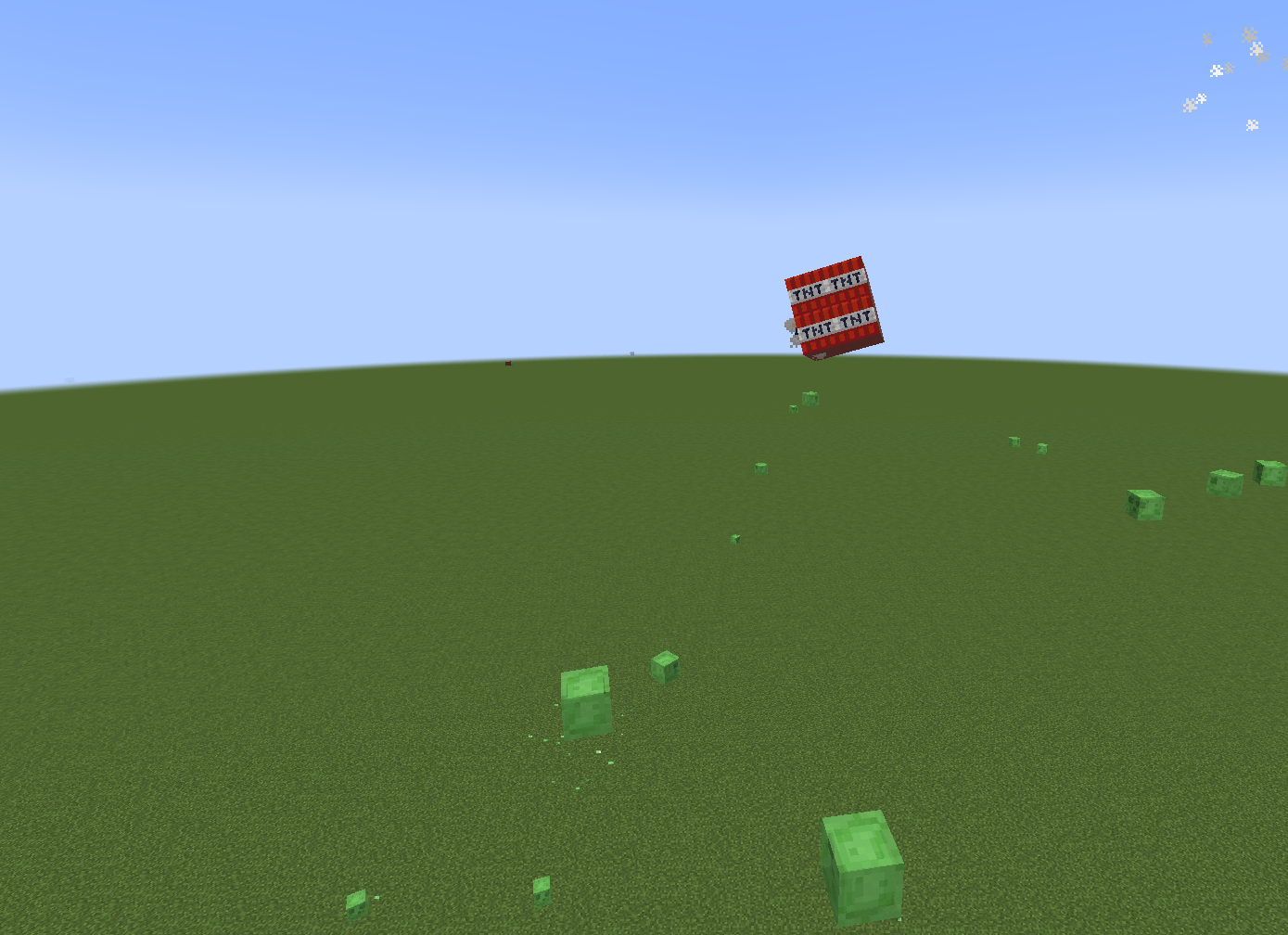
TNT can blow up if you throw them!
2026-08-02_18.55.57.png
Description
Crashy!
Glue your build together. Switch on physics. Throw it at something.


Crashy! is a survival-friendly toolkit for Sable, the sub-level physics library. Sable gives Minecraft real rigid-body physics but deliberately adds no way to use it in-game — Crashy! is that way. Five items and blocks, one gameplay loop, and a lot of rubble.
⚠️ Sable is required. Crashy! does nothing on its own. Install Sable (and its own dependencies) alongside it.
The loop
1. Glue it. Hold Construction Glue in your off-hand and build normally — every block you place is bonded to the ones it touches. Glued blocks glow with an outline while the glue is in your hand, so you always see exactly what counts as "the build".
2. Switch on physics. Put a Physics Activator on the build and right-click it with an empty hand (or feed it redstone). The whole glued group becomes one real rigid body: it falls, it tumbles, it collides with the world.
3. Launch it. Right-click the object with the Launcher to pick it up — it floats in front of you. Hold right-click to charge up to power 10, let go, and watch it go.
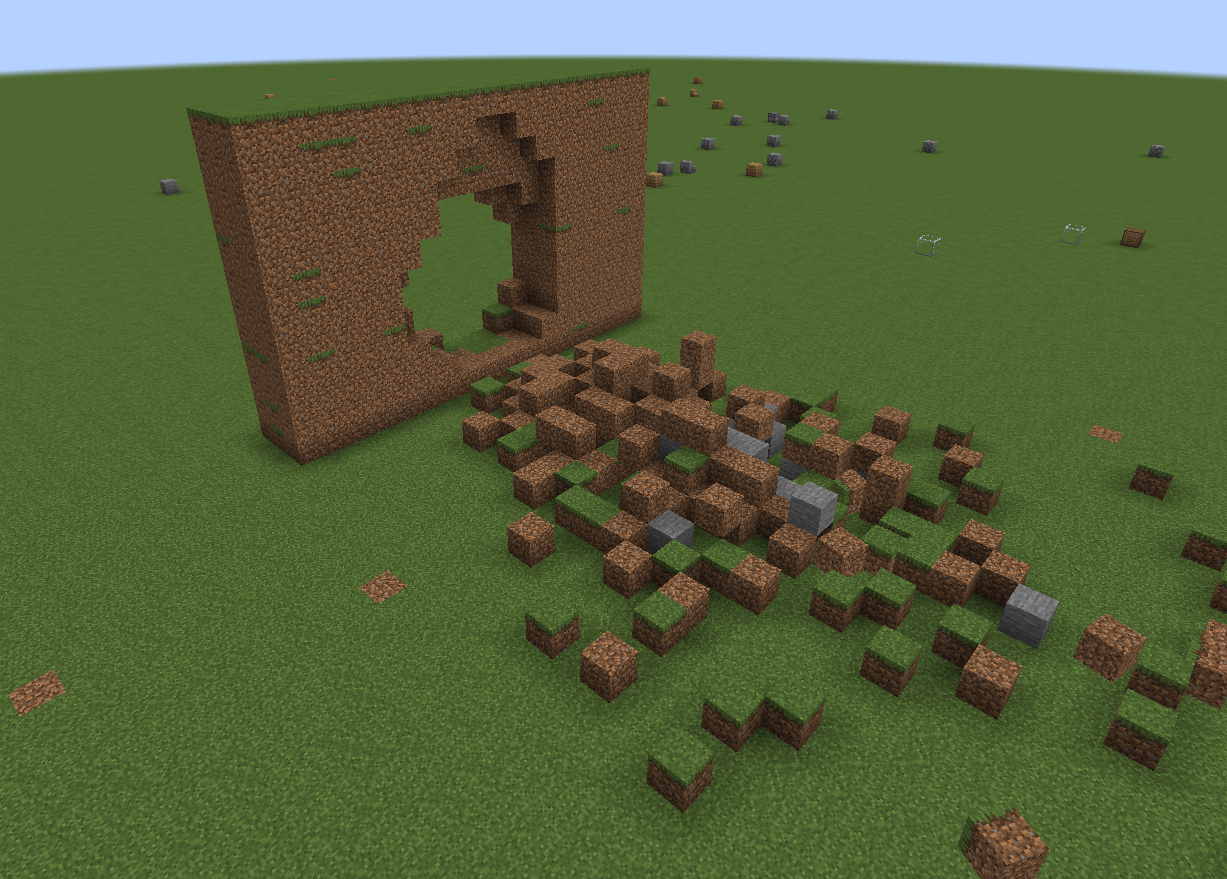
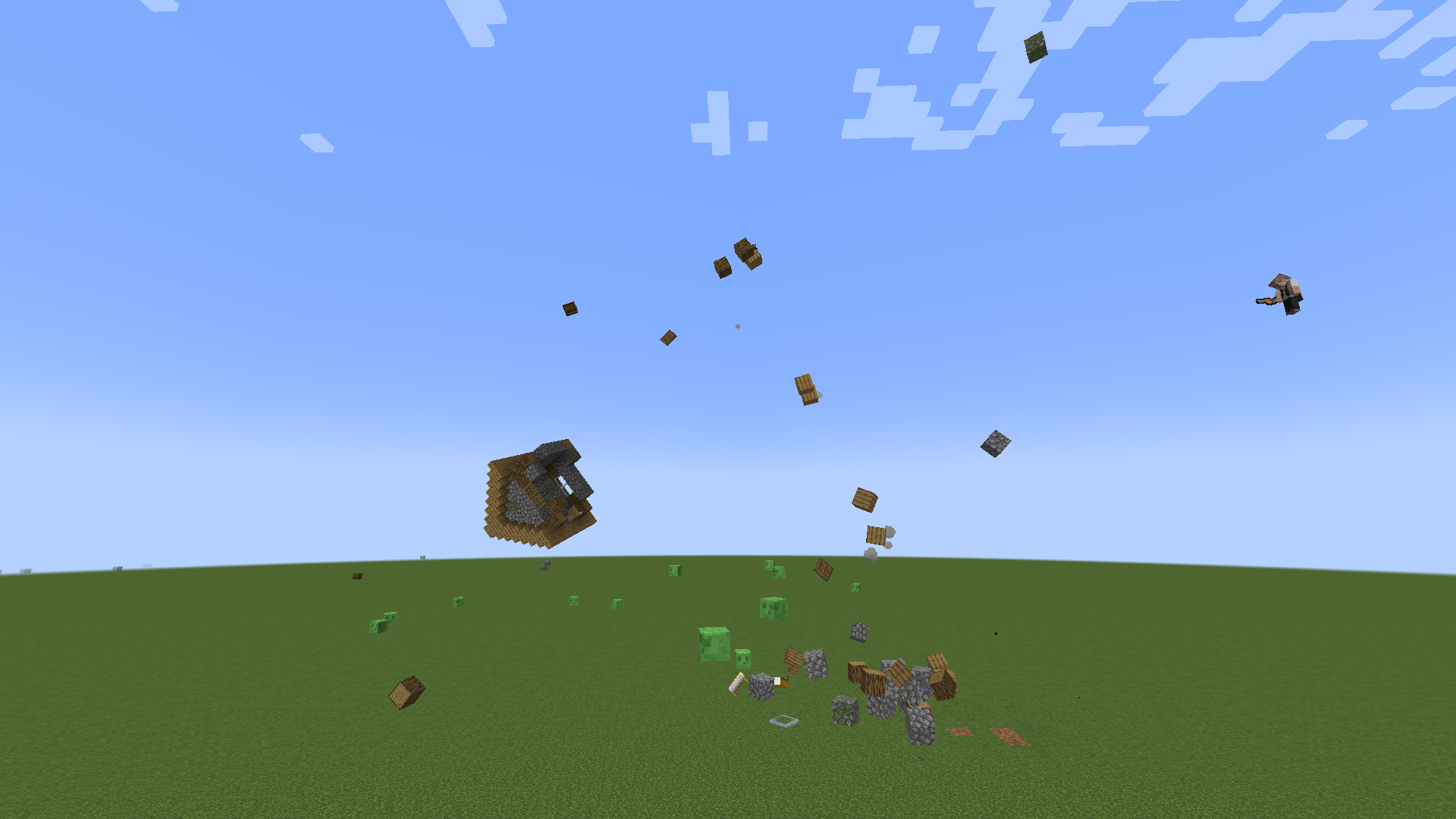
4. Watch it come apart. Whatever it hits shatters into loose physics blocks, and so does the object itself. The debris carries the momentum of the crash, arcs away from the impact, bounces, and eventually settles back into the world as ordinary blocks.
Everything in the box
Construction Glue — bonds blocks into one rigid structure. Off-hand while building glues automatically; right-click glues a single block; sneak + right-click dissolves the whole group. Glue survives world reloads.
Physics Activator — turns a glued build into a live physics object. Right-click it with the item version on an existing object to switch physics back off: the build snaps to the grid, settles into the world, and stays glued so you can activate it again.
Launcher — grab, charge, fire. Power 1–10, roughly 8 m/s per level by default, so a full charge throws at about 80 m/s.
Build Saver — a drafting table that records the build attached to it. Right-click it with a Blueprint to copy the structure onto the blueprint, then stamp that build out anywhere, already glued. Blueprints are reusable and never overwrite blocks that are already there.
Enjoying Crashy?

Destruction settings — press F7
Three modes, switchable at any time:
| Mode | What happens |
|---|---|
| Instant | Everything inside the blast radius shatters, whatever it is made of. |
| Realistic | Impact force is measured against each block's blast resistance. A power-8 hit scatters planks across the whole crater but only chips cobblestone near the middle. Obsidian shrugs it off entirely. |
| Indestructible | Nothing breaks. Objects still fly and bounce off the world. |
Plus sliders for block toughness, crater size, debris scatter and launch speed, and toggles for world destruction, TNT blasts and debris settling.
Settings are stored in the world and shared by everyone on the server. Only operators — or the host of a single-player world — can change them.
TNT
Fly an object into TNT and the charge goes off instead of a vanilla explosion. The block is removed by hand, so nothing gets deleted: the surrounding blocks survive and get thrown much further instead. Nearby TNT chains, up to 24 charges per crash.
Details that matter
- Custom impact audio. Three crash variants so repeated hits never sound looped, plus launcher and activation sounds.
- Real debris. Shards are made of the actual blocks that broke, with matching break particles, a ground-hugging dust ring and sparks that scale with how hard the hit was.
- It cleans up after itself. Resting debris is written back into the world as ordinary blocks. Without that, every shard would stay a live rigid body forever and the server would grind to a halt.
- Built-in limits. Caps on blocks per object, blocks destroyed per impact and debris per crash keep a big crash from melting the tick loop. All configurable.
- Huge objects break sensibly. A skyscraper does not explode into confetti — only the region that actually took the hit breaks off.
- English and Russian translations included.
Recipes
- Construction Glue — 4 slime balls around a honey bottle (plus shape)
- Physics Activator — 8 iron ingots around a block of redstone
- Launcher — iron ingots + eye of ender + blaze rod + netherite ingot
- Build Saver — 8 copper ingots around a lapis block, redstone at the bottom
- Blueprint — 4 lapis lazuli around a sheet of paper (plus shape)
Requirements
- Minecraft 1.21.1
- NeoForge 21.1.0+
- Sable 2.0.0+ and its dependencies (Veil, Forge Config API Port)
Sable is an intrusive, mixin-heavy mod and can conflict with other mods that touch world rendering or chunk handling. If something breaks, check whether Sable alone reproduces it before reporting it here.
Credits
Physics by Sable, created by RyanHCode. Crashy! by pycodder.
---
🇷🇺 Русское описание
Склей постройку. Включи физику. Запусти её во что-нибудь.
Crashy! — это набор инструментов для выживания поверх Sable, библиотеки физики подвижных блочных структур. Sable даёт настоящую физику твёрдых тел, но намеренно не даёт способа пользоваться ей в игре. Crashy! — и есть этот способ.
⚠️ Sable обязателен. Без него Crashy! не работает.
Как играть
- Склейте. Держите Строительный клей во второй руке и строй как обычно — каждый поставленный блок склеивается с соседними. Пока клей в руке, склеенные блоки подсвечиваются контуром.
- Включите физику. Поставьте Активатор физики на постройку и нажмите ПКМ пустой рукой (или подайте редстоун). Вся склеенная группа становится настоящим физическим телом.
- Запустите. ПКМ Запускателем по объекту — он поднимается перед вами. Зажмите ПКМ для зарядки до силы 10, отпусти — и полетело.
- Смотрите на обломки. То, во что объект влетел, разлетается на отдельные физические блоки — и сам объект тоже. Осколки уносят импульс удара, разлетаются от центра и через некоторое время оседают обратно обычными блоками мира.
Что внутри
- Строительный клей — склеивает блоки в жёсткую конструкцию. Склейка сохраняется в мире.
- Активатор физики — включает физику. Тем же предметом можно выключить её обратно: постройка впишется в сетку мира и останется склеенной.
- Запускатель — взять, зарядить, выстрелить. Сила 1–10, по умолчанию ~8 м/с за единицу.
- Сохранитель построек и Чертёж — записывают постройку и вставляют её где угодно, уже склеенной. Чертёж многоразовый и не затирает чужие блоки.
Нравится Crashy?
Настройки на F7
| Режим | Что делает |
|---|---|
| Моментальное | всё в радиусе разлетается, из чего бы оно ни было |
| Реалистичное | сила удара сравнивается со взрывоустойчивостью блока: при силе 8 доски разлетаются по всей воронке, булыжник крошится только в середине, обсидиан не трогается |
| Неразрушимое | ничего не ломается, объекты просто летают и отскакивают |
Плюс ползунки прочности, размера воронки, разлёта осколков и скорости запуска. Настройки хранятся в мире и общие для всех; менять может оператор или хозяин одиночного мира.
ТНТ
Если объект влетает в ТНТ, заряд срабатывает вместо ванильного взрыва: блок убирается вручную, поэтому окружающие блоки не пропадают — они разлетаются намного дальше. Соседний ТНТ детонирует следом, до 24 зарядов за удар.
Требования
Minecraft 1.21.1, NeoForge 21.1.0+, Sable 2.0.0+ с его зависимостями (Veil, Forge Config API Port).
Sable активно использует миксины и может конфликтовать с модами на рендер мира и работу с чанками. Если что-то сломалось — проверьте, воспроизводится ли это с одним Sable.
Физика — Sable от RyanHCode. Crashy! — pycodder.
The Crashy! Team