Cozy QoL
- By
A configurable collection of client-side quality-of-life features for Minecraft, with HUD improvements, building tools, inventory utilities, and dedicated Origins support.
Screenshot_5.png
Screenshot_6.png
Screenshot_7.png
Description
Cozy QoL
A little more comfort in your Minecraft world.
Cozy QoL is a client-side quality-of-life mod for Minecraft 1.20.1 that brings together useful visual settings, HUD improvements, inventory tools, building helpers, navigation, safety warnings, chat improvements, and dedicated Origins support.
The goal is simple: make Minecraft more comfortable to play without changing what makes it Minecraft. Customize your experience, get useful information when you need it, and spend less time dealing with small annoyances.
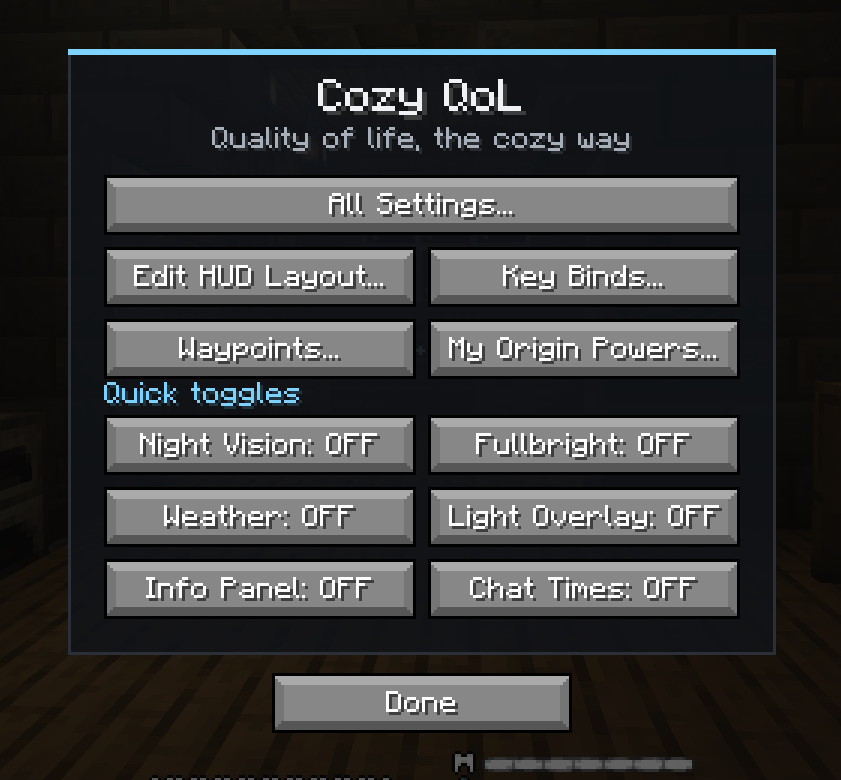
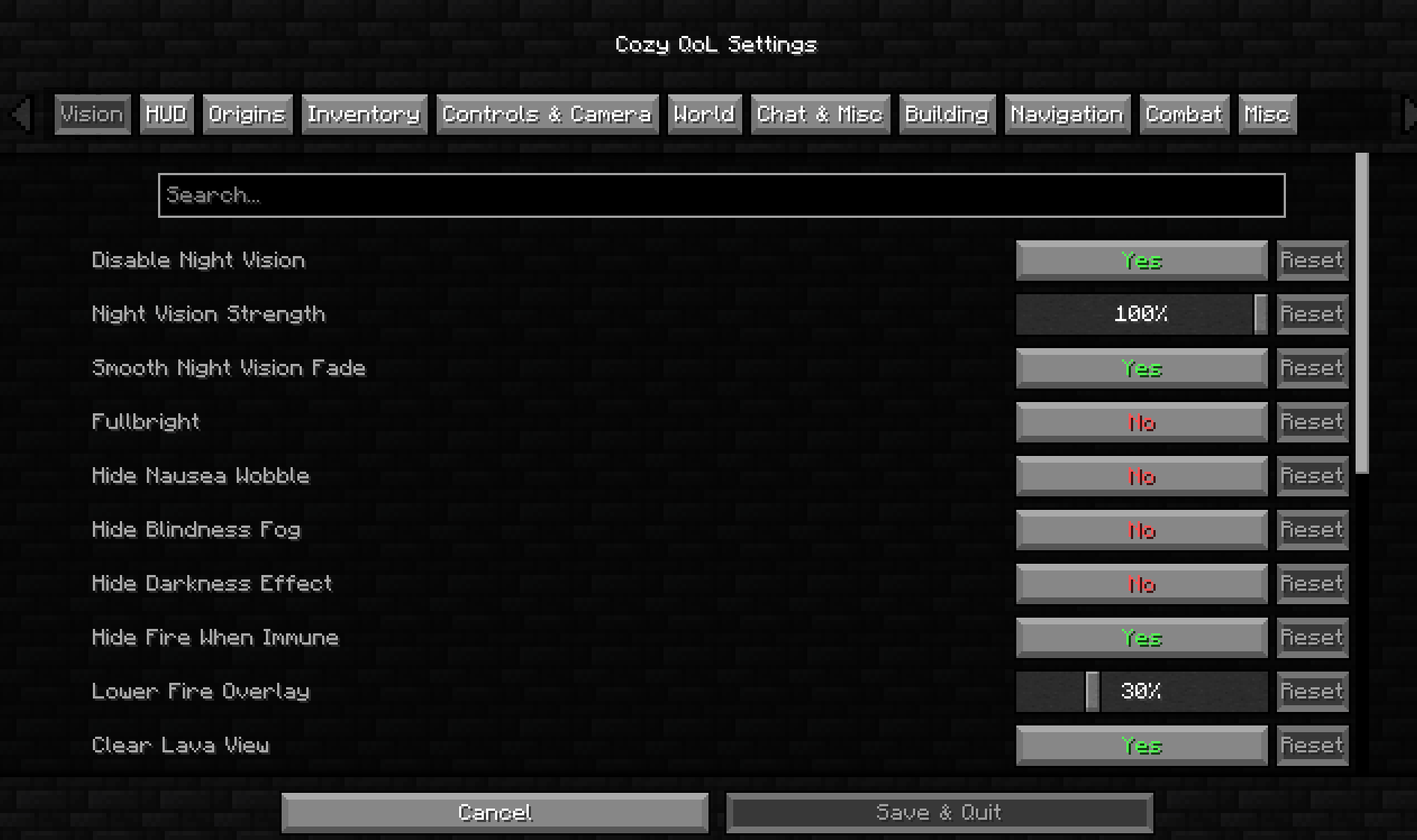
Everything is designed to be configurable, so you can keep the features you love and disable the ones you don't. Open the menu with Right Shift (rebindable) and use the built-in settings search to find any option quickly.
Features
Visuals and HUD
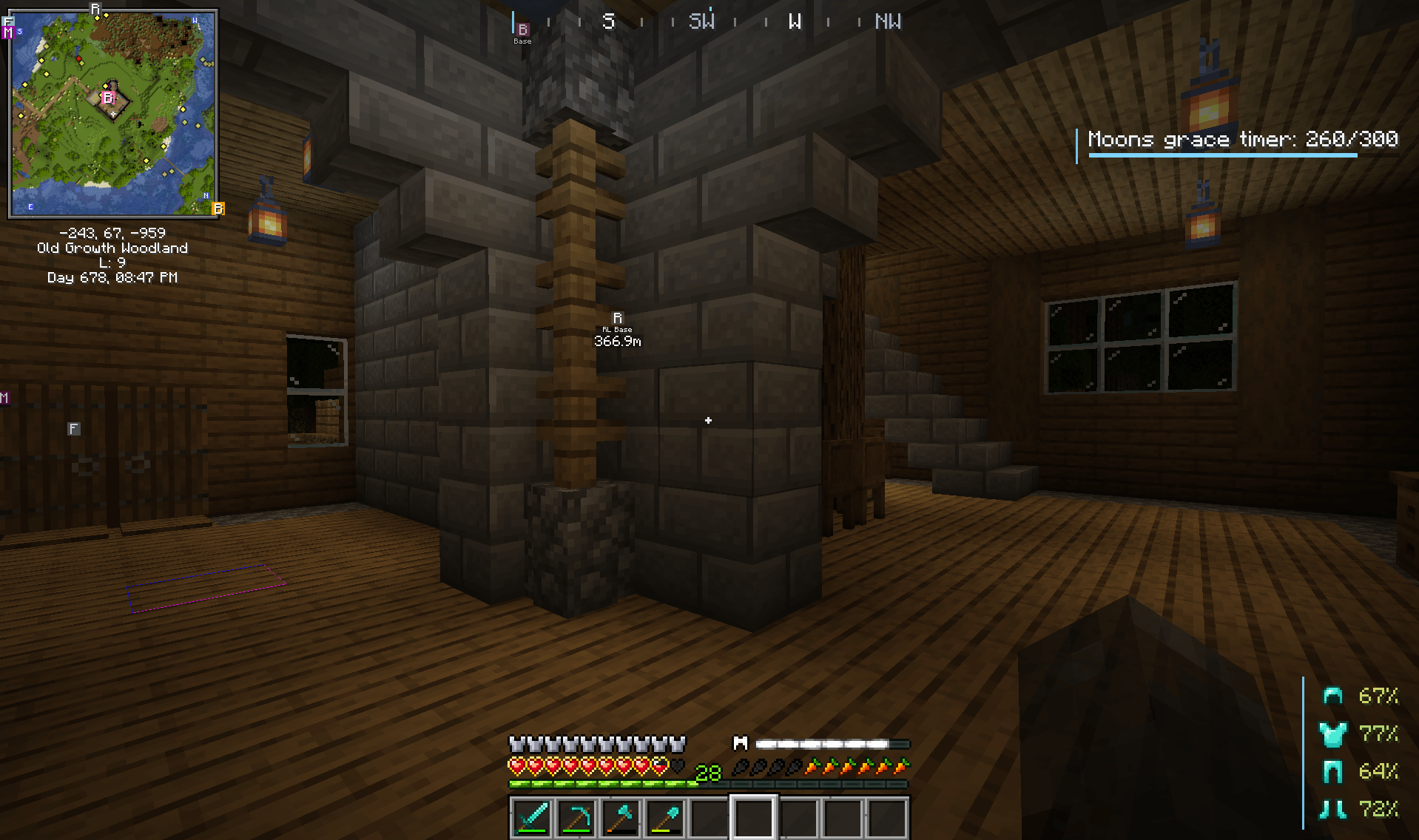
Customize night vision with adjustable intensity and smooth fade-out, or disable it entirely. Toggle fullbright, lower or hide the fire overlay, clear your view in lava, and improve underwater visibility. Hide nausea wobble, blindness fog, the darkness effect, hurt camera tilt, speed FOV changes, the carved pumpkin overlay, and your own effect particles. Adjust block outlines, rain and snow, explosion, critical hit and block break particles, cloud height, entity render distance, and the sun, moon and stars. Zoom with smooth scrolling, look around with freelook, tweak third-person distance, use the cinematic and idle cameras, and design your own crosshair. An optional Clear Glass resource pack is also included.
Keep track of coordinates, Nether and Overworld conversion, direction, biome, FPS, ping, clock, day counter, sleep status, effect timers, durability, arrow count, and item pickups with a compact, movable HUD. Optional panels include keystrokes, speed, CPS, consumables, performance, real-time clock, held item total, free slots, block info, nearby entities, chunk, XP, air, moon phase, rotation, mount, spawn distance, armor stats, daylight, item cooldowns, and a personal note. See saturation and food previews on the hunger bar, and use the compact F3 screen, better subtitles, ping numbers, and a sound radar. Rearrange everything in the HUD editor, pick colors with a color picker and presets, and cycle between HUD presets with a keybind.
Inventory and Items
Sort your inventory, lock important slots, search, quick stack, scroll items between containers, and save and load hotbar layouts. Preview shulker boxes and maps, see free slots and totals in containers, and check where else an item is stored. Extra tooltips cover food values, enchantment descriptions, recipe uses, anvil penalties, best enchantment markers, brewing hints, and villager info.
Other features include tool-break protection, hotbar refilling, auto tool, low durability numbers, rarity outlines, new item dots, an inventory peek key, and an elytra swap key. Mark junk items, have Take All skip them, and drop them with a single key.
Building and Navigation
Use the ruler, line lock, rotation lock, build grid, mirror and palette helpers, placement and facing previews, and block counters. See light levels, chunk borders, spawn chunks, and slime chunks, and get a warning when you reach the build limit.
Waypoints with beams, death markers, a compass bar, a bed marker, portal linking and coordinates, and breadcrumb trails help you find your way around the world. A minimap and full world map are included, and they turn off automatically if Xaero's, JourneyMap, or VoxelMap is installed. A spawner finder, world seed display, discoveries, and one-key coordinate sharing are also built in.
Combat and Survival
Get useful warnings for low health (with heartbeat and red screen edges), hunger, missing totems, nearby creepers, lava, dangerous dimensions, and when something is watching you. Optional combat information includes mob and player health bars, damage numbers, fall damage estimates, an attack cooldown ring, a bow charge ring, hit markers, and highlighting for your own arrows.
Survival helpers include crop highlighting, fishing alerts, breeding timers, a weather timer, a danger meter, a darkness compass, an elytra helper, effect ending alerts, food suggestions, auto respawn, drop protection, and edge sneak. Bedtime reminders, break reminders, an AFK timer, and new day notices help you pace your play.
Origins Integration
Cozy QoL includes additional tools for Origins players, including power cooldown timers, origin-specific danger warnings with optional sounds, diet and food restriction tooltips and highlights, armor restriction tooltips, an origin status panel, resource numbers, power key helpers, a guide hint, and an avian height line. These settings stay inactive when Origins isn't installed.
Chat and General Quality of Life
Chat timestamps, mention alerts, repeated message grouping, whisper highlighting, chat tabs, a chat filter, ignored players, a friends list, chat logging, and options to hide join, leave, death, and advancement messages keep chat tidy. Three chat macro keys, a reply key, an emote wheel, and commands such as /waypoint, /remind, /cozystats, /blueprint, /chests, /find, /goal, /junk, /portal, /ruler, /speedrun, /timelapse, and /trades make everyday play faster.
Mute or pause when tabbed out, limit unfocused FPS, and see a now-playing toast with a key to skip music. Copy screenshots to the clipboard, use photo mode and postcard frames, and keep chest memory with labels and storage export. Session stats and history, a speedrun timer, per-server settings, join and leave toasts, health under names, AFK tags, and loading screen tips round out the experience, along with auto sprint, auto walk, hold use, hold attack, a second sensitivity, inverted hotbar scroll, and a time-of-day lock.
Compatibility
Cozy QoL targets Minecraft Java Edition 1.20.1 on Fabric. It is primarily designed for client-side use, although individual features may have additional requirements or limitations depending on the game, server, or other installed mods. It requires Fabric API and Cloth Config, and optionally supports Mod Menu and Origins.
Cozy QoL works with Sodium, Iris, and shaders. It replaces the older No Night Vision mod and cannot be installed alongside it. Some mods may interfere with individual features or cause compatibility issues. If you encounter a problem, please leave feedback and mention which mods you have installed.
Check the project page for the current release, supported mod loader, dependencies, and known compatibility issues.
Feedback and Suggestions
Have an idea for a feature, found a bug, or want to suggest an improvement? Feedback is welcome. Cozy QoL aims to offer a little something for everyone, whether you're exploring, building, surviving, or playing with Origins.
Make yourself at home.
Cozy QoL Team