Cosmetics Equipment
- By
Wear armor for protection and use cosmetic slots for style. Purely visual and easy to use.
Description
Cosmetics Equipment
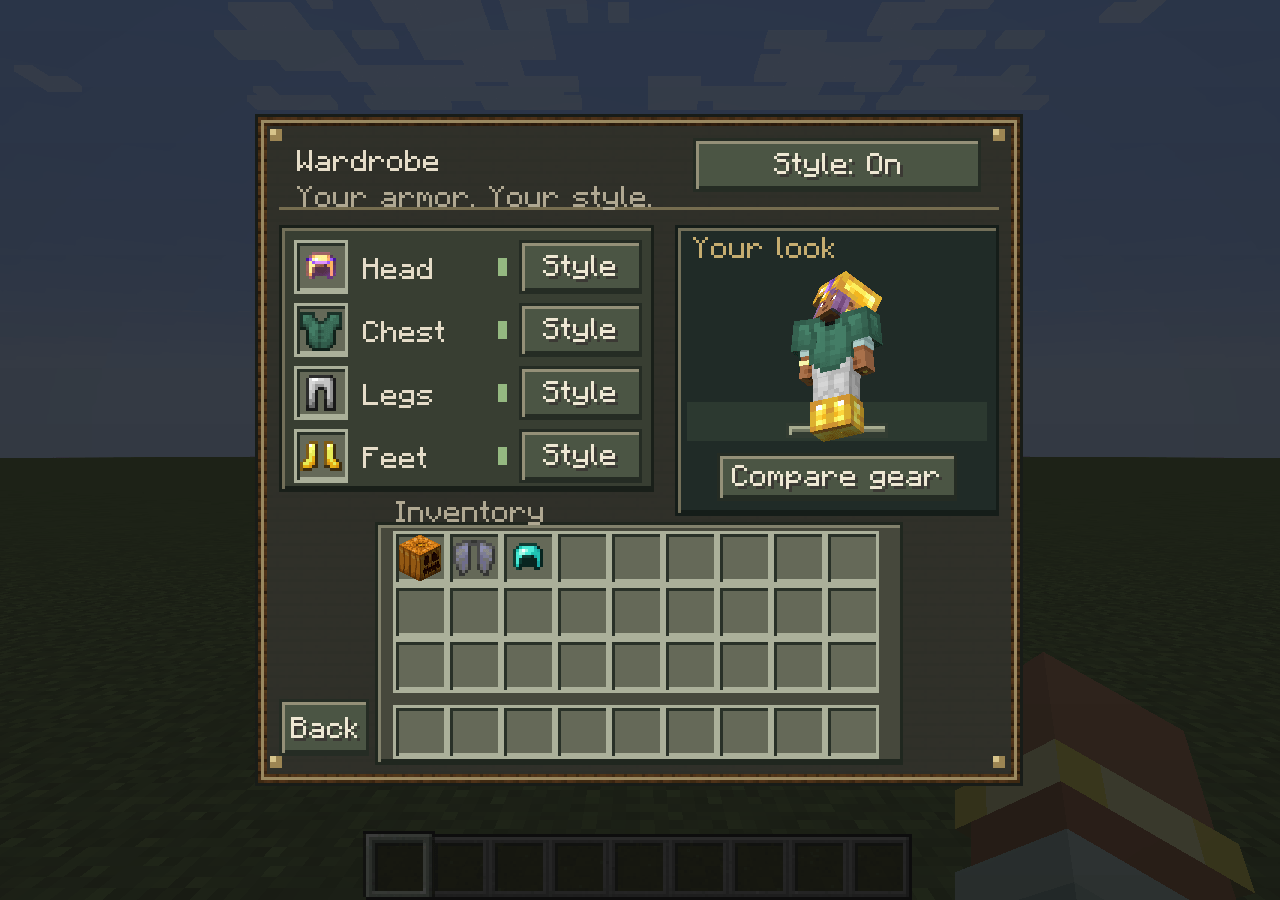
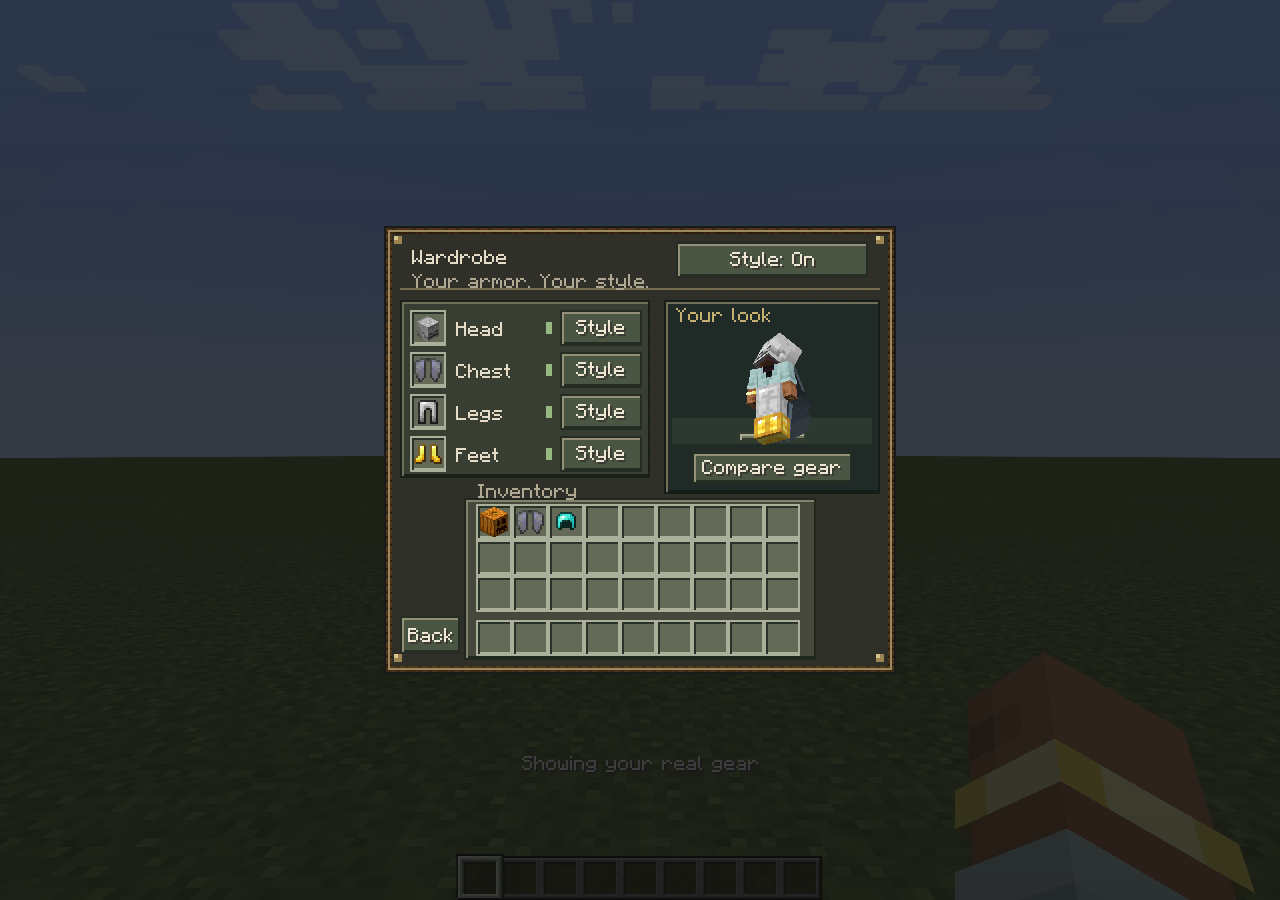
Choose your look while keeping the protection and abilities of your real equipment. Cosmetics Equipment adds four appearance slots for your head, chest, legs, and feet.
Wardrobe remaster — 2.0.0 beta
- A Minecraft-style wardrobe with a live player preview.
- Separate cosmetic slots for armor, pumpkins, skulls, and Elytra.
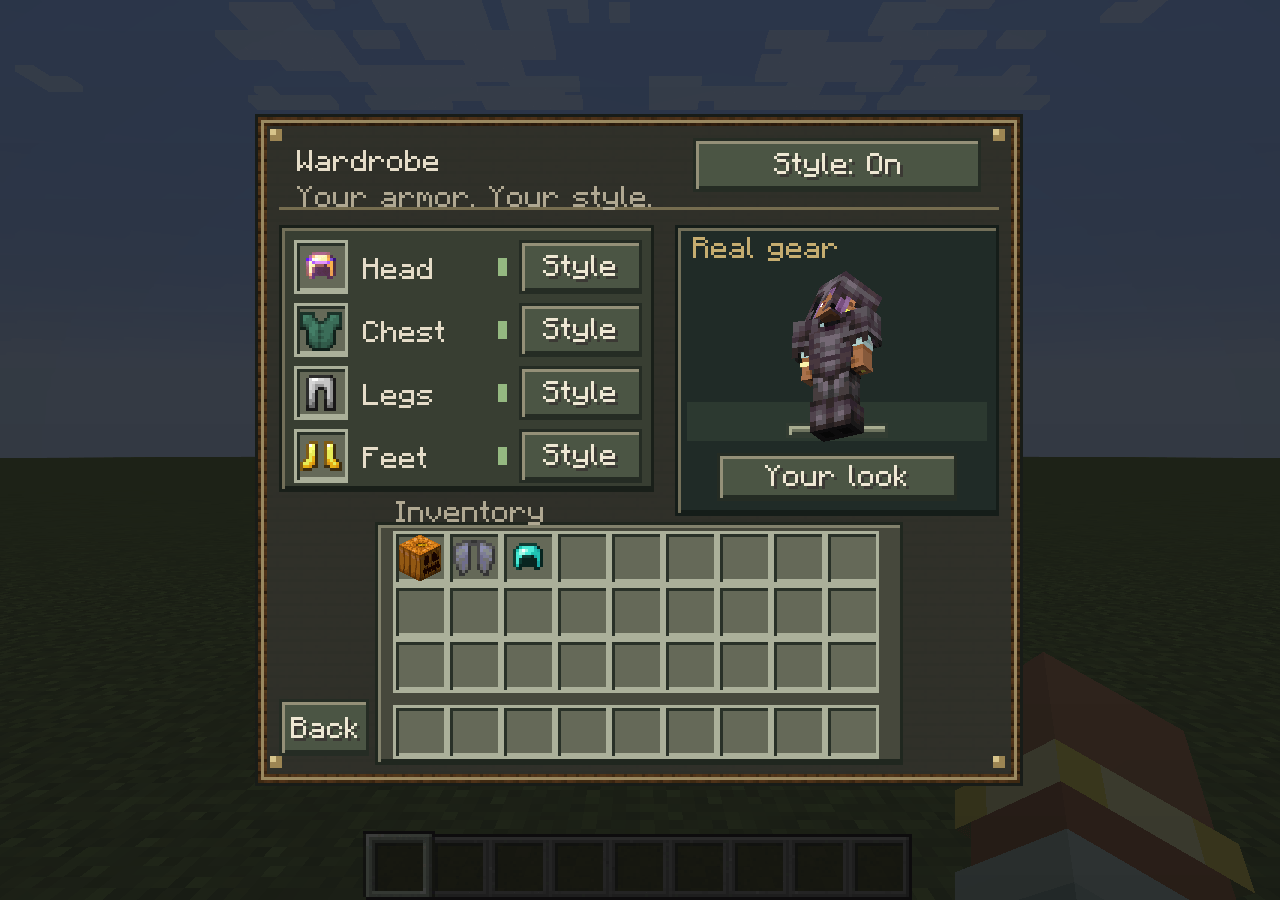
- Switch each slot between Style and Gear, or toggle your whole outfit.
- Compare gear previews your real equipment without changing what other players see.
- Multiplayer appearance syncing, configurable inventory button placement, and a quick-toggle keybind.
- Existing Cosmetics player save data remains readable.
How to use
- Press G, or click the W button beside your inventory.
- Place a wearable in its matching cosmetic slot. Shift-click also works.
- Use Style / Gear to choose which appearance to show.
An empty cosmetic slot shows your real equipment. Cosmetic items grant no protection, enchantment effects, flight, or other gameplay abilities. This mod does not add new armor items.
Installation
Minecraft 1.20.1 · Forge · Java 17
Install the same version on the server and every client. Remove the old Cosmetics jar before installing the update. No additional mod dependencies are required.
The remaster is a beta. Back up your world before upgrading. Other loaders and Minecraft versions are not supported by this release; compatibility with every modpack is not guaranteed.
Death settings
Cosmetic items are kept when keepInventory or keepCosmetics is enabled. If both are disabled, they drop on death. Appearance preferences survive respawning.
/gamerule keepCosmetics trueConfiguration
Client settings: config/cosmetics-client.toml
World/server settings: <world>/serverconfig/cosmetics-server.toml
Change keybinds in Options → Controls → Cosmetics. Server owners can disable appearances while still allowing players to reclaim stored items.
Inspired by Cosmetic Armor Reworked.
Cosmetics Equipment Team