


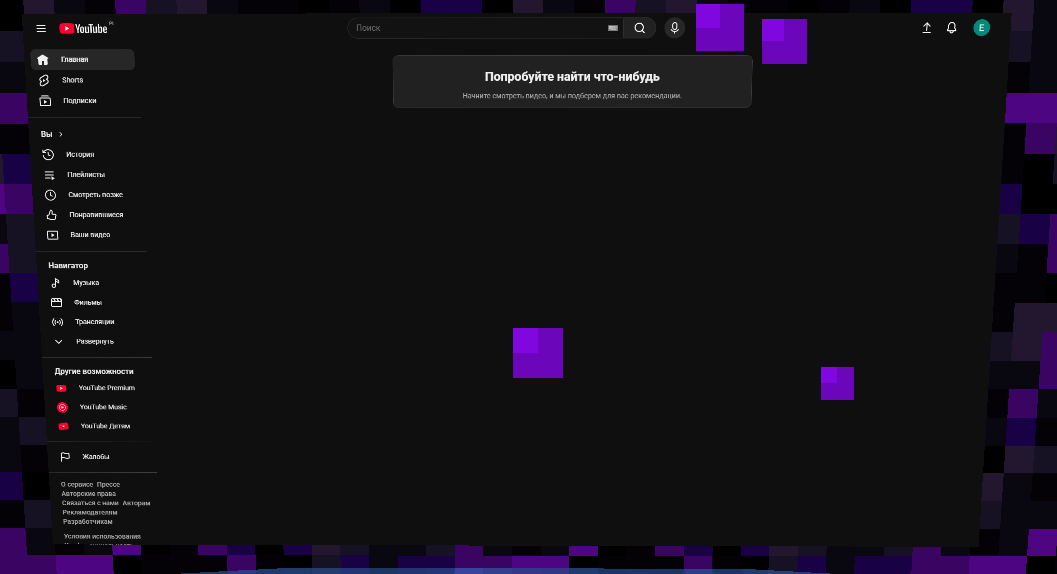
idk
Description
CoScreen
A real web browser, hanging on your wall in Minecraft.
CoScreen puts a flat, opaque screen into the world and runs an embedded Chromium on it. Not a texture, not a map, not a video file — an actual browser you can click, scroll and type into without ever leaving the game.
Client-side only. Nothing is installed on the Minecraft server, and nothing about your world is changed.
What it does
Put a screen anywhere. Open the mini menu, spawn a screen, and it hangs in the air where you are looking. Grab it with a quick multi-click and it follows your crosshair until you click again to drop it. Resize it with two keys — from a small monitor on the wall to a cinema screen over your base.
Use it from inside the world. Press the control key and your crosshair becomes a mouse pointer: left click to click, mouse wheel to scroll. Click into a text field on the page and just type — walking keys keep working the rest of the time, so you never get stuck. Need the whole window instead? One key opens the same page as a fullscreen browser, and the screen stays up in the world behind you.
A YouTube button is right there on the screen's panel, along with pause, ±10 seconds, an address bar, size and volume.
Sound that behaves like sound. Audio fades with distance — full volume up close, silence far away — and follows Minecraft's own master volume. Volume is per-player and per-screen.
It stays out of the way. The screen has no frame and no highlight outline, draws opaque so the world does not shine through it, and renders unlit so the picture is readable at night.
Two languages. The interface ships in English and Russian, switchable from the mini menu and independent of Minecraft's own language setting. The choice is remembered between sessions.
Watching together — not yet
CoScreen is built around the idea of watching something with friends: friend requests, invitations, shared sessions, and a screen that stays in sync for everyone looking at it.
That part is not finished, and it does not work in this version. The groundwork is in place — the friends and invitations screens are visible in the menu, and there is a companion server behind them — but synchronised playback is still being built and tested. Treat it as not there.
Everything described above works today, alone, with no server involved. You do not need to run or connect to anything: spawn a screen, browse, watch. The mod never asks you to connect and never complains that it cannot.
Shared watching is planned for a future release.
Requirements Minecraft 1.21.4, Fabric Java 21 Fabric API MCEF 2.1.6-1.21.4 for 1.21.4
On first launch MCEF downloads Chromium (~200 MB). Until it finishes, screens render as grey rectangles. This is normal.
Open source, AGPL.
The CoScreen Team
