


Cooldown Overlay / 쿨타임 오버레이
- By
exec-86265195-15d5-4552-8f63-8ae18398cbd9.png
skill-settings.png
hud-gameplay.png
hud-position-editor.png
Description
Cooldown Overlay
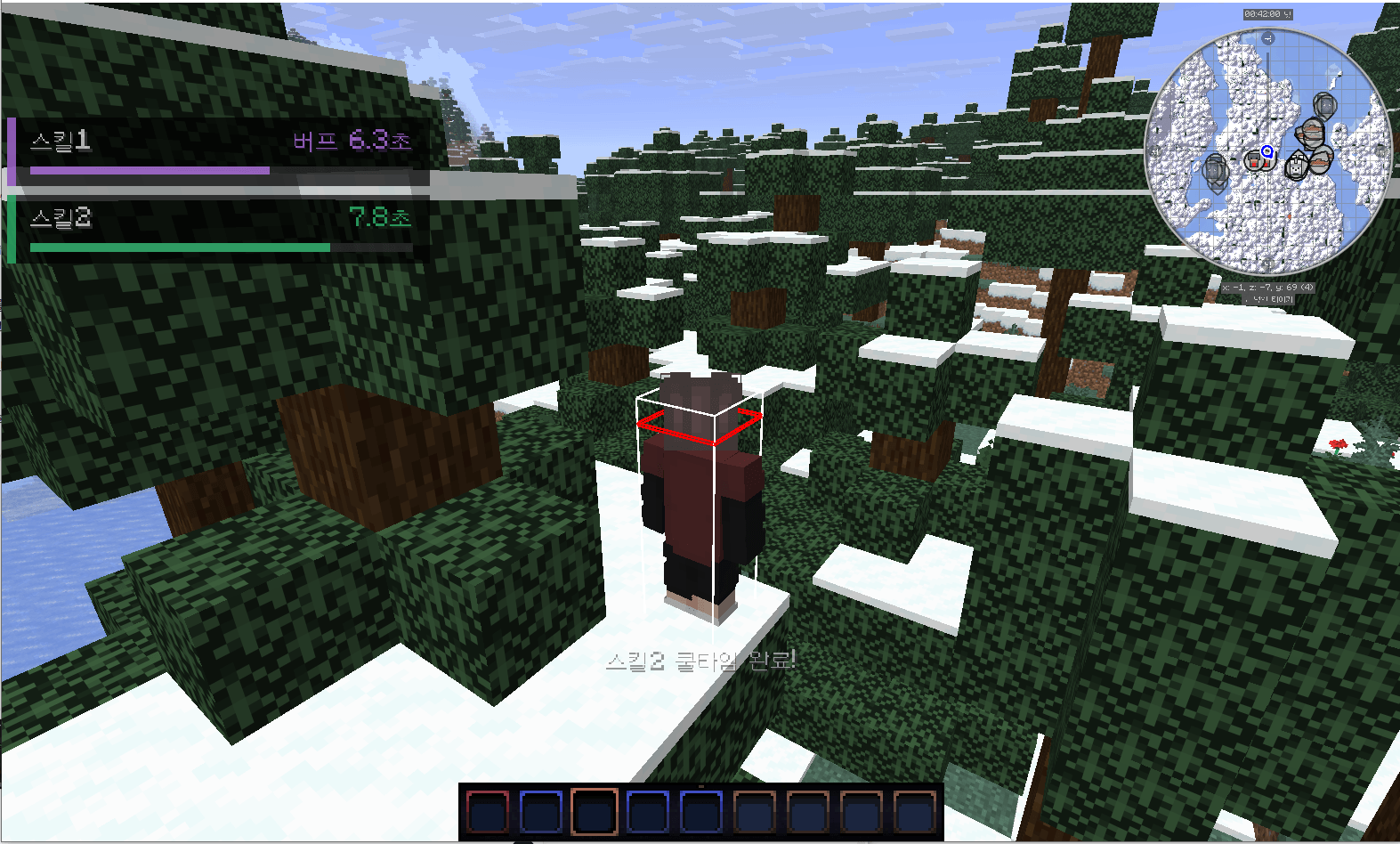
Cooldown Overlay is a client-side HUD mod that tracks configurable skill cooldowns, combo windows, and buff durations from keyboard or mouse input.
Features
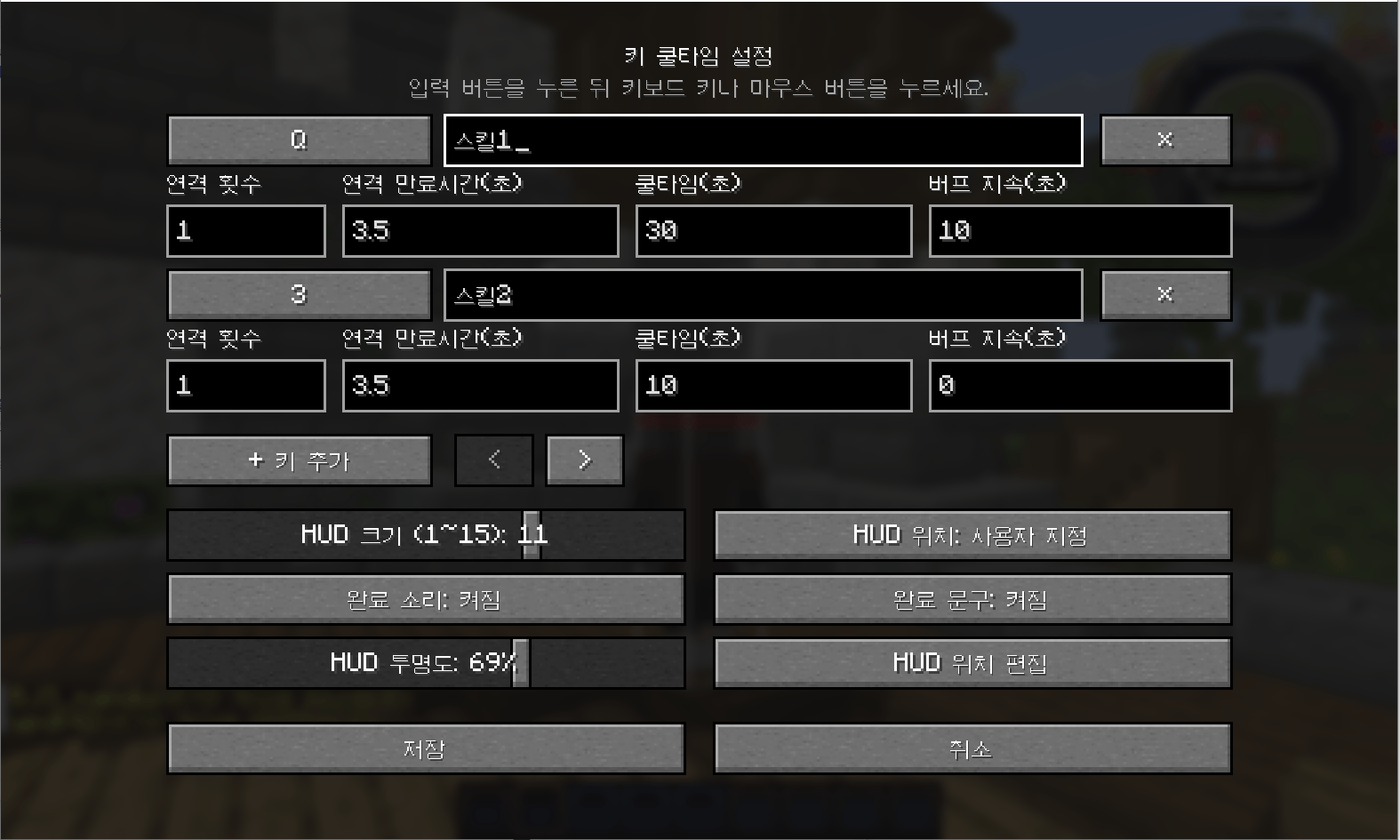
- Register skills using keyboard or mouse buttons
- Assign a custom name to each skill
- Configure cooldown duration individually
- Configure combo uses and combo expiration time
- Track buff duration separately from cooldown
- Start cooldowns immediately when a skill is used
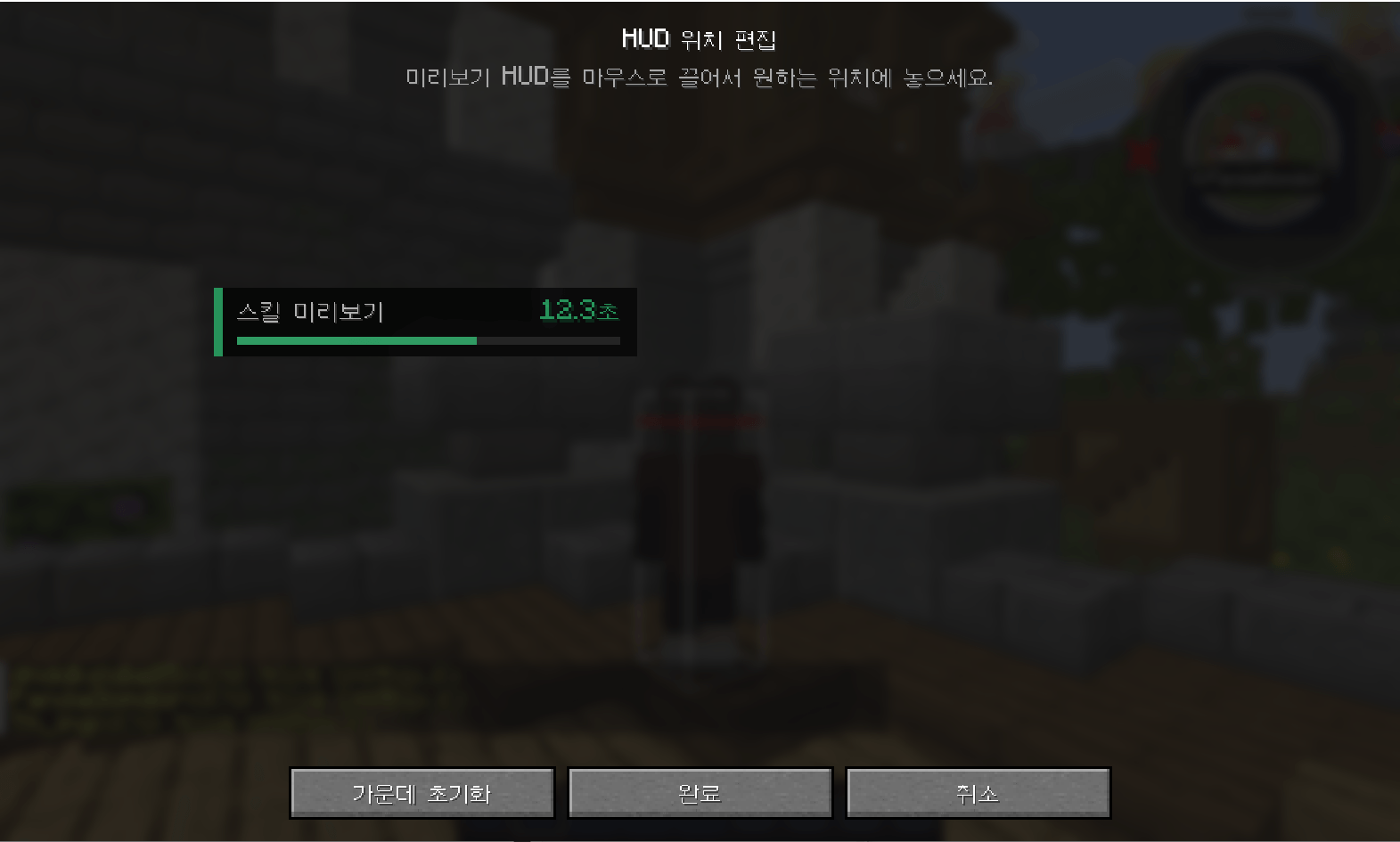
- Move the HUD freely or use position presets
- Adjust HUD size from 1 to 15
- Adjust HUD opacity from 0% to 100%
- Optional completion sound and action bar message
- Configurable settings-screen key in Minecraft Controls
- Korean, English, and Japanese language support
Requirements
- Minecraft 1.21.11
- NeoForge 21.11.45 or later
- Java 21
- No additional dependencies required
Installation
- Install NeoForge for Minecraft 1.21.11.
- Place the mod JAR file in the client
modsfolder. - Start Minecraft.
- Open Options → Controls → Key Binds.
- Search for Cooldown Overlay and assign a key to open the settings screen.
This is a client-side mod. It does not need to be installed on the server.
How It Works
Cooldown Overlay starts timers based on the configured keyboard or mouse input.
It does not read skill data directly from a server or another mod. If a server rejects an action, a skill is canceled, or the same key is used for another action, the displayed timer may differ from the actual server-side cooldown.
Privacy
Cooldown Overlay does not collect or transmit personal information. All settings are stored locally on the client.
쿨타임 오버레이
Cooldown Overlay는 키보드 또는 마우스 입력을 기준으로 스킬 쿨타임, 연격 만료시간, 버프 지속시간을 표시하는 클라이언트 전용 HUD 모드입니다.
주요 기능
- 키보드 및 마우스 버튼에 스킬 등록
- 스킬별 이름 설정
- 스킬별 쿨타임 설정
- 연격 횟수와 연격 만료시간 설정
- 버프 지속시간과 쿨타임을 별도로 설정
- 스킬 사용과 동시에 쿨타임 시작
- HUD 자유 이동 및 위치 프리셋
- HUD 크기 1~15단계 조절
- HUD 투명도 0~100% 조절
- 완료 효과음 및 액션바 알림 설정
- 마인크래프트 조작키 설정에서 설정 화면 단축키 지정
- 한국어, 영어, 일본어 지원
요구 사항
- Minecraft 1.21.11
- NeoForge 21.11.45 이상
- Java 21
- 별도의 선행 모드 없음
설치 방법
- Minecraft 1.21.11용 NeoForge를 설치합니다.
- 모드 JAR 파일을 클라이언트의
mods폴더에 넣습니다. - 마인크래프트를 실행합니다.
- 설정 → 조작 → 키 지정으로 이동합니다.
- Cooldown Overlay를 검색하고 설정 화면을 열 단축키를 지정합니다.
이 모드는 클라이언트 전용이므로 서버에는 설치하지 않아도 됩니다.
작동 방식
Cooldown Overlay는 등록된 키보드 또는 마우스 입력을 감지하여 타이머를 시작합니다.
서버나 다른 모드에서 실제 스킬 상태를 직접 읽는 방식은 아닙니다. 서버에서 스킬 사용이 거부되거나 취소된 경우, 또는 같은 키가 다른 동작에도 사용되는 경우에는 실제 서버 쿨타임과 표시 시간이 다를 수 있습니다.
개인정보
Cooldown Overlay는 개인정보를 수집하거나 외부로 전송하지 않습니다. 모든 설정은 사용자의 클라이언트에만 저장됩니다.
Links
Cooldown Overlay / 쿨타임 오버레이 Team
