Comprehensive Play Stats HUD 🌟
- By
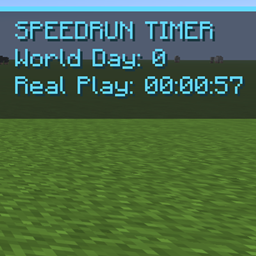
Press X for an eight-stat world and player HUD: world days, real play time, actual movement speed (blocks/s, two decimals), deaths, live XYZ, world spawn, respawn point and last death. Compact, persistent and item-free.
Comprehensive Play Stats HUD
Your world, your progress, your location—and now your actual movement speed.
Comprehensive Play Stats HUD is a compact statistics overlay for Minecraft Java Edition 1.21.11 Fabric. Press X to display important world and player information on the right side of the screen, then press X again to hide it. The shortcut is rebindable in Controls. The semi-transparent dark panel uses pale-yellow text and stays out of the inventory.
Eight live statistics
1. World Days — elapsed in-world days according to the server world clock.
2. Play Time — your accumulated actual online play time, displayed as HH:MM:SS and saved per player and world.
3. Movement Speed — your actual 3D travel speed in blocks/s, displayed to exactly two decimal places (for example, 4.32 blocks/s). The game measures recent changes in your position over real elapsed time; it does not pass off the movement-speed attribute as your current travel speed. The short rolling average makes the number easy to read. Walking, sprinting, swimming, flying, falling and riding can affect this measurement. Sudden large teleports are excluded from ordinary speed samples.
4. Deaths — the player's cumulative death count read from Minecraft's existing vanilla statistics, including previously saved deaths.
5. XYZ — your live coordinates, updated as you move.
6. World Spawn — the world's initial globally recorded spawn position, captured and retained by the HUD when its data file is first created.
7. Respawn — your currently selected personal bed or respawn-anchor location, with its dimension when available; None if none is set.
8. Last Death — your last recorded death position, with its dimension when available; None if none is stored.
Practical use
• X: Show or hide the complete information overlay. Rebind from Options → Controls → Key Binds.
• The HUD updates while you play. It does not open a GUI, interrupt the world, take an inventory slot or require commands or cheats.
• The play timer is maintained and saved by the logical server. The movement speed uses the locally controlled player's changing position, measured over recent real elapsed time, and is shown in blocks per second.
• Coordinates and speed update continuously; the server-sourced statistics are synchronized regularly.
Persistence and compatibility
World days come from the running world clock. Death count and last-death data come from saved vanilla player records when available. Accumulated Real Play starts when compatible HUD time tracking is first installed, then persists across sessions. Comprehensive Play Stats HUD uses the same compatible play-time file format as Simple Play Timer HUD, allowing either independent mod to continue an existing record.
If the global spawn point was altered before the HUD was first installed, its initial snapshot reflects the spawn position known at that first run, not an unknowable earlier history. The display cannot invent last-death or respawn information that Minecraft has never saved.
Install
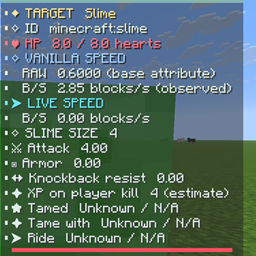
Install Fabric API and place the JAR in the mods folder for Minecraft 1.21.11 Fabric. For reliable server-side statistics on dedicated servers, install the mod on both client and server. It can be used by itself; neither the simple timer nor the creature inspector is required.
Version: 1.1.0 · Platform: Minecraft Java 1.21.11 / Fabric · Dependency: Fabric API.
Comprehensive Play Stats HUD 🌟 Team