Color Update expands Minecraft’s dyeing system far beyond the 16 vanilla colors. Any RGB hex is fair game, giving a 16-Million color palette — on blocks, dyes, brushes, sheep, armor, and more — while still fitting survival play.
Overview
Vanilla dyeing stops at 16 fixed colors. This mod lets you:
- Mix custom dyes of any color
- Tint wool, concrete, glass, terracotta, planks, bricks, carpets, panes, and more
- Paint blocks in the world with brushes
- Run a Block Dyer machine with an RGB color picker
- Use named colors from a configurable list in creative
Colors are stored as real RGB values and applied as tints on white base textures, so you get smooth, accurate results instead of a locked palette.
Getting started (survival)
1. Custom dyes
- Craft two or more dyes together (vanilla or custom) → you get Custom Dye(s) whose color is the average of the inputs.
- Or use the Block Dyer empty (no block in the input) and press Dye — it consumes the RGB dyes needed and outputs a custom dye for that color.
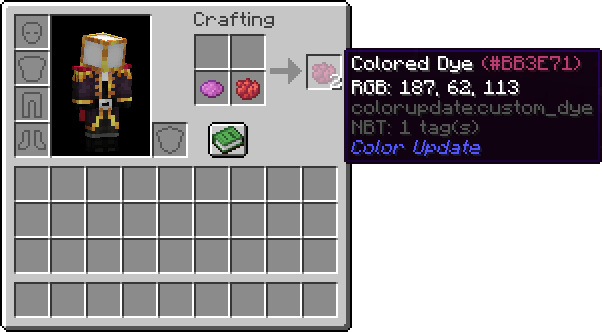
Custom dyes work anywhere normal dyes do when the mod supports it (crafting, sheep, signs, leather armor, brushes, Block Dyer, etc.).
2. Block Dyer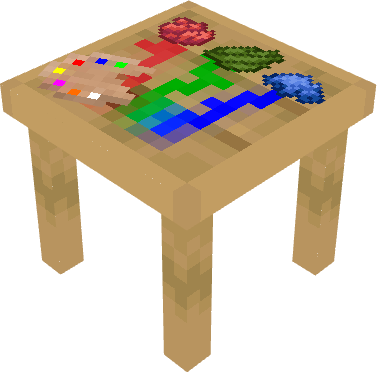
Craft the Block Dyer, place it, and open the GUI:
| Slot / control | Purpose |
|---|---|
| R / G / B slots | Red, green, and blue dye |
| Sliders + hex field | Pick any color |
| Input | Block to recolor (wool, concrete, glass, …) |
| Dye button | Consumes dyes as needed and outputs the colored block |
| Empty machine + Dye | Outputs a Custom Dye of the selected color |
The block’s model changes with which slots are filled (rgbx, rgbo, etc.), and it rotates on the Y axis when placed.
3. Dye Brush
Recipe: feather on top of two sticks (like the vanilla brush, but stick instead of copper).
- Right-click air → open the GUI and load a vanilla or custom dye (stack size up to 1024 in the brush).
- Right-click a colorable block → paints it and consumes dye.
- The brush tip is tinted to the loaded color; the handle is not.
4. Smart Dye Brush
Recipe: diamond above a Dye Brush, gold ingot below.
Same painting behavior as the normal brush, with two modes:
- Simple — one or two dye slots (single color or mix).
- Advanced — RGB sliders + hex (and optional R/G/B dye slots), same idea as the Block Dyer.
5. Bleaching 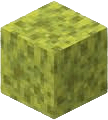
Right-click a mod-colored block with a wet sponge to revert it toward vanilla white (or the original plank type for dyed planks).
Blocks
| Block | Notes |
|---|---|
| Block Dyer | Machine for RGB dyeing of blocks and for making custom dyes |
| Colored Wool / Carpet | Any hex; carpets behave like vanilla carpets |
| Colored Concrete / Powder | Powder has gravity and turns into colored concrete when it contacts water |
| Colored Terracotta | Any hex |
| Colored Glass / Pane | Transparent/cutout; panes connect like vanilla |
| Colored Bricks / Planks | Base texture is tinted; overlay stays un-tinted. Planks remember wood type when bleached |
| Color Index | Creative only — opens a tabbed browser of named colors (and a color-picker mode) |
Items
| Item | Notes |
|---|---|
| Custom Dye | Any RGB color; texture family depends on hue (red/orange/blue/… or fallback) |
| Dye Brush | Paint blocks in the world; large internal dye capacity |
| Smart Dye Brush | Brush + simple mix or full RGB picker |
| Color Guide | In-game handbook (index, recipes, how-to) |
Creative tools
Color Index 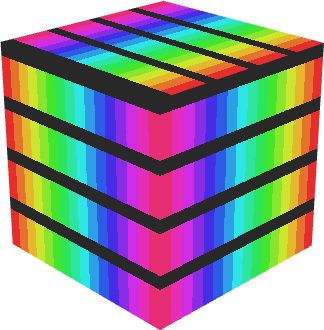
Creative-only block. Right-click to open a browser:
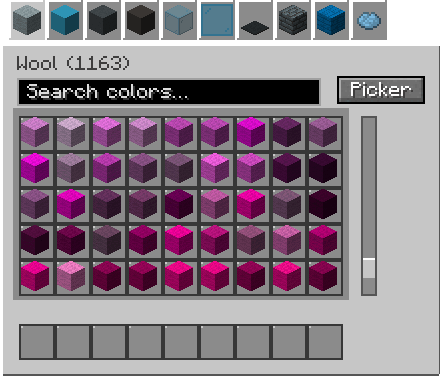
- Tabs per material (wool, concrete, glass, dye, …)
- Named colors from config only (no secret jeb entry)
- Search within the current tab
- Click = 1 item, shift-click = 64; click while holding something clears the cursor so you can pick another
- Tab icons cycle through colors in that tab
- Picker mode: RGB + hex + a small grid of every material at that color, with hotbar
Color Guide 
Craftable book covering survival use, machines, brushes, mixing, commands, and more. 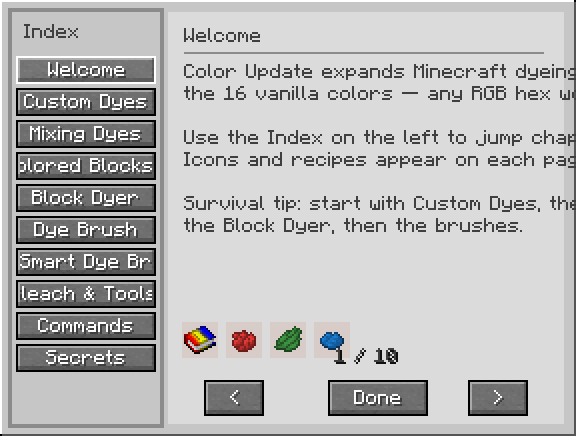
Commands
/color give <targets> <material> <amount> <hex>Examples: /color give @p wool 64 #FFEB3B · /color give @a dye 16 #00AAFF
Materials include wool, concrete, powder, glass, dye, and other supported types.
/color canvas <size> <material>Builds a rainbow gradient floor under you (wool, concrete, terracotta, powder, or glass) — useful for testing.
Other systems
- Sheep — custom dye tints wool; shearing can drop matching colored wool.
- Leather armor — custom dyes work in dyeing recipes; color matches the dye’s hex.
- Dye mixing — any combination of dyes in a crafting grid averages to a custom dye.
- Named colors —
color_names.json/ defaults map hex values to names (e.g. “Neon Yellow Wool (#FFFF00)”). - Signs — custom dye can recolor text / glow (as supported by the mod’s sign handling).
Color Update Team