


Collector
- By


Collector
Collector is a block that picks up every loose item around it and stores it for you. Drops from mob farms, mined blocks, dead mobs, a chest you broke by accident... anything that ends up on the ground. Put it next to a chest and forget about collecting drops by hand.
It also comes with a Collector Remote, an item that lets a Collector send everything to a storage block anywhere in the world, like a wireless connection. And since Collectors can be moved by pistons, they work great on flying machines.
Quick start
1. Craft a Collector and place it.
2. Put a chest (or any storage block) touching one of its four sides.
3. Drop some items nearby. After a moment, they appear in the chest.
How the Collector works
- What it picks up: any item entity that has touched the ground or is in water (still or flowing). Items still falling through the air are ignored until they land. It doesn't matter who dropped them.
- How often: about once per second.
- Range: a cube centered on the Collector. A single Collector covers 16x16x16 blocks.
- Where items go: it has two modes, explained below.
- If the storage is full: items stay on the ground.
Mode 1: local storage (default)
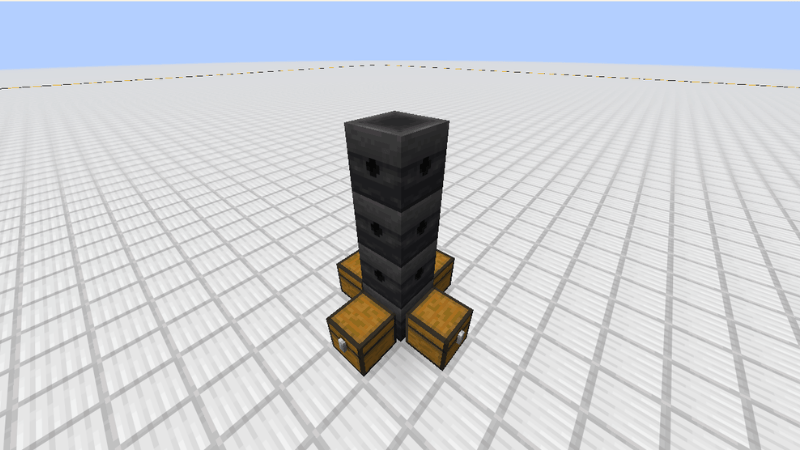
A Collector with no connection stores items in storage blocks touching its four sides (front, back, left and right): chests, barrels, shulker boxes and other blocks that accept items. Storage above or below it doesn't count. With no storage on those sides, it does nothing.
Mode 2: remote storage
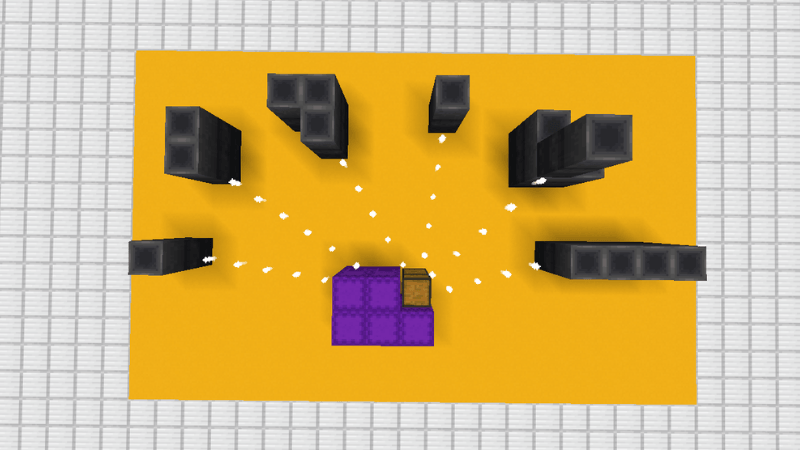
A Collector linked with the Collector Remote sends everything to the storage block it is linked to, no matter how far away it is (same dimension). While it has a connection, it ignores any storage touching it and uses only the remote one. The storage must be in a loaded chunk; otherwise the Collector waits.
Groups
Collectors touching each other (sharing a face, not just a corner) form a group of up to four, and the group's range grows:
Collectors in the group Range
1 - 16x16x16
2 - 32x32x32
3 - 64x64x64
4 - 128x128x128
- Limit of four: you can't place a fifth Collector touching a group of four. If a fifth ends up touching anyway (for example, moved by a piston or placed with a command), the whole group breaks and drops as items.
- Local mode: each Collector in the group uses its own touching storage, but all of them benefit from the larger range.
- Remote mode: the group works as one machine. It has a single connection, and the connected Collector collects for the whole group using the group's range. The other Collectors in the group stay inactive: they can't be linked to another storage and don't use touching storage. All of them change their look together.
The Collector Remote
The Remote links Collectors to storage blocks.
- Select a Collector: right-click it with the Remote. You'll hear a chime, a message appears above your hotbar, and the Remote changes its texture to show it is carrying a Collector.
- Connect it: right-click a storage block. The connection is made, the Remote returns to its normal texture, and the Collector's sides change to show it is linked.
- Disconnect it: sneak + right-click any Collector of a linked group. The whole group is disconnected.
- **Already linked?** Right-clicking a linked group tells you it is connected. Disconnect it first if you want to link it to another storage.
- While a Collector is selected, your next right-click on any block tries to connect it, so chests won't open until you connect it, select another Collector, or switch to a different item.
- Several Collectors, one chest: that's allowed. Link as many Collectors (or groups) as you want to the same storage.
Seeing your connections
- The Remote changes texture while it carries a Collector.
- Linked Collectors have different side textures.
- Linked storage gives off a few sparkles from time to time when you are near it.
- While you hold the Remote, a line of sparkles shows the path between each Collector and its storage (only the part near you is drawn, to keep the game running smoothly).
Flying machines
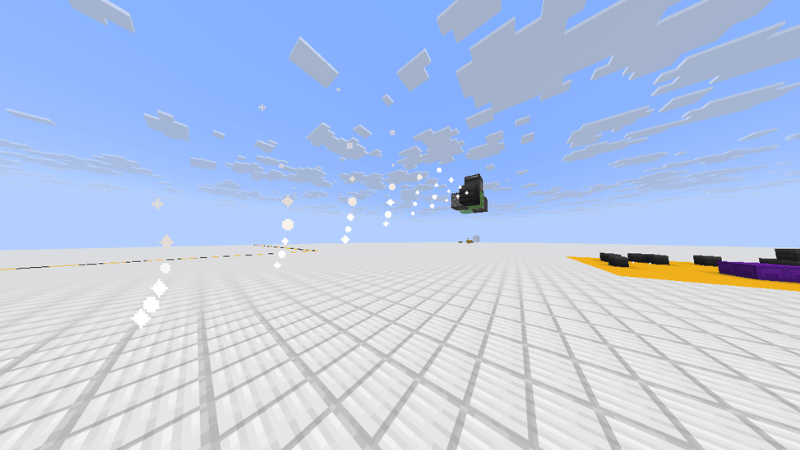
Collectors can be pushed and pulled by pistons, and linked Collectors keep their connection when they move, so you can build machines that collect items while they travel and send everything to a base. A group that is moved stays linked too.
Connections and breaking
- Breaking a Collector removes its connection.
- If the linked storage is destroyed or stops accepting items, the connection is removed after a few seconds and the Collector goes back to using touching storage.
Recipes
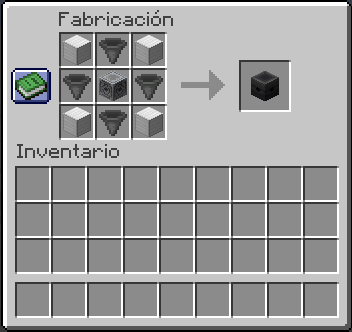
Collector: an iron block in each corner, a hopper in each side slot, and a lodestone in the middle.
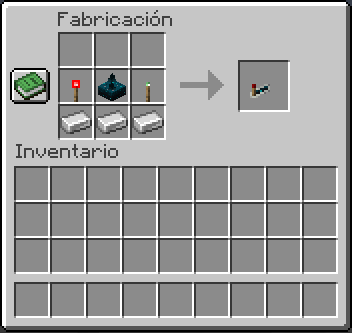
Collector Remote: redstone torch, sculk sensor and copper torch on the top row, and three iron ingots on the row below it.
Good to know
- Very fast piston contraptions may lose a connection. Just reconnect the Collector.
- Connections only work inside one dimension.
- Requires Fabric API.
Collector Team
