
Cody's Medieval Armory
- By
Screenshot_2.png
Screenshot_4.png
Description
Medieval Armorry
What is this mod?
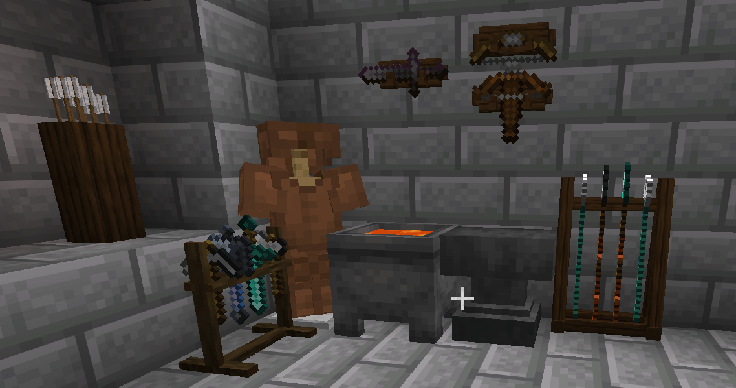
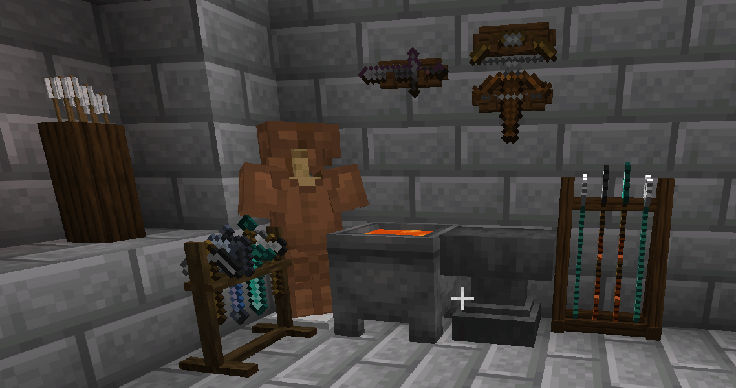
Medieval armorry is a small set of weapon stands that allows to display your gear.
Contents
The mod introduces 4 types of storage/display for your gear.
- Spear stand
The Spear Stand holds up to 4 spears or tridents. These weapons can only be stored on this dedicated stand.
Aim at a specific position and right-click with a spear or trident to store it. Right-click that position with an empty hand to retrieve it.
Spears and tridents use extended display models while on the stand. Their appearance in your hand and inventory remains unchanged.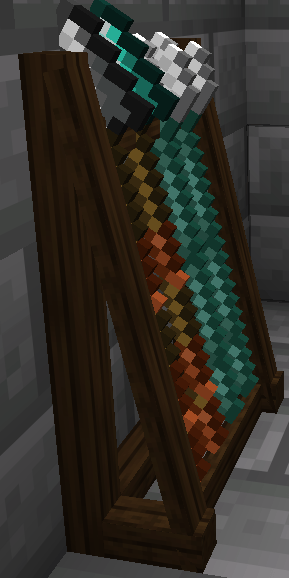
- Weapon stand (single and double version)
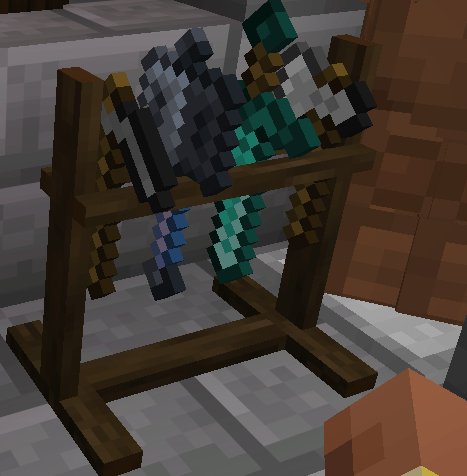
The freestanding Weapon Stand holds 4 items. Place two stands next to each other, facing the same direction and using the same texture variant, to create a double stand with 8 slots.
It accepts swords, axes, pickaxes, shovels, hoes, and maces.
Store an item: hold it, aim at the desired position, and right-click.
Retrieve an item: aim at its position and right-click with an empty hand.
Each position is selected individually. Clicking an occupied slot will not replace its contents. Breaking one half of a double stand returns the remaining half to its single appearance.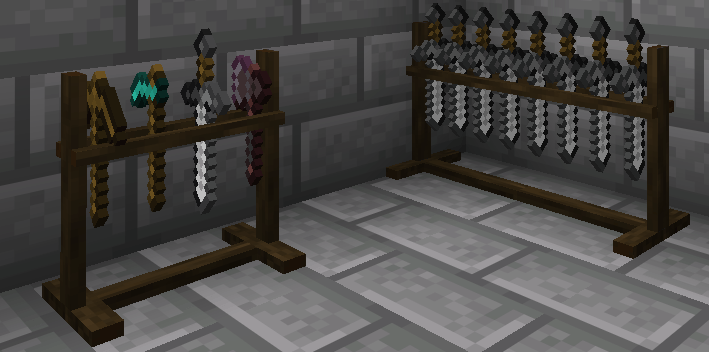
- Hanging Weapon Rack (single and double)
The Hanging Weapon Rack mounts only on vertical walls and holds one weapon.
Right-click an existing rack with another rack of the same texture variant to create two symmetrical rows within one block space.
Supported weapons: Sword, Bow, Crossbow(Lower row only).
Right-click with a weapon to place it in the targeted row. Right-click with an empty hand to retrieve it.
Removing the supporting wall drops the racks and their contents.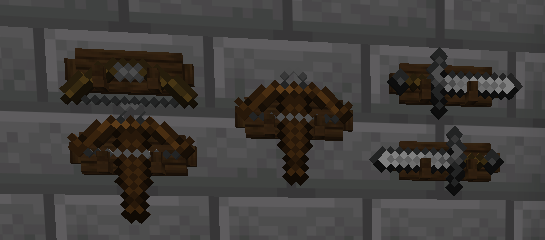
- Arrow Holder
Right-click the Arrow Holder to open its inventory. It provides 5 slots, each holding one stack of 64 arrows, for a total capacity of 320 arrows.
It accepts:
Regular arrows
Spectral arrows
Tipped arrowsShift-click is supported for quick transfers.
Visible arrows indicate the current fill level:
Stored arrows :
0 - Empty
1–160 - Partially filled
161–320 - Densely filled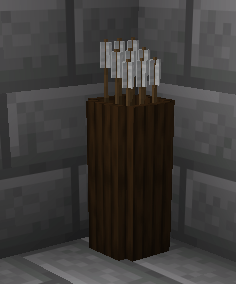
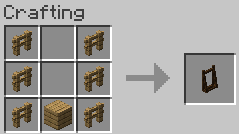
Crafting Recipes
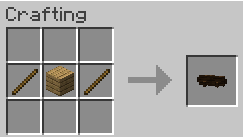
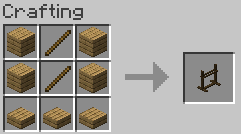
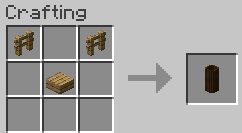
Texture Variants
The standard recipes produce the first texture variant. Place a rack, stand, or holder by itself in a crafting grid to cycle through its appearances:
Variant 1 → Variant 2 → Variant 3 → Variant 1
No additional materials are required. All variants have identical functionality and capacity.
Double Weapon Stands and double Hanging Weapon Racks require matching texture variants.
Requirements and Installation
- Minecraft 26.3
- NeoForge 26.3.0.103
- Java 25
- Place the mod’s JAR file in your Minecraft instance’s mods folder.
- For multiplayer, install the mod on both the server and every player’s client.
Cody's Medieval Armory Team
