Cobblemon: AFK Guard
- By
Cobblemon AFK Guard is a Fabric mod for Minecraft 1.21.1 servers that tracks player presence, marks inactive players as AFK, updates their tab name, and can kick them after a configurable delay.

ccbr-logo2.png

afk-img1.png
afk-img2.png
Description
Cobblemon AFK Guard
Cobblemon AFK Guard is a Fabric mod for Minecraft 1.21.1 servers that tracks player presence, marks inactive players as AFK, updates their tab name, and can kick them after a configurable delay.
It is designed around Cobblemon gameplay and common server-side edge cases, so players are less likely to be kicked while they are actually using Cobblemon features.
Features
- Real AFK timers with optional automatic kick.
- Cobblemon-aware activity handling for battles, battle UI selections, PC usage, Pasture-related interaction, and merchant-style menus.
- Extra GUI activity detection when the mod is installed on both the server and the client.
- Random AFK, return, and kick messages from configurable message lists.
/afk refreshto reload the config without restarting the server.- Manual exemptions, OP bypass, and sleep vote support.
- Supports
$playerplaceholders and Minecraft style codes in messages.
How it works
Server-only install
Server-only is fully supported.
The mod tracks movement, camera changes, chat, commands, normal interactions, inventory actions, merchant actions, and server-visible Cobblemon activity. This includes battle-related packets that reach the server during Cobblemon battles. This is the recommended baseline for most servers.
Server + client install
Installing the mod on both the server and the client enables enhanced activity reporting for client-heavy screens.
This improves AFK detection in interfaces such as Cobblemon battle screens, battle request screens, Cobblemon PC screens, and supported shop screens where some actions may not naturally reach the server as normal interaction packets. This is the best option if you want clicks on Fight, move buttons, Switch, and similar battle UI actions to reset AFK reliably.
Commands
/afktoggles your own AFK state./afk switch <player>toggles AFK for another player./afk exemptionslists manually exempt players./afk exemptions add <player>adds a player to the exemption list./afk exemptions remove <player>removes a player from the exemption list./afk refreshreloads the config file.
Config
The config file is created at:
config/cobblemon_afk_guard.json
Important notes:
- Use
/afk refreshafter editing the file. idleThresholdSecondsis measured in real seconds.kickDelayAfterAfkSecondsstarts counting after the player is marked as AFK.- Message lists choose a random entry each time.
- Use
$playerto insert the player name. - Use
&style codes in the config. For example,&0is treated the same as the vanilla section-sign code for black text. §style codes are also accepted for compatibility.- For the full list of Minecraft color/style codes and usage details, see the Minecraft Wiki: Formatting codes
Default config:
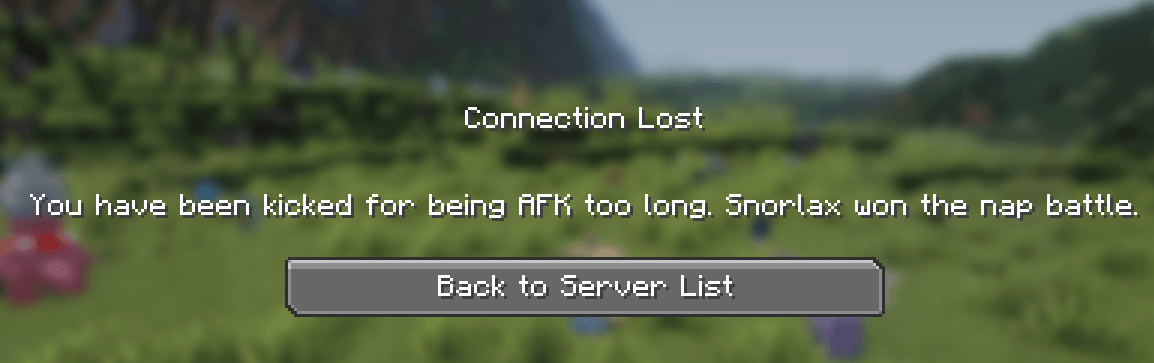
{"idleThresholdSeconds": 240,"kickDelayAfterAfkSeconds": 300,"afkStartMessages": ["&e&o$player is now AFK.", "&e&o$player used Rest."],"broadcastAfkStart": true,"afkReturnMessages": ["&a&o$player is no longer AFK.","&a&o$player woke up from Rest."],"broadcastAfkReturn": true,"afkNameFormat": "&7[AFK] &r$player","afkKickMessages": ["&fYou have been kicked for being AFK too long.","&fYou have been kicked for being AFK too long. Snorlax won the nap battle."],"countExemptPlayersInSleepVote": false}
Installation
For Minecraft 1.21.1, required:
- Fabric Loader
- Fabric API
- Fabric Language Kotlin
- Cobblemon
1.7.3+1.21.1 - Cobblemon AFK Guard
Optional compatibility:
- Cobbledollars
2.0.0+Beta-5.1
Server install:
- Put the mod jar in the server
modsfolder. - Start the server once to generate the config.
- Edit
config/cobblemon_afk_guard.json. - Run
/afk refresh, or restart the server if you updated the mod jar itself.
Optional client install:
- Put the same mod jar in the client
modsfolder. - Keep the mod on the server as usual.
- Join normally.
Installing on the client is optional, but recommended if you want the best detection inside Cobblemon battle menus and other modded screens.
Compatibility notes
- OPs are ignored by the AFK system.
- Manually exempt players are ignored by the AFK system.
- By default, exempt players do not count toward sleep voting.
- Simply leaving a menu open does not keep a player active. Real interactions are what matter.
- Some modded GUIs cannot be detected perfectly from the server alone, which is why client installation improves accuracy.
Cobblemon: AFK Guard Team