CobbleMarket
- By
CobbleMarket is a player-to-player trading market mod for Cobblemon (Fabric&NeoForge).
1.jpg
2.jpg
3.jpg
4.jpg
5.jpg
Description
CobbleMarket —— A Player-to-Player Trading Market for Cobblemon Servers



CobbleMarket is a player-to-player trading market mod for Cobblemon (Fabric&NeoForge). Players can list Pokémon from their party or PC, and items from their inventory, for the whole server to browse, filter, and buy. It ships with a full market toolchain: listing fees, automatic expiry returns, seller pending balance, ban and blacklist moderation, and transaction history auditing.
Links:
1.Opening the Market
Three ways to open the market:
- Hotkey K: default key, rebindable in Settings → Key Binds → "Open Market"
- Command: /market gui
- Cobblemon Smartphone: if the smartphone mod is installed, the market entry automatically appears in the in-game app list
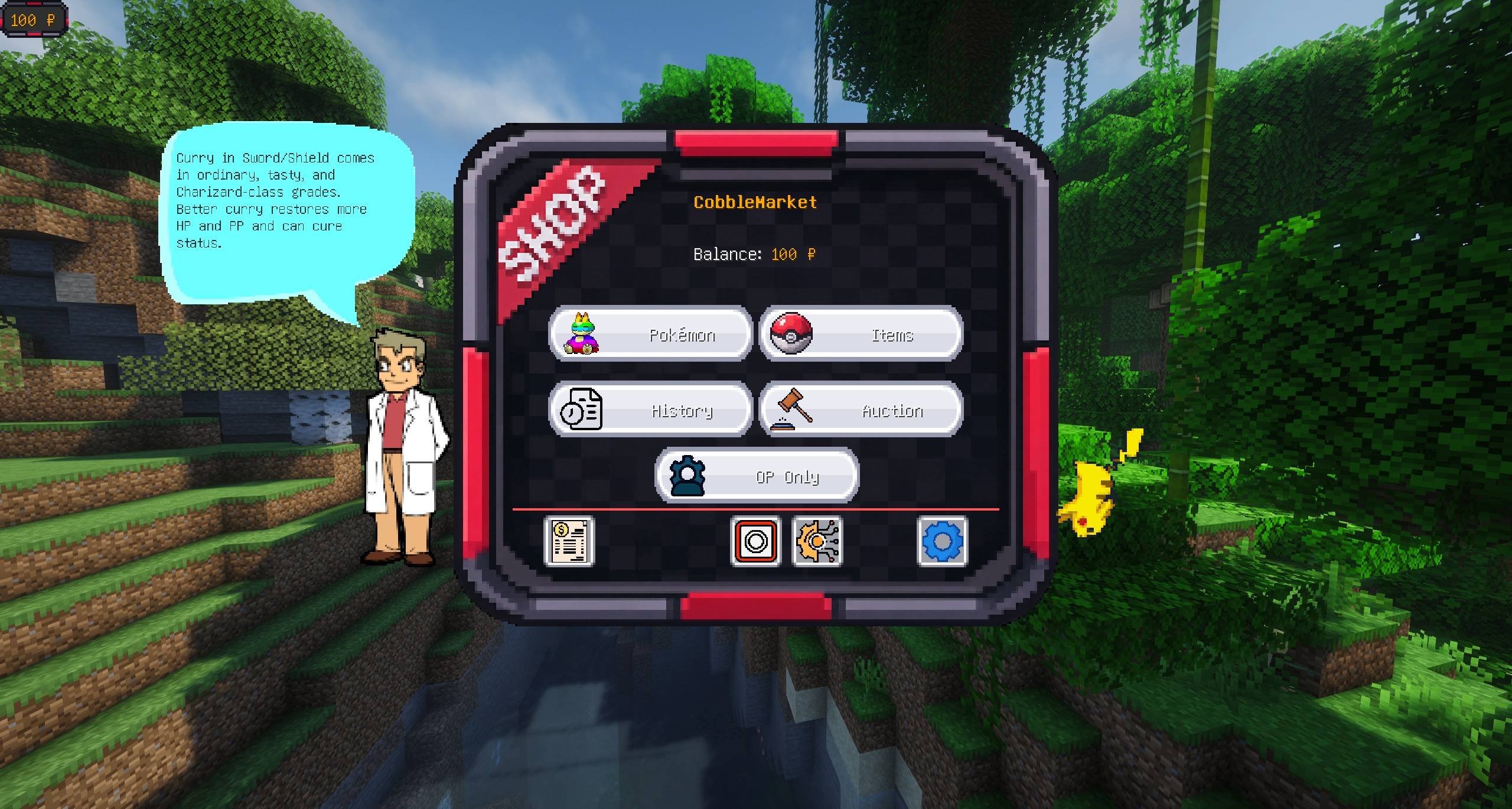
2.Market Entry Screen
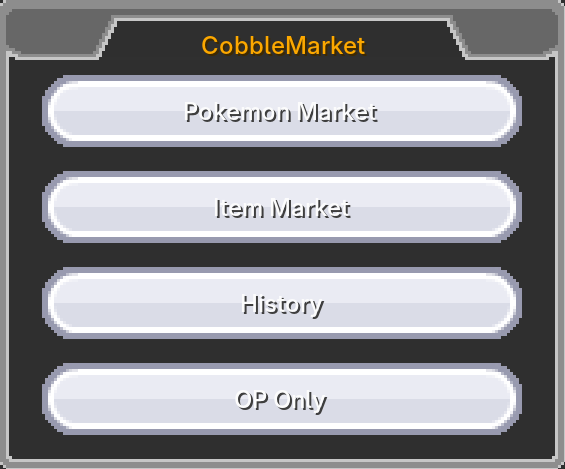
The entry screen offers the following buttons:
- Pokemon Market: enter the Pokémon trading market
- Item Market: enter the item trading market
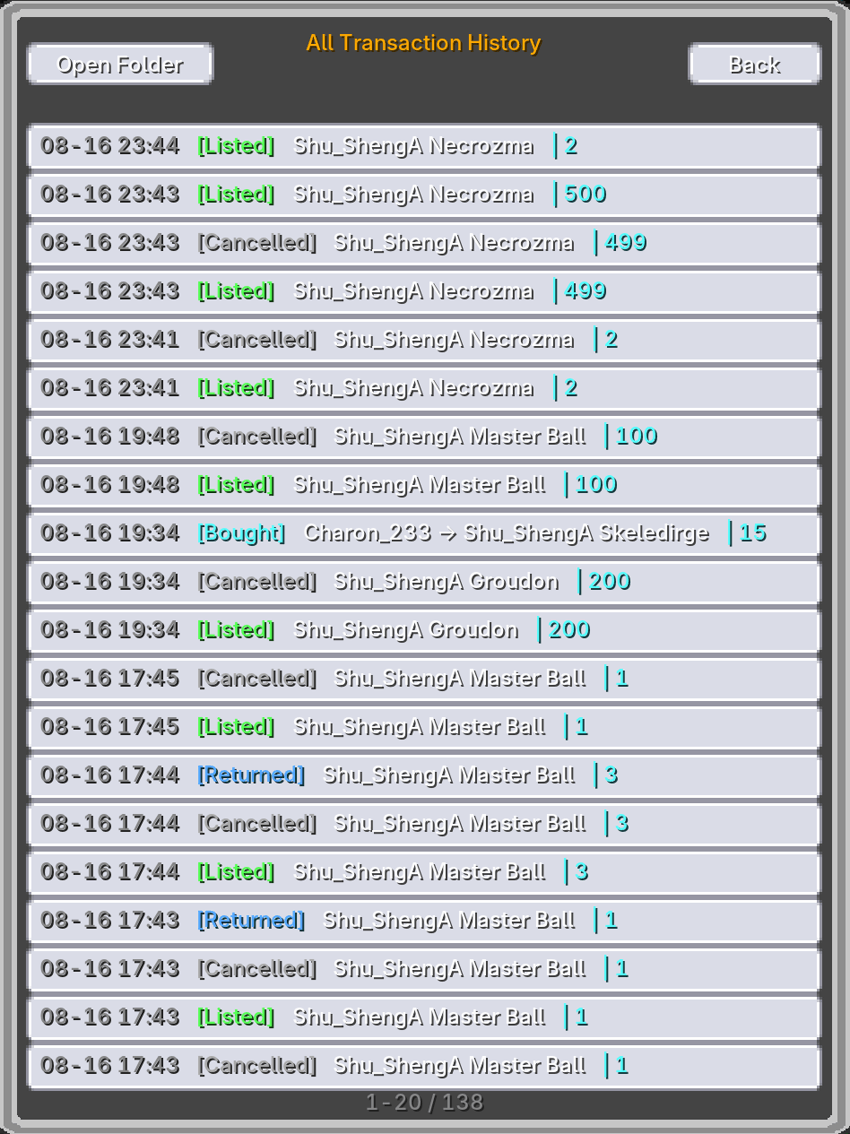
- Transaction History: view your own trade records
- Admin Panel: OP-only (permission level ≥ 2)
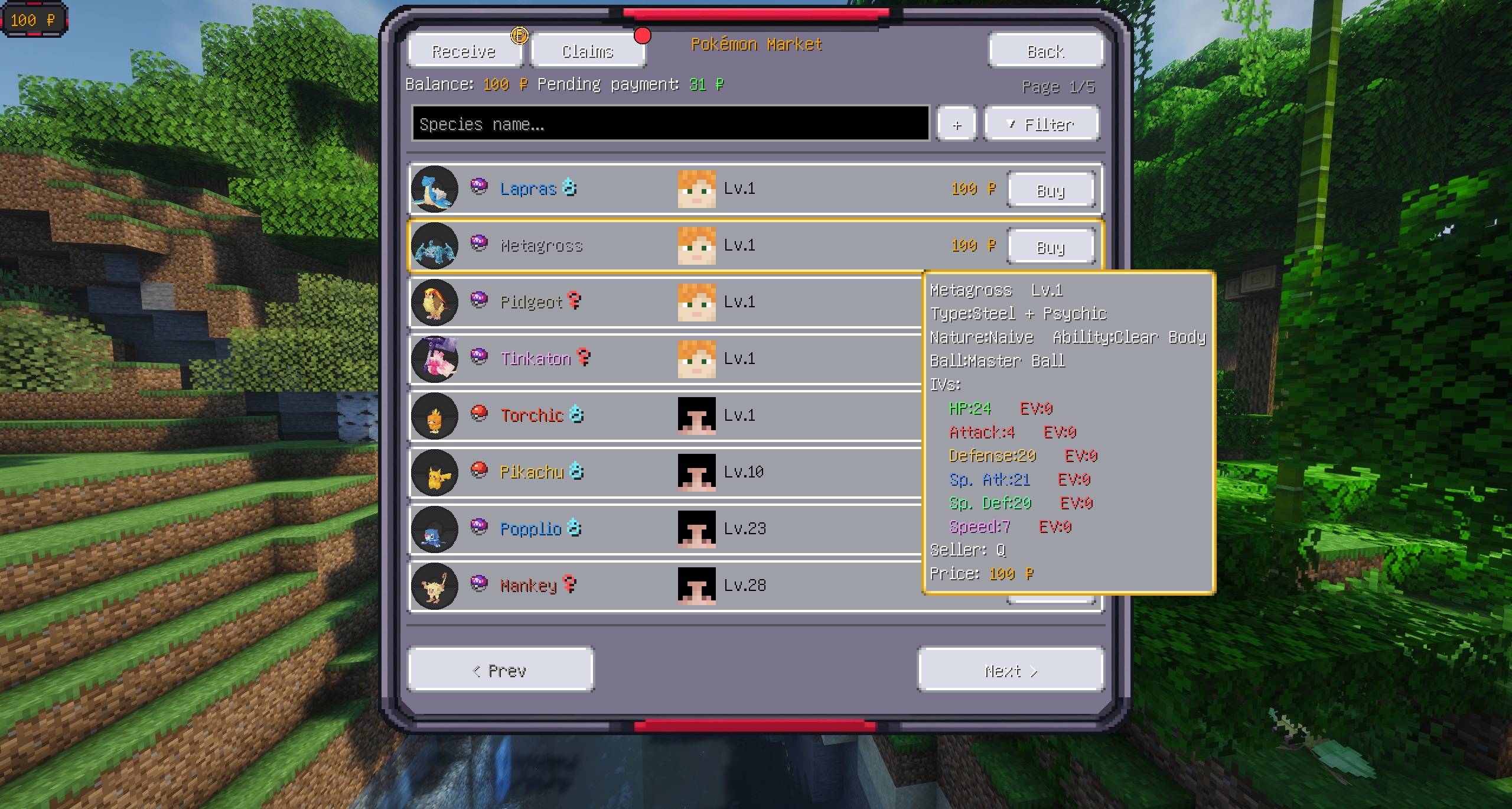
3.Pokemon Market Main Screen
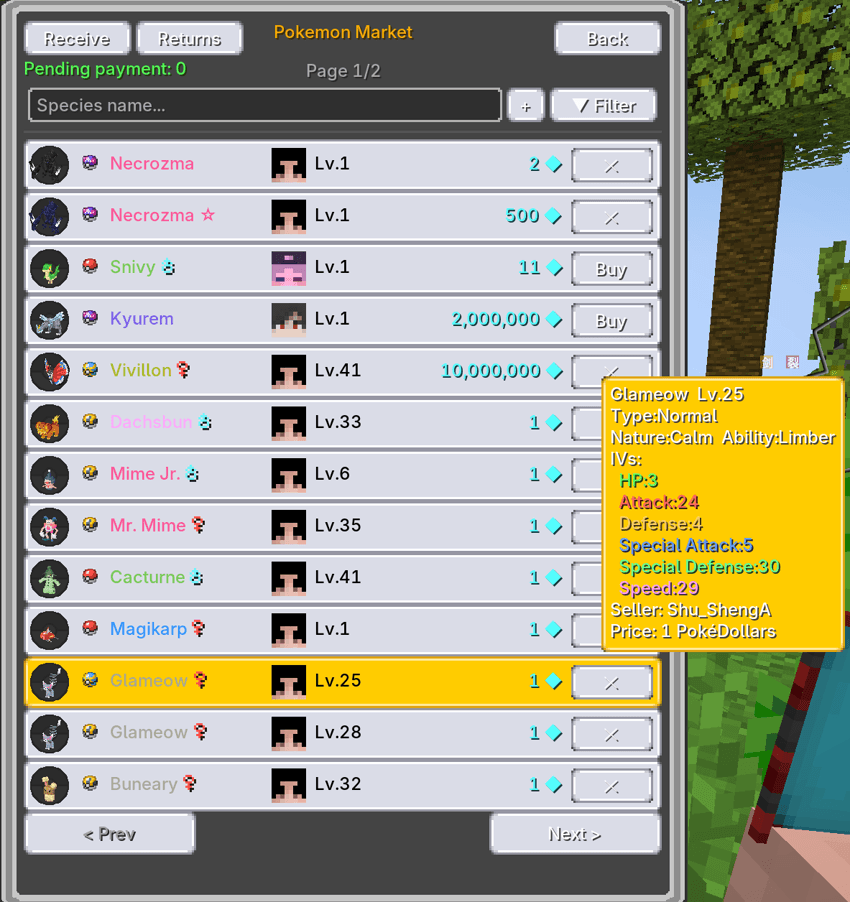
The main screen lists all active Pokémon listings across the server with pagination. Click "▼ Filters" to expand the full filter panel.
3.1 Filter Panel
Filters can be freely combined:
- Name search: fuzzy match on species name or ID
- Shiny toggle: show only shiny Pokémon
- Gender: any / male / female
- Type: filter by type (primary or secondary)
- IVs: exact match on each of the six IV stats (HP/Atk/Def/SpA/SpD/Spe); leave blank to ignore
- Sorting: Price ↑ / Price ↓ / Level ↑ / Level ↓ / Newest
- Mine: only your own listings
3.2 Listing Tooltip
Hover any listing to inspect the Pokémon: type, ball, nature, ability, IVs, held item, seller, and price.
3.3 Buying
Click "Buy" on a listing to open the confirmation screen showing level and price. On confirmation, currency is deducted and the Pokémon is added to your party (auto-transferred to PC if the party is full).
3.4 Pending Balance and Expired Returns
The top of the main screen shows your pending balance; click "Collect" to claim it. Expired listings go to the "Expired Returns" list and can be reclaimed at any time (if storage is full, the remainder stays and can be claimed later).
4.Listing a Pokémon
Click "Sell" on the main screen to open the selection screen:
- Party Pokémon are pinned at the top (tagged [Party]); PC Pokémon load below with paging (tagged [PC])
- Search, shiny, and type filters available
- Select a Pokémon, enter a price, confirm to list
- A configurable listing fee is charged on listing (default 5%)
- Listings expire after 14 days by default (configurable) and automatically enter the return list — nothing is ever lost
- At least one Pokémon must remain in the party
- Active listings per player are capped by config (default: unlimited)
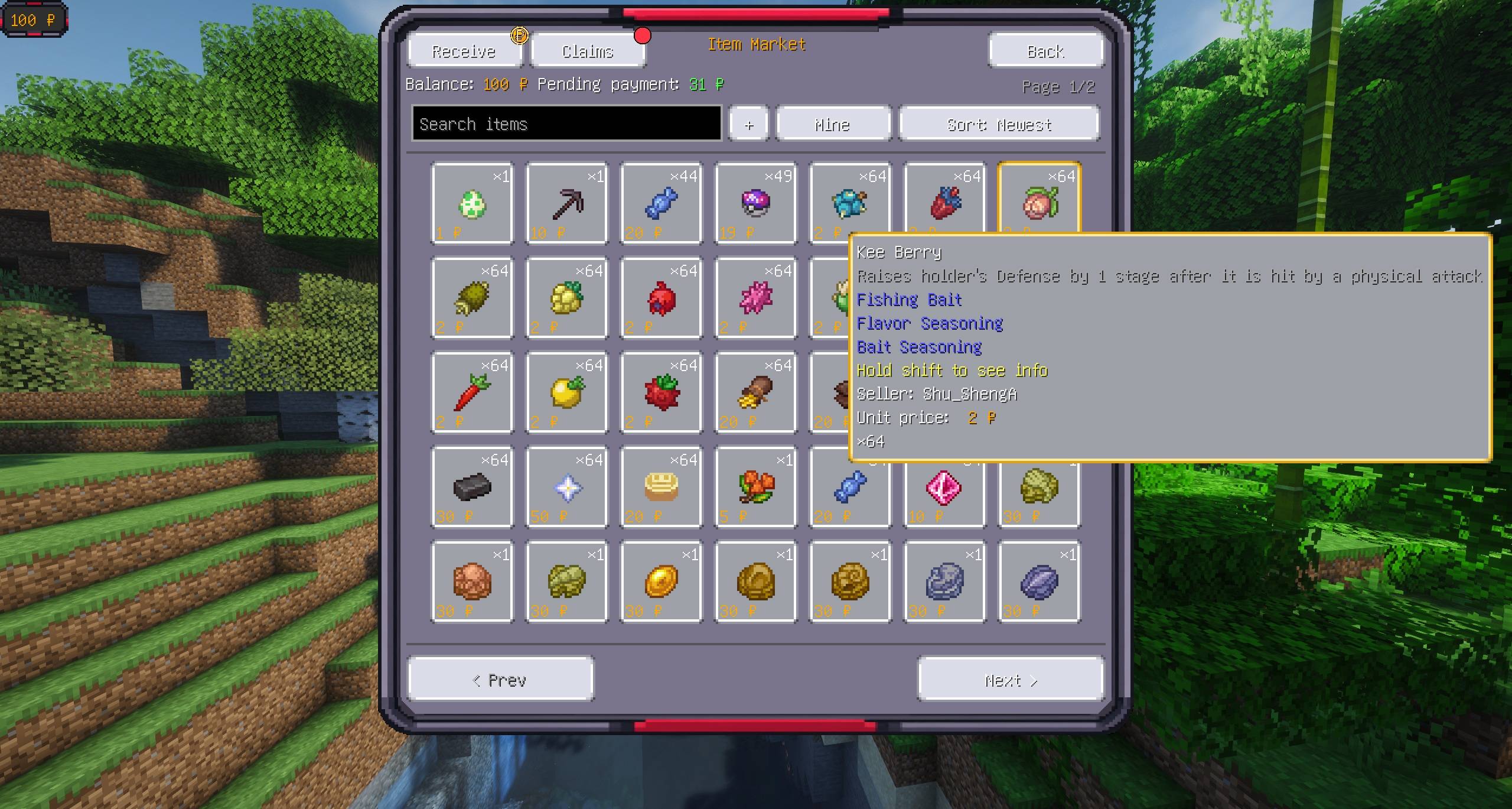
5.Item Market
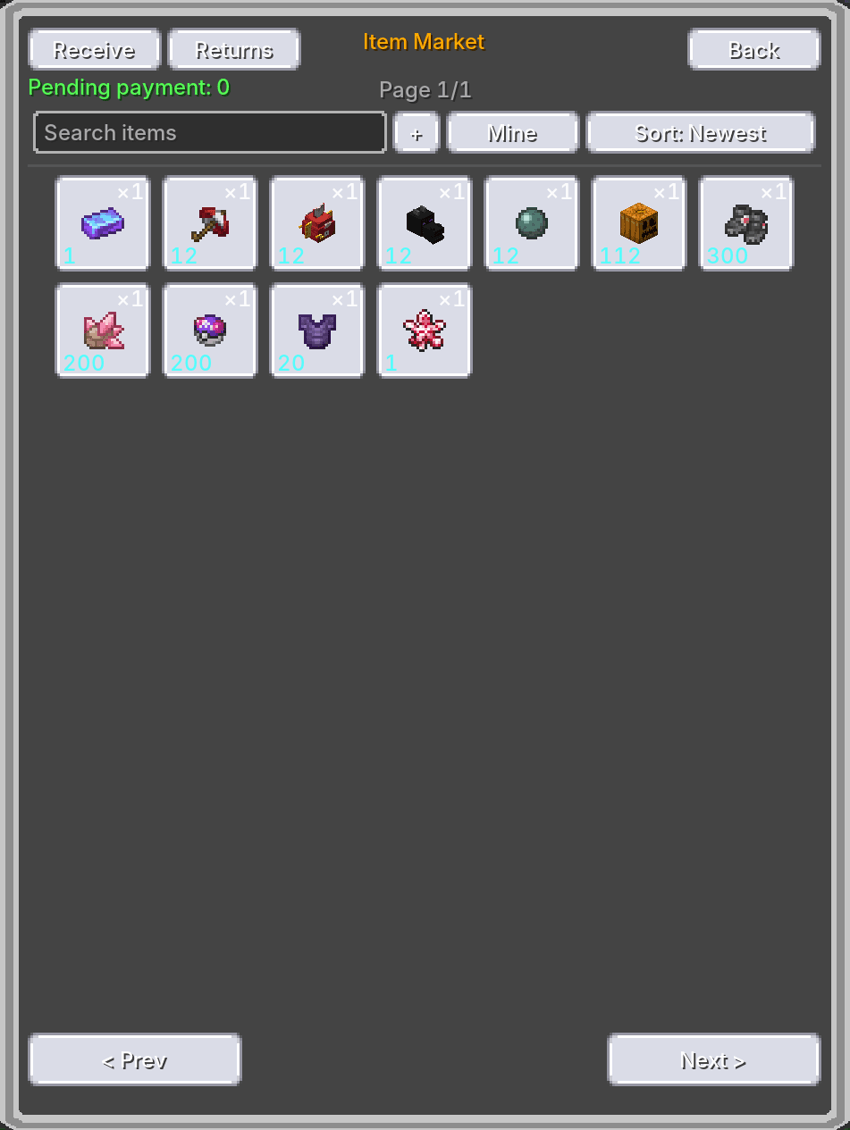
The item market mirrors the Pokémon market mechanics:
- Search items by name
- Buy any quantity: buyers choose an amount (up to the listing stock); the listing stays up with the remaining stock
- Bulk selling: one listing can hold a stack of identical items (e.g. 64 diamonds); buyers purchase them in batches
- Cancel and reclaim: sellers can cancel anytime and the items return to their inventory
6.Expired Returns
Expired listings are never lost — they enter your "Expired Returns" list:
- Pokémon listings: claim with one click; Pokémon return to your party (or PC if full)
- Item listings: claim with one click; items return to your inventory
- Partial claims supported: when storage is full, claim what fits and keep the remainder
- Returns are kept for 30 days by default (configurable; 0 = forever). Overdue unclaimed returns are PERMANENTLY DELETED — claim in time!
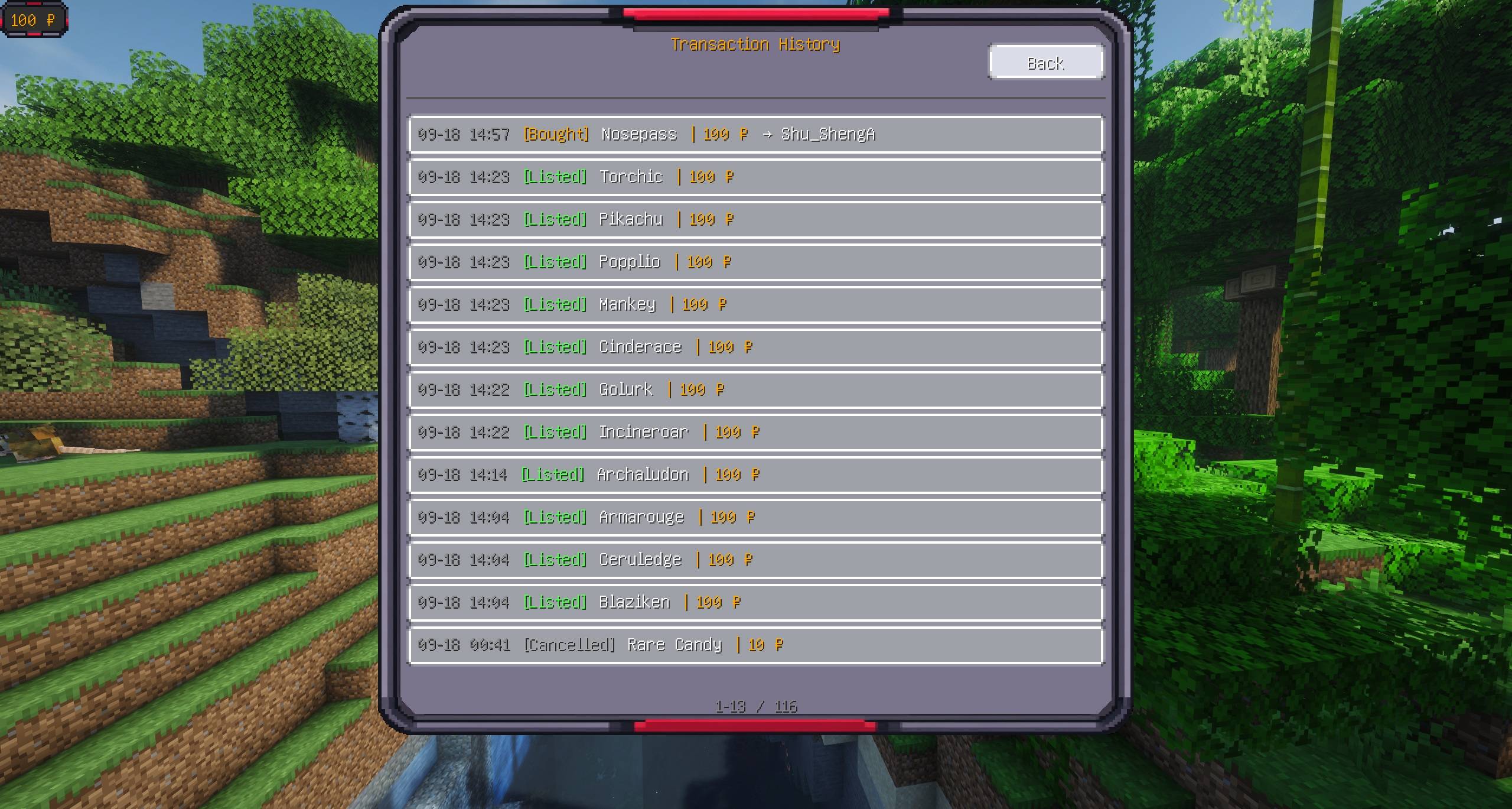
7.Transaction History and Auditing
- In-game history screen: records five event types — listed, sold, bought, cancelled, returned; view your own records
- Full history (OP only): audit every trade on the server
- CSV logs: every transaction is appended to CSV files under config/cobblemarket/history/ (both zh_cn and en_us copies); an "Open Folder" button jumps straight there
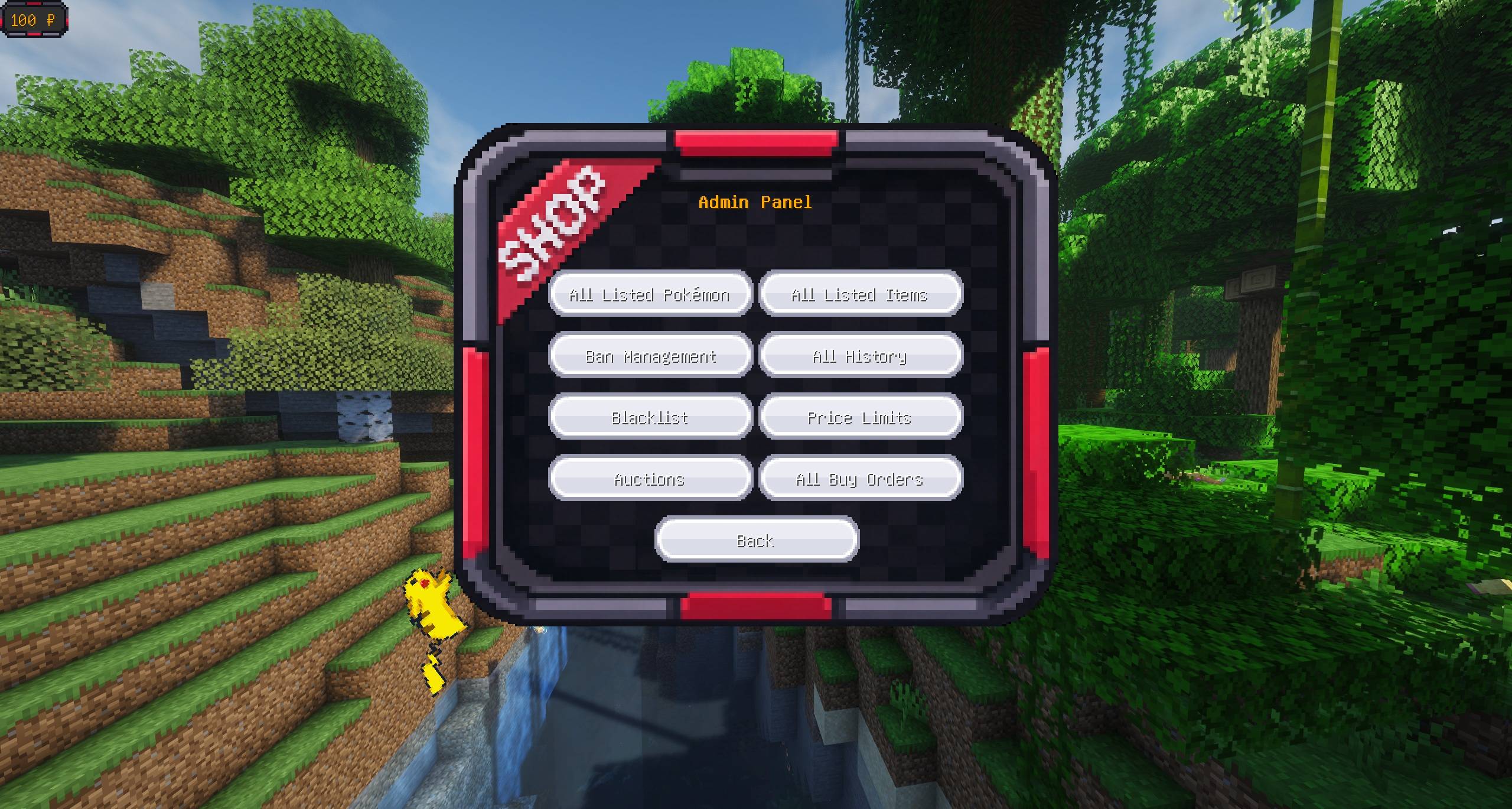
8.Admin Panel (OP only)
Players with permission level ≥ 2 see the "Admin Panel" entry, containing:
- All Pokémon Listings: browse and force-cancel any player's Pokémon listing (search by seller supported)
- All Item Listings: browse and force-cancel any player's item listing
- Ban Management: ban/unban players from trading (see section 9)
- Full Transaction History: server-wide audit
- Pokémon Blacklist / Item Blacklist: moderate forbidden species/items (see section 10)
9.Ban System
Admins can ban players from trading via commands or the admin panel:
- Command: /market ban <player> [duration] [reason] Duration formats: 7d (days), 12h (hours), 30m (minutes), combinable (e.g. 1d12h); no duration = permanent
- Unban: /market unban <player>
- Ban list: /market banlist
- Bans only restrict trading (listing, buying); they NEVER freeze assets: banned players can still cancel their listings, claim returns, and collect their balance
10.Blacklist System
Blacklists keep forbidden species/items out of the market. They take effect IMMEDIATELY — existing listings of blacklisted content can no longer be purchased either.
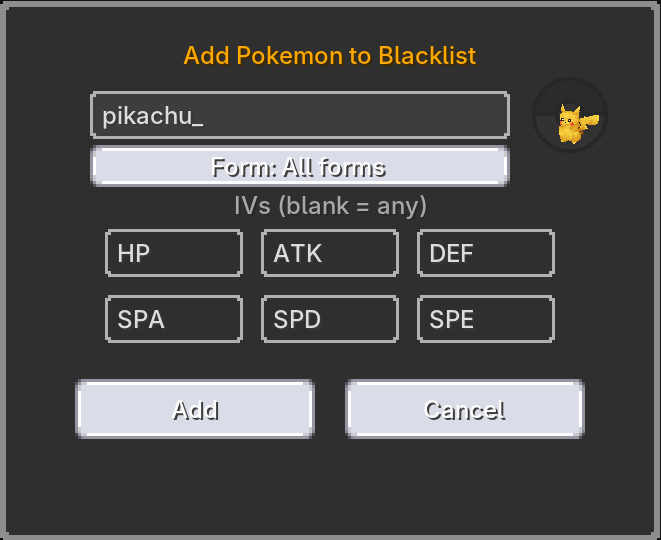
10.1 Pokémon Blacklist
Combined restrictions by:
- Species: enter species name or ID
- IVs: six optional IV fields; blank = ignored
- Form: all forms / default form / specific forms (Alolan, Galarian, Hisuian, Paldean, seasonal forms, etc.)
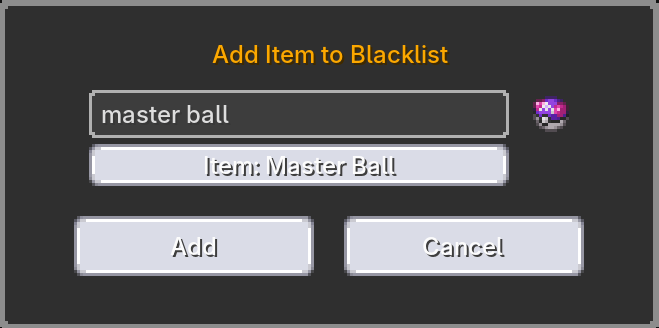
10.2 Item Blacklist
Add items by name or ID, with fuzzy-match selection.
11.Commands
/market gui Open the market entry screen /market ban <player> Permanently ban a player from trading (OP) /market ban <player> <duration> Timed ban, e.g. 7d / 12h / 30m /market ban <player> <duration> <reason> Timed ban with a reason /market unban <player> Unban a player /market banlist List all active bans
12.Configuration
Config file: config/cobblemarket.json (generated on first launch)
currency.cobbledollars auto Use CobbleDollars currency (auto-enabled when the mod is installed) currency.item minecraft:diamond Item currency ID (used when not using CobbleDollars) pokemonListingFeePercent 5.0 Pokémon listing fee percentage (0 = no fee) itemListingFeePercent 5.0 Item listing fee percentage (0 = no fee) maxPokemonListingsPerPlayer 0 Max active Pokémon listings per player (0 = unlimited) maxItemListingsPerPlayer 0 Max active item listings per player (0 = unlimited) listingDurationDays 14 Days before a listing expires pendingReturnRetentionDays 30 Days to keep unclaimed returns; overdue returns are PERMANENTLY DELETED (0 = keep forever)
13.Economy
- Currency: diamonds by default, configurable to any item; if CobbleDollars is installed, it is used automatically as virtual currency with no inventory-space issues
- Fees: charged to the seller on listing (percentage); buyers pay the sticker price
- Pending balance: sale proceeds enter the seller's pending balance and are claimed manually; a full inventory never loses money — the remainder stays on the ledger until there is room
- Offline earnings: proceeds earned while offline are announced on next login
- Loss-proof fallbacks: any refund or change that cannot be delivered (full inventory, etc.) is moved to the pending balance ledger — player money is never silently destroyed
14.Data Safety
Market data (listings, balances, history) is stored in world/data/cobblemarket*.dat. The mod has a built-in save self-healing system:
- Auto-verify on startup: every launch verifies file integrity; corrupted files are restored from the .bak backup automatically (only changes since the last backup are lost)
- Corrupt-file preservation: with no backup available, the damaged file is kept as .dat.corrupt for manual recovery and the server starts with fresh data
- Log messages: watch for "restored from backup" (recovered) or "preserved as .corrupt" (needs manual attention) in the server log
15.FAQ
Q: The buy screen says "Your party and PC are both full"? A: Free up party/PC space and buy again. If money was deducted, it is automatically refunded or moved to your pending balance — never lost.
Q: Can a banned player still get their listings back? A: Yes. Bans only restrict trading (listing, buying). Cancelling listings, claiming returns, and collecting balance are always allowed.
Q: Can I buy part of an item listing? A: Yes. Choose a quantity; the listing remains active with the remaining stock.
Q: How do I prevent forbidden content on the market? A: Use the admin panel blacklists: the Pokémon blacklist supports species+IV+form combinations and the item blacklist works by item ID. Both take effect immediately, including on existing listings.
Q: How long are trade records kept? A: The last 200 records are kept in-game; CSV logs are archived by date under config/cobblemarket/history/ for long-term retention.
CobbleMarket Team