74AA5815-AB21-492B-A644-A18A255147F8.png
E9178A16-6C88-4D5B-94CF-F29EC63D3760.png
1684CB9C-EF86-4EC4-8A5F-65611F09613D.png
B5097FE8-7B69-4FCD-8EE0-CCEEAA088349.png
C48760E6-7580-4D18-BAE8-406EFF95E708.png
4558BE3A-3D7C-46D7-B6CC-FA1CDB53B203.png
Description
CobbleAsia GUI
CobbleAsia GUI is a client-side interface mod for Minecraft 1.21.1 (Fabric). It replaces the chest-window menus and the vanilla scoreboard sidebar that Cobblemon servers normally have to build their features out of, and draws them instead as purpose-built full-screen interfaces and a proper HUD overlay.
It is the official companion mod for the CobbleAsia Cobblemon server, and that is where its screens are used today. It contains no gameplay logic of its own — every menu it draws is described by the server, and every button it offers sends the click back to the server to be validated there. Installing it does not change any game mechanic, add any item, or give any player an advantage; it changes only how the server's existing menus look and behave on your screen.
The problem it solves
A Minecraft server has two ways to show a player anything:
- A chest window. Fixed 9-wide grid, one item per slot, all information crammed into hover tooltips. A gacha banner, a crafting recipe list and a quest log all end up looking like a chest full of paper.
- The scoreboard sidebar. Up to 15 rows of one plain line of text each. Progress has to be faked with
█████░░░░░block characters, currencies are spelled out as words, and anything past row 15 silently disappears.
CobbleAsia GUI removes both limits for players who install it.
What you get
A real HUD panel instead of the scoreboard sidebar
The sidebar becomes a drawn overlay panel with a carved, beveled frame — and rows that can be more than a line of text:
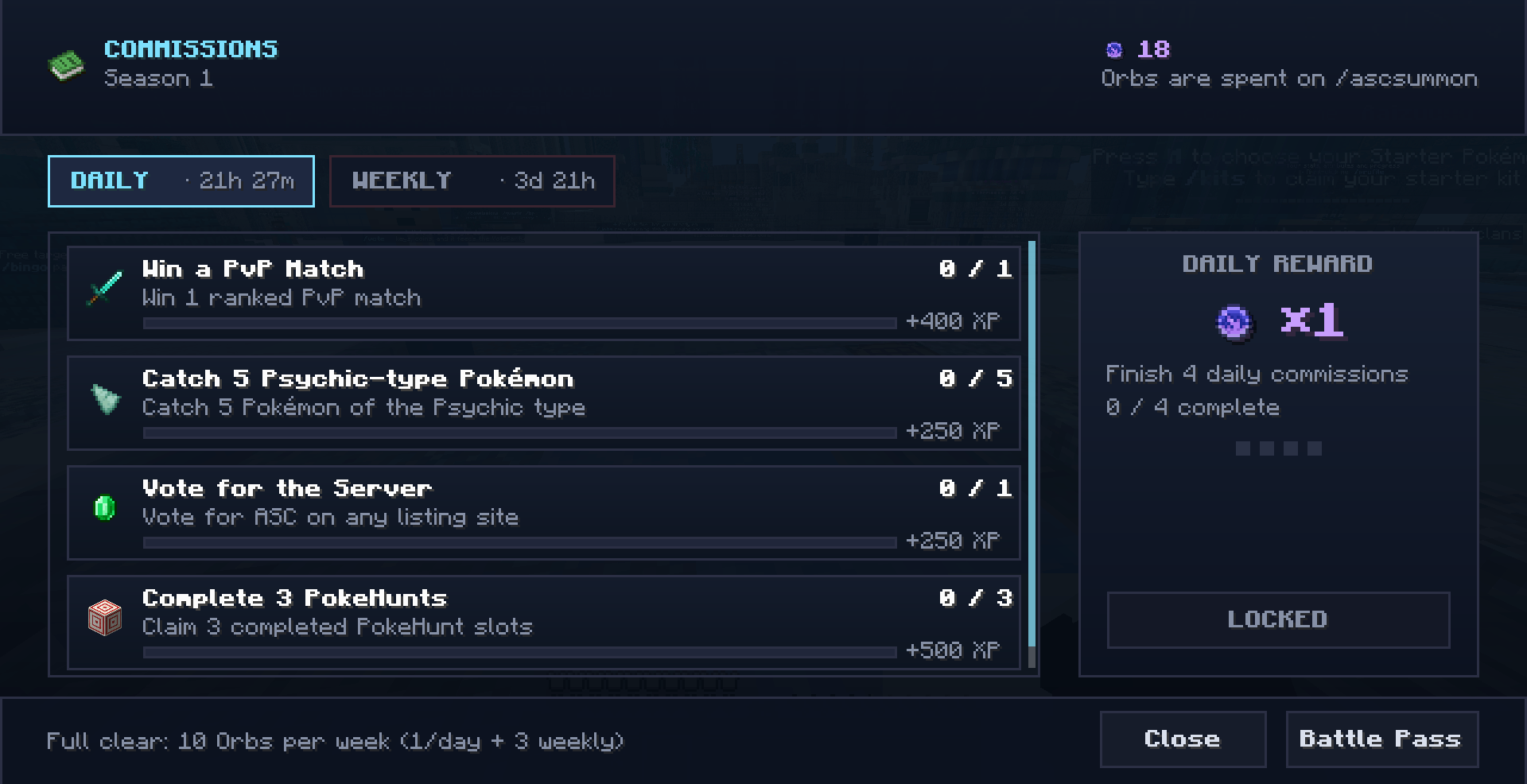
- Filled progress bars that render as actual bars, not block characters.
- Item icons on any row, including custom-model-data variants, so a currency shows its own art instead of its name.
- Currency chip rows — several
icon + amountpairs on one line, so four rows of balances collapse into one. - Colour-coded states per row (complete, locked, in progress) rather than one flat colour for the whole panel.
- Key-hint pills at the foot of the panel (
[J] Quests,[K] Help) that print your binding, resolved on your client — so they stay correct if you rebind. - No 15-row ceiling. The panel sizes itself to its content.
The panel fits itself to your screen: it is scaled so it never takes more than 34% of the width or 55% of the height, which keeps it usable on a 1280×720 client where a fixed-size panel would swallow half the display. It prefers whole GUI-scale steps so text stays pixel-crisp, and it leaves your own GUI scale alone whenever that already fits.
Press U to hide it — it collapses to a small tab in the same corner showing the key to bring it back, so hiding it is never a one-way door. It also gets out of the way automatically under F1 and while a screen is open.
Full-screen interfaces instead of chest windows
When the server opens one of its menus, you get a designed screen instead of a chest:
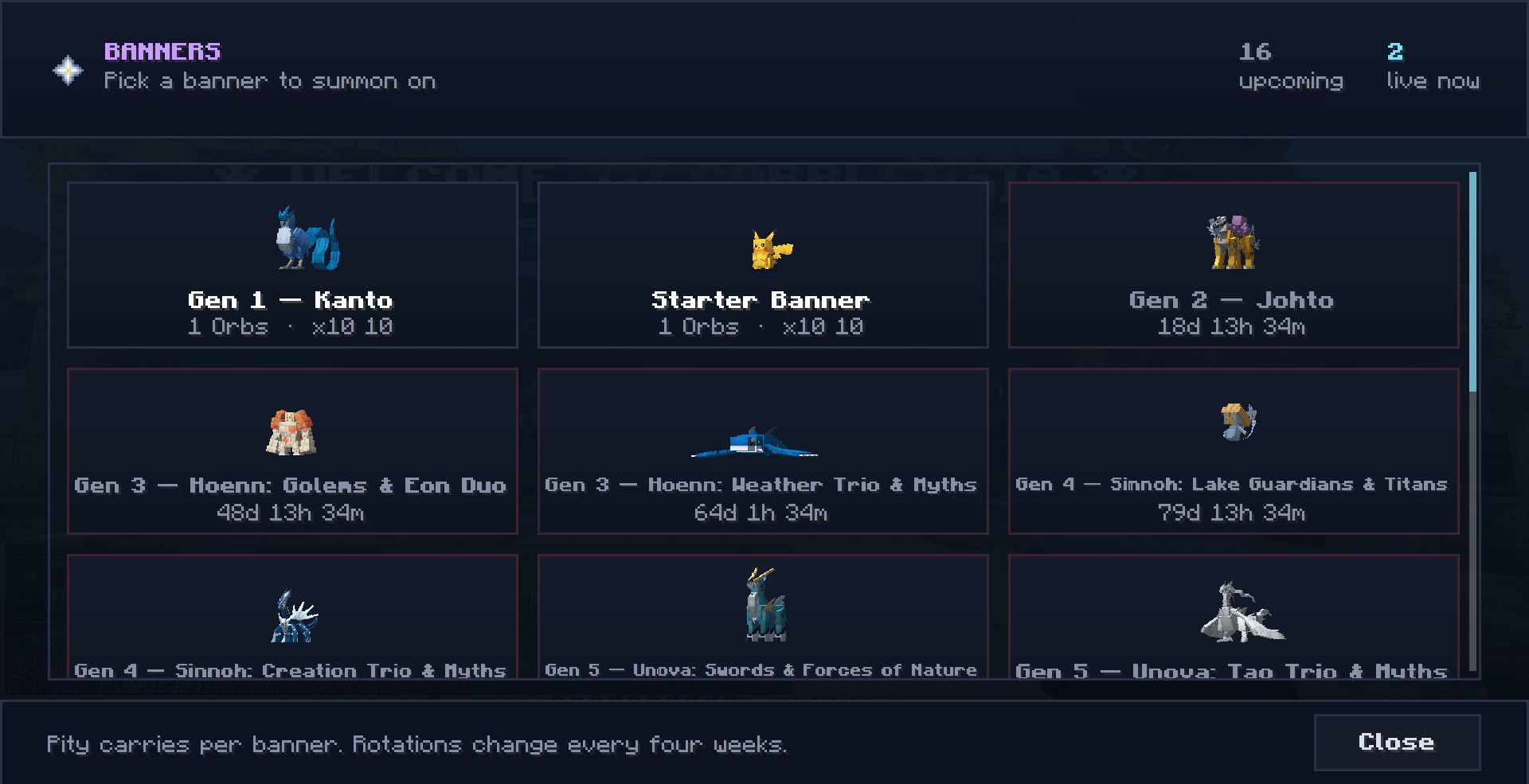
- Summon banners — banner art, featured rewards, pull cost and your balance in the header, with an animated reveal for what you pulled.
- Rate details — the actual odds table, laid out and readable, with a plain-language explanation of how pity works.
- Wish history — every pull you have ever made, newest first, with the item art for each.
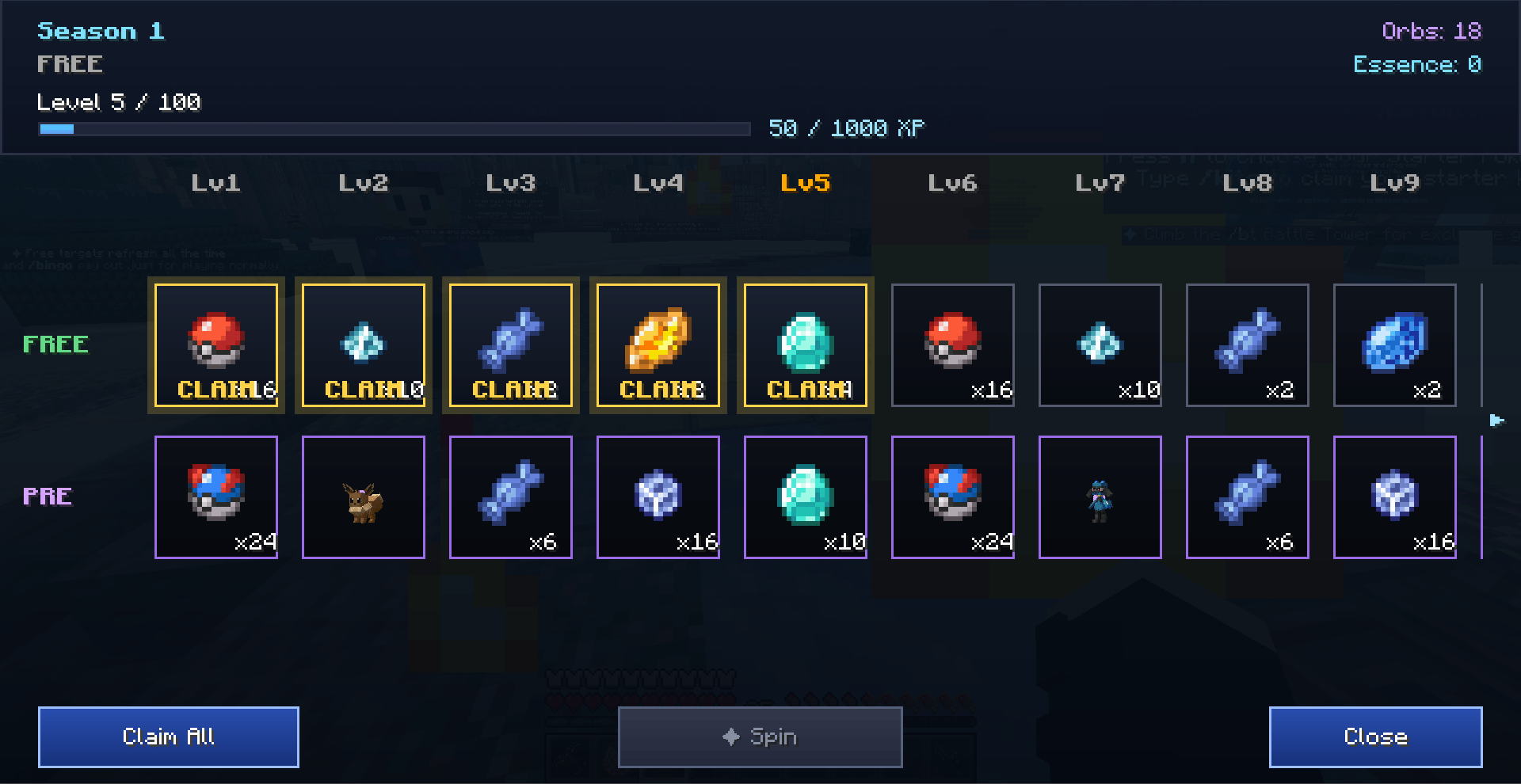
- Battle pass track — tiers laid out horizontally with locked / claimable / claimed states visible at a glance instead of buried in tooltips.
- Spin and reel screens — animated wheels and reels for the server's roulette-style features.
- Quests and commissions — your active list with per-objective progress bars, opened with a keypress instead of a command.
- Crafting / synthesizer screens — recipe options with their inputs, outputs and whether you can currently afford them, side by side.
- Gear screens — equipment and its stats shown as a layout rather than a row of slots.
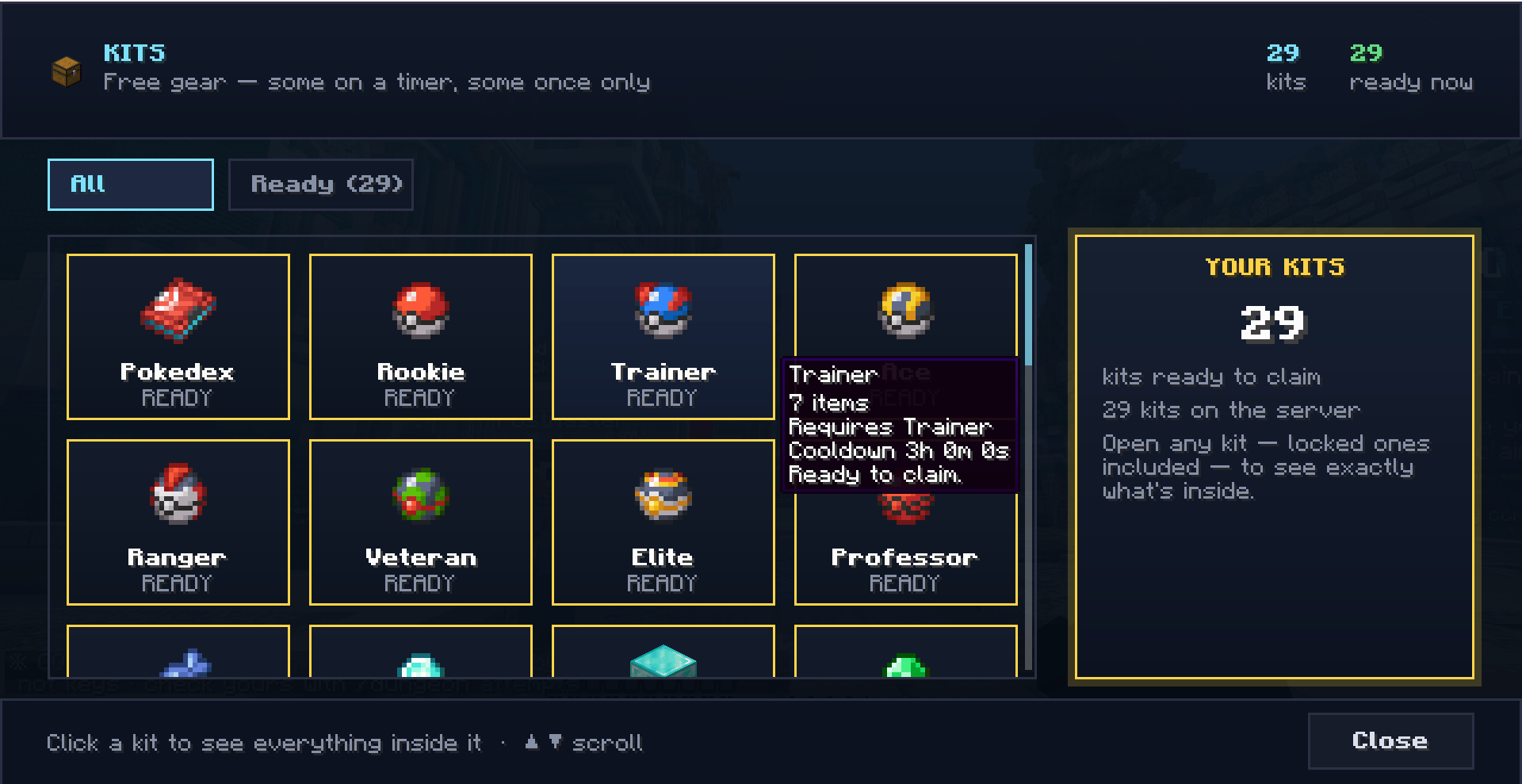
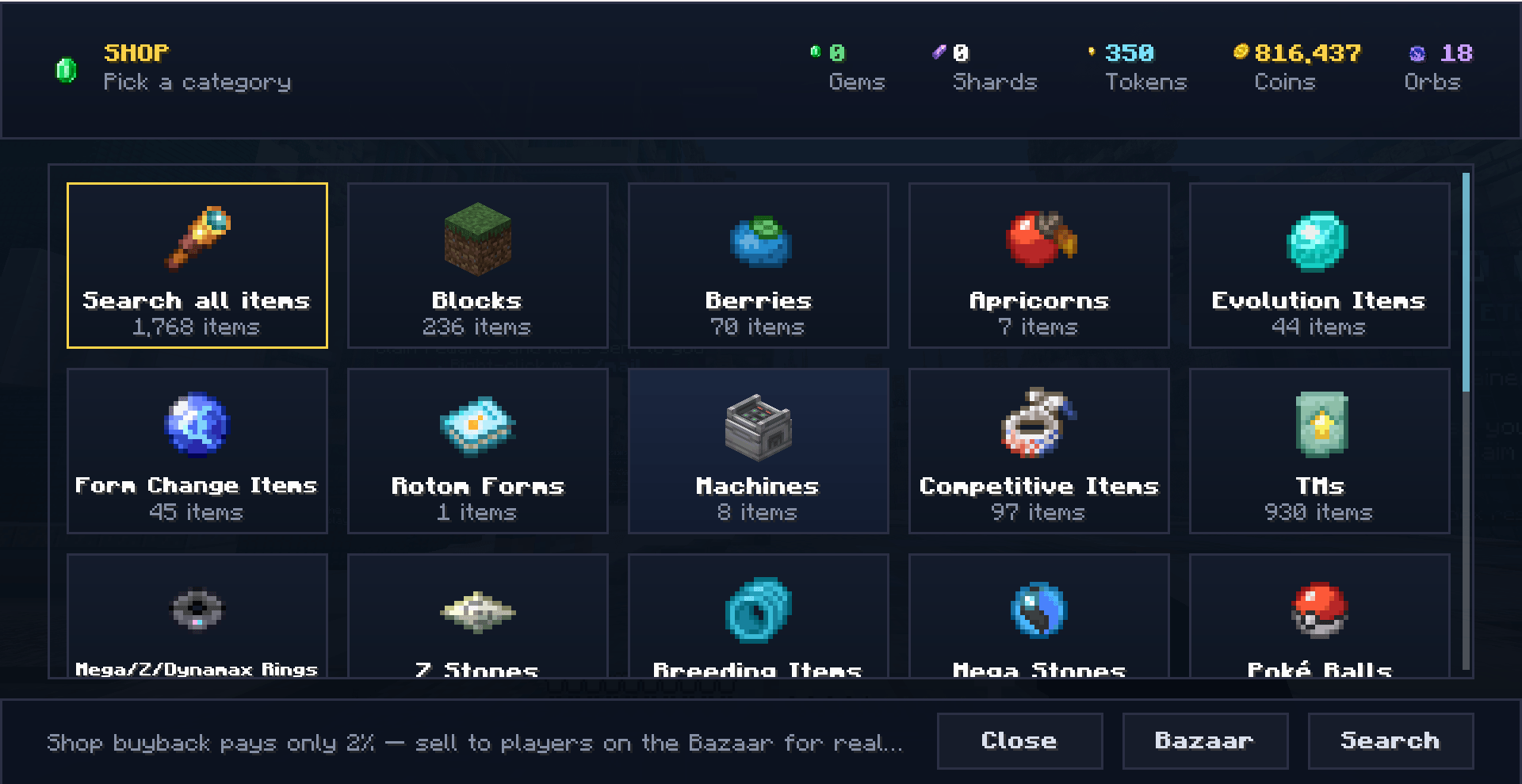
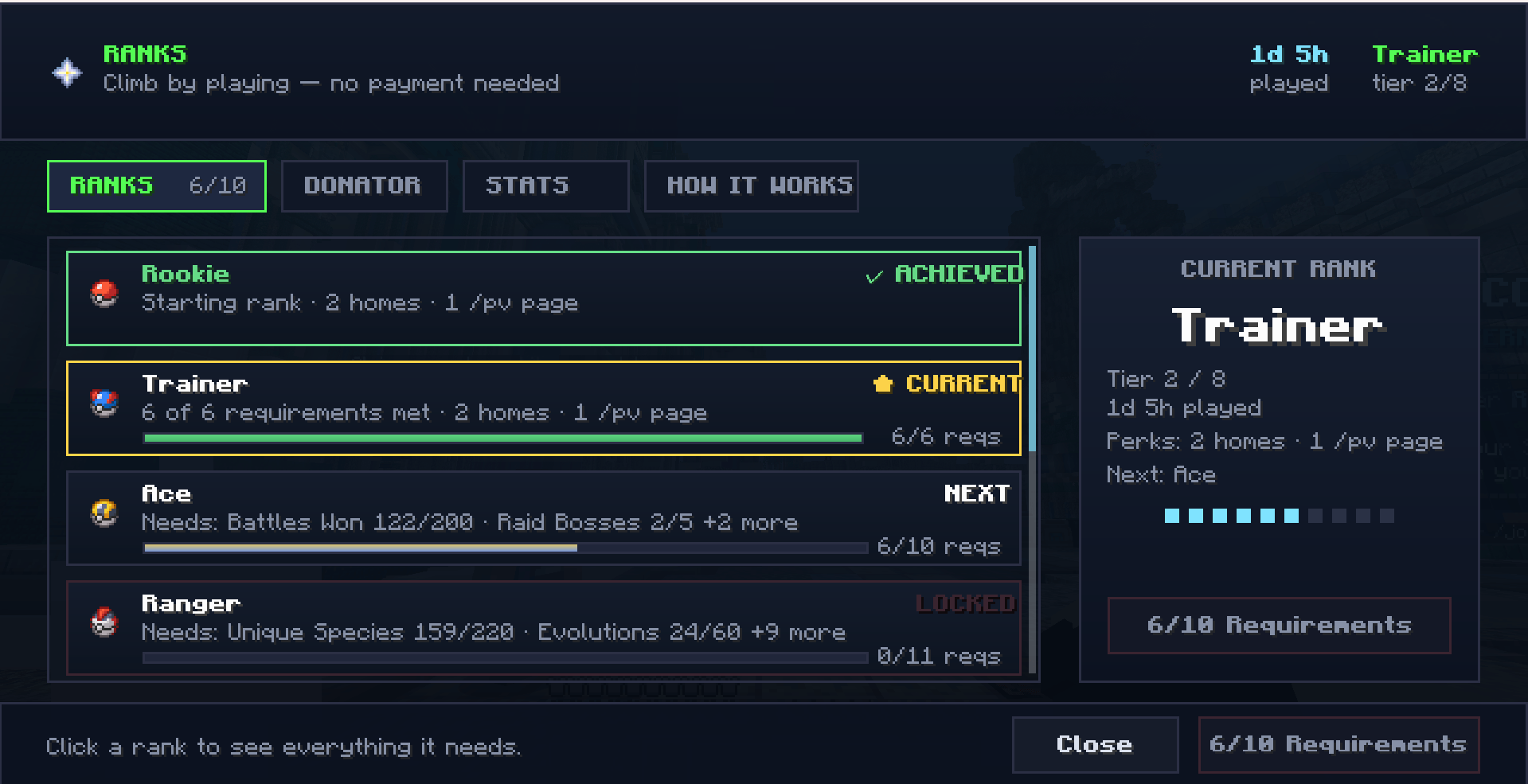
- A generic document renderer that any of the server's other menus (ranks, Pokédex progress, shops, leaderboards) can drive, so they all share the same look, tooltips and navigation.
Rows show tooltips on hover whether or not they are clickable, so you can still inspect a locked reward tier to see what it pays out.
Keybinds and client commands
Three rebindable keys, all listed under a "CobbleAsia" category in Options → Controls:
| Key | Action |
|---|---|
J |
Open quests / commissions |
K |
Open the server's help screen |
U |
Hide / show the HUD panel |
Client-side commands (they never touch the server):
/ascui hud— toggle the HUD panel./ascui scale auto\|1-4— pin the panel to a chosen GUI scale if you want it bigger or smaller than the automatic fit, without touching your game-wide GUI slider. Saved toconfig/asc-clientui.properties, so it survives a restart./ascui show— un-hide the panel.
What it does not do
- No gameplay logic ships in this jar. Drop rates, pity counters, prices, recipes, quest progress and every eligibility check live on the server and are validated there. The client sends "I clicked pull on this banner" and draws whatever comes back.
- No mixins. It does not patch or alter any vanilla class, and it changes no vanilla mechanic.
- It is not required to play. Players without it see the server's normal chest-window menus and the vanilla scoreboard, with identical rewards and identical outcomes. This mod is presentation only — installing it confers no advantage.
- It does nothing in singleplayer, and nothing on a server that does not send its menus. It is a renderer waiting to be told what to draw.
Requirements
- Minecraft 1.21.1
- Fabric Loader 0.16.0+
- Fabric API
- Java 21+
- Client-side only — do not put it in a server's
modsfolder.
Cobblemon is suggested, not required: the mod uses it to render Pokémon art in the server's screens when it is present, and works fine without it.
Support
Issues and questions: the CobbleAsia Discord — https://discord.gg/qB3ExYsUAH
CobbleAsia GUI Team