Cobble Party HUD
- By
Client-side mod for Cobblemon: move and resize the party HUD anywhere on screen, vertical or horizontal, mirrored on the right side.
1-fila-sobre-hotbar.png
2-fila-arriba.png
3-columna-derecha.png
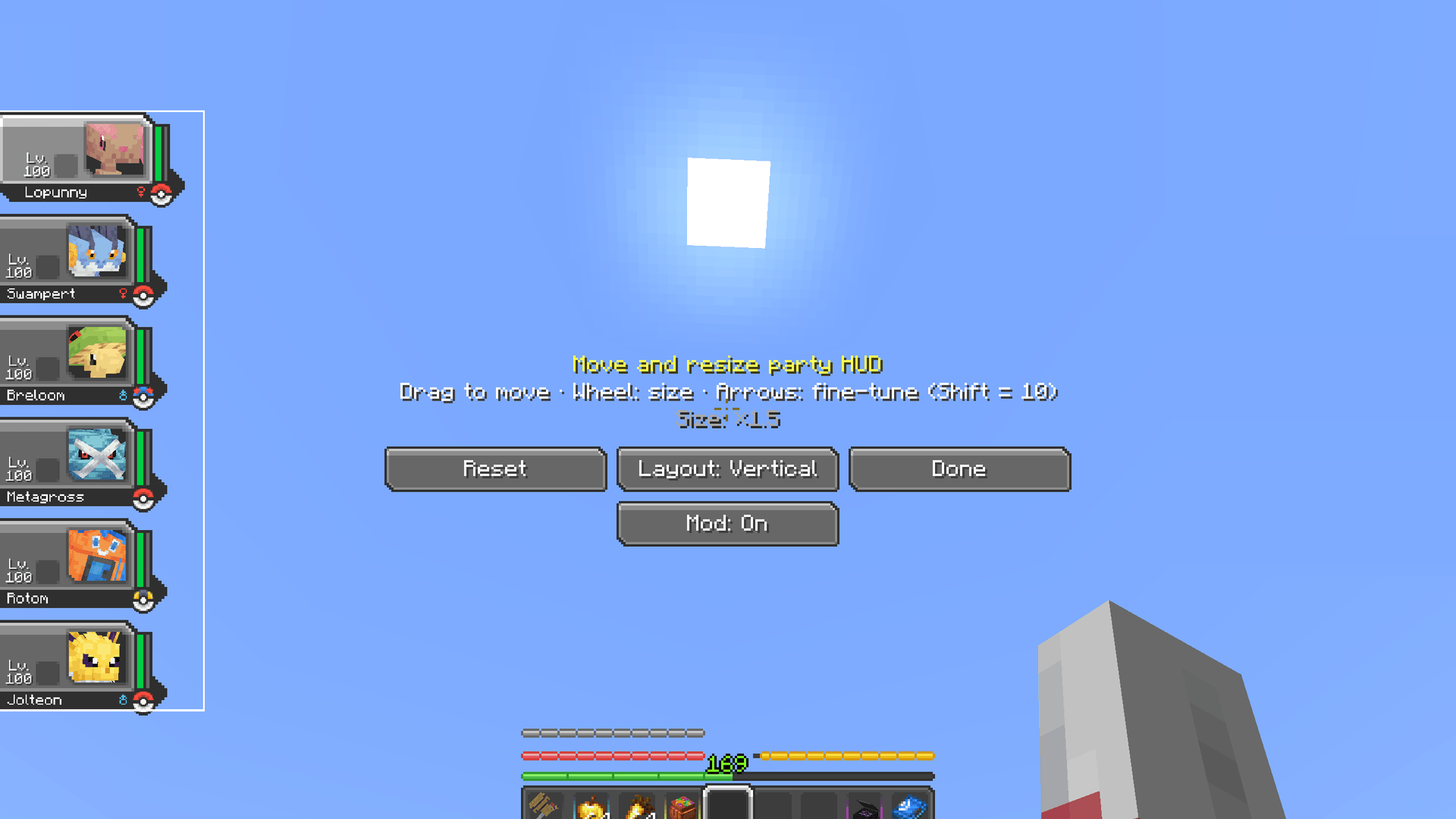
4-editor.png
Description
Cobble Party HUD
Move and resize Cobblemon's party HUD, anywhere on your screen.
Cobblemon's party HUD (the six portraits on the left) can't be moved or resized: it can cover part of the screen, overlap other HUDs and doesn't adapt to very large or very small monitors. Cobble Party HUD lets you put it wherever you want:
- 🖱️ Drag it anywhere with the mouse, and change its size with the mouse wheel (×0.5 to ×2).
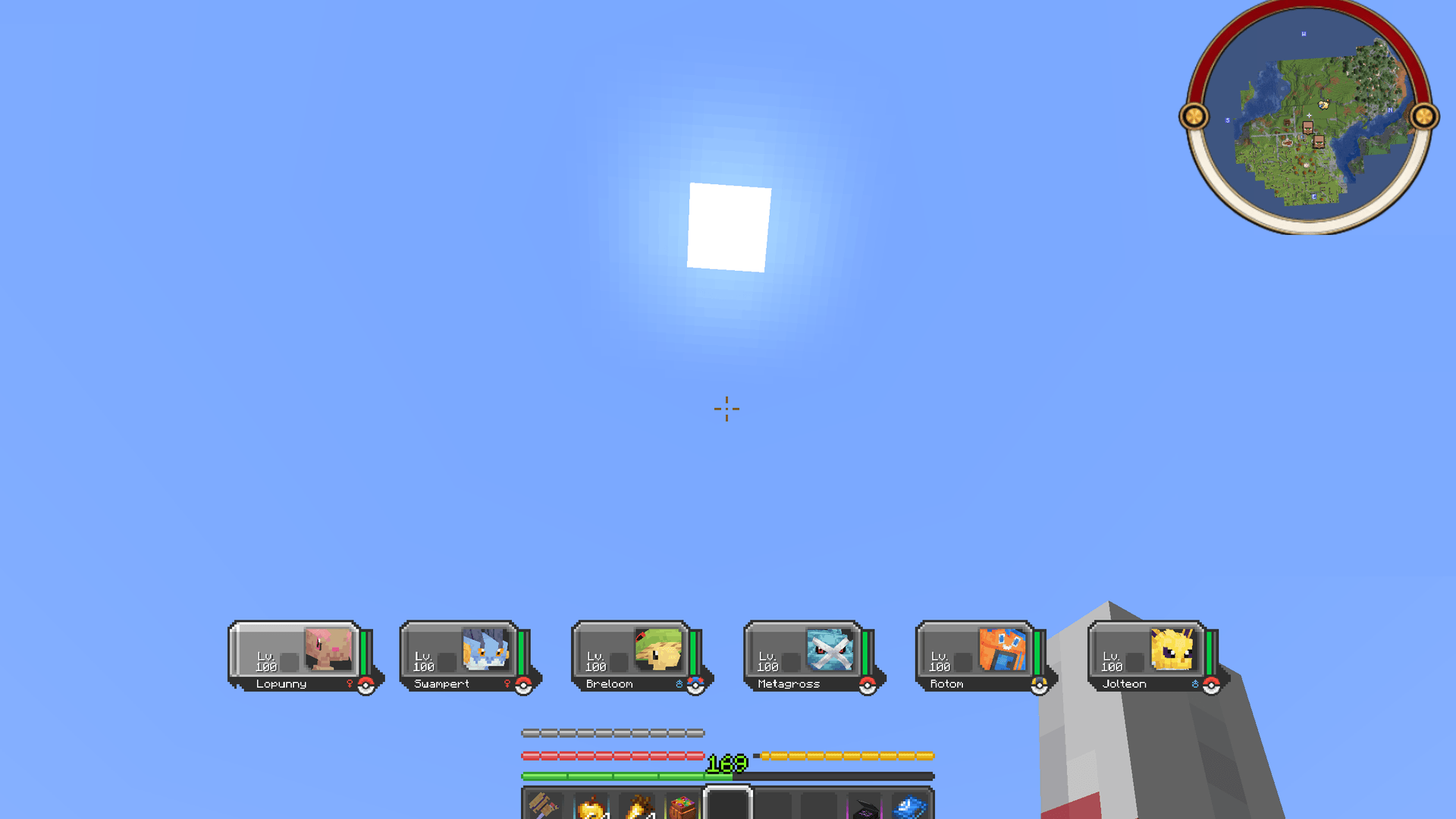
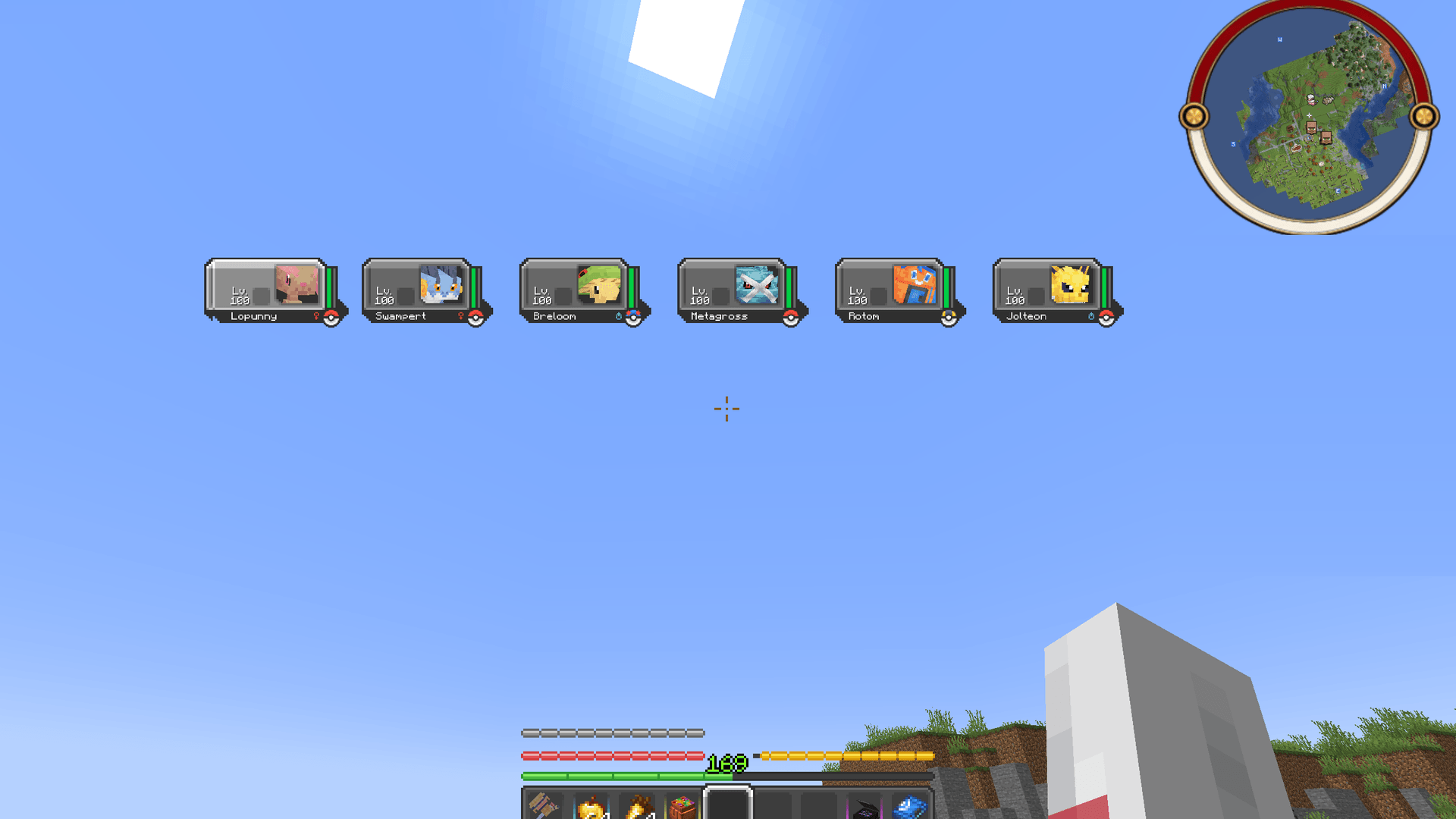
- ↔️ Vertical or horizontal: keep Cobblemon's column, or put your six Pokémon in a row (for example along the top of the screen or above the hotbar).
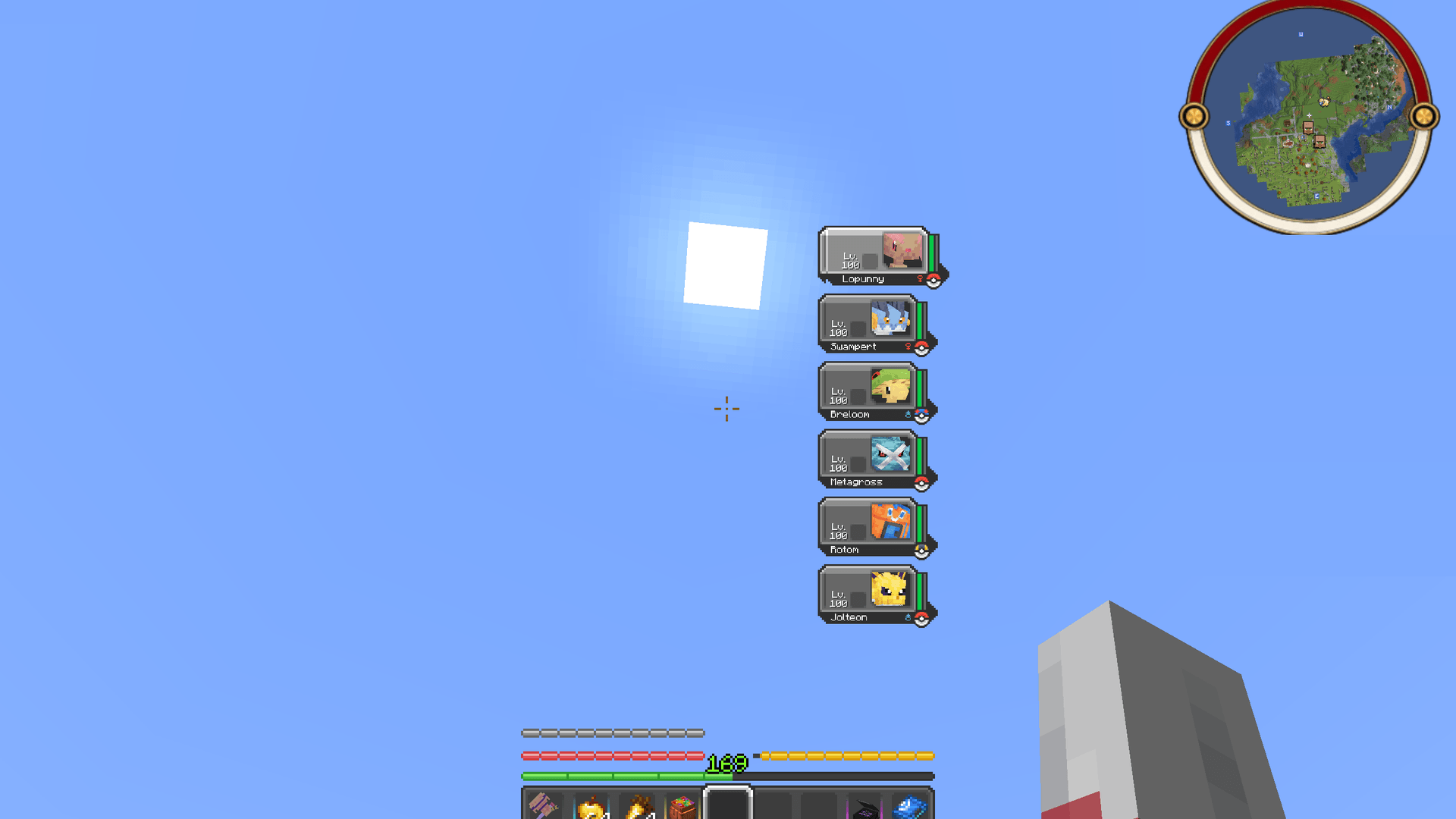
- 🪞 Mirrored on the right: when you place the column on the right side, the slots are mirrored so their flat side sits against the screen edge.
- 🔁 One-click reset and an on/off button that brings the HUD back to Cobblemon's original place without losing your layout.
Available for Fabric and NeoForge. Works on any server: it's client-side only, nothing to install on the server.
🖱️ Move and resize
- Open the editor with Y (rebindable), with the config button in Mod Menu (Fabric) or with the Config button in the mods list (NeoForge).
- Drag the HUD, use the mouse wheel to resize it and the arrow keys to fine-tune it (Shift = 10 pixels).
- It snaps to the nearest of 9 anchor points: the four corners, the middle of each edge and the center. That way it stays in place if you change your resolution or GUI scale.
- Reset puts it back exactly where Cobblemon draws it (middle of the left edge, original size).
↔️ Vertical or horizontal
- Vertical: Cobblemon's column, anywhere on the screen.
- Horizontal: your six Pokémon in a row. Empty slots are hidden (their space is kept, so your Pokémon don't shift), and the level-up, new move and evolution notices appear above or below the row, depending on where it is.
- The side of each slot that Cobblemon draws flat (because it normally touches the screen edge) gets a small closing border when it doesn't touch an edge.
🧩 Works with other HUDs
- While you place the party HUD, the HUDs of Cobble Hunt Log and Cobble EV Tracker stay visible (if you have them), and the party HUD is visible in their editors too, so you can arrange all of them together.
- Compatible with the party HUD scale adjustment made by the Diosesmon server mod.
- The HUD still hides during battles and with F1, as usual.
⚙️ Settings
Everything is saved to config/cobblepartyhud.json.
🛡️ Fair play
Cobble Party HUD only moves and resizes what Cobblemon already shows. It doesn't add any information to the HUD.
📦 Requirements
Available for Fabric and NeoForge (download the file for your loader).
- Minecraft 1.21.1
- Cobblemon ≥ 1.7.3 (tested up to 1.8.2)
- Fabric: Fabric Loader ≥ 0.16.0 and Fabric API. Optional: Mod Menu (config button).
- NeoForge: NeoForge 21.1.x. Cobblemon itself needs Kotlin for Forge on NeoForge.
❓ FAQ
Does it work on servers? Yes. It's client-side only, so you can use it on any Cobblemon server (check its rules first, as with any mod).
Can I go back to the normal HUD? Yes: press Reset in the editor, or turn the mod off with the on/off button. Your layout is kept for when you turn it back on.
What if Cobblemon changes its HUD in a future version? The mod hooks into the drawing of Cobblemon's party HUD (tested with Cobblemon 1.7.3 to 1.8.2). If a hook can't be applied, that part is skipped instead of crashing the game, and the HUD stays in its original place.
Source code and issues: GitHub · License: MIT
Pokémon is a trademark of Nintendo, Game Freak and The Pokémon Company. This mod is not affiliated with them or with the Cobblemon team.
Cobble Party HUD Team