Coasters Simulated: Track Styles
- By
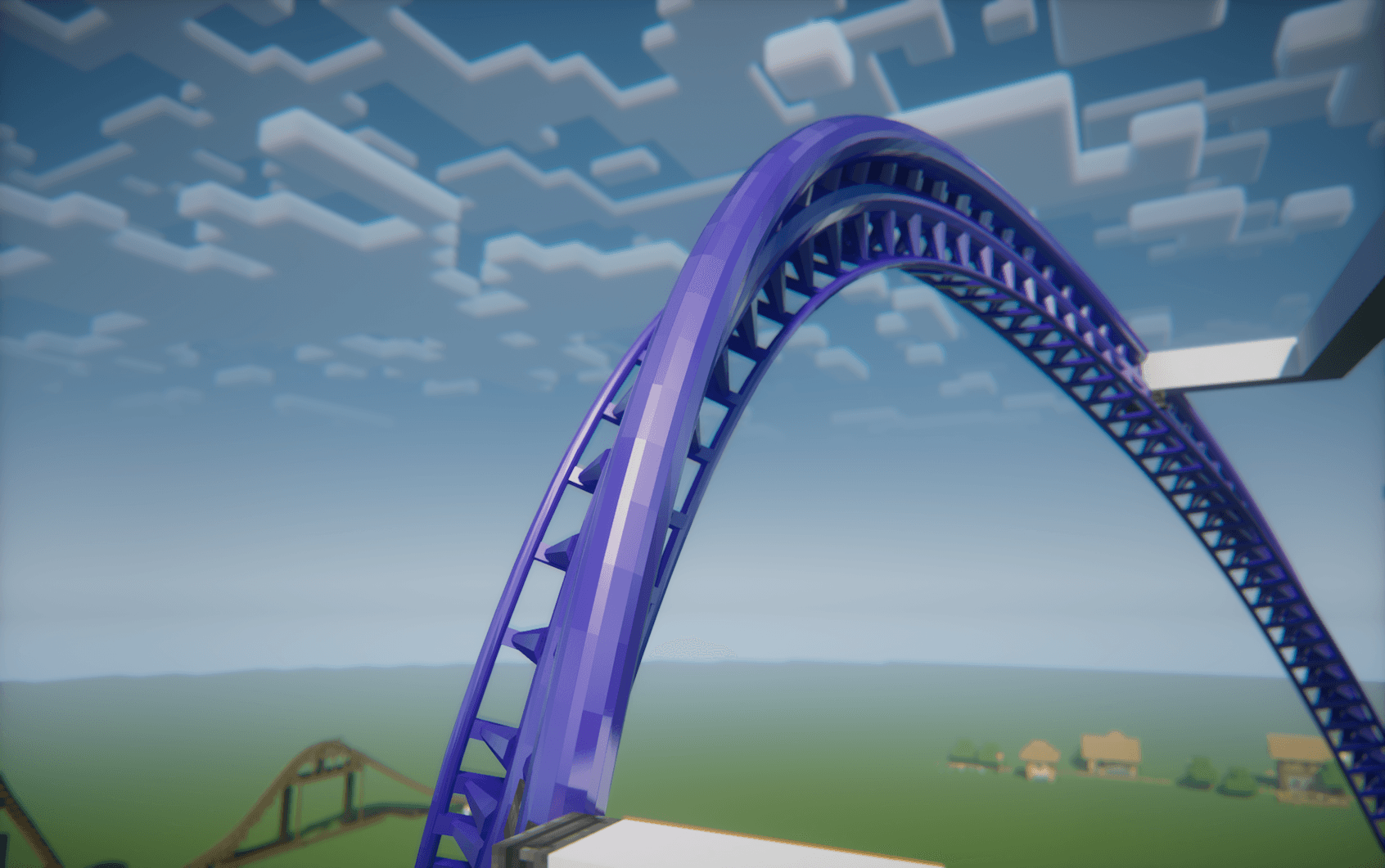
Style: Intamin Heavy Double Spine Base & rail color: #4422AA
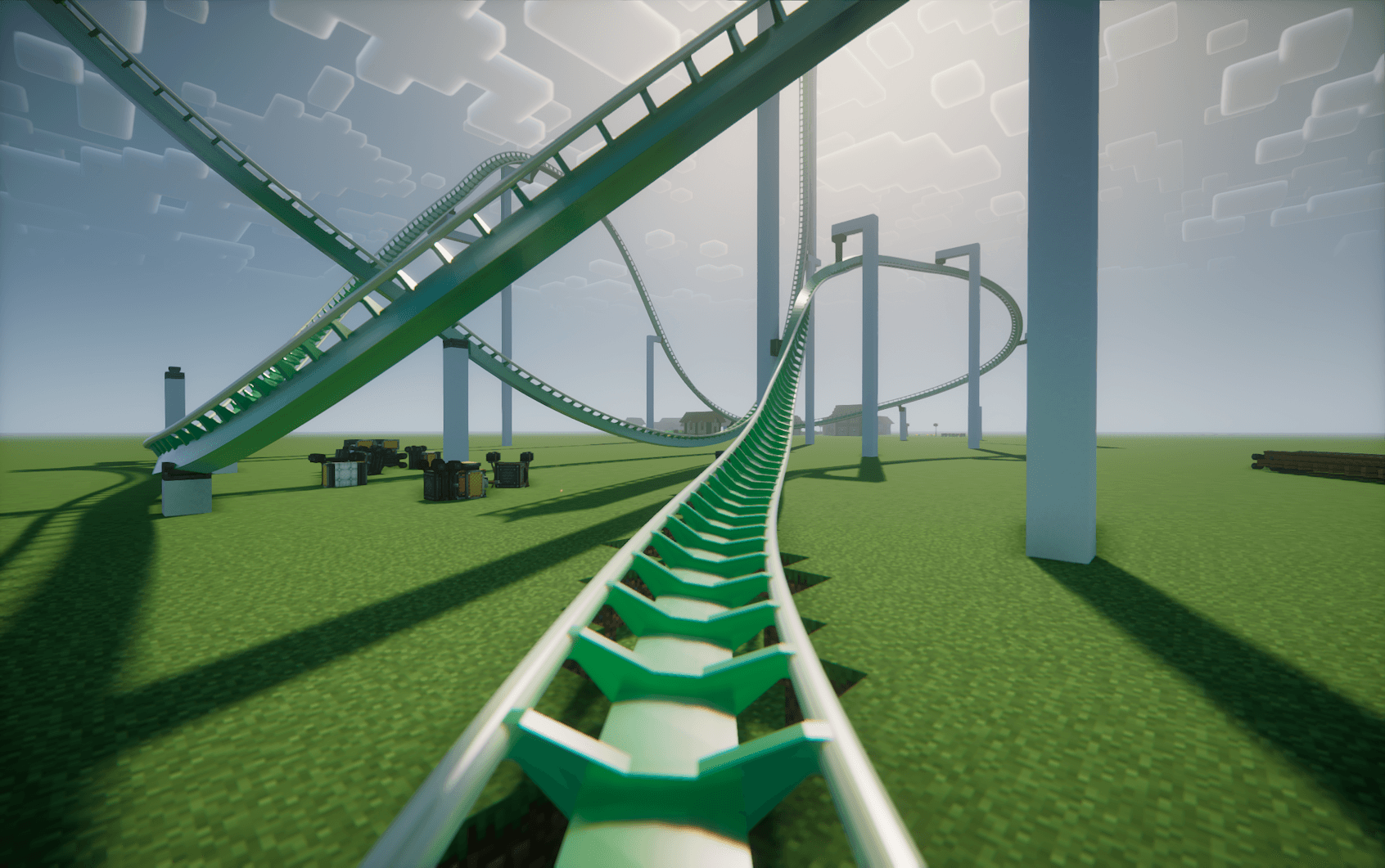
Style: B&M Steel Base color: #22AA44 Rail color: #DDDDAA
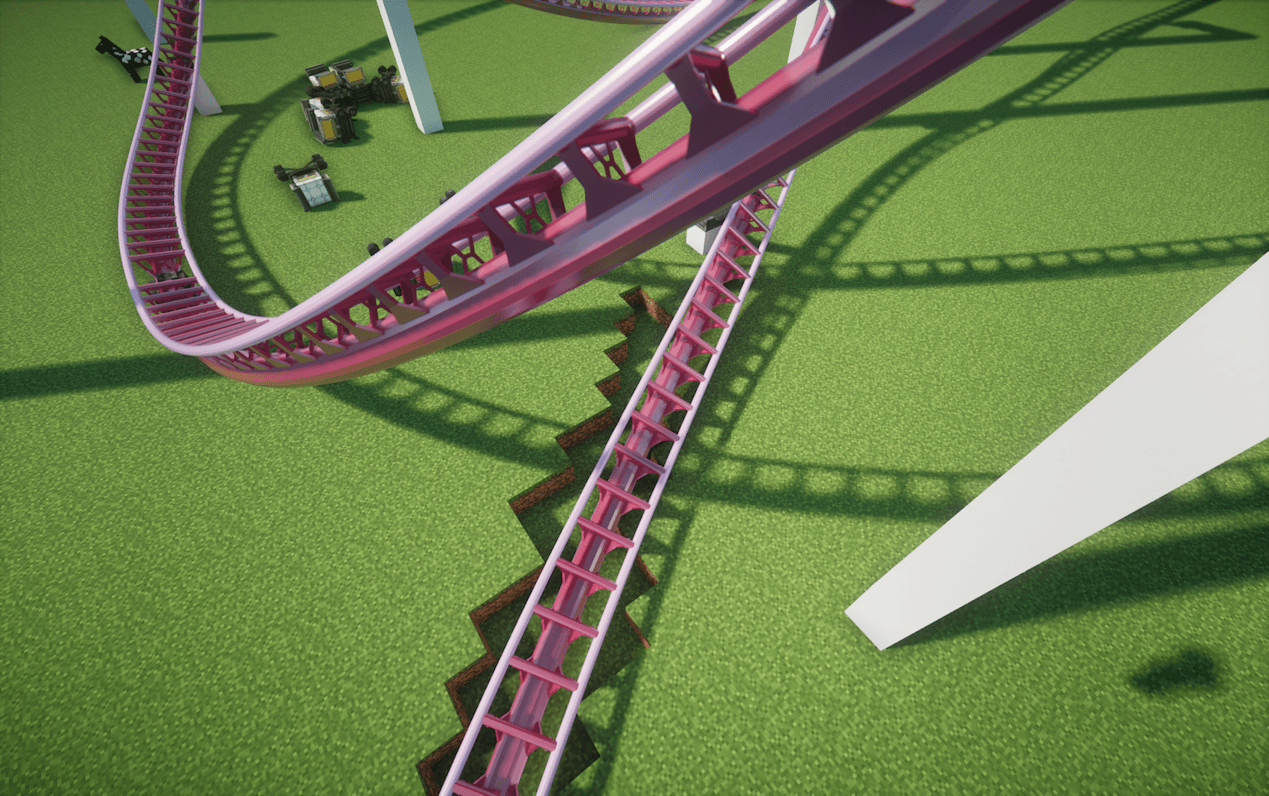
Style: Intamin BB Base color: #AA2244 Rail color: #DDAADD
Description
Coasters Simulated: Track Styles
This is an unofficial NeoForge addon for Create: Coasters Simulated that adds custom, realistic track models based off real life manufacturer track, independent rail and spine color customization by HEX code, and an in-game tool to easily configure track styles.
It's currently pretty experimental, but functional if you want to build more realistic real-life roller coaster layouts or experiment with different track styles.
What It Adds
- Custom Track Models: Adds 15+ track types covering B&M, Intamin, Vekoma, Arrow, RMC, and Wooden styles.
- Mid-Spline Transitions: You can switch track types along the same curve (e.g., transitioning from single-spine to double-spine track).
- In-Game Style Tool & GUI: A custom tool with a GUI for setting styles and entering hex colors.
- Independent Rail & Spine Colors: Set rail colors and spine/tie colors separately using Hex codes (
#RRGGBB). - Bulk Apply & Picker: Apply styles down the entire connected track circuit in one click, or sample styles off an existing anchor.
- labPBR Support: Built-in PBR textures for realistic shine/reflections when running shaders with PBR enabled.
- (Experimental) Anchor Style Tool: A custom tool with GUI for styling the coaster anchorpoint block along with the girder that connects it to the track.
- Invisible style works, but the custom style can have some visual issues for the anchorpoint block when Forgified Fabric API is in your pack.
Included Track Styles
- B&M Steel
- Intamin Box Truss
- Intamin Tri Truss
- Intamin Heavy
- Intamin Heavy Double Spine
- Intamin BB
- Intamin BB Double Spine
- Steel Flat
- Steel Flat Truss
- Wooden (all wood types + white)
- Vekoma New-Gen
- Premier Rides (Steel, Tri, Tri Tall Spine, LSM)
- Arrow Tubular
- RMC I-Box
- RMC I-Box (Mixed Rail Test)
- (works, but sometimes the two rail colors get flipped, just make a second style with the two colors flipped)
For the future:
- Arrow 4D
How to Use
Get the Coaster Style Tool from the new creative tab:
- Right-Click in air: Opens the GUI to pick a style, enter base/rail hex codes, or toggle "Match Base Color".
- Right-Click anchor: Applies the tool's settings to that specific anchor.
- Shift + Right-Click anchor: Applies settings to all connected anchors along that track circuit.
- Alt + Right-Click anchor: Copies the style and colors off the anchor into your tool.
- Shift (Hover in inventory): Shows a quick control reference.
Rendering & Shaders Setup
This mod relies on Flywheel instance rendering to display custom track models:
- Flywheel must be ON: Set Flywheel to Indirect (Default) or Instancing. If Flywheel is disabled, custom track models will not render.
- If using shaders: You need one of these compatibility mods so Flywheel instances render properly through shaders:
- Iris Flywheel Compat (Works with most shaderpacks)
- Colorwheel (For Colorwheel-supported shaderpacks)
(Tested with Complementary by EminGT in labPBR mode and Nostalgia by RRe36 with resource pack reflections turned on).
Resource Packs
All models can be overridden using a resource pack. Extract the mod .jar file to check the asset path structure (assets/coasterssimulatedextratypes/...) and model naming conventions.
Requirements & License
-
Environment: NeoForge for Minecraft 1.21.1 ONLY
-
Dependencies:
-
Create (
6.0.10+) -
License: MIT
Disclaimer: This is an unofficial addon. It is not affiliated with Mojang, the Create Team, Sable / Aeronautics, or SilverGold (creator of Create: Coasters Simulated).
- Trademarks: All manufacturer names (Intamin, Vekoma, Arrow Dynamics, B&M, RMC, etc.) are used purely for descriptive purposes to identify track geometry styles and belong to their respective trademark owners.
The Coasters Simulated: Track Styles Team