Cloud camera
- By
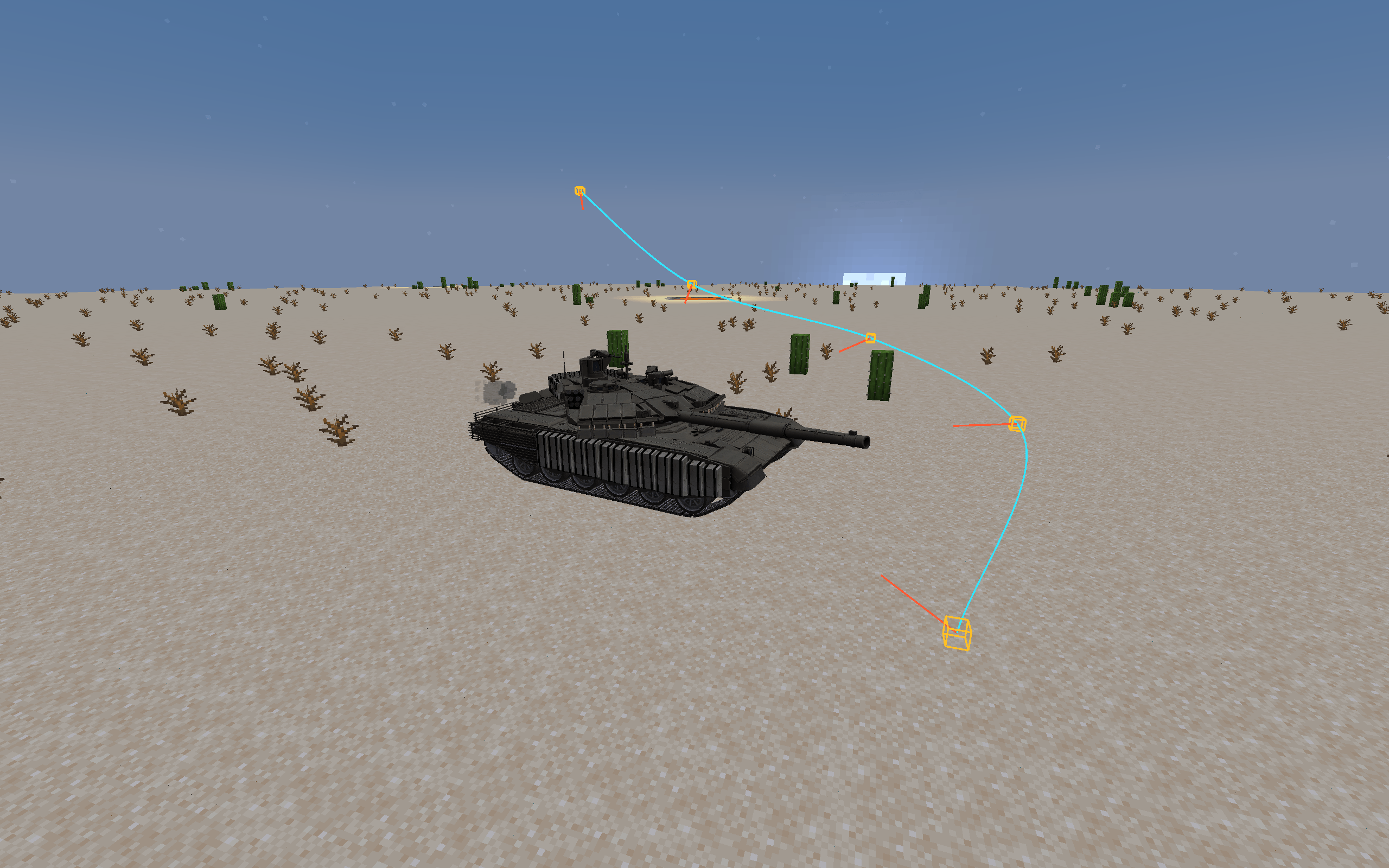
2026-10-03_18.14.50.png
Description
G: Place the keyframe
K: Binding entity
O: Start the city centre mode
H: Delete the last keyframe
N: Clear all keyframes in the current mode
M: Switch between the two modes of free and binding entity mirror
Long press R/F to adjust the angle zoom V: reset the zoom
Long press Z/X to adjust the left and right tilt of the viewing angle C: Reset scrolling
Press U to place the idol in the fixed position. ( The shooting function used when beating the binding entity)
Y: Switch to customise the fixed camera angle
P: Switch the "Entity Fixed Perspective"
/Camera speed * Can control the mirror speed in the current mode
I hope everyone likes it.
G:放置关键帧
K:绑定实体
O:启动市中心模式
H:删除最后一个关键帧
N:清空当前模式下全部关键帧
M:切换自由与绑定实体运镜两种模式
长按 R/F 调整视角缩放 V:重置缩放
长按Z/X 调整视角左右倾斜 C:重置滚动
按 U 放置偶像固定机位。(用于殴打绑定实体时的拍摄功能)
Y :切换自定义固定机位视角
P:切换“实体固定视角”
/camera speed * 可以控制现模式下的运镜速度
希望大家喜欢
Cloud camera Team