ClickSigns (NeoForge Port)
- By



ClickSigns - NeoForge 1.21.1 Port
🇺🇸 English | 🇪🇸 Español
🇺🇸 English
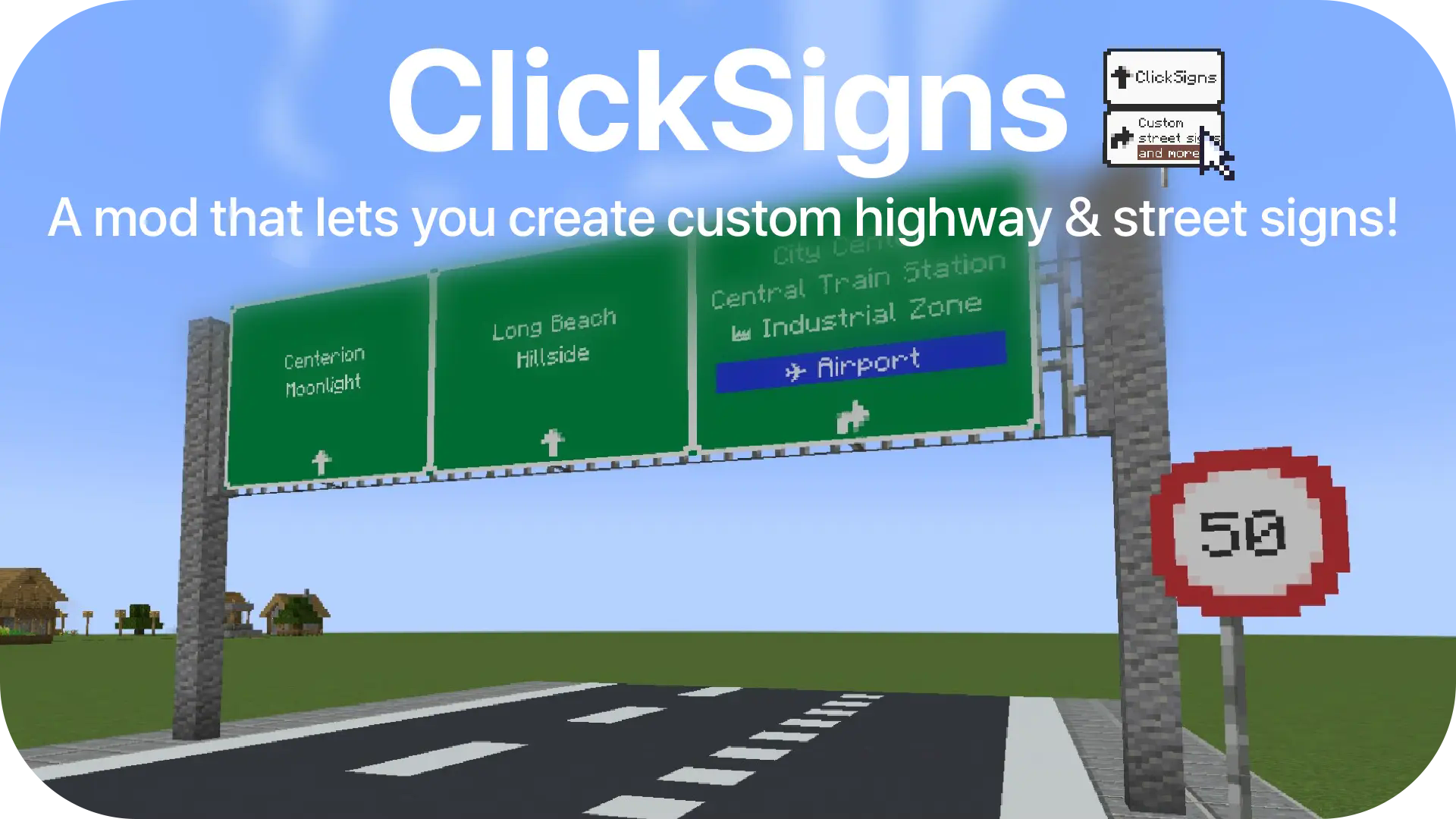
ClickSigns is a port of the original mod created by Clickism, now fully updated and adapted for NeoForge 1.21.1. This mod lets you create custom highway & street signs. Even though the main focus is street signs, you can create any type of image that can dynamically have text on it in-game. Ideal for building cities and towns!
Note on Development
As I am not a programmer, please note that this port to NeoForge 1.21.1 was achieved 100% through the use of AI tools (specifically Gemini Pro and Claude Sonnet). The code has been cleaned of legacy dependencies (Fabric/Forge) to provide a pure, optimized experience for modern servers.
How to: Create & Edit Road Signs
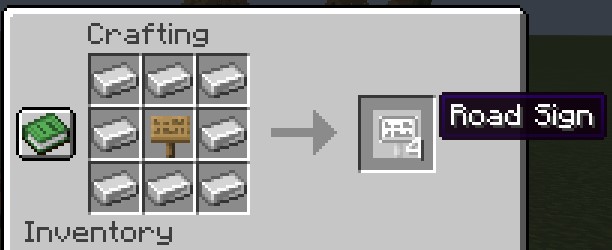
To craft a Road Sign, put 8 iron ingots around any sign:
Place it on a wall, on iron bars or anywhere you'd like, then click on the road sign to access the edit menu:
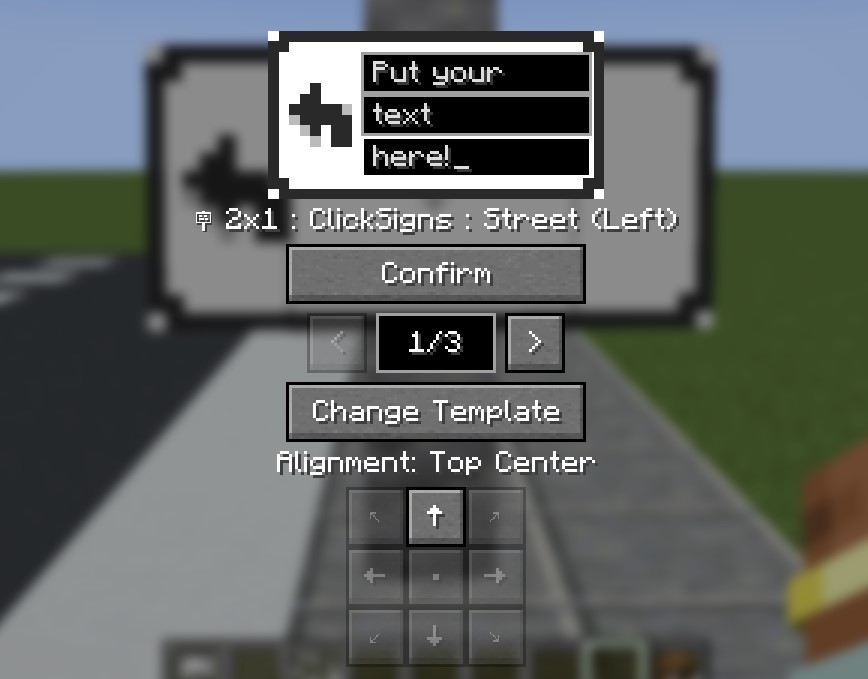
- Fill in your text like on the image.
- Use the arrows to change between different variants (aka. color schemes) of this template.
- Use the alignment buttons to change the alignment of the sign.
- Make sure to click CONFIRM once you're done. Your changes won't be saved if you don't.
- Click Change Template to browse through all the various templates.
How to: Changing The Road Sign Template
After you click Change Template, you will be welcomed by this screen:
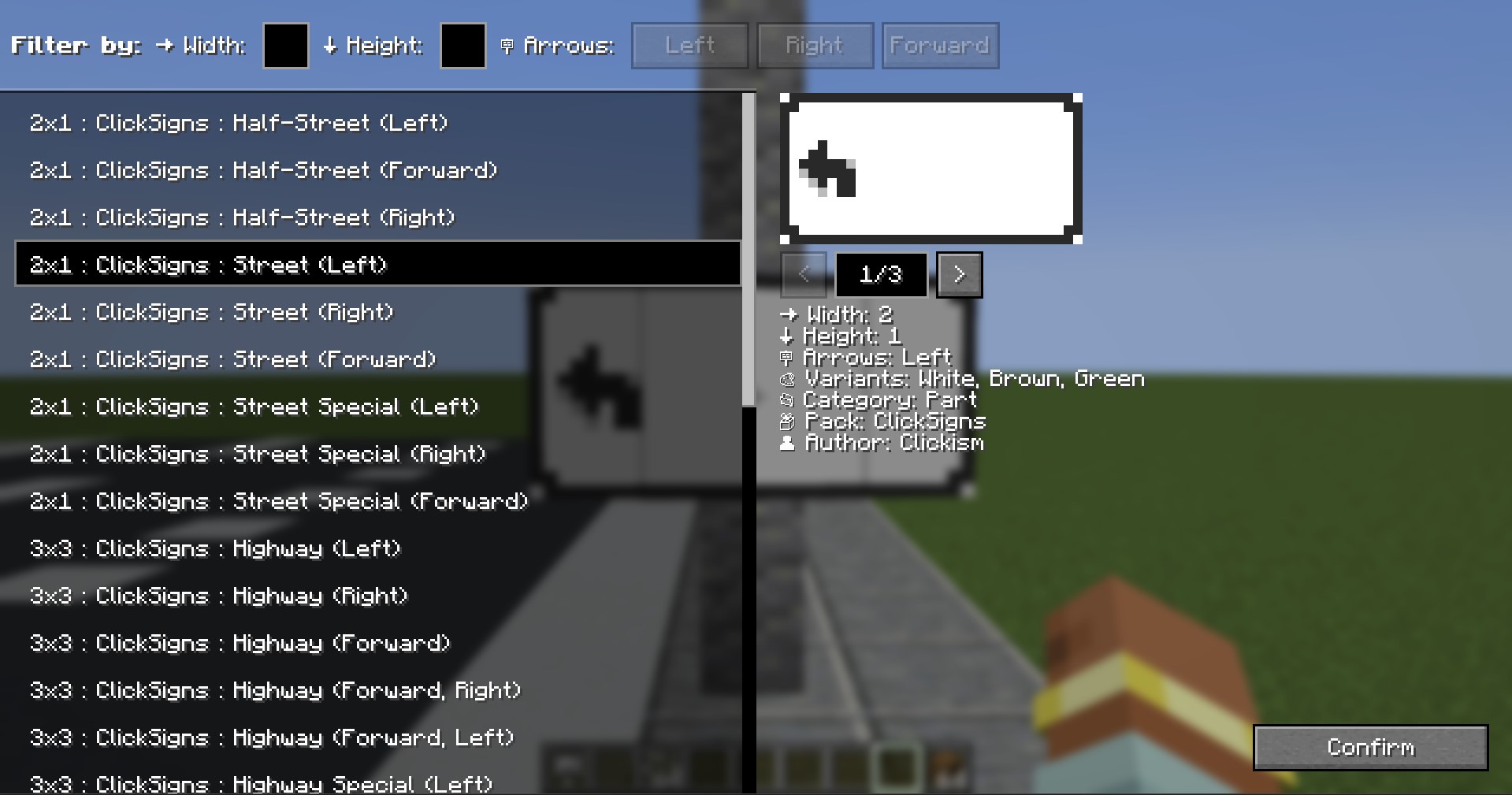
- On the left side, you have a list of all the templates you have installed.
- The templates are displayed in the format: "Width x Height : Pack : Name : (Details)"
- On the right side, you have all the details regarding the selected template.
- You can use the arrows to look at different variants here as well.
- Using Filters: To use the filters, either click on the direction you want, or input the width/height you're searching.
Custom Road Signs & Resourcepacks
- Make your own road signs (Resourcepack Guide): Wiki
- The template system is fully modular and client-side through resourcepacks! These don't have to be installed on the server, but other players would need to have the same resourcepack installed in order to see them.
Credits & Licensing
All original textures, models, and core concepts belong to Clickism. This project is an unofficial continuation licensed under the GPLv3 license. Refer to LICENSE.md for more information.
🇪🇸 Español
ClickSigns es un port del mod original creado por Clickism, totalmente actualizado y adaptado para NeoForge 1.21.1. Este mod te permite crear señales de tráfico y carteles de calles totalmente personalizables. Aunque se centra en señales de tráfico, puedes crear cualquier tipo de imagen que contenga texto dinámico dentro del juego. ¡Ideal para construir ciudades!
Nota sobre el desarrollo
Ya que no soy programador, es importante aclarar que este port a NeoForge 1.21.1 ha sido realizado al 100% utilizando inteligencia artificial (específicamente Gemini Pro y Claude Sonnet). El código ha sido limpiado de dependencias antiguas (Fabric/Forge) para ofrecer una experiencia nativa y optimizada en servidores modernos.
Cómo: Crear y editar carteles
Para fabricar una señal (Road Sign), pon 8 lingotes de hierro alrededor de cualquier letrero de madera:
Colócala en una pared, sobre barrotes de hierro o donde quieras, y luego haz clic en ella para abrir el menú de edición:
- Escribe tu texto como se ve en la imagen.
- Usa las flechas para cambiar entre las diferentes variantes (esquemas de color) de la plantilla.
- Usa los botones de alineación para centrar o mover el texto.
- Asegúrate de hacer clic en CONFIRMAR (Confirm) cuando termines. Si no lo haces, los cambios no se guardarán.
- Haz clic en Cambiar plantilla (Change Template) para explorar todos los diseños disponibles.
Cómo: Cambiar el diseño del cartel
Tras hacer clic en Cambiar plantilla, verás esta pantalla:
- En el lado izquierdo, tienes una lista de todas las plantillas que tienes instaladas.
- Se muestran con el formato: "Ancho x Alto : Paquete : Nombre : (Detalles)"
- En el lado derecho, verás todos los detalles de la plantilla seleccionada.
- Aquí también puedes usar las flechas para ver distintas variantes.
- Uso de filtros: Para usar los filtros, haz clic en la dirección de la flecha que buscas, o escribe el ancho/alto que necesitas.
Carteles personalizados y Paquetes de Recursos
- Crea tus propias señales (Guía de Resourcepacks en inglés): Wiki
- ¡El sistema de plantillas es totalmente modular y funciona a través de paquetes de recursos (resourcepacks)! No es necesario instalarlos en el servidor, pero los demás jugadores deberán tener el mismo paquete activado en su cliente para poder verlos.
Créditos y Licencia
Todas las texturas originales, modelos y conceptos base pertenecen a Clickism. Este proyecto es una continuación no oficial distribuida bajo la licencia GPLv3. Consulta el archivo LICENSE.md para más información.
ClickSigns (NeoForge Port) Team