ClaudeCraft MCP
- By
MCP server for Minecraft: Claude runs commands with autocomplete, browses registries, controls in-world agents that take screenshots, and picks up notes you leave
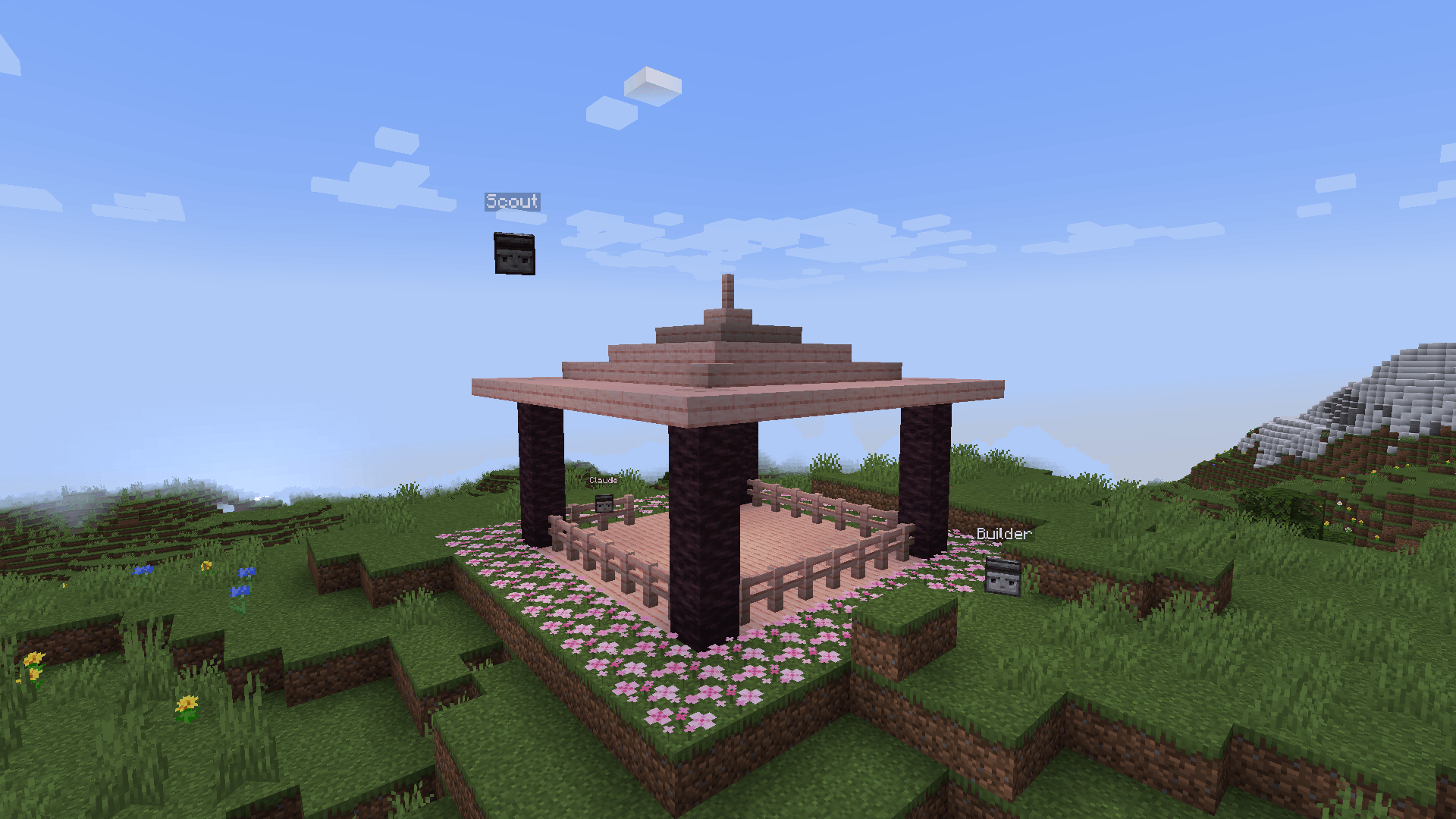
Claude's agents next to a gazebo it built with commands
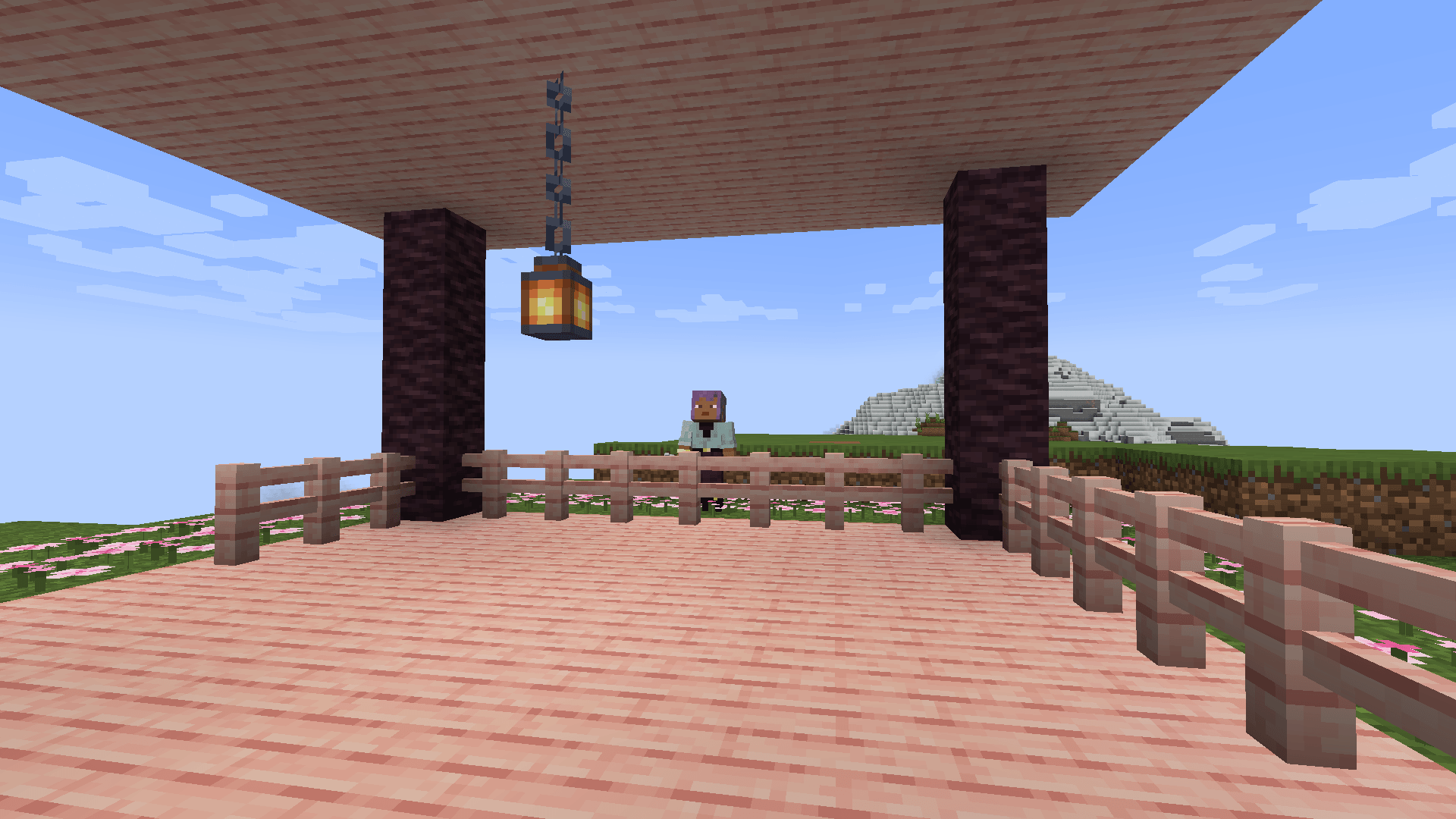
A screenshot Claude took from inside the gazebo
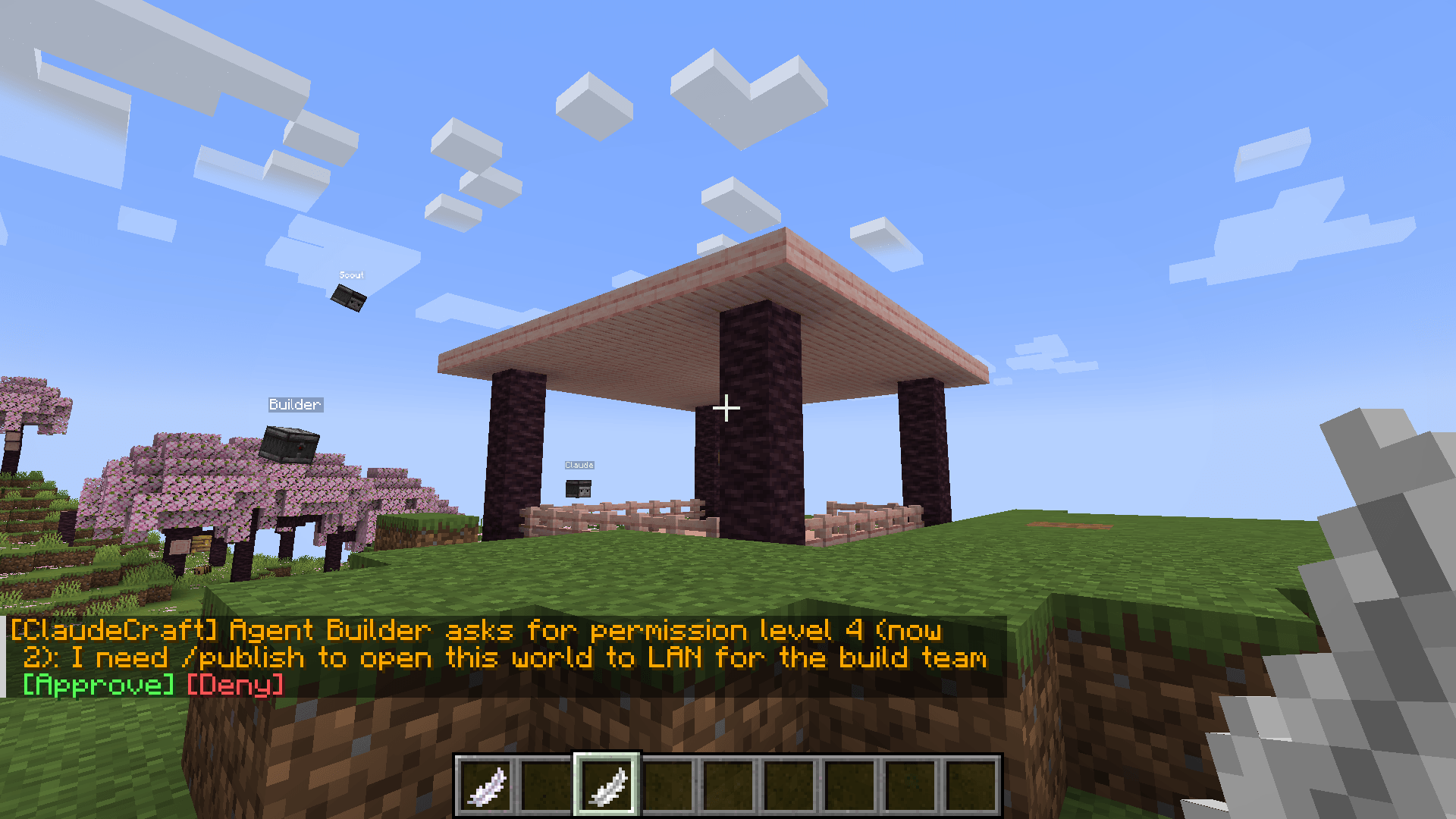
An agent asks the host for a higher permission level, right in chat
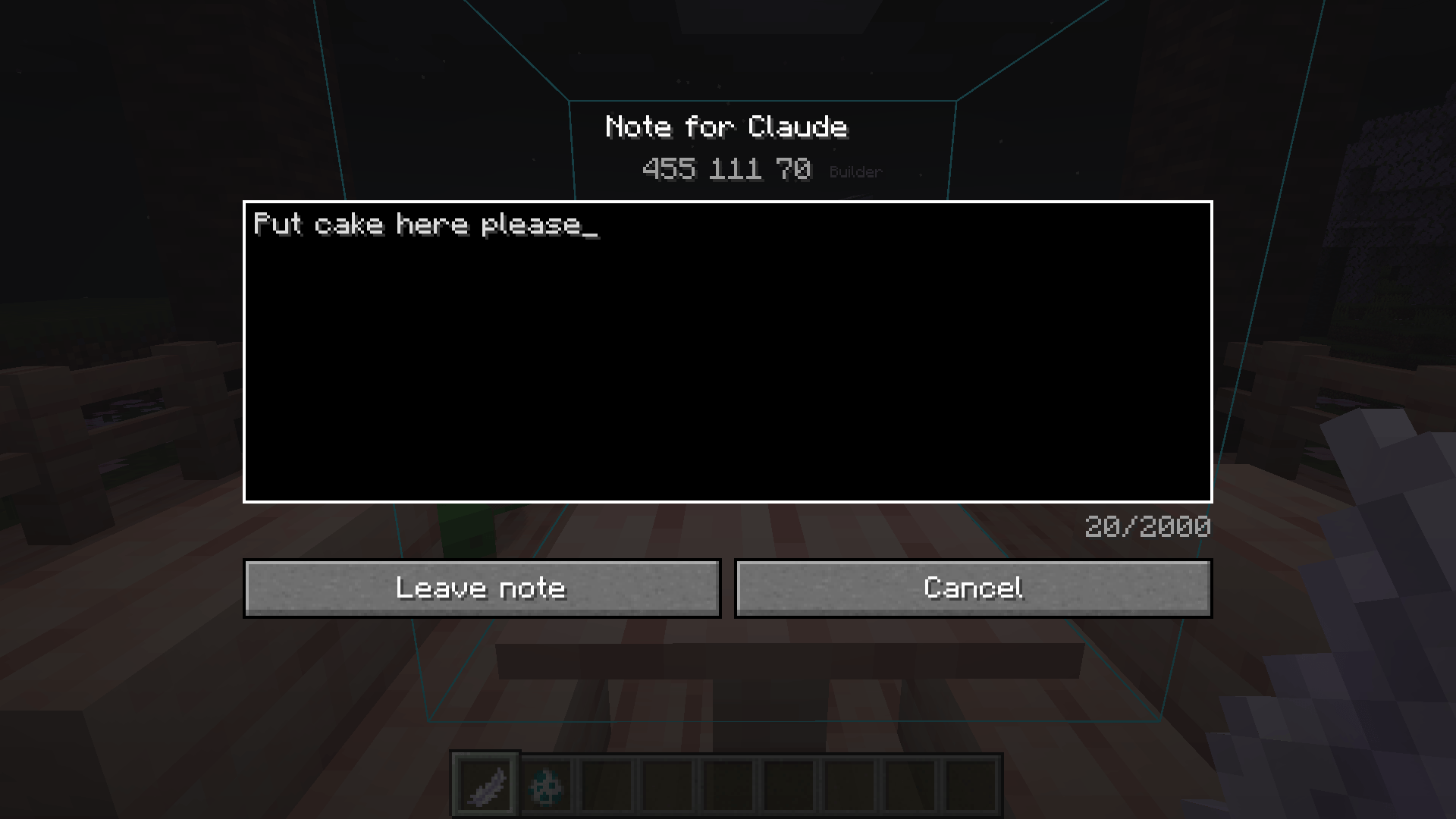
Bind the Quill to an agent, select something and tell Claude what you'd like
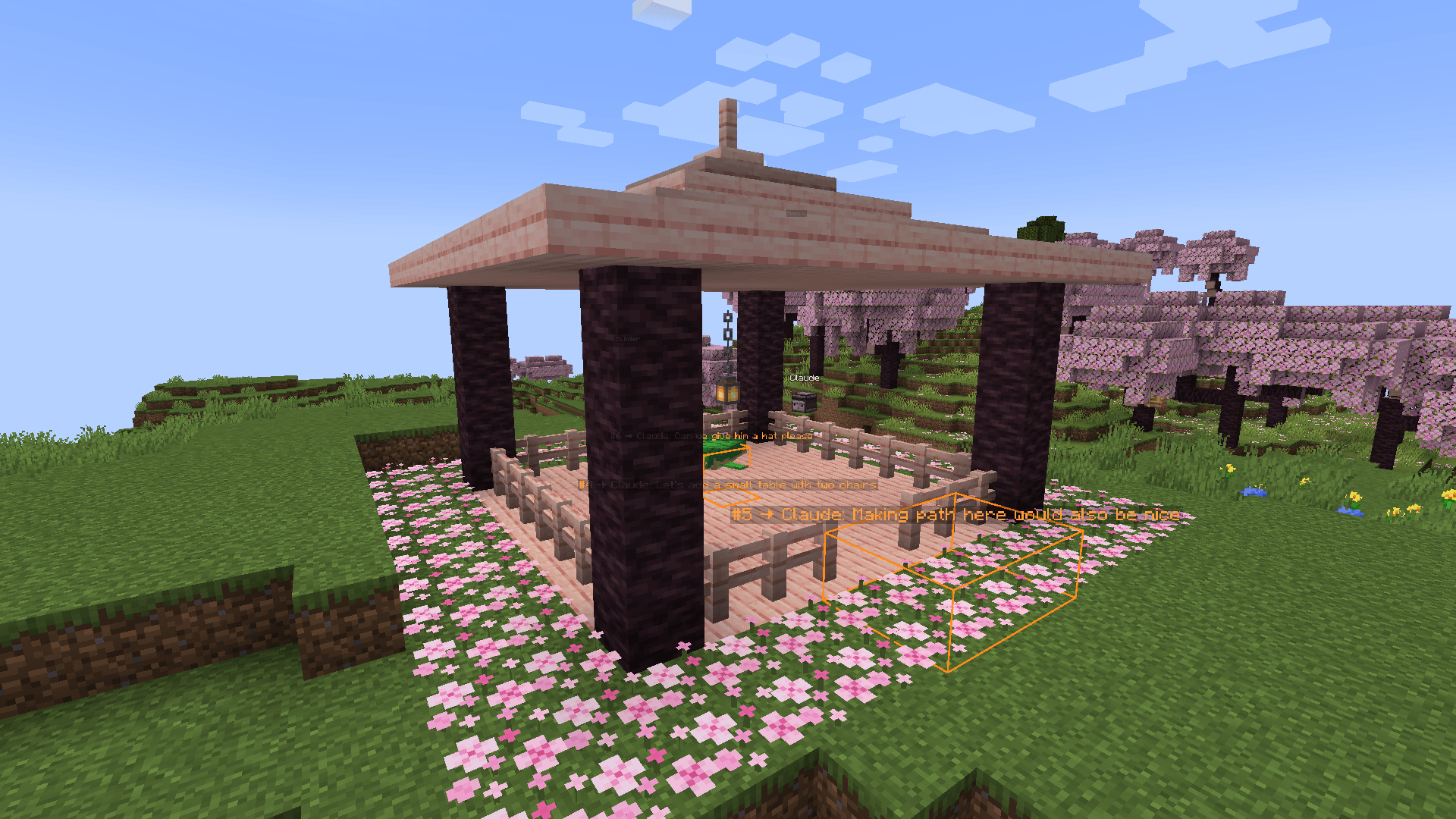
Notes left with the Quill on an area, a block and an entity
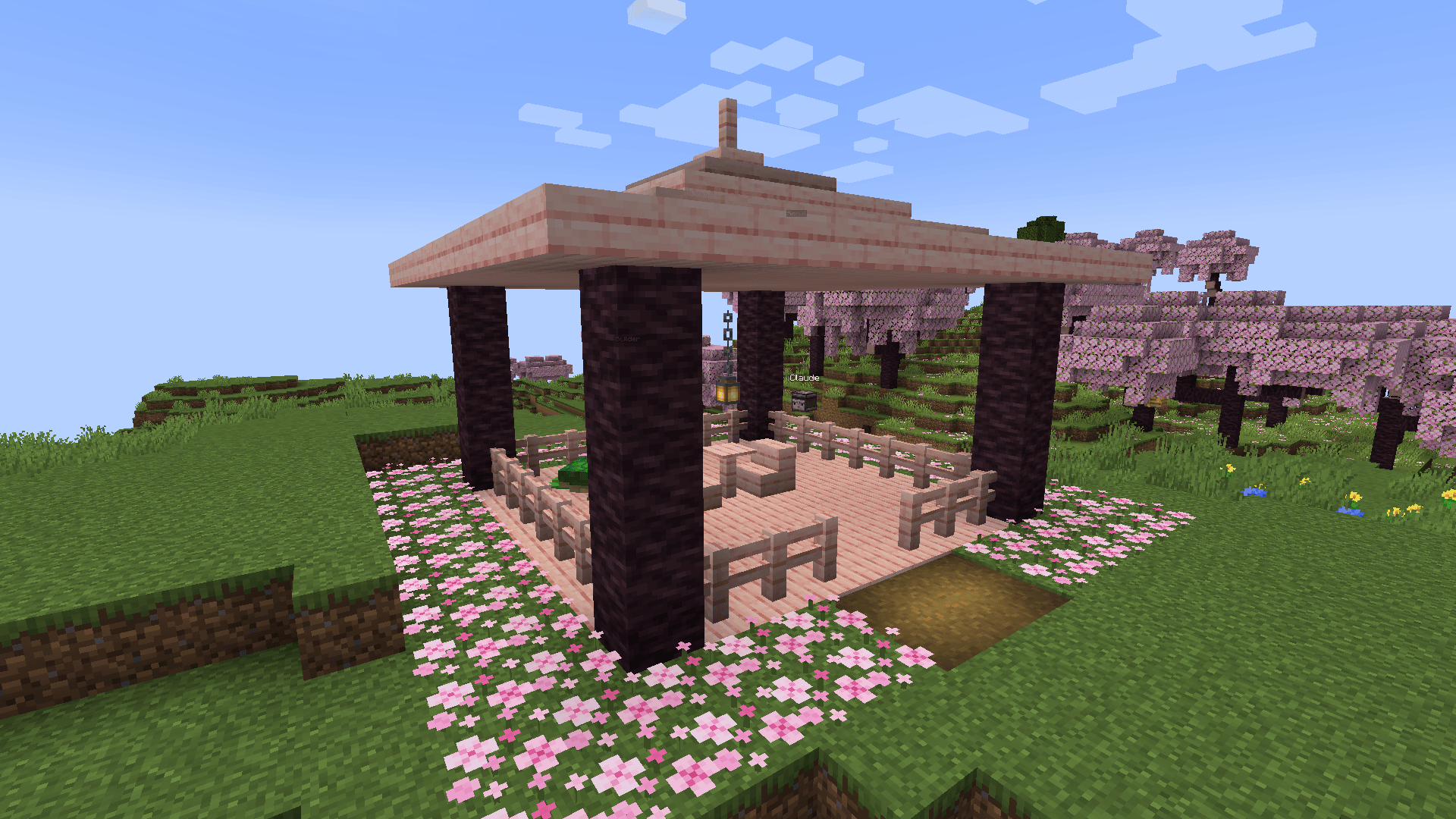
Claude picked up the notes and added a table with chairs and a path
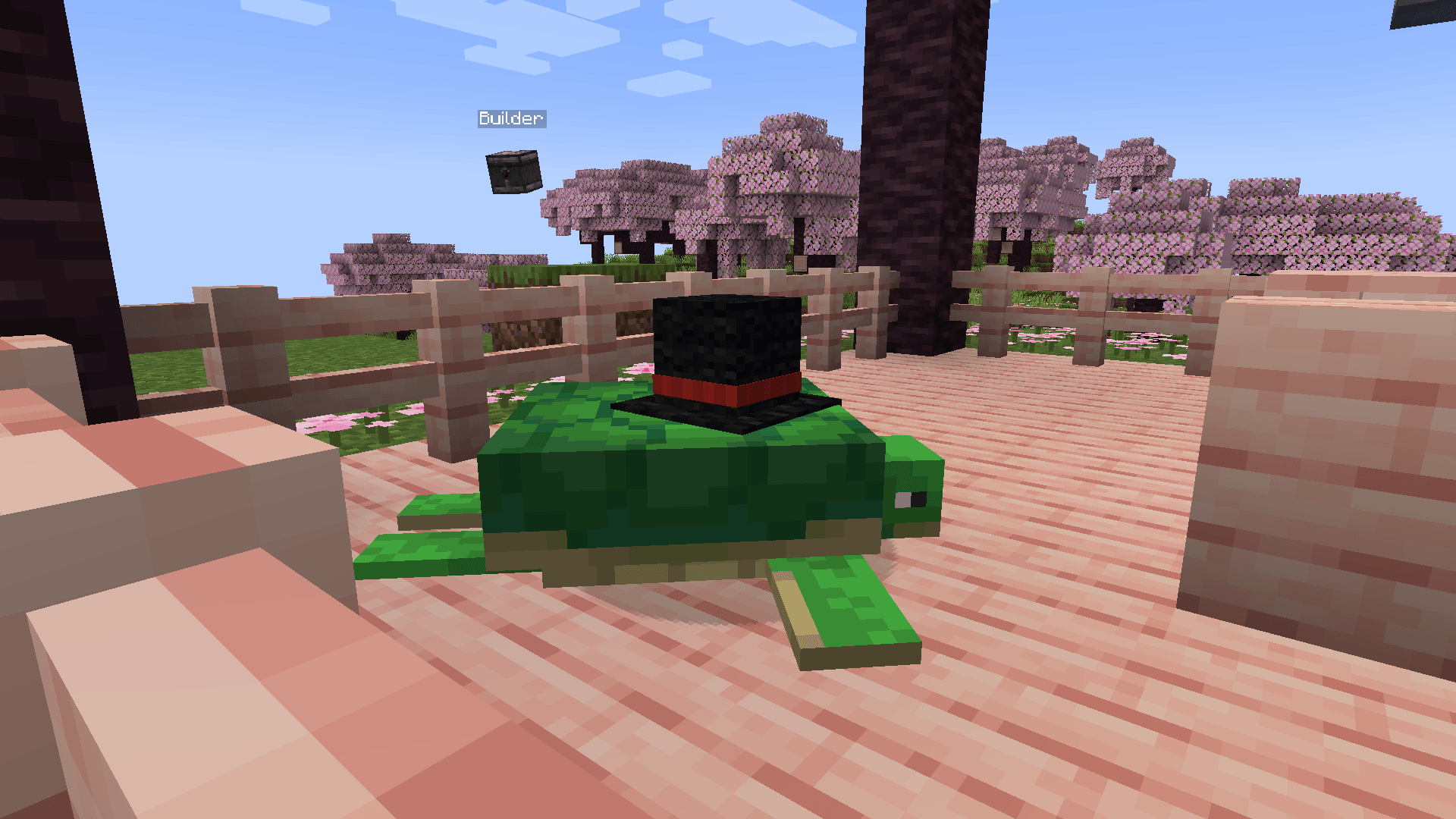
No comment
Description
ClaudeCraft
Let Claude play along. ClaudeCraft runs a small MCP server inside your game, so Claude (in Claude Code or any other MCP client) can run commands in your world, look things up in the game's registries, and fly around as in-world agents that see the world and take screenshots.
Point at something with the Quill, write what's wrong, tell Claude you left a note — and watch it fix things while you keep playing.
Features
- Commands with feedback. Claude runs any command — vanilla or modded — and gets its output back, including errors. Tab-completion and a syntax explorer help it get modded commands right on the first try.
- Registries at its fingertips. Blocks, items, biomes, damage types, structures, tags — static and data-driven registries alike, with filtering and paging.
- Recipes, modded ones included. Claude can look up how to make an item, what it's used for, and read any recipe in full — down to the mod-specific fields in its JSON.
- Agents. Small floating helpers that Claude controls. Commands run relative to the agent (
@sis the agent,~ ~ ~is its position), so you can move around freely. Agents keep their chunks loaded, survive restarts and glide smoothly when they move. Several agents can work in the same world at once, one per Claude session. - Screenshots from the agent's eyes. Claude can see what it built, check a spot you pointed at, or look at your own view, HUD included.
- Notes with the Quill. Bind the Quill to an agent, select blocks or an entity, write a note. Claude picks the notes up together with what you selected, and they disappear from the world once it has them.
- Permissions you control. Agents start at permission level 2 (world editing). When Claude needs more, it asks in chat and you click [Approve] or [Deny]. Agents can't raise their own level by any command trickery.
- You stay in charge. Summon, move, freeze or remove agents, look through their eyes, and pause Claude's control of the world with one command.
- Plays nice with pausing. The game still pauses when you alt-tab, but unpauses for exactly as long as Claude needs the world running, then goes back to pause unless you've returned.
Getting started
- Install ClaudeCraft and Fabric API (Minecraft 1.20.1, Fabric Loader 0.16.10+).
- Start the game. The MCP server listens on
http://127.0.0.1:8765/mcp, on this computer only. - Connect Claude Code once:
claude mcp add --transport http claudecraft http://127.0.0.1:8765/mcp- Open a world (singleplayer, or host it over LAN) and ask Claude something like:
- "Spawn an agent next to me and build a small cherry wood gazebo on the hill."
- "What biomes does this modpack add?"
- "I left you some notes — take a look and fix them."
Tools
| Tool | What it does |
|---|---|
execute_command |
Run a command as the agent (or as the host player) and return its output |
complete_command |
Tab-completion for a partial command |
command_usage |
Syntax of any command branch, at any depth |
list_registries, list_registry_entries, list_registry_tags, get_tag_entries |
Browse registries and tags |
recipe_types, find_recipes, get_recipe |
Inspect vanilla and modded recipes: how to make an item, what it is used for, and each recipe's full data |
agent_spawn, agent_attach, agent_list, agent_remove |
Manage agents |
agent_request_permission |
Lower the agent's level, or ask the host for a higher one |
screenshot |
What the agent sees, or the host's view (optionally with HUD) |
get_state |
Agent and player positions, the block in sight, time, weather, pause state |
peek_notes, take_notes |
See and pick up notes left with the Quill |
The Quill
| Action | Result |
|---|---|
| Right-click an agent | Bind the Quill to it |
| Left / right-click blocks | First / second corner of an area (one click = one block) |
| Right-click an entity | Select it |
| Sneak + right-click | Write the note |
| Sneak + left-click a noted block or entity | Delete the note (author or host) |
Notes show up in the world as orange frames with a label. Find the Quill in the Tools tab of the creative inventory, or use /give @s claudecraft:quill.
Permissions
Agents use defaultPermissionLevel from the config (2 by default). Commands Claude runs as the host player are capped by the same level, so they can't be used to get around it. The host can also set levels directly with the commands below.
Host commands
Only the host can run /claudecraft, and not even an agent using execute as <host> can do it on their behalf. Agent names in the output are clickable and open info, which has buttons for everything else.
| Command | What it does |
|---|---|
/claudecraft agent list |
All agents: position, permission level, frozen or not, Claude connected or not |
/claudecraft agent info <agent> |
Details and action buttons |
/claudecraft agent summon [pos] [name] |
Create an agent no session controls yet; Claude can take it over with agent_attach |
/claudecraft agent move <agent> [pos] |
Move an agent, by default right in front of you |
/claudecraft agent goto <agent> |
Teleport to an agent |
/claudecraft agent view <agent> |
Look through an agent's eyes; Sneak or Esc to return |
/claudecraft agent freeze <agent>, unfreeze <agent> |
Stop Claude from acting through an agent, or let it again |
/claudecraft agent remove <agent> |
Remove an agent |
/claudecraft notes list [agent], remove <id>, clear [agent] |
See and delete notes |
/claudecraft notes quill <agent> |
Get a Quill already bound to an agent |
/claudecraft permission list, approve <id>, deny <id> |
Pending requests and current levels |
/claudecraft permission set <agent> <0-4>, reset <agent> |
Set an agent's level, or go back to the default |
/claudecraft mcp pause, resume |
Pause Claude's control of the world: it can still look, but not change anything |
/claudecraft status |
MCP server, connected Claude sessions, agents and notes |
Configuration
config/claudecraft.json lets you change the port, require a bearer token, block specific commands (stop is blocked by default), cap the number of agents, set the default permission level, and tune screenshot size and quality.
Good to know
- Works in singleplayer and for LAN hosts. Dedicated servers are not supported. Everyone who joins a LAN world needs the mod too.
- Screenshots are rendered by the host's game: the agent has to be in the host's dimension and within their render distance, and the game window must not be minimized. While a screenshot is taken, the host sees the agent's view for about a second.
- The MCP server only accepts connections from your own computer and rejects requests from web pages.
ClaudeCraft MCP Team