


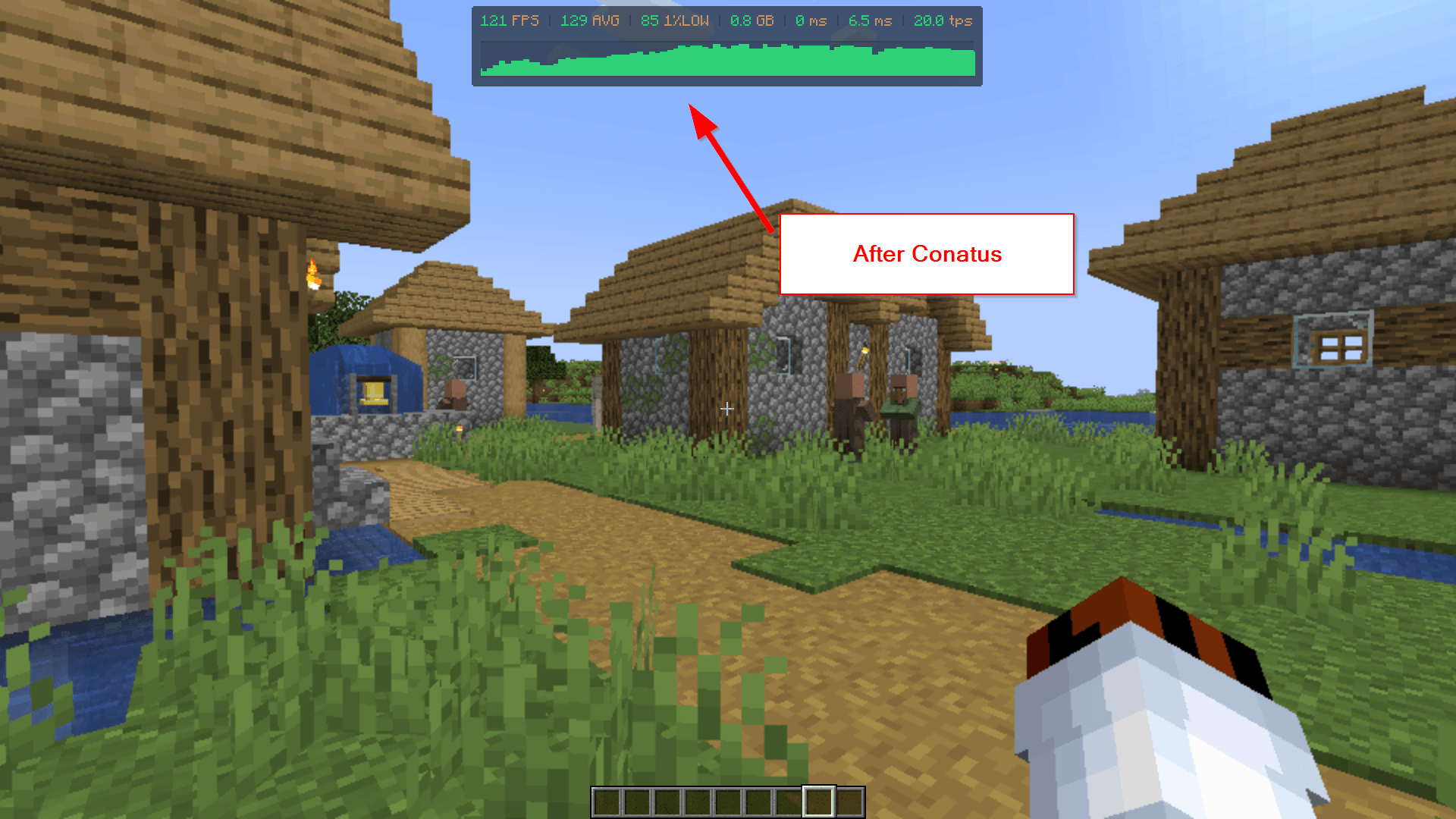
2026-07-16 15_57_42-Clipboard.png
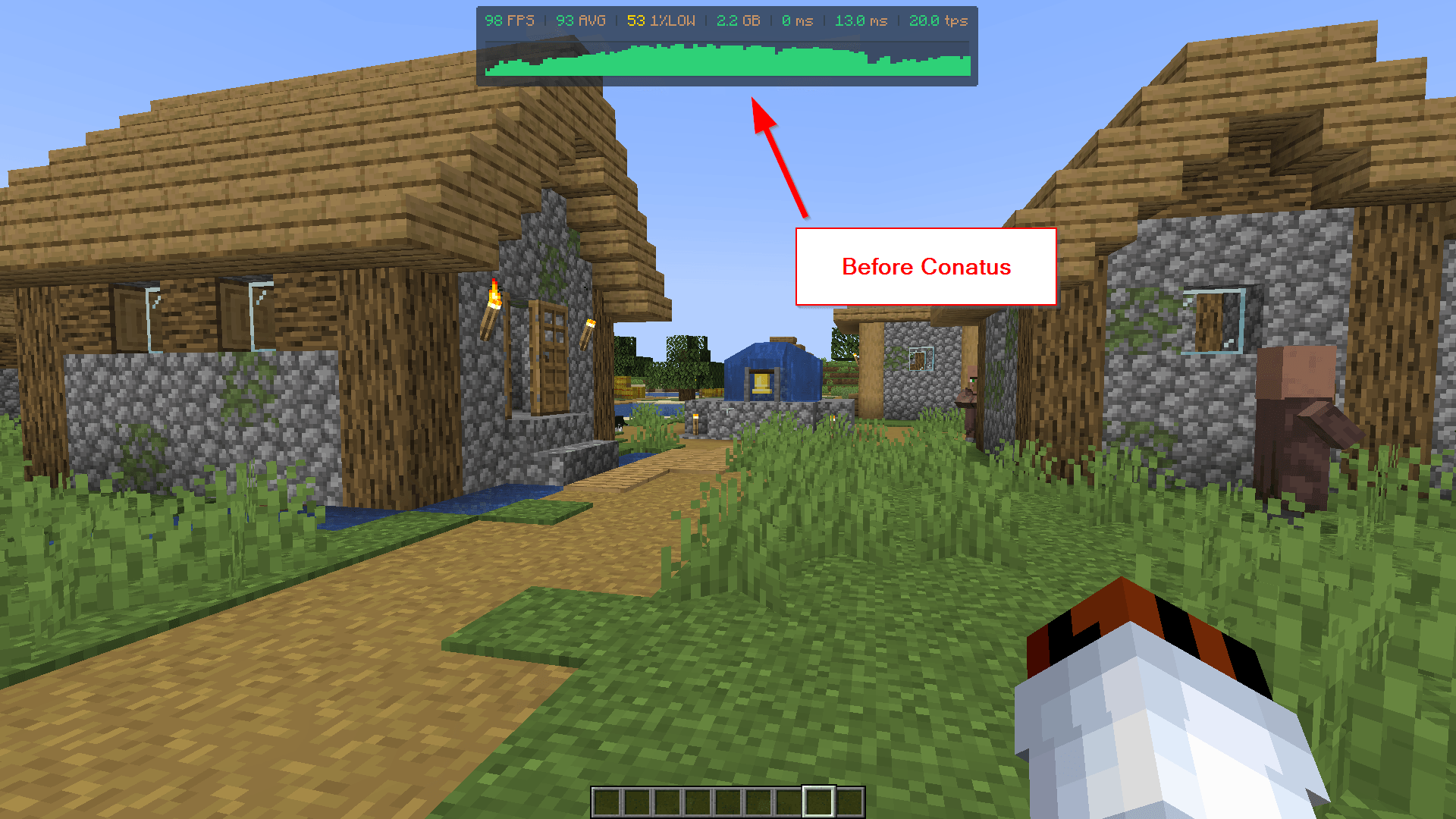
2026-07-16 15_55_31-Clipboard.png
Description
Ck7 - Conatus
A performance mod for Minecraft Forge 1.20.1 that cuts server and client overhead by scaling down work the player can't perceive — mob AI, particles, chunk-load spikes, and render resolution — instead of just capping settings globally. Every module has its own toggle and can be tuned or turned off independently from a single in-game config screen.
Built for large multiplayer worlds, villager halls, mob farms, and lower-end/integrated-GPU hardware.
Requirements
- Minecraft 1.20.1
- Forge 47.4.20 or newer
- Optional: Cloth Config — enables the
in-game config screen (
Mods → Ck7 - Conatus → Config). The mod works fine without it; you just edit the.tomlfiles inconfig/directly instead.
Works on client, server, and singleplayer. Server-side modules (Mob AI Freeze, Villager Throttling, Ultra Load's server-side effects) don't require the mod on the client to function, but installing it everywhere gets you the client-side modules too (Particle Priority, Resolution Scale) and the config GUI.
Features
🧟 Mob AI Freeze
Freezes hostile mob AI (pathfinding, target selection, goal selector) outside a configurable radius around each player, using the same mechanism map-makers use for "NoAI" statues — no hacks, fully reversible, mobs resume normally the moment a player gets close again.
- Configurable freeze radius (default 48 blocks)
- Optional line-of-sight requirement, so mobs behind walls freeze even inside the radius — with an "always active" buffer radius so a zombie banging on your door never freezes mid-fight
- Spawn grace period so freshly spawned mobs get a chance to disperse before freezing (avoids entity-cramming deaths at dense spawners)
- Whitelist/blacklist by entity type or by mod ID, so you can exclude mods with their own AI management or entities with special mechanics (Warden is excluded by default)
- Passive mobs are managed too by default (with line-of-sight easing) since profiling showed they cost roughly 2x an already-frozen hostile
🧑🌾 Villager Throttling
The same freeze mechanism, purpose-built for villager halls: freezes pathfinding, POI/job lookups, and Brain activity outside a configurable radius (default 32 blocks). Villagers unfreeze instantly the moment a player right-clicks them, so trading and restocking always feel responsive. Optional support for Wandering Traders.
✨ Particle Priority
Replaces vanilla's single global particle setting with smart, per-category prioritization instead of an all-or-nothing cutoff:
- Combat, interaction/crafting, redstone, and ambient particles each get their own visibility radius
- Ambient particles (rain, drip, spores, portal, etc.) respect the camera's view cone beyond a "close" radius, so things right next to you never vanish unnaturally
- Particles near your last block-break/place/use/attack action get a temporary priority boost, so the feedback you're actively looking for is never the particle that gets dropped
- Fully configurable particle-ID-to-category lists
📉 Resolution Scale
Renders the 3D world at a lower (or higher) resolution and stretches it to fill the screen — compatible with Sodium/Embeddium. Great for squeezing extra FPS out of integrated GPUs and lower-end hardware.
- Scale from 0.25x to 2.0x (below 1.0 = more FPS, more pixelated; above 1.0 = supersampling, sharper but more expensive)
- Linear or nearest-neighbor filtering
- Changes apply instantly when you save in the config screen — no restart, no rejoining the world
- Disabled by default; it's a newer module, so test it on your own setup before leaving it on
🚨 Ultra Load (panic mode)
Automatically detects heavy chunk-loading bursts (flying/sprinting through new terrain, big teleports, elytra flight) and temporarily shuts down everything that doesn't help chunks appear faster, freeing up CPU for world generation/meshing and GPU for terrain rendering. Everything restores automatically once the load settles, after a short cooldown so it doesn't flicker on and off.
Every effect has its own toggle, grouped by aggressiveness:
- Tier 1 (safe): freeze all mob AI, pause natural spawns, pause random ticks (crop/grass growth, fire spread), hide particles, hide entity rendering
- Tier 2 (aggressive): fully freeze non-player entity ticking (not just AI — movement/physics too), pause block entity ticking (hoppers, furnaces, spawners)
- Tier 3 (experimental): pause scheduled ticks (redstone, fluid flow — nothing is lost, pending ticks just queue up and resume), temporarily reduce entity render distance, temporarily cap framerate (frees CPU for chunk generation on the render thread)
A configurable safe radius around every player exempts anything nearby from the entity-affecting effects, so nothing freezes or vanishes mid-fight right next to you.
🎛️ Master toggle & live config
One switch turns every module off at once, cleanly (each module's existing safe-shutdown logic runs, so nothing gets left in a frozen/broken state). All config changes made through the in-game screen take effect immediately — no restart or config-file watcher delay.
⚙️ In-game config GUI
With Cloth Config installed, every option above is editable from Mods → Ck7 - Conatus → Config —
no digging through .toml files. Full tooltips on every option.
🌐 Translations
Available in English, Spanish, and Portuguese (Brazil), covering the config screen and all in-mod messages.
⚠️ Sodium/Embeddium heads-up
If Sodium, Embeddium, or Rubidium is detected, players get a one-time in-chat notice the first time they join a world (dismissible, with a "don't show again" option in the config screen).
Compatibility notes
- Works alongside Sodium/Embeddium/Rubidium; the Resolution Scale module specifically accounts for their rendering pipeline.
- The Resolution Scale module's core swap-the-render-target mechanism follows the approach pioneered by RenderScale by Zolo101; credit where due.
- No known incompatibilities with other AI/optimization mods, but if you run something else that also manages mob AI, use the mod-ID blacklist in Mob AI Freeze to avoid the two fighting over the same entities.
Configuration
All config files live in config/ck7infinite-*.toml (edit directly, or use the in-game GUI):
| File | Module |
|---|---|
ck7infinite-general.toml |
Master toggle |
ck7infinite-mobfreeze.toml |
Mob AI Freeze |
ck7infinite-villagerthrottle.toml |
Villager Throttling |
ck7infinite-particlepriority.toml |
Particle Priority |
ck7infinite-resscale.toml |
Resolution Scale |
ck7infinite-ultraload.toml |
Ultra Load |
License
All Rights Reserved.
The Ck7 - Conatus Team


![[Ck7] Pack de Optimización project image](https://media.forgecdn.net/avatars/thumbnails/1657/791/256/256/639056364213811761.jpg)