CJK Input Bridge
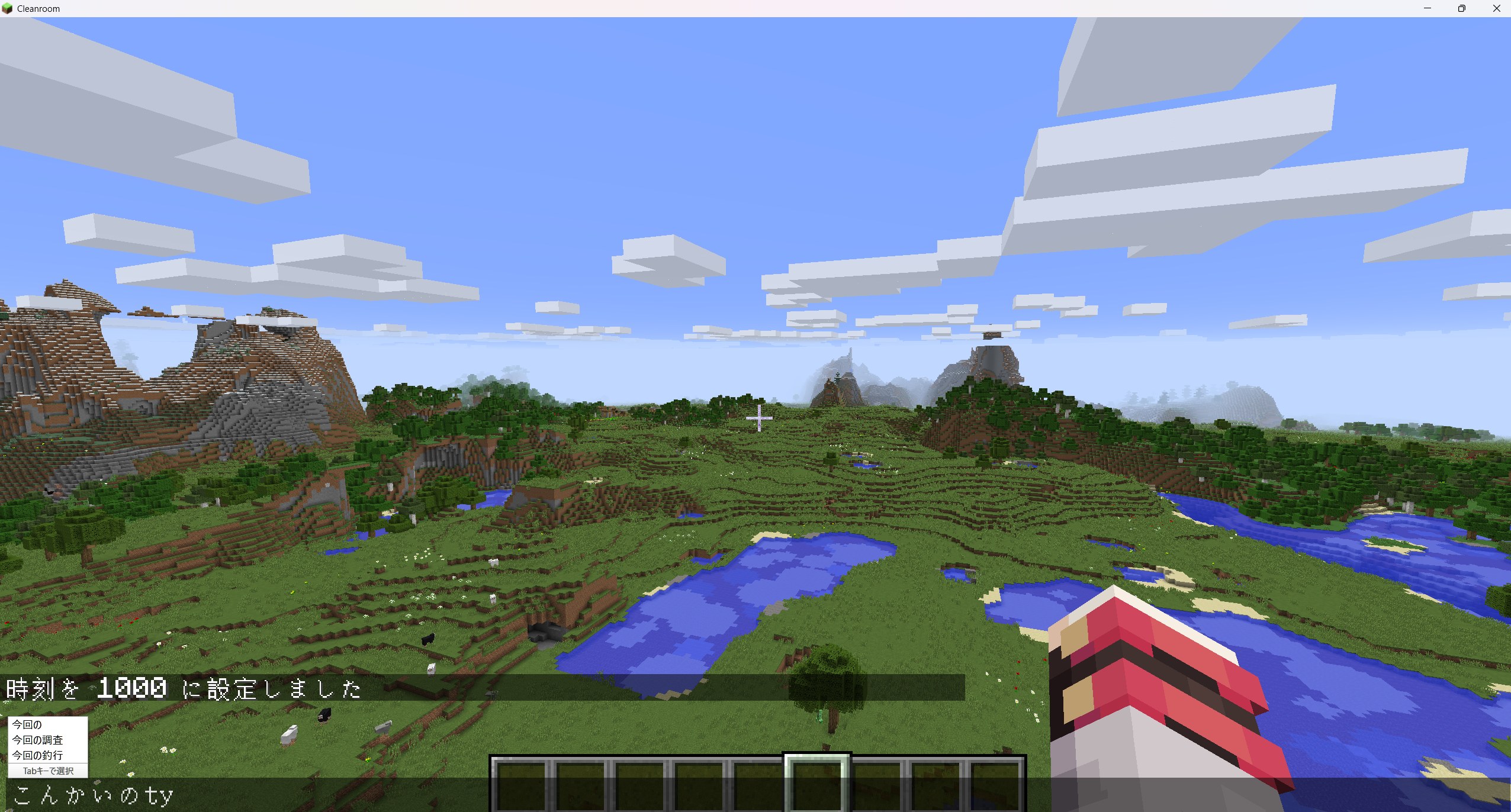
CJK Input Bridge is a mod that makes it easier to enter Japanese and other CJK text in Minecraft 1.12.2 on Windows.
CJK Input Bridgeは1.12.2での日本語系の文字入力を改善します
In Minecraft 1.12.2, text being composed with an IME may not appear correctly in the game, and the candidate window may be displayed far away from the text field.
This mod connects the Windows IME with Minecraft text fields so that composition text and conversion candidates appear near the current input position.
It can be used in a wide range of text-entry screens, including chat boxes, search fields, name fields, and configuration screens added by other mods.
Features
- Displays IME composition text directly in Minecraft text fields
- Positions the candidate window near the current input location
- Keeps the candidate window aligned when long text causes the field to scroll horizontally
- Adjusts the candidate window position for different GUI scale settings
- Keeps IME input working after switching tabs or text fields within a GUI
- Restores IME input after switching away from Minecraft with Alt+Tab
- Passes committed text to some modded screens that do not use standard Minecraft text fields
Requirements
| Item |
Supported environment |
| Minecraft |
1.12.2 |
| Mod loader |
Cleanroom Loader |
| Tested Cleanroom Loader version |
0.5.15-alpha |
| Operating system |
Windows 11 |
| Java |
Java 25 |
| Tested input language |
Japanese |
CJK Input Support
At this time, only Japanese input has been tested.
Chinese, Korean, and other CJK input methods have not yet been tested and may not work correctly depending on the IME and system environment.
| Input environment |
Status |
| Japanese IME |
Tested |
| Chinese input |
Not tested |
| Korean input |
Not tested |
| Windows 11 x64 |
Tested |
| Windows on ARM |
Not tested |
| macOS |
Not supported |
| Linux |
Not supported |
Installation
- Install Minecraft 1.12.2 and Cleanroom Loader.
- Download the CJK Input Bridge mod file.
- Place the downloaded file in the Minecraft
mods folder.
- Start Minecraft with the Cleanroom Loader profile.
No additional DLLs, CMake installation, or Visual Studio Build Tools are required.
This mod is designed for Windows only. macOS and Linux implementations are not included.