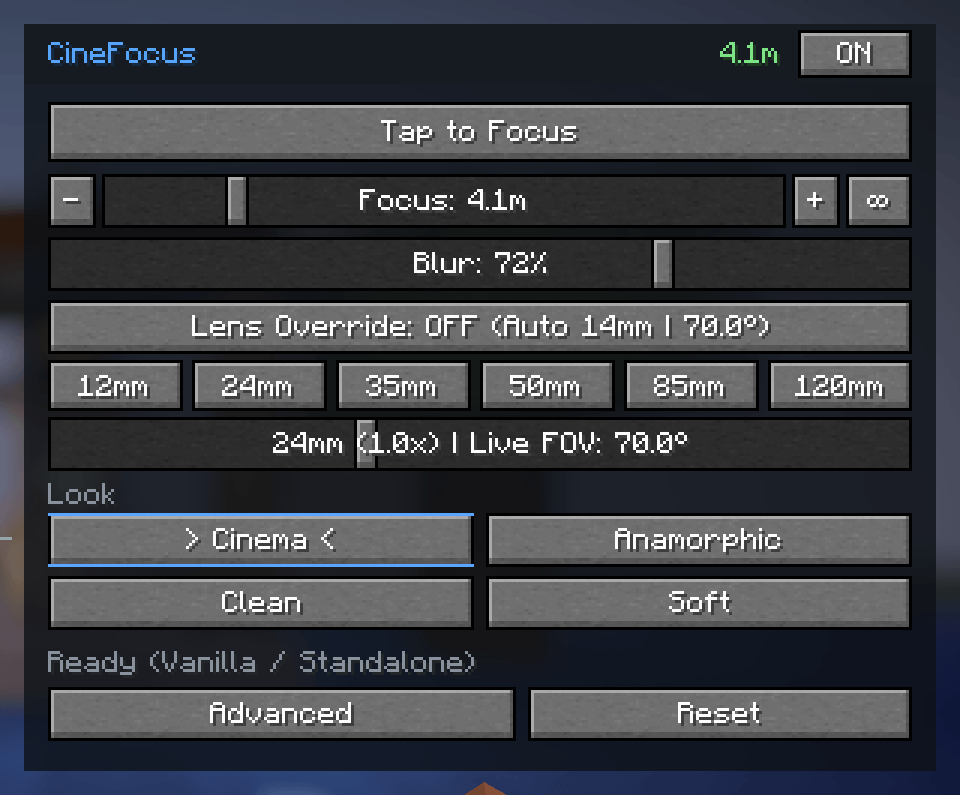
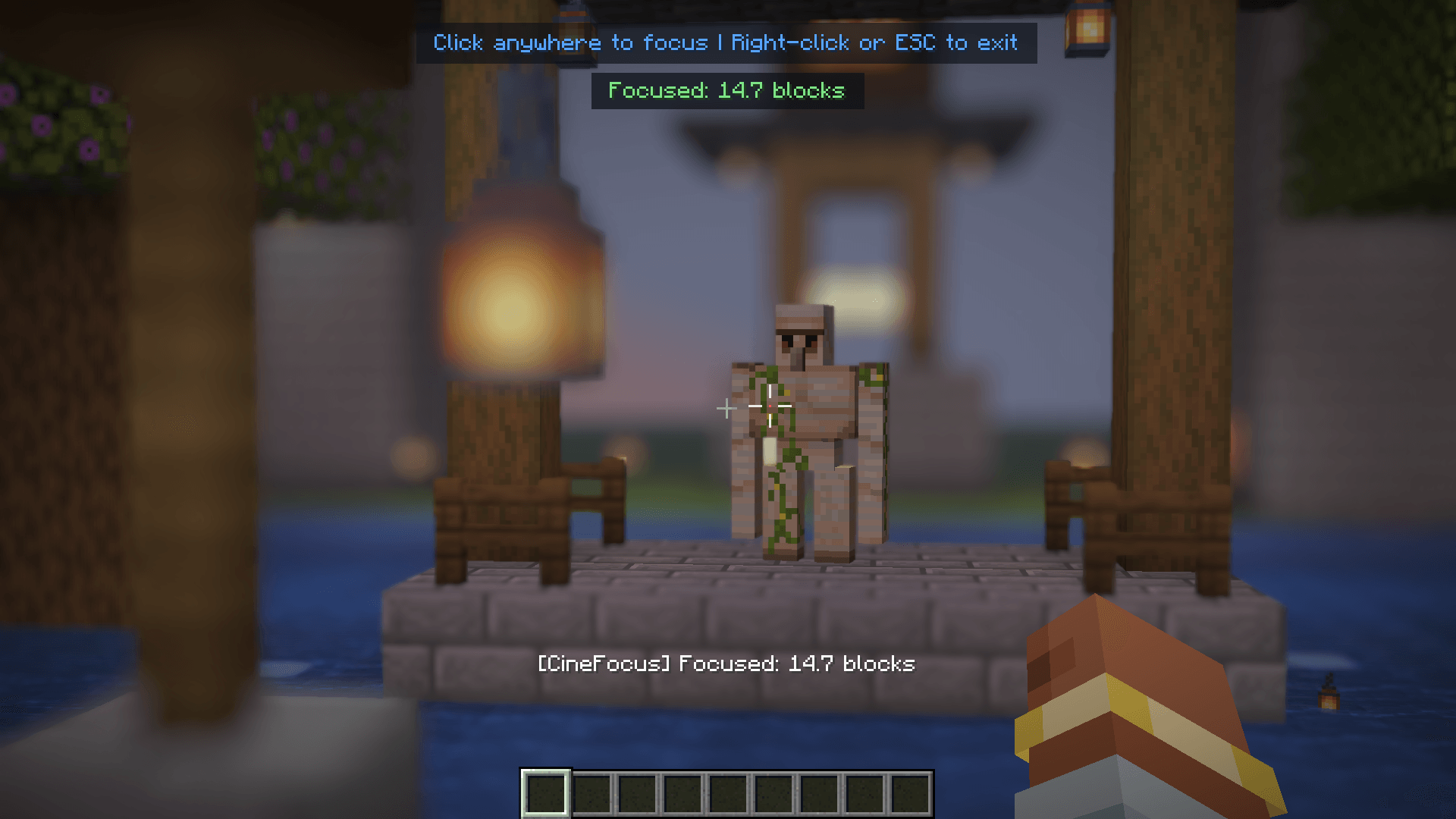
CineFocus adds real-time DSLR Depth of Field, focal-length lens zoom, rack focus pulls, and built-in keyframe timelines to Minecraft 1.21.11 Fabric. All controls sit in a non-pausing studio panel so you can frame shots and see optical changes live in singleplayer, multiplayer, or Flashback replays.
Optical Blur & Focus Transitions
Camera Lens & Focal Length Zoom
Features
5 Focus Modes
- Manual: Adjust focus from
0.5m to 100.0m with a slider, -/+ 0.5m step buttons, or snap to Infinity.
- Tap to Focus (
V): Open a transparent overlay and click any block or mob in the world to focus directly on its depth.
- Follow Target (
L): Lock onto a mob or player in your crosshair and track their distance automatically.
- Double Focus (2 Targets): Set Target 1 and Target 2 in the Advanced drawer to keep two subjects sharp at the same time.
- Auto: Continuously tracks the depth under your crosshair.
Look Presets & Optical Controls
- 4 One-Click Look Presets:
Cinema, Anamorphic (1.45x horizontal stretch), Clean, and Soft.
- Advanced Sliders:
Bokeh Glow, Lens Fringe, Aerial Haze, Anamorphic (1.00x-1.80x), Sharp Area, and Edge Softness.
- Sharp Nametags: Keep
Blur Nametags set to OFF so player and entity nametags stay readable after the DoF pass with proper depth occlusion.
- Debug Blur Map: Diagnostic Circle-of-Confusion view in the Advanced drawer.
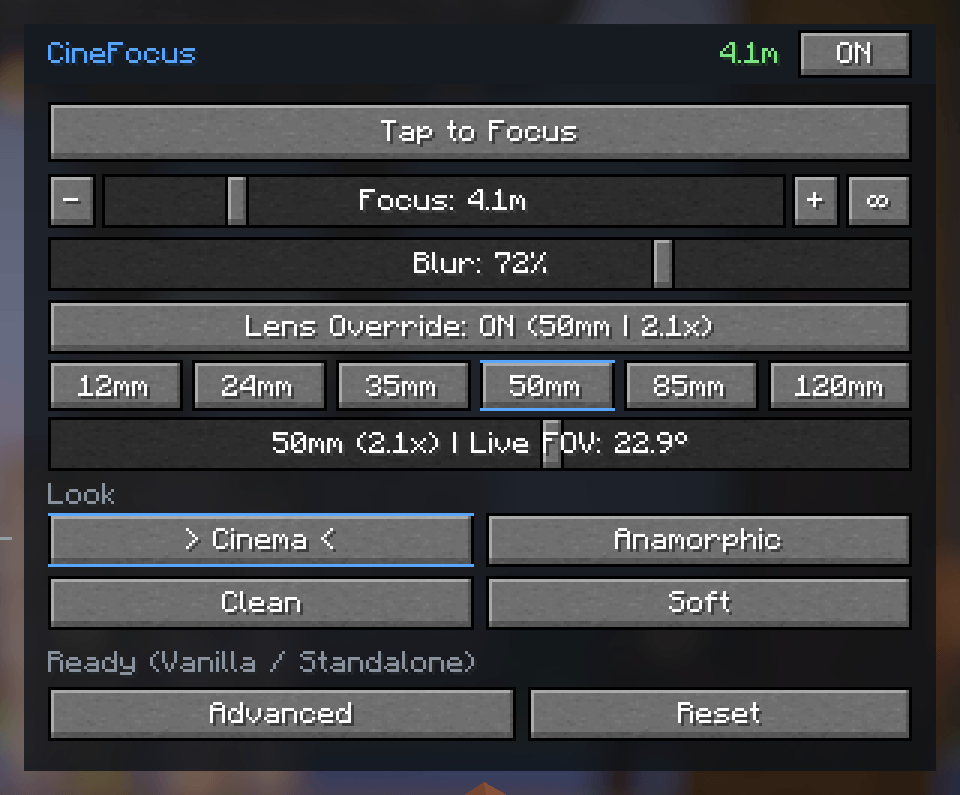
Camera Lens / FOV Override
- Quick focal-length preset pills:
12mm (0.5x), 24mm (1.0x), 35mm (1.5x), 50mm (2.1x), 85mm (3.5x), and 120mm (5.0x).
- Logarithmic focal-length slider (
7mm-200mm) with live FOV readout in degrees and smooth transitions.
- Proportional mouse sensitivity scaling while zoomed in.
- Automatically yields FOV control to Flashback when Flashback is driving replay camera FOV.
Rack Focus & Keyframes
- Focus Shift (
P): Save Point A and Point B in Advanced, set a duration (0.5s-10.0s), and pull focus smoothly between them.
- Built-in Timeline (
U): Add focus keyframes in-game and toggle Keys: ON/OFF for playback.
Compatibility
- Sodium: Compatible.
- Iris Shaders: Reads Iris's
depthtex0 depth buffer while a shaderpack is active. Turn off your shaderpack's built-in DoF when stacking, or enable Auto-Disable with Shaders.
- Flashback: Native
cinefocus_dof keyframe serialization, replay playback, video export support, and a docked CineFocus ImGui control window inside the Replay Editor.
Default Keybinds
K - Toggle CineFocus On/OffO - Open Live Focus StudioV - Toggle Click-to-Focus ModeL - Lock / Cycle Entity FocusP - Trigger Rack Focus (A <-> B)U - Add Focus Keyframe- Unbound - Toggle Lens Override
Requirements
- Minecraft
1.21.11
- Fabric Loader
>= 0.18.0
- Fabric API
- Java
21+
- Client-side only (config saved in
config/cinefocus.json).
FAQ
- Is it spelled CineFocus or Shiny Focus?
The mod is officially called CineFocus (Cinema + Focus), though voice search and auto-captions often spell it as Cine Focus or Shiny Focus.