| CurseForge | Modrinth | Source | Discord |
Chuuni Crafts
Enchanting? Crafting? Or even opening a door? Chuuni Crafts transforms player interaction with blocks into exaggerated ANIME cutscenes without altering any of the original game mechanics.

✨ Features
- Anime Cinematics: Camera moves, brush-stroke attack names, manga panels, impact frames, speed lines and screen shake, all layered on top of vanilla gameplay.
- 100+ Interactions Covered: Workstations, portals, redstone, mobs, projectiles, combat and milestones. Big moments get a full cinematic; small ones get a quick flourish.
- Your Level of Chuuni: Three intensity levels, from "everyday" (no camera, no titles) to "terminal chuuni" (everything doubled). Every single effect can be switched off on its own.
- Server Control: OPs can lock settings for everyone, or turn off a specific effect server-wide, right from the in-game menu.
- Original Art: Every model, texture and effect is made for this mod.
Showcase
There's a showcase; let you know what it looks like:
Embed Removed: https://www.youtube-nocookie.com/embed/1zh3yy4pkEk
Snapshots
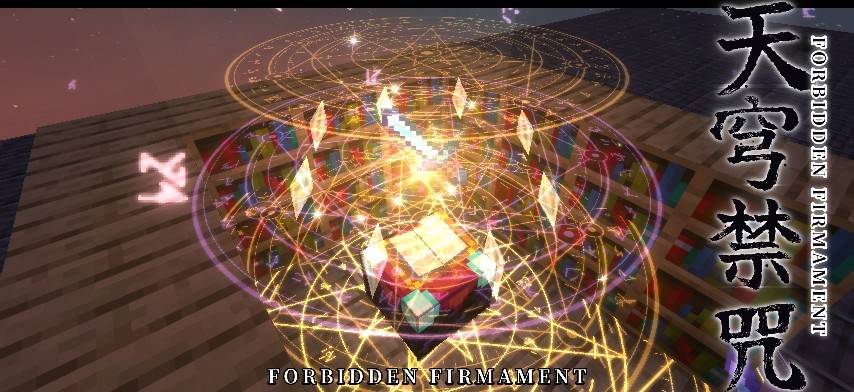
Enchanting: Forbidden Firmament
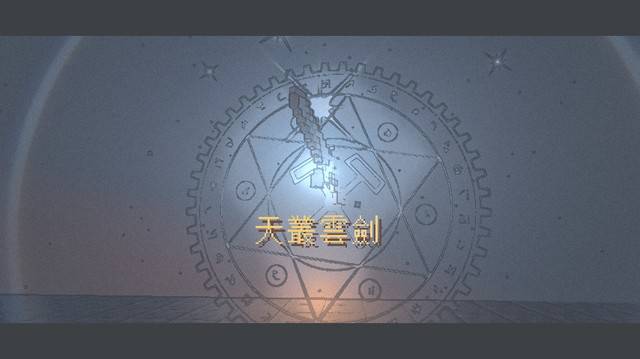
Three tiers depending on the enchantment level: Stardust Blessing, Stellar Engraving, and at the top, Forbidden Firmament. A magic circle unfolds around the table and the title is stamped down in brush strokes.

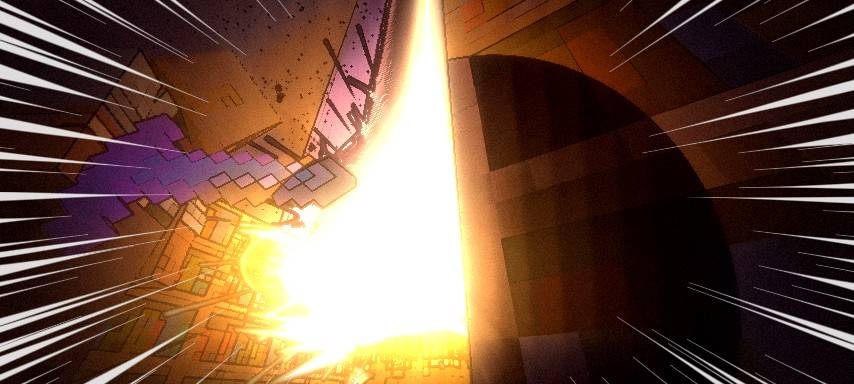
Right before that, the screen tears into manga speed lines as the light pierces through.

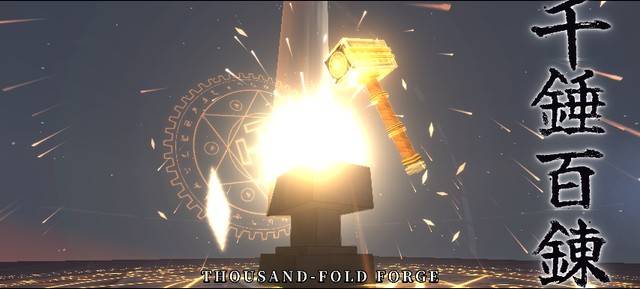
Anvil: Thousand-Fold Forge
The hammer comes down, and an impact frame freezes the moment.

Renamed items get their new name written into the air.

Crafting: All Creation Unbound
Every ingredient is pulled into the table and burst apart in light.


Cartography: The Omniscient Eye
The map opens into a glowing eye that scans the whole world.


Even Doors
Opening a door is Seal Released. Keep doing it and the combo counter climbs.

Closing it again is Barrier Resealed.

The Reward
When the scene ends, your item descends onto the block and keeps glowing until you pick it up. Nobody else can take it.

Everything Else
- Tier A (full cinematics): respawn anchor, beacon, smithing, grindstone, brewing, Nether & End portals, vault, bed, dragon egg, archaeology, lodestone, golems, summoning the Wither
- Tier B (short scenes): cauldron, waxing, scraping, candles, campfire, TNT, stonecutter, loom, crafter, jukebox, lectern, bell, composter, beehive, pumpkins, spawner, ender chest, shulker box, copper golem, signs, cake, end crystal, explosions
- Tier C (micro effects): chests, chiseled bookshelves, shelves, decorated pots, note blocks, levers, buttons, repeaters & comparators, stripping logs, tilling, bone meal, buckets, redstone and more
- Mobs: taming, name tags, shearing, milking, trading, breeding, curing zombie villagers, bartering with piglins, leashing, riding
- Projectiles: ender pearls, eyes of ender, tridents, wind charges, fireworks, fishing rods
- Combat & Events: critical hits, sweeping attacks, totem of undying, defeating bosses, elytra take-off, riptide, level-ups, advancements, sleeping through the night
and so on...
Configs
Both files are created on first run. You can edit the configs to change something.
Client — config/chuuni.properties
Press K (or type /chuuni) to open the settings screen, or edit the file:
enabled=true
cinematic=true
intensity=1
titles=true
post=true
sound=true
shake=1
volAnime=1
volSynth=1
volTitle=1
intensity — 0 everyday, 1 chuuni (default), 2 terminal chuuni.tierA / tierB / tierC / mobs / throws / combat / events — turn a whole group on or off.fx.<name> — turn off one effect, e.g. fx.explosion=false. The settings screen has a tab for each group.
Server — config/chuuni-server.properties
OPs can press K → Server settings… or use /chuuniserver set <key> <value>.
- Leave a key empty — players decide for themselves.
forceClient=true — any general setting you fill in is enforced on every player and locked on their screen. Their own config files are never touched.fx.<name>=false — disable that effect for the whole server, e.g. fx.explosion=false to save frames during big TNT blasts.
Compatibility
| Mod Loader |
Available Versions |
Notes |
| Fabric |
1.21.11 |
Fabric-API required |
⚠️ Requirements & Important Notes
- Install on Both: Most effects are triggered by the server, so Chuuni Crafts should be installed on both the server and the player's client. Singleplayer just works.
- Vanilla-Friendly: Players who join without the mod simply see vanilla behaviour, and nothing is ever duplicated or lost.
- Sound Credits: Some sound effects are from 効果音ラボ (Sound Effect Lab). Title fonts are licensed under the SIL Open Font License.
If you need to contact me, you're welcome to join my Discord group.
License: All Rights Reserved. Free to use on commercial servers and in modpacks/server packs with credit. Standalone redistribution, modified versions and asset extraction are not permitted. See LICENSE.