


ChestAtlas
- By
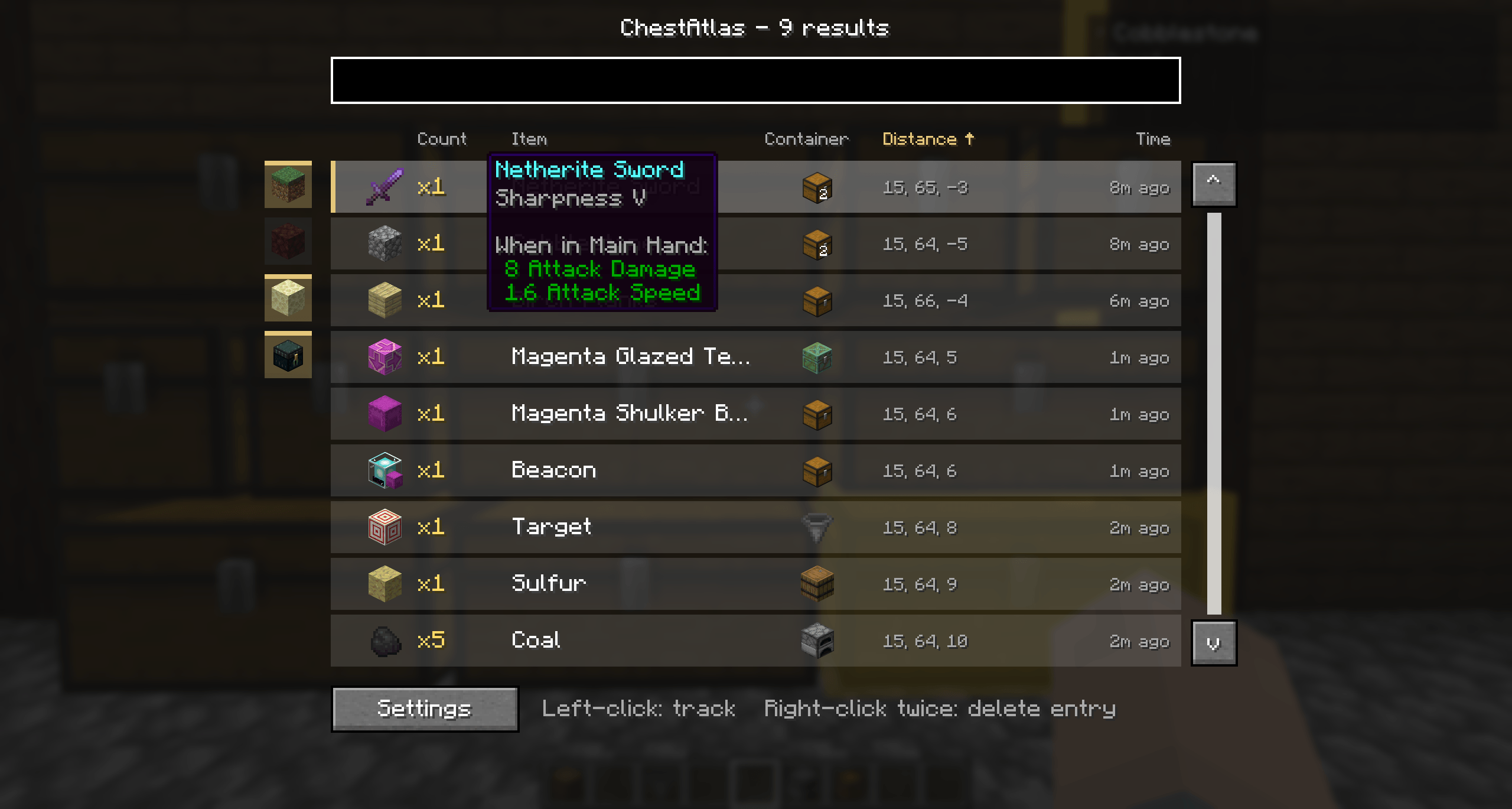
The search screen open with a full list of items
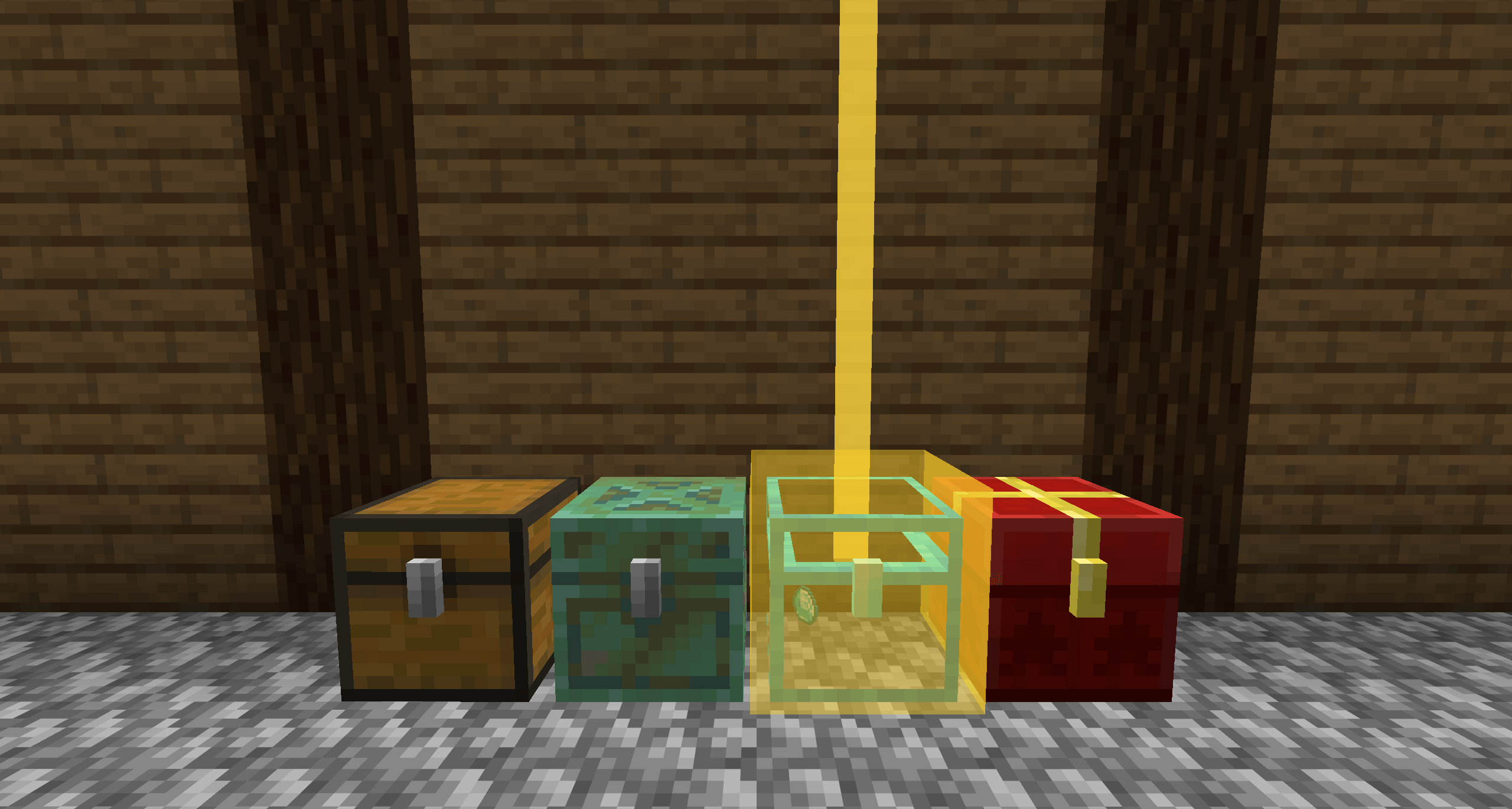
Mod container support
Description
ChestAtlas
Never dig through twenty chests looking for one stack of iron again.
ChestAtlas quietly remembers every chest, barrel, shulker box, and ender chest you open, indexes everything inside — down to enchantments, lore, and custom names — and lets you instantly search across your entire base (or every base you've ever built) for any item. Find it, and ChestAtlas guides you straight back to the right container with a compass, a directional beam, a glowing container, and a highlighted slot the moment you open it.
100% client-side. No server install, no permissions, works on any server (vanilla or modded) since it only remembers what you've already seen.
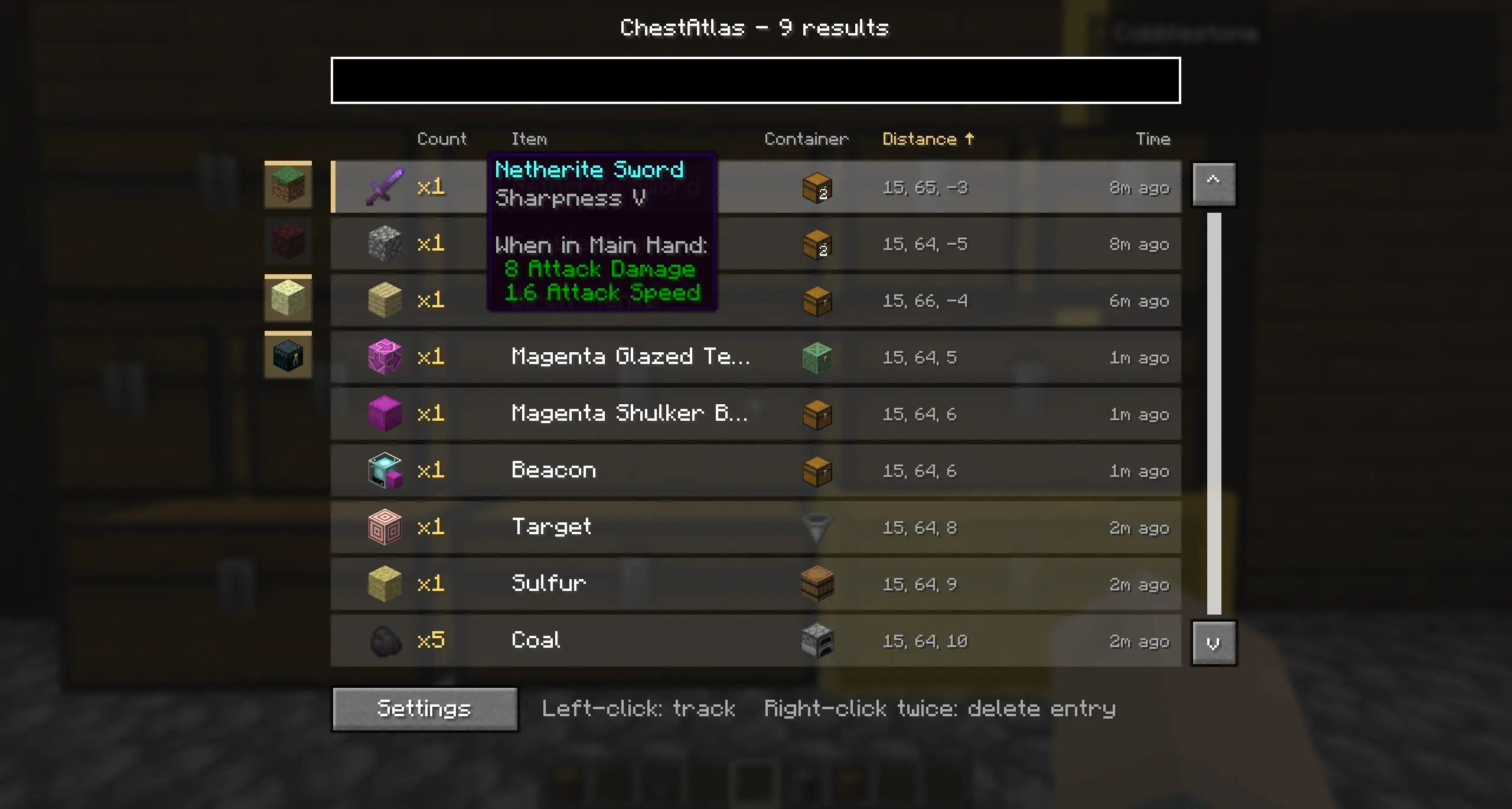
✨ Features
🔍 Search everything you've ever stored
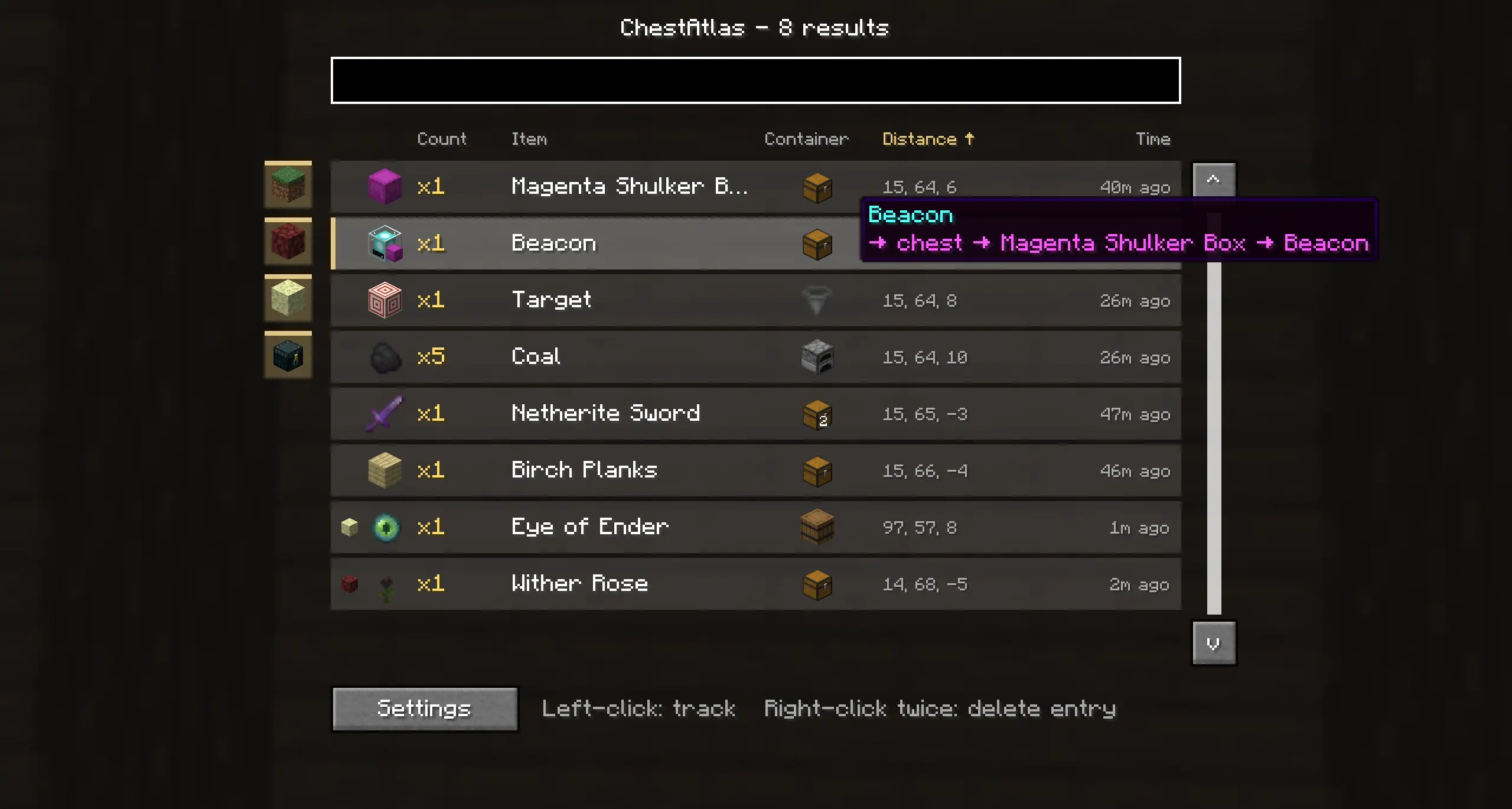
Press a hotkey, type, and instantly see every matching item across every container you've opened — sorted by relevance, distance, or whatever you click on.
- Search by item name, item ID, or enchantment — typing "sharpness" finds both items literally named that and every sword/tool actually enchanted with it, at any level.
- Sortable columns: Count, Item, Container, Distance, Time — click a header to sort ascending/descending.
- Real, draggable scrollbar and a resizable row count that adapts to your GUI Scale, so the window never gets cut off.
- Hover any result for its exact vanilla tooltip — enchantments, lore, attributes, everything, rendered exactly like the real item, including the enchantment glint on the icon itself.
- Filter results by dimension (Overworld / Nether / End / Ender Chest) with one click.
- A distinct purple "breadcrumb" line shows you the nesting path when an item is tucked inside a shulker box or bundle inside a container, e.g.
→ Barrel → Purple Shulker Box → Dirt Block.
🧭 Guided back to the source
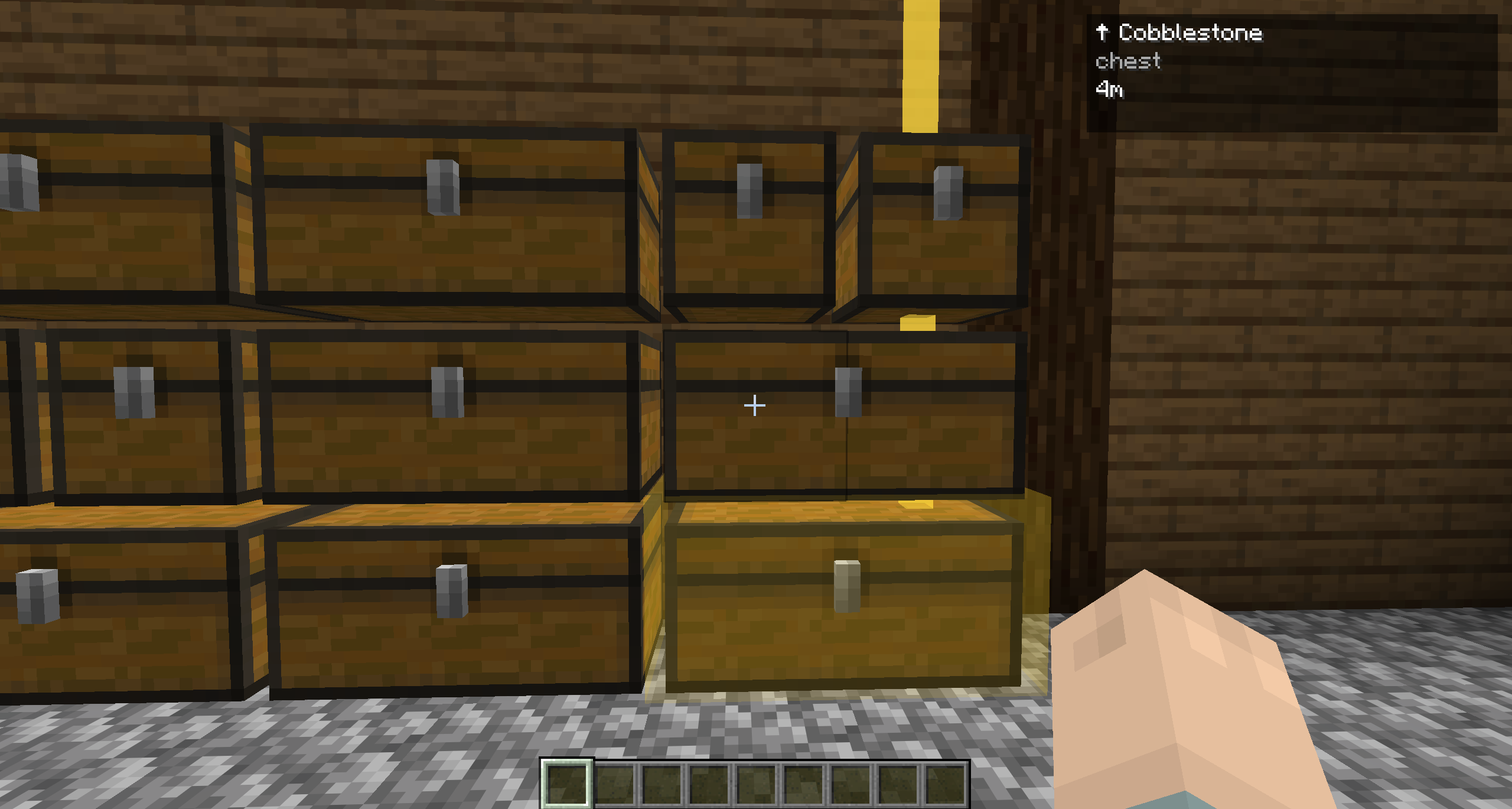
Click a search result to start tracking it. ChestAtlas then shows you:
- A compass-style HUD with live direction and distance to the container — and if it's in another dimension, it tells you which one.
- A guide beam rendered in the world pointing the way.
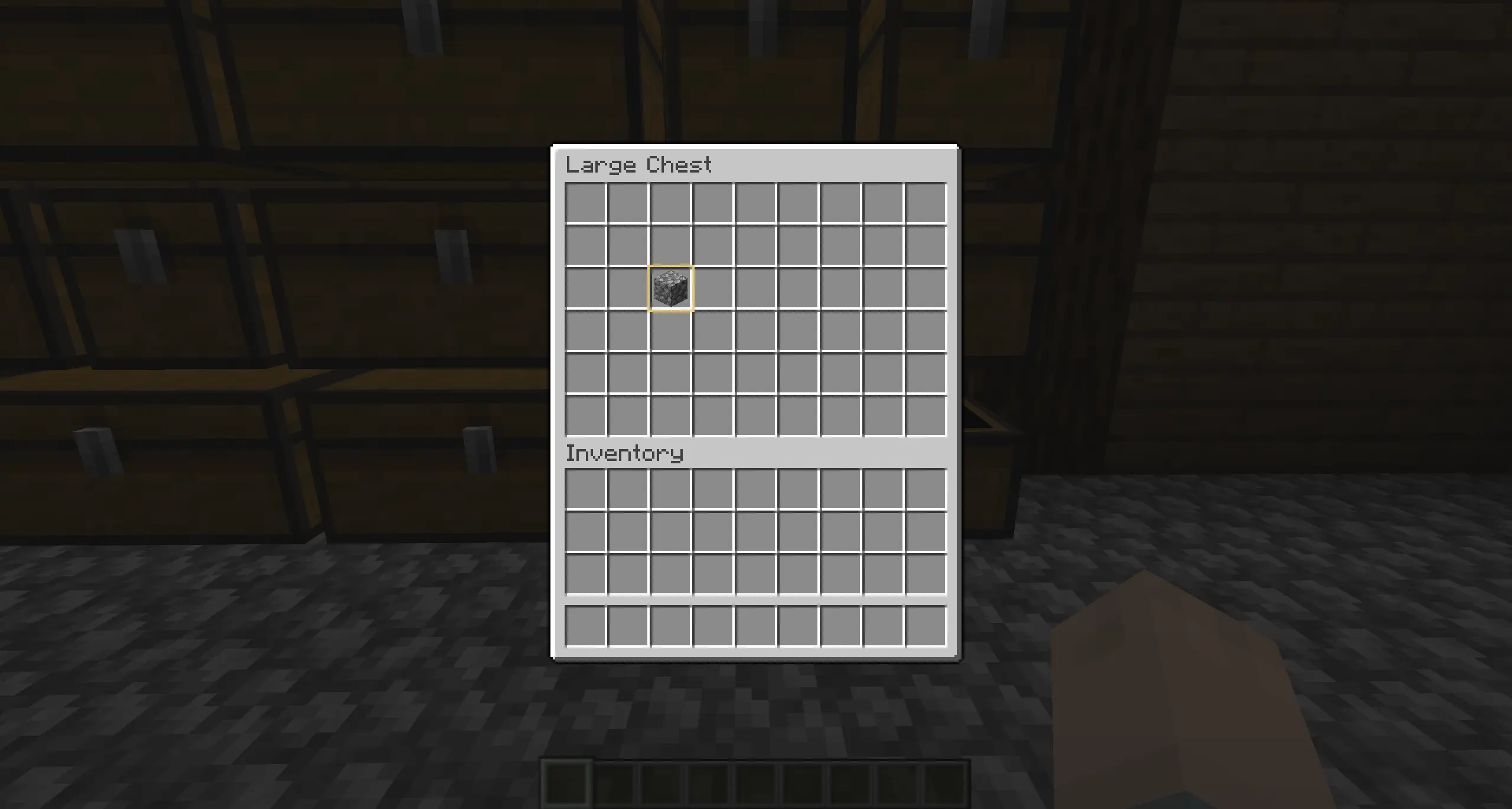
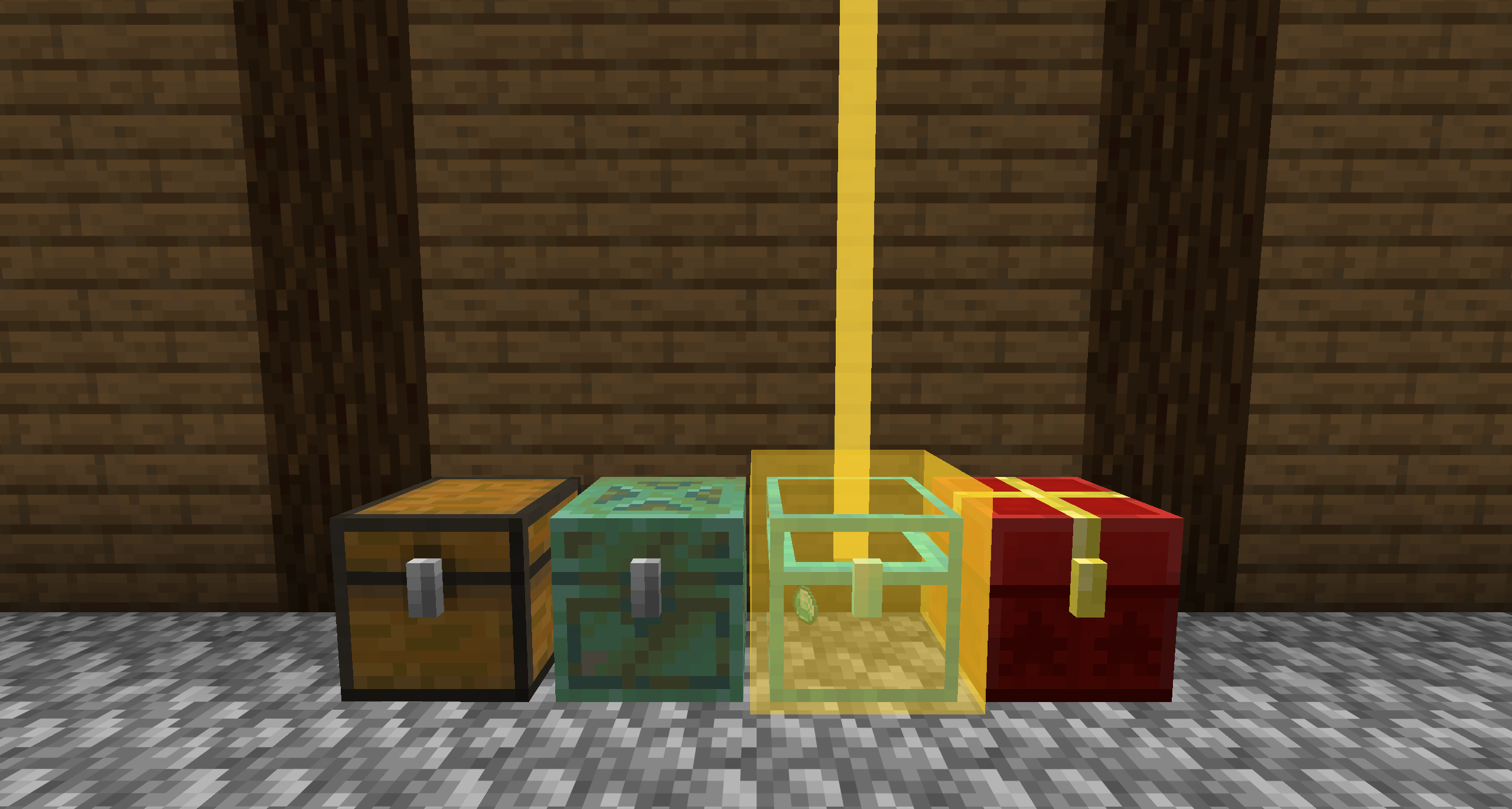
- Makes the container glow in a rectangular shape.
- The exact slot highlighted the moment you open a container that has the item — and if it turns out it's not actually there anymore, ChestAtlas tells you right inside the container GUI instead of a message you'd never notice.
- The waypoint clears itself automatically once you arrive (optional, toggleable).
📦 Remembers automatically, no setup required
Every container you open is logged the instant you close it — no commands, no manual tagging.
- Works with chests, trapped chests, barrels, shulker boxes (all colors), ender chests and all other containers out of the box.
- Recurses into shulker boxes and bundles sitting inside other containers, so nothing is missed.
- Captures the item's full data — enchantments, custom names, lore — not just its name, so search and tooltips stay 100% accurate.
- Ender chests are tracked as a single shared entry, since they're the same inventory everywhere.
- One hotkey pauses/resumes logging entirely, for the rare times you don't want a container remembered.
- Stale entries are automatically detected and cleaned up if a container gets destroyed or replaced.
🚫 Full control with blacklists
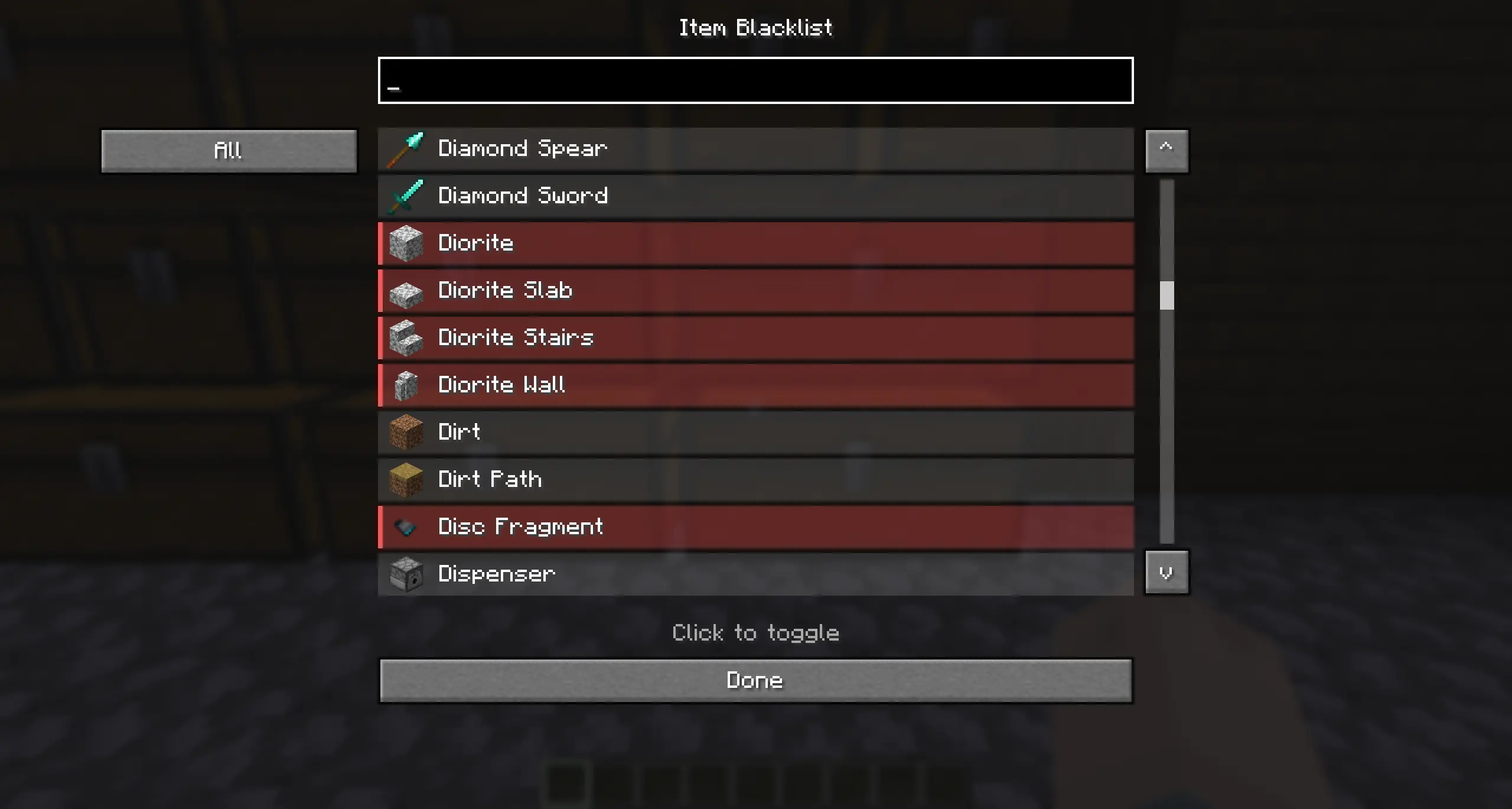
Don't want every barrel of cobblestone cluttering your search results? Exclude exactly what you don't need, from three independent blacklists, all managed from the Settings screen:
- Item blacklist — a searchable list of every item in the game; toggle any of them off with one click.
- Container type blacklist — exclude entire container types (e.g. never track barrels). Only shows real storage containers, not decorative or non-storage menu blocks.
- Specific container blacklist — exclude one exact container without affecting its type: hold a (rebindable) hotkey and click the container in the world. Review or undo any of these later from Settings.
🌍 Speaks your language
Fully localized into English, German, French, Spanish, and Portuguese (Brazil). Automatically matches whatever language you have Minecraft set to, no configuration needed.
⚙️ Everything is configurable
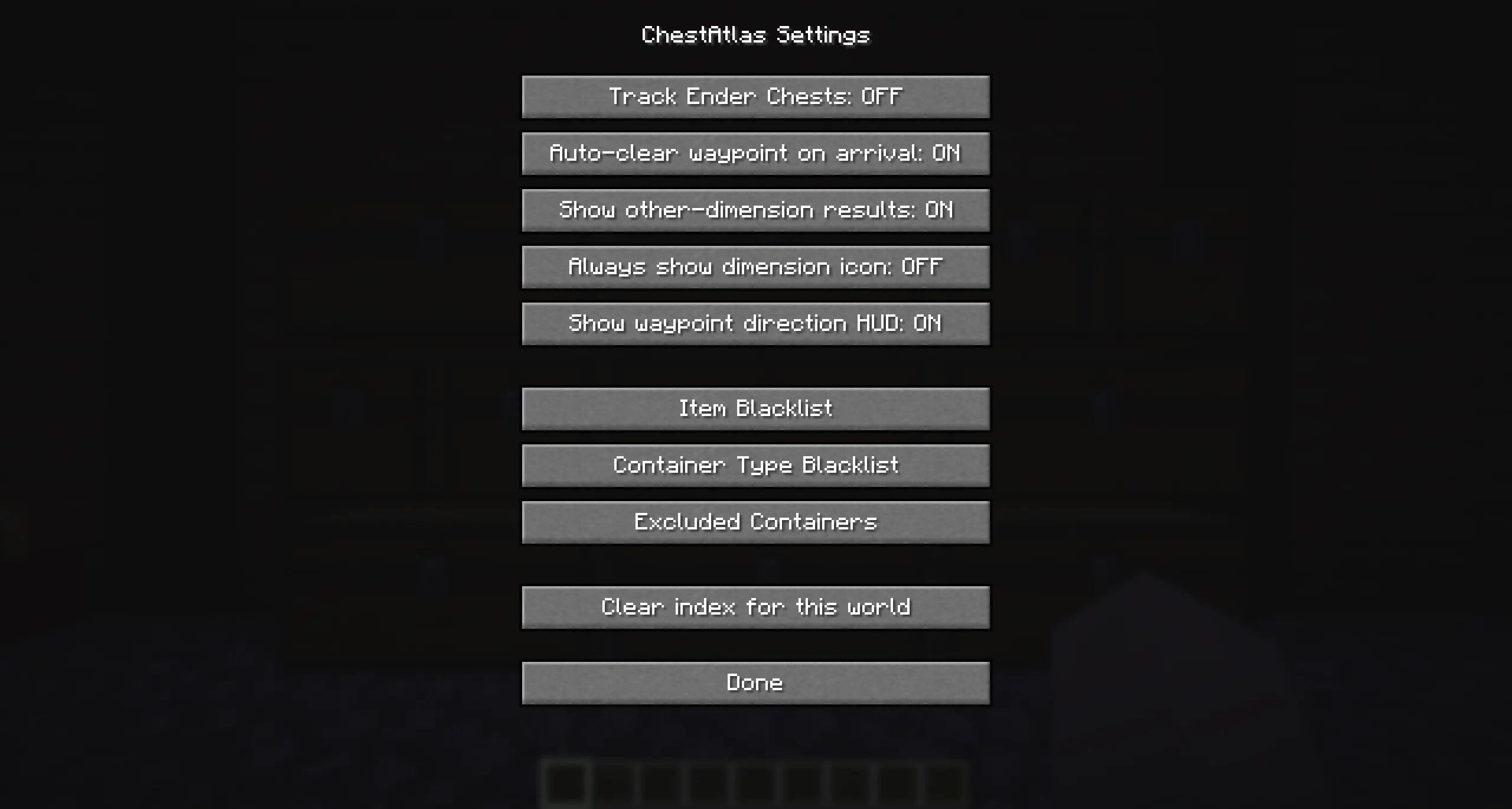
Open Settings straight from the search screen:
- Track ender chests (on/off)
- Auto-clear waypoint on arrival
- Show results from other dimensions
- Always show the dimension icon on results
- Show/hide the waypoint direction HUD
- Clear the entire index for the current world
- Access to all three blacklist screens
⌨️ Keybinds
All keybinds are freely rebindable in Options → Controls → ChestAtlas.
| Action | Default Key |
|---|---|
| Open Search | K |
| Cancel Waypoint | unbound |
| Toggle Container Logging | unbound |
| Blacklist Modifier (hold + click a container) | unbound |
🧩 Compatibility
ChestAtlas doesn't hardcode a list of "known" containers or items — it works off Minecraft's own item and container-menu systems, so it works automatically with most modded storage blocks and items too. It's 100% client-side, so it's safe to use on any multiplayer server without asking permission — it only ever remembers what you, personally, have already opened and seen.
💾 Data & Privacy
Everything ChestAtlas remembers is stored locally on your own PC, per world (singleplayer) or per server (multiplayer) — nothing is ever sent anywhere. Renaming a singleplayer save or changing a server's address starts a fresh index for that world.
Found a bug or have a feature idea? Open an issue on GitHub.
ChestAtlas Team
